

![[PRO Tips] Gold’s Bullish Revival: Seasonal Trends and Key Levels to Watch](https://xinker.org/uploads/images/202412/image_430x256_67724cc6ad0cd.webp)
![[PRO Tips] Gold Market Under Short-Term Pressure, Safe-Haven Demand and Central Bank Buying Support Long-Term Upside Potential](https://xinker.org/uploads/images/202412/image_430x256_676ffb4685287.webp)
![[PRO Tips] Analysis of 9 key points of differentiation strategy! Master differentiation to create a brand advantage that is unique in the world!](https://firebasestorage.googleapis.com/v0/b/xinker-tips.appspot.com/o/article_thumbnails%2Fscaled_differentiation%20strategy.png.png?alt=media&token=a1bfc3d2-e85a-4db7-8a6d-01c7274f8940)
![[PRO Tips] Will REITs regain growth momentum in 2024? 3 REITs ETFs you must know if you want to invest in real estate.](https://firebasestorage.googleapis.com/v0/b/xinker-tips.appspot.com/o/article_thumbnails%2Fscaled_REITs1.png.png?alt=media&token=8af4eb93-33ff-466f-8039-b6555fad52b4)
![[PRO Tips] Complete tutorial on how to make money in Adobe Stock!](https://firebasestorage.googleapis.com/v0/b/xinker-tips.appspot.com/o/article_thumbnails%2Fscaled_tut-adobe1.png.png?alt=media&token=0b2c8cf2-22bd-4142-883e-140ed1cbaf02)
![[Passive Income] Unlock the secret of passive income: 3 steps to apply for Google AdSense](https://xinker.org/uploads/images/202410/image_430x256_6717a4fb3052b.webp)
![[Passive Income] Earn over $200 a day with AI-generated articles!](https://firebasestorage.googleapis.com/v0/b/xinker-tips.appspot.com/o/article_thumbnails%2Fscaled_article1.png.png?alt=media&token=f61bf35b-8553-4719-826d-7360024adc70)
![[Passive Income] Earn over 20 USD per download with AI-generated images!](https://firebasestorage.googleapis.com/v0/b/xinker-tips.appspot.com/o/article_thumbnails%2Fscaled_adobe2.png.png?alt=media&token=3e20e76a-a907-45af-80aa-bf9b3600301f)
![[Passive Income] Earn 10 USD per new download by sharing CapCut!](https://firebasestorage.googleapis.com/v0/b/xinker-tips.appspot.com/o/article_thumbnails%2Fscaled_capcut2.png.png?alt=media&token=a04dec40-1fac-4857-86f2-19a8be02d38e)
![[Passive Income] Use your WiFi to create passive income in 5 minutes, and you can earn 4-6 U per day!](https://firebasestorage.googleapis.com/v0/b/xinker-tips.appspot.com/o/article_thumbnails%2Fscaled_Grassio.webp.png?alt=media&token=7659a95e-0e47-4f27-a17d-c942ac3cf7f4)


![[Business Talk] The Unique Theme of XINKER's Song: Beef Wellington and Business Mastery](https://xinker.org/uploads/images/202410/image_430x256_671afc155f47f.webp)
![[Business Talk] Chagee: Opening 3,500 stores in 6 years](https://xinker.org/uploads/images/202410/image_430x256_671afce80c5f9.webp)


[July 23] Known Issues (August 20, 06:40 UTC)
Guide your Star-kissed Saviors, StarSavior!Greetings, Captain! This is your Liaison Officer, GM Lisa.We would like to inform you of the currently known issues identified in StarSavior.We are working to resolve these issues as quickly as possible,and once they have been fixed, we will provide an update through this notice.We sincerely apologize for any inconvenience.\[Recent Update]- August 13, 2026\[Known Issues]1. An issue where pressing Back after selecting \[Savior Menu > Stellar Archive > Go to Journey] does not return the player to the Savior Menu screen.2. An issue where Enhancement effects are displayed incorrectly on certain mobile devices.3. An issue where the Pause popup is displayed too dark when pausing while the game screen is blacked out.4. An issue where the remaining days for some missions are displayed in Korean under non-Korean language settings.5. An issue where Carnelia’s Costume Destruction special animation does not play after Toughness Break when Immortality activates during gameplay.6. An issue where the T2 Gear Material Box can only be purchased one at a time in the Apocalypse Shop. (July 24, 2:45 UTC)7. An issue where the message “Failed to update the client” is displayed and the download does not proceed. (July 27, 2:50 UTC)※ Please take the following steps if this issue occurs.a. Submit a 1:1 inquiry to https://help_starcs@studiobside.com with the logs related to the game failure attached.Log Files (Android / Steam)\[Android]Connect your device to a PC and check the following path:PC File Explorer > Internal Storage\\Android\\data\\com.studiobside.starMain\\files\\Logs\[Steam]Press Windows Key + R > Enter %userprofile%\\AppData\\LocalLow\\StudioBside\\StarSavior\\Logs > Attach the log file from the relevant date.※ Please note that information tracking is not possible on iPhone due to Apple policy.※ If you are using an iPhone, please link your account to Steam and check the logs through Steam.b. Proceed with an integrity check from the game access loading screen, or delete and reinstall the game after clearing the cache.8. An issue where the related guide message is not displayed when transitioning to the final phase in Gauntlet Ranked Match “Roche Limit.” (July 28, 2:55 UTC)9. An issue where Operation progress is not displayed correctly in the Profile Details popup under \[Overload Cube > Ranking Guide]. (July 30, 1:05 UTC)10. An issue where “Guild Supply Creats” cannot be purchased from \[Guild Shop > Manager Shop]. (July 30, 1:05 UTC) (July 30, 3:20 UTC)11. An issue where the weapon of Sunshine Cat: Smile or Smile appears dark during battle when another Savior in the team uses an Active Skill or a Target: Self skil(August 7,06:20 UTC)12. An issue where Savior Star Link levels are displayed differently depending on the device environment. (August 11, 9:20 UTC)※ Stats based on Star Link level are being applied correctly on all devices.※ On devices where this display issue occurs, the Star Link level will be displayed correctly when accessing the Star Link menu again.13. An issue where the ATK Increase value for Lv. 4 is displayed incorrectly in the skill level information for Sunshine Cat: Smile’s Passive Skill, “Smile’s Underwater Experiment,” under the Japanese language setting. (August 14, 06:25 UTC)※ This is a display issue only. The stat effect is applied correctly.14. An issue where the color formatting is not applied to the Critical DMG percentage value for Lv. 1 in the skill level information for Sunshine Cat: Smile’s Passive Skill, “Smile’s Underwater Experiment.” (August 14, 07:45 UTC) 15. An issue where some in-game text is displayed in English under the Traditional Chinese language setting. (August 18, 01:40 UTC) 16. An issue where “Gear Score” is displayed in Korean on the Gear Enhancement screen under non-Korean language settings. (August 20, 06:30 UTC)17. An issue where the Challenge of the Stars bonus score UI is not displayed in Cosmo Gate. (August 20, 06:40 UTC)
![[July 23] Known Issues (August 20, 06:40 UTC)](https://clan.fastly.steamstatic.com/images/45693889/36497598c32263c1c440caefa24f55dff75907bb.png?#)
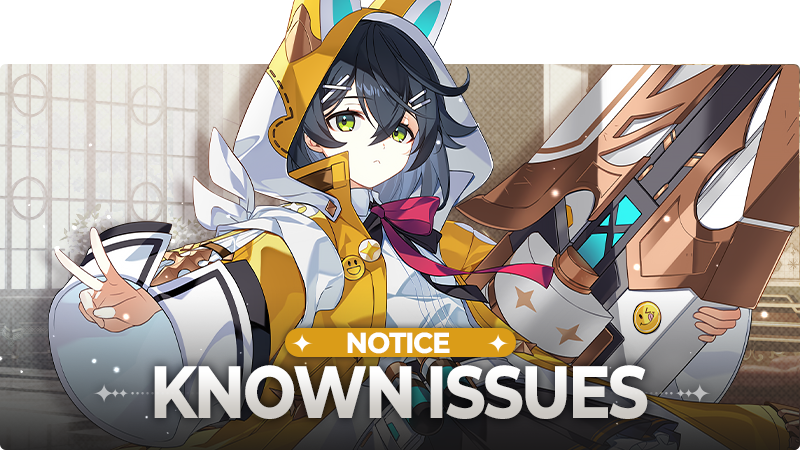
Guide your Star-kissed Saviors, StarSavior!
Greetings, Captain! This is your Liaison Officer, GM Lisa.
We would like to inform you of the currently known issues identified in StarSavior.
We are working to resolve these issues as quickly as possible,
and once they have been fixed, we will provide an update through this notice.
We sincerely apologize for any inconvenience.
\[Recent Update]
- August 13, 2026
\[Known Issues]
1. An issue where pressing Back after selecting \[Savior Menu > Stellar Archive > Go to Journey] does not return the player to the Savior Menu screen.
2. An issue where Enhancement effects are displayed incorrectly on certain mobile devices.
3. An issue where the Pause popup is displayed too dark when pausing while the game screen is blacked out.
4. An issue where the remaining days for some missions are displayed in Korean under non-Korean language settings.
5. An issue where Carnelia’s Costume Destruction special animation does not play after Toughness Break when Immortality activates during gameplay.
6. An issue where the T2 Gear Material Box can only be purchased one at a time in the Apocalypse Shop. (July 24, 2:45 UTC)
7. An issue where the message “Failed to update the client” is displayed and the download does not proceed. (July 27, 2:50 UTC)
※ Please take the following steps if this issue occurs.
a. Submit a 1:1 inquiry to
https://help_starcs@studiobside.com
with the logs related to the game failure attached.
Log Files (Android / Steam)
\[Android]
Connect your device to a PC and check the following path:
PC File Explorer > Internal Storage\\Android\\data\\com.studiobside.starMain\\files\\Logs
\[Steam]
Press Windows Key + R > Enter %userprofile%\\AppData\\LocalLow\\StudioBside\\StarSavior\\Logs > Attach the log file from the relevant date.
※ Please note that information tracking is not possible on iPhone due to Apple policy.
※ If you are using an iPhone, please link your account to Steam and check the logs through Steam.
b. Proceed with an integrity check from the game access loading screen, or delete and reinstall the game after clearing the cache.
8. An issue where the related guide message is not displayed when transitioning to the final phase in Gauntlet Ranked Match “Roche Limit.” (July 28, 2:55 UTC)
9. An issue where Operation progress is not displayed correctly in the Profile Details popup under \[Overload Cube > Ranking Guide]. (July 30, 1:05 UTC)
10. An issue where “Guild Supply Creats” cannot be purchased from \[Guild Shop > Manager Shop]. (July 30, 1:05 UTC) (July 30, 3:20 UTC)
11. An issue where the weapon of Sunshine Cat: Smile or Smile appears dark during battle when another Savior in the team uses an Active Skill or a Target: Self skil(August 7,06:20 UTC)
12. An issue where Savior Star Link levels are displayed differently depending on the device environment. (August 11, 9:20 UTC)
※ Stats based on Star Link level are being applied correctly on all devices.
※ On devices where this display issue occurs, the Star Link level will be displayed correctly when accessing the Star Link menu again.
13. An issue where the ATK Increase value for Lv. 4 is displayed incorrectly in the skill level information for Sunshine Cat: Smile’s Passive Skill, “Smile’s Underwater Experiment,” under the Japanese language setting. (August 14, 06:25 UTC)
※ This is a display issue only. The stat effect is applied correctly.
14. An issue where the color formatting is not applied to the Critical DMG percentage value for Lv. 1 in the skill level information for Sunshine Cat: Smile’s Passive Skill, “Smile’s Underwater Experiment.” (August 14, 07:45 UTC)
15. An issue where some in-game text is displayed in English under the Traditional Chinese language setting. (August 18, 01:40 UTC)
16. An issue where “Gear Score” is displayed in Korean on the Gear Enhancement screen under non-Korean language settings. (August 20, 06:30 UTC)
17. An issue where the Challenge of the Stars bonus score UI is not displayed in Cosmo Gate. (August 20, 06:40 UTC)
What's Your Reaction?









![[Business Talk] Chagee: Opening 3,500 stores in 6 years](https://xinker.org/uploads/images/202410/image_140x98_671afce94bf91.webp)






