


![[PRO Tips] Gold’s Bullish Revival: Seasonal Trends and Key Levels to Watch](https://xinker.org/uploads/images/202412/image_430x256_67724cc6ad0cd.webp)
![[PRO Tips] Gold Market Under Short-Term Pressure, Safe-Haven Demand and Central Bank Buying Support Long-Term Upside Potential](https://xinker.org/uploads/images/202412/image_430x256_676ffb4685287.webp)
![[PRO Tips] Analysis of 9 key points of differentiation strategy! Master differentiation to create a brand advantage that is unique in the world!](https://firebasestorage.googleapis.com/v0/b/xinker-tips.appspot.com/o/article_thumbnails%2Fscaled_differentiation%20strategy.png.png?alt=media&token=a1bfc3d2-e85a-4db7-8a6d-01c7274f8940)
![[PRO Tips] Will REITs regain growth momentum in 2024? 3 REITs ETFs you must know if you want to invest in real estate.](https://firebasestorage.googleapis.com/v0/b/xinker-tips.appspot.com/o/article_thumbnails%2Fscaled_REITs1.png.png?alt=media&token=8af4eb93-33ff-466f-8039-b6555fad52b4)
![[PRO Tips] Complete tutorial on how to make money in Adobe Stock!](https://firebasestorage.googleapis.com/v0/b/xinker-tips.appspot.com/o/article_thumbnails%2Fscaled_tut-adobe1.png.png?alt=media&token=0b2c8cf2-22bd-4142-883e-140ed1cbaf02)
![[Passive Income] Unlock the secret of passive income: 3 steps to apply for Google AdSense](https://xinker.org/uploads/images/202410/image_430x256_6717a4fb3052b.webp)
![[Passive Income] Earn over $200 a day with AI-generated articles!](https://firebasestorage.googleapis.com/v0/b/xinker-tips.appspot.com/o/article_thumbnails%2Fscaled_article1.png.png?alt=media&token=f61bf35b-8553-4719-826d-7360024adc70)
![[Passive Income] Earn over 20 USD per download with AI-generated images!](https://firebasestorage.googleapis.com/v0/b/xinker-tips.appspot.com/o/article_thumbnails%2Fscaled_adobe2.png.png?alt=media&token=3e20e76a-a907-45af-80aa-bf9b3600301f)
![[Passive Income] Earn 10 USD per new download by sharing CapCut!](https://firebasestorage.googleapis.com/v0/b/xinker-tips.appspot.com/o/article_thumbnails%2Fscaled_capcut2.png.png?alt=media&token=a04dec40-1fac-4857-86f2-19a8be02d38e)
![[Passive Income] Use your WiFi to create passive income in 5 minutes, and you can earn 4-6 U per day!](https://firebasestorage.googleapis.com/v0/b/xinker-tips.appspot.com/o/article_thumbnails%2Fscaled_Grassio.webp.png?alt=media&token=7659a95e-0e47-4f27-a17d-c942ac3cf7f4)


![[Business Talk] The Unique Theme of XINKER's Song: Beef Wellington and Business Mastery](https://xinker.org/uploads/images/202410/image_430x256_671afc155f47f.webp)
![[Business Talk] Chagee: Opening 3,500 stores in 6 years](https://xinker.org/uploads/images/202410/image_430x256_671afce80c5f9.webp)


Update #1 - Better Filter Editing, Tier 5 Softlock Fixes and Red Block Removal
A smaller update with some bug fixes and QoL. Changelogv0.5.4Improved Filter ConfigYou can now press the filter overlay label or “Edit last placed” to quickly change a filter without having to override and replace it. Improved the visual distinction of the “Allow” and “Block” settings to make it more obvious which one is selected.Fixed a few other quirks.Credit to Cohh for the live demonstration of filter-replacement struggle.Fixed a softlock causing you to get stuck with Tier 5 being blocked even after the anomaly investigation. Saves should be repaired automatically.Indestructible red blockI am working on a fix mitigating some of the root causes but it touches a lot of the core paths, so I’m not ready to ship it yet until I know it’s risk-free.Until then I’ve made it so that you can remove red blocks. Since this introduces some overhead to the demolisher when scanning for orphans it only does it when you delete 256 tiles or less.For the red blocks on doors in puzzles closing/opening the door should now restore it but let me know if it doesn’t work!Shoutout to Steejo for the clean bug report immediately pinpointing the underlying issue. Made the save browser icons easier to understand.You can no longer delete the reset button in puzzles.The button will be restored on reload.Added rebindable keybindings for Zoom In and Zoom Out using the two keys left of Backspace (symbols vary by keyboard layout). NOTE: Zooming out beyond the default view is not yet supported due to rendering engine limitations, but is being worked on. Zooming in also creates visible pixelation at the moment. I have not stopped investigating the crashes and other major issues. This work will be ongoing and I have few ideas that I will pursue the coming days. Friendly reminder that feature requests and suggestions should be posted on https://sandustry.nolt.io/. Keeping them there makes it easier for the community to upvote ideas and helps me prioritize what to work on next. Thank you all for the incredible response so far! Seeing so many of you play, share your thoughts and support the game is something I'm incredibly grateful for. If you've been enjoying the game, please consider leaving a review. It helps a lot! Community Guides and ResourcesIf you’re getting started with Sandustry, there are a few resources available to help. The Beginner’s Guide covers the basics and some useful tips for getting your factory up and running.You can also visit the Official Wiki for more detailed information about the game. The wiki is still growing, and we’re looking for more community contributors, so if you’d like to help out, stop by the Discord and let us know in the #wiki channel.Join the Sandustry CommunityYou can follow us on Discord, Twitter, Bluesky, YouTube, Reddit, and the Sandustry Wiki, or visit the official website to sign up for the newsletter.https://store.steampowered.com/app/2764460/Sandustry/
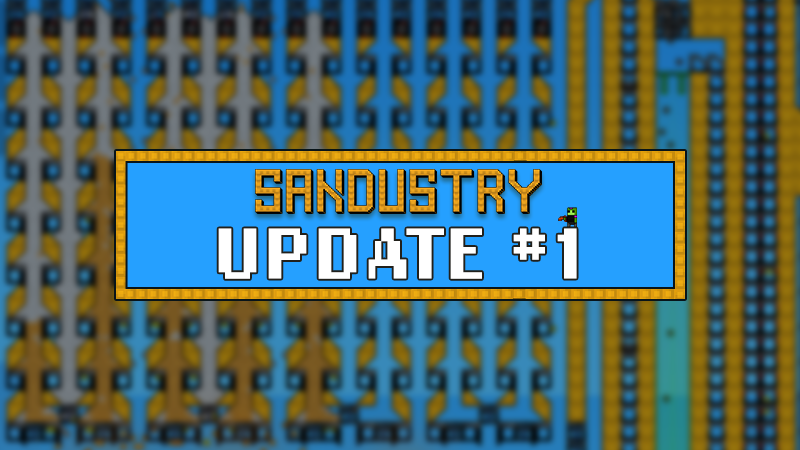
A smaller update with some bug fixes and QoL.
v0.5.4
Improved Filter Config
You can now press the filter overlay label or “Edit last placed” to quickly change a filter without having to override and replace it.
Improved the visual distinction of the “Allow” and “Block” settings to make it more obvious which one is selected.
Fixed a few other quirks.
Credit to Cohh for the live demonstration of filter-replacement struggle.
Fixed a softlock causing you to get stuck with Tier 5 being blocked even after the anomaly investigation.
Saves should be repaired automatically.
Indestructible red block
I am working on a fix mitigating some of the root causes but it touches a lot of the core paths, so I’m not ready to ship it yet until I know it’s risk-free.
Until then I’ve made it so that you can remove red blocks. Since this introduces some overhead to the demolisher when scanning for orphans it only does it when you delete 256 tiles or less.
For the red blocks on doors in puzzles closing/opening the door should now restore it but let me know if it doesn’t work!
Shoutout to Steejo for the clean bug report immediately pinpointing the underlying issue.
Made the save browser icons easier to understand.
You can no longer delete the reset button in puzzles.
The button will be restored on reload.
Added rebindable keybindings for Zoom In and Zoom Out using the two keys left of Backspace (symbols vary by keyboard layout).
NOTE: Zooming out beyond the default view is not yet supported due to rendering engine limitations, but is being worked on. Zooming in also creates visible pixelation at the moment.
I have not stopped investigating the crashes and other major issues. This work will be ongoing and I have few ideas that I will pursue the coming days.
Friendly reminder that feature requests and suggestions should be posted on https://sandustry.nolt.io/. Keeping them there makes it easier for the community to upvote ideas and helps me prioritize what to work on next.
Thank you all for the incredible response so far! Seeing so many of you play, share your thoughts and support the game is something I'm incredibly grateful for. If you've been enjoying the game, please consider leaving a review. It helps a lot!
If you’re getting started with Sandustry, there are a few resources available to help. The Beginner’s Guide covers the basics and some useful tips for getting your factory up and running.
You can also visit the Official Wiki for more detailed information about the game. The wiki is still growing, and we’re looking for more community contributors, so if you’d like to help out, stop by the Discord and let us know in the #wiki channel.
You can follow us on Discord, Twitter, Bluesky, YouTube, Reddit, and the Sandustry Wiki, or visit the official website to sign up for the newsletter.
https://store.steampowered.com/app/2764460/Sandustry/
What's Your Reaction?










![[Business Talk] Chagee: Opening 3,500 stores in 6 years](https://xinker.org/uploads/images/202410/image_140x98_671afce94bf91.webp)






