
![[July 23] Known Issues (August 20, 06:40 UTC)](https://clan.fastly.steamstatic.com/images/45693889/36497598c32263c1c440caefa24f55dff75907bb.png?#)


![[PRO Tips] Gold’s Bullish Revival: Seasonal Trends and Key Levels to Watch](https://xinker.org/uploads/images/202412/image_430x256_67724cc6ad0cd.webp)
![[PRO Tips] Gold Market Under Short-Term Pressure, Safe-Haven Demand and Central Bank Buying Support Long-Term Upside Potential](https://xinker.org/uploads/images/202412/image_430x256_676ffb4685287.webp)
![[PRO Tips] Analysis of 9 key points of differentiation strategy! Master differentiation to create a brand advantage that is unique in the world!](https://firebasestorage.googleapis.com/v0/b/xinker-tips.appspot.com/o/article_thumbnails%2Fscaled_differentiation%20strategy.png.png?alt=media&token=a1bfc3d2-e85a-4db7-8a6d-01c7274f8940)
![[PRO Tips] Will REITs regain growth momentum in 2024? 3 REITs ETFs you must know if you want to invest in real estate.](https://firebasestorage.googleapis.com/v0/b/xinker-tips.appspot.com/o/article_thumbnails%2Fscaled_REITs1.png.png?alt=media&token=8af4eb93-33ff-466f-8039-b6555fad52b4)
![[PRO Tips] Complete tutorial on how to make money in Adobe Stock!](https://firebasestorage.googleapis.com/v0/b/xinker-tips.appspot.com/o/article_thumbnails%2Fscaled_tut-adobe1.png.png?alt=media&token=0b2c8cf2-22bd-4142-883e-140ed1cbaf02)
![[Passive Income] Unlock the secret of passive income: 3 steps to apply for Google AdSense](https://xinker.org/uploads/images/202410/image_430x256_6717a4fb3052b.webp)
![[Passive Income] Earn over $200 a day with AI-generated articles!](https://firebasestorage.googleapis.com/v0/b/xinker-tips.appspot.com/o/article_thumbnails%2Fscaled_article1.png.png?alt=media&token=f61bf35b-8553-4719-826d-7360024adc70)
![[Passive Income] Earn over 20 USD per download with AI-generated images!](https://firebasestorage.googleapis.com/v0/b/xinker-tips.appspot.com/o/article_thumbnails%2Fscaled_adobe2.png.png?alt=media&token=3e20e76a-a907-45af-80aa-bf9b3600301f)
![[Passive Income] Earn 10 USD per new download by sharing CapCut!](https://firebasestorage.googleapis.com/v0/b/xinker-tips.appspot.com/o/article_thumbnails%2Fscaled_capcut2.png.png?alt=media&token=a04dec40-1fac-4857-86f2-19a8be02d38e)
![[Passive Income] Use your WiFi to create passive income in 5 minutes, and you can earn 4-6 U per day!](https://firebasestorage.googleapis.com/v0/b/xinker-tips.appspot.com/o/article_thumbnails%2Fscaled_Grassio.webp.png?alt=media&token=7659a95e-0e47-4f27-a17d-c942ac3cf7f4)


![[Business Talk] The Unique Theme of XINKER's Song: Beef Wellington and Business Mastery](https://xinker.org/uploads/images/202410/image_430x256_671afc155f47f.webp)
![[Business Talk] Chagee: Opening 3,500 stores in 6 years](https://xinker.org/uploads/images/202410/image_430x256_671afce80c5f9.webp)


Enshrouded: Forging the Path is live!
Greetings, Flameborn! We're back with Forging the Path, our brand new update, which includes the first version of Adventure Sharing, a new feature we're building for 1.0 that will enable players to share their creations with the world! We're also including a physical combat overhaul, a full revamp of the skill tree, a gear upgrade system, and many, many quality of life improvements!Forging the Path is our last update before our official release, and we're getting our house in order to make sure that 1.0 knocks your socks off! As a result, the changelog is of course pretty hefty, clocking in at about 13000 words, but if you're in a hurry or you don't wanna read, you'll find the customary highlights in video format here: https://youtu.be/ToMwQsJTaEM?si=Pg-R_fOW6wSJt7rwChangelog for Update #8 v.0.9.1.0The revision of Update #8 is 999467IF YOU READ JUST ONE THING PLEASE READ THIS!There are a few important notes for this update:With Update 8, character skill trees will be reset, and skill points will be refunded when loading into a world for the first time with an existing character. This was a necessary step since the skill tree has been reworked significantly. Please make sure to spend the available skill points before adventuring!Armors, shields, wards, rings, pickaxes and wood chopping axes are now upgradable with runes. Existing equipment has been converted into upgradable versions. Please check your equipment and make sure that you upgrade your favorite armor pieces to gain the maximum protection.Upgrading equipment is now handled by the survivor who specializes in the combat class for that item: the Blacksmith upgrades warrior equipment, the Huntress does everything for rangers and the Alchemist handles mage upgrades.The default keys/buttons have changed for various features. Please make sure to check your key bindings!The water dispensers now dispense water, no matter how far away from the nearest player they are on the map. Additionally, water flows much further on flat surfaces such as canals or flat floors. This could lead to surplus water, after updating, if you previously placed multiple dispensers in a single area. In some cases with complex water features this could lead to floodingHighlightsAdventure SharingWith this update, we are making a big first step toward allowing the community to easily share their constructions and adventures with each other.To give players access to this new feature, the main menu has been reworked with an additional new adventure sharing menu.Upload your version of Embervale with your constructions and adventures for other players to see and enjoy.Browse the available constructions from the community directly from within the game and download any world you want to visit to take a closer look.A new craftable camera item lets you take in-game screenshots of your base to highlight why other players should download your world for a visit. The spawn point for shared worlds can be defined for visitors with a new toggle at the Flame Altar.This update is only the beginning for the adventure sharing feature. In upcoming updates, we will expand on the feature, giving players the tools to build content and adventures for others to explore and enjoy, including logic systems for interactive elements, puzzles, spawning enemies… and traps!Combat UpdatesCombat, skill progression and gear have been fundamentally reworked in Update 8, introducing new systems, deeper mechanics, and more impactful player choices.New special abilitiesA new type of weapon skill has been added to the game. When unlocked, regular weapon attacks start building a new resource called "focus". When the focus bar is filled up, a new weapon special ability can be used for devastating effect.Likewise, this unlocks a new powerful move for woodchopping and pickaxing, using the same focus resource.Heavy AttacksAll melee weapons now have a powerful heavy attack with double damage to enemies and their stun bar, giving players more strategic moment-to-moment combat opportunities. Heavy attacks are activated by holding the attack button on the mouse or controller. Updated attack chainsTwo-handed axes, two-handed hammers and greatswords have received an overhaul of their attack chains. The goal is to make the weapon types better aligned with the fantasy of wielding them.Advanced enemy awareness systemFor enemies, new levels of awareness of nearby players have been added. Enemies can now be suspicious about nearby noise or start an active search for a target. Active combat and calls for help are only really started when enemies can actually see the player, allowing players to react before they are discovered.. This new system allows strategically thinning out the ranks of enemy camps, making the ensuing fight much easier as a result. Skill tree UpdateNew skills, Zoom and Updated VisualsMany new skills have been added to the skill tree. Among others, the new weapons and tools specialization skills mentioned above, new option
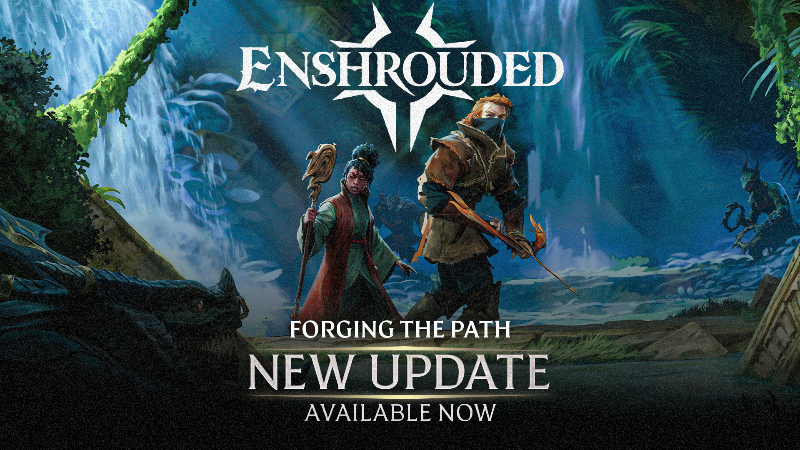
Greetings, Flameborn!
We're back with Forging the Path, our brand new update, which includes the first version of Adventure Sharing, a new feature we're building for 1.0 that will enable players to share their creations with the world! We're also including a physical combat overhaul, a full revamp of the skill tree, a gear upgrade system, and many, many quality of life improvements!
Forging the Path is our last update before our official release, and we're getting our house in order to make sure that 1.0 knocks your socks off! As a result, the changelog is of course pretty hefty, clocking in at about 13000 words, but if you're in a hurry or you don't wanna read, you'll find the customary highlights in video format here:
https://youtu.be/ToMwQsJTaEM?si=Pg-R_fOW6wSJt7rw
The revision of Update #8 is 999467
There are a few important notes for this update:
With Update 8, character skill trees will be reset, and skill points will be refunded when loading into a world for the first time with an existing character. This was a necessary step since the skill tree has been reworked significantly. Please make sure to spend the available skill points before adventuring!
Armors, shields, wards, rings, pickaxes and wood chopping axes are now upgradable with runes. Existing equipment has been converted into upgradable versions. Please check your equipment and make sure that you upgrade your favorite armor pieces to gain the maximum protection.
Upgrading equipment is now handled by the survivor who specializes in the combat class for that item: the Blacksmith upgrades warrior equipment, the Huntress does everything for rangers and the Alchemist handles mage upgrades.
The default keys/buttons have changed for various features. Please make sure to check your key bindings!
The water dispensers now dispense water, no matter how far away from the nearest player they are on the map. Additionally, water flows much further on flat surfaces such as canals or flat floors. This could lead to surplus water, after updating, if you previously placed multiple dispensers in a single area. In some cases with complex water features this could lead to flooding
With this update, we are making a big first step toward allowing the community to easily share their constructions and adventures with each other.
To give players access to this new feature, the main menu has been reworked with an additional new adventure sharing menu.
Upload your version of Embervale with your constructions and adventures for other players to see and enjoy.
Browse the available constructions from the community directly from within the game and download any world you want to visit to take a closer look.
A new craftable camera item lets you take in-game screenshots of your base to highlight why other players should download your world for a visit.
The spawn point for shared worlds can be defined for visitors with a new toggle at the Flame Altar.
This update is only the beginning for the adventure sharing feature. In upcoming updates, we will expand on the feature, giving players the tools to build content and adventures for others to explore and enjoy, including logic systems for interactive elements, puzzles, spawning enemies… and traps!
Combat, skill progression and gear have been fundamentally reworked in Update 8, introducing new systems, deeper mechanics, and more impactful player choices.
New special abilities
A new type of weapon skill has been added to the game. When unlocked, regular weapon attacks start building a new resource called "focus". When the focus bar is filled up, a new weapon special ability can be used for devastating effect.
Likewise, this unlocks a new powerful move for woodchopping and pickaxing, using the same focus resource.
Heavy Attacks
All melee weapons now have a powerful heavy attack with double damage to enemies and their stun bar, giving players more strategic moment-to-moment combat opportunities. Heavy attacks are activated by holding the attack button on the mouse or controller.
Updated attack chains
Two-handed axes, two-handed hammers and greatswords have received an overhaul of their attack chains. The goal is to make the weapon types better aligned with the fantasy of wielding them.
Advanced enemy awareness system
For enemies, new levels of awareness of nearby players have been added. Enemies can now be suspicious about nearby noise or start an active search for a target. Active combat and calls for help are only really started when enemies can actually see the player, allowing players to react before they are discovered.. This new system allows strategically thinning out the ranks of enemy camps, making the ensuing fight much easier as a result.
New skills, Zoom and Updated Visuals
Many new skills have been added to the skill tree. Among others, the new weapons and tools specialization skills mentioned above, new options to boost the maximum available health and a skill that allows choosing the dodging mode.
The skill tree can now be zoomed out for a better overview. At the same time, the visuals have been updated.
Skill upgrades
Many skills can now be upgraded once they have been unlocked. This opens up more possibilities to optimize builds and invest skill points where it really matters. At the same time, this also allows players to reach the outer branches of the tree faster, as the base unlocking of skills now costs fewer skill points than previously. Please note: this new feature required balancing skills. At the base level, skills are now slightly weaker than the previous version, whereas fully upgraded skills are, in most cases, as strong or sometimes even stronger than before.
On top of skill points upgrades, it is now possible to push skills to even higher levels with armor perks. More on that can be found in the itemization part below!
Updated layout
We took another look at the skill tree now that it has grown over time and player feedback has been collected. The result is a big rework of the overall layout. There are more paths between classes to make it easier to pick just the right combination of skills for the build. With the same goal in mind, the Double Jump has been pulled to the center of the tree to make it easily accessible for everyone.
As a much-requested new feature, armors, shields, wards and rings can be upgraded now, just like weapons.
The amount of unlockable perks is determined by the quality of the gear. While self-crafted equipment is always of rare quality, higher quality gear up to legendary can be found in the world.
When designing equipment perks, strengthening the various gameplay styles was a key focus, which led to the creation of many new perks.
For example, some of the new perks increase the level of an already learned skill. Thanks to these perks, skills can now be pushed past the level that is available by skill points alone.
Unlocking new upgrades on armor should feel impactful. Thanks to an improved armor calculation, incoming damage is now more noticeably reduced with better gear levels. Please be aware that the base version of any armor piece is now slightly less powerful compared to the game versions prior to update 8. However, once an armor is fully upgraded, it will be the same level of protection or even higher.
Upgradable equipment needed a rework of the runes economy. Armors, wards, shields and rings can now be recycled into runes, including equipment from previous versions of the game, as they get converted on loading this version.
Buffs for the mages - especially in the early game
While balancing improvements and new features such as additional spells are planned for future updates, we heard feedback from our testers and gave mages a few buffs to tide them over. Especially the early game has seen some positive changes:
Wand range has been increased.
Wand durability has been increased by 20%.
The first tier of Fireball now has an increased explosion radius so that it is better aligned to the higher-tier versions.
Added more resin to early game loot tables so that spells can be easily re-supplied.
With update 8, we have the opportunity to re-evaluate and improve some of the features that new players will encounter early in their journey. But at the same time, we are also looking at changes that existing and returning players will appreciate.
Improved Start of the Game and Tutorials
Numerous changes and new features have been added to the early game experience to give players a better start on their path through Embervale.
The areas surrounding the Cindervault where Flameborn start their journey have been reworked, both visually with denser vegetation and improved world details but also to better introduce players to the various gameplay elements.
Tutorials have been adjusted, resources needed for a smooth start into the crafting progression and for building first settlements have been made more readily available.
The XP required for the first few level-ups has been rebalanced for better pacing at the start.
3 new meat skewers, one for each class, have been added to bridge an early gap in food buffs.
Quest log rework
A common feedback we received was that soon after really starting to explore the world, the quest log would quickly fill up with quests and tasks, making it difficult to tell what the most important next steps are.
As one measurement, the quests are now divided into main and sidequests. Additionally, important quests related to the progression are now better highlighted in the journal.
Item sets
The overall number of quests has been significantly reduced. This was possible, among others, thanks to the introduction of a new feature in the journal: item sets. Item sets reward players for finding and collecting all items from a certain group. Examples could be all building blocks of a biome, all parts of a vanity outfit, all weapon gems of a biome and many more.
Players who already have unlocked a lot of items in their savegames will receive a big XP boost when loading their save after the update.
Updated recipe lists and new crafting convenience features
Some recipe lists had become very long and cumbersome to scroll through during the early access phase. To organize large lists better, several new crafting stations and a new factory have been added. Ask the Farmer and the Carpenter about new stations when you get a chance!
Also at the Carpenter, many new deco props have been added that were previously unavailable as crafting recipes. For example, the much-requested street lanterns can now be crafted and placed by builders.
For new and returning Flameborn, it can be difficult to remember where in the world what resources drop. Crafting resources now all have a new acquisition hint in their description, except for items that drop all over the world.
The "Bases" menu in the journal now provides a detailed overview of ongoing factory progress in each base.
New Quick Stack Station
Coming home with a backpack full of collected materials? Previously, that meant going from chest to chest, unloading all materials into their designated stacks - like a reverse worker bee.
To speed up that process, there is now a new craftable prop available at the Carpenter. When placed, it can be used to automatically deposit all stackable materials into magical chests in the vicinity.
Building from magic chests
We added the next level of convenience to building from magic chests. Previously, it was necessary to have at least one piece of building material in the backpack to use stacks in magic chests, now, the stacks can be retrieved right away.
To help find the perfect material in the large selection, a new material catalog has been implemented. It can be accessed when wielding the Construction Hammer.
What if you see a nice material in your construction site and you want to select just that? Point at it with your cursor and with a click of a button it’s selected now. Easy!
Glider update
To encourage a more strategic approach to combat, Updrafts will now build power over time when used in the wild. This ensures your flight feels consistent and intentional while allowing you to reach higher peaks than ever before, while preventing some edge cases we consider contrary to the spirit of the skill.
As compensation, we’ve increased the maximum height of Updrafts by 15% and enabled near-instantaneous lift in bases for easy base navigation.
The play section in the main menu has been reworked to support the new feature “Adventure Sharing”.
In the single player menu and the multiplayer hosting menu, each world can now be shared and uploaded to the Adventure Sharing server. Now you can share your glorious shoebox starter base for the entire world to see.
In the new Adventure Sharing menu, several actions are supported:
Local worlds can be named, given tags, a description and preview screenshots before uploading them to the Adventure Sharing server.
Existing creations from the community can be browsed, searched by name, filtered by tags, upvoted, subscribed to, or visited either alone or as a party in a peer-to-peer session.
A new camera item can be crafted at the workbench. It allows taking in-game screenshots, which can then be added as preview screenshots before uploading the world to the Adventure Sharing server.
On every world, one Flame Altar can be set as the starting point for visitors. This feature is also available for peer-to-peer multiplayer sessions and dedicated servers.
Added a new type of attack for most weapons, including pickaxes and woodchopping axes: the Special Ability. It requires a filled bar of the resource “focus,” which can be built via regular light or heavy attacks. The Special Ability must be unlocked with a skill per weapon type. Note: staffs do not currently have a Special Ability; staff changes and improvements will be coming in a future update.
Added a new bar near the action bar in the HUD to show the progress of the accumulated “focus” and when the special weapon ability is ready to be unleashed.
All melee weapons now have heavy attacks. They have longer animations, but deal double the damage. At the same time, the impact on the enemy stun bar is doubled as well. Players can’t get interrupted by enemy attacks while performing the heavy attack.
The light attack chains have been reworked for 2-handed weapons and greatswords.
A new camera setting has been added: Automatic Camera Rotation. When enabled, the camera rotation will automatically follow the player. Note for mouse & keyboard, the default setting is “off”, for controllers, the default setting is “on”.
A new target lock setting has been added: Break Target Lock While Aiming. When a target is locked, aiming with a ranged weapon will automatically break the lock and allow the player to aim freely.
A new target lock setting has been added: Players can now choose between two different Target Selection Control-modes: “One Axis”, which is the classic mode of Enshrouded where targets can get cycled through one after the other. The new setting is “Two Axes,” where targets can be more actively selected by using the mouse or a controller stick. The default setting is “One Axis” when using a controller and “Two Axes” when using mouse & keyboard.
The target lock behavior has been improved for the “One Axis” mode. Cycling through the available enemies left and right now works as intended. And when entering the target locking, the enemy at the center of the screen is now selected more reliably.
Dodge rolls and blink now have short time windows during which players are immune to damage, also known as i-frames. Fat roll enjoyers rejoice!
When in combat, the camera now automatically adjusts the distance when relevant enemies are at the edge of the screen or when fighting very big enemies.
Improved the hard-lock camera when fighting the Fell Dragon Youngling.
When aiming with a ranged weapon or fishing rod, the list of arrows, spells and fishing baits can now be quickly selected via the number keys on the keyboard. Additionally, each arrow, spell and bait now has an icon for easy recognition. The sorting in the aiming list is the same as the sorting of the items in the backpack.
A new slow-walk toggle binding has been added to the mouse & keyboard controls. The default key is \. The aura farmers among us no longer need to buy a controller.[/p][/*]
Rebalanced jumping when in mud, tar or deadly Shroud goo. Previously, it was possible to travel far distances through these materials by bunny-hopping. So the jump distance has been decreased and the jump stamina costs are now independent of player level & progression. At the same time, the stamina costs to struggle upwards once submerged too deep have been decreased. So if players accidentally fall into these materials, they can now escape easier as long there is solid ground nearby.
Fixed an issue where it was impossible to get out of a pit of green goo. The jump costs from this material have been reduced to 0.
Improved the handling of situations where players could be stuck between collisions, not able to exit the falling state or move by themselves. The game now detects this and allows the player to walk or jump in order to free the character.
Fixed several situations in which the camera clipped through terrain or buildings.
When a player accidentally ends up within a solid wall, they are no longer transported to the Cinder Vault but instead to the last activated save point or Flame Altar. Note, obviously, the player should never end up in the solid wall to begin with, unless you're a Junjo Ito fan. This feature is an emergency solution for when it happens, nonetheless.
Spells with areas of effect no longer trigger the “Backstab Damage” effect. It was unfair to the cool guys who don’t look at explosions.
Fixed an abrupt backwards tilt at the water surface when coming up from a dive.
Player attacks while in the air now play an improved animation.
The two attack skills Upward Slash Attack and Crash Down Attack are now easier to trigger. The Upward Slash is triggered by a \[jump] + \[tap] on the attack button. Crash Down is triggered by \[jump] + \[hold] on the attack button.
The Updraft skill for gliding has been reworked. The final max height has been increased by about 15%, but the height of the Updraft boost now charges in the first seconds of gliding. A HUD widget and sound indicate when the charge is complete. Updraft can still be triggered during charge, but it won't give the player the max height boost.
The charge is accelerated while inside your base.
Performing an attack while directly on a ledge no longer pushes the player over the edge. Flameborn learned self-preservation.
Small flinches were added to the player when being hit while blocking with shields or wards, or when being hit with arrows.
The spell Fire Ball I now has increased explosion damage range.
The spell Lightning Channel now hits 3 enemies as intended as long as they are standing close to each other.
The game is now more lenient when players try to dodge while out of stamina. Instead of disallowing the dodge, the game now triggers it and simply uses the currently available amount of stamina.
Added visual improvements to the player movement when changing directions while running.
In the settings menu, the controls for mouse & keyboard and controller have been split into separate tabs.
Improved handling of double key bindings.
When loading an existing savegame from update 7 or older, the skill tree is reset. All available skill points are refunded for redistribution. We know, we know, but trust us. It’s worth it.
More than 20 new skill nodes have been added to the skill tree.
More than 80 skills can now be upgraded with skill points.
Added new skills to unlock the special abilities for the various weapons, the pickaxe and the wood chopping axe.
Several new skills have been added to increase the maximum health of the Flameborn.
A new skill was added to the skill tree called “Strategic Maneuver”. It offers players the option to dodge behind the enemy’s back while it is locked as target and in melee distance. When the skill is not enabled, dodging will always be in a straight line.
The skill Double Jump has been moved to the center of the tree to make it easily accessible for every combat class.
The skill tree can now be zoomed in and out for a better overview. Bask in all its glory…
The visuals of the connections between nodes have been updated. At the same time, the size of the nodes has been reduced to make space for all the additional skills.
The required amount of XP for the first 5 level ups has been redesigned. The goal is to pace the level-ups more evenly and give players access to skill points a little bit faster in the early game.
The XP rewards from exploration, the new item sets and quests now scale throughout the game with fixed designed values. This leads to a slightly faster level up pacing in the mid and late game. Please note: players loading into the game after updating to this version may see some extra XP from these sources depending on their progress, potentially even leading to a free level up. Bonus!
The HUD now reminds players to invest their skill points upon leveling up.
Enemies now have additional states of awareness. When enemies can hear suspicious noises nearby without actually seeing the player, their alert level rises. At a specific threshold, they will start actively searching for the source of the noise. If they can’t find anything for a while, they will return to feeling safe. Combat only ensues if enemies can actually see the player. Must have been the wind…
The enemy awareness level is visualized by a new UI widget above the enemies.
The target selection of enemies has been reworked. The overall goal is to let them pick their targets in a way that feels natural and convincing. For example, when players observe a brawl between two factions, enemies will now continue their brawl unless the player actively steps in. In multiplayer, skills that increase enemy attention, such as Nemesis, now work much more reliably.
Hollow Halls aggro has been reworked to be more in line with normal enemy aggro, including susceptibility to aggro-increasing skills.
The system that governs enemies' attention spans has been improved. Enemies should now gain and lose aggro on players in a more believable way. Elixir will do that to ya.
Enemies that lost aggro after following the players for a while should now find their way home much better. We’d hate for them to get lost.
Enemies are now better at trying to flank players when they are already occupied with another enemy in melee range.
Enemies can now occasionally dodge incoming player arrows and spells. They took the red pill.
Enemy prowling behavior has been improved for smaller arenas and spaces.
Enemies now play a proper animation when being thrown into the air by certain player attacks.
Reduced the very high damage of the run-in attacks by regular Fell melee attacker. Too many Flameborn were tragically lost due to that particular attack. RIP.
Fixed an issue that caused enemies, such as the Scavengers, to switch between running and blocking rapidly.
Slightly increased the density of enemies when selecting the enemy density setting to “Few”. Previously, some areas in the world became too deserted, which affected the availability of some loot resources.
Enemies should now be better at avoiding their own traps around their camps. Skill issue tbh.
Frost Bats are now resistant to ice damage instead of shock damage.
The weak points of the Fell Monstrosity can now be attacked correctly.
The weak points on Shroud Stalkers can now be attacked correctly.
Fixed the Shroud Stalkers' corpse collider not despawning after it has been looted.
Fixed several pathfinding issues for survivors. Please note: our work on pathfinding will continue! Until everyone stops playing hide and seek.
Fixed an issue that allowed wildlife to overcome obstacles that should have been too high.
“Pets” volume slider has been renamed to “Farm Animals & Pets” to reflect that it now affects all tameable animals. Also, the footsteps of pets and animals are no longer excluded from the slider settings. Bark bark bark.
Armor, wards, shields, rings, pickaxes, wood chopping axes and the mining sieve can now be upgraded with runes and legendary runes. The possibilities!
Added numerous new perks as part of the rework of the equipment.
Existing equipment from previous versions of the game is converted into upgradable items when loading update 8 or any future version of the game.
Armor, wards, shields and rings, both newly obtained items and legacy items from previous versions of the game, can now be recycled into runes. Finally!
Starting in update 8, almost all crafted armor will have the rare quality level. Please note, as is the case with weapons as well, the quality level does not affect the base stats of the item, it only determines how many upgrade levels the item offers.
Crafted equipment from previous versions of the game will be converted into Rare quality equipment.
All craftable armor can now also be found in chests. The quality of loot armor starts at Common but can reach up to Legendary, surpassing the quality of player-crafted armors.
Please note: non-Common loot armor in savegames from previous versions of the game has been converted into Common-quality equipment.
Upgrading is now handled by the crafting survivors for each combat class. Warrior equipment is upgraded by the Blacksmith, the Huntress upgrades ranger items, and the Alchemist upgrades mage equipment.
Some former Kindlewastes-tier loot armor sets will now drop in chests from Albaneve Summits onwards. This means specifically the Elder set, the Radiant Paladin set and the Eagle Eye set. The stats have been adjusted accordingly.
Armor calculation has been reworked so that upgrading armor has a real, noticeable impact. Previously, due to a combination of various factors, many armors felt almost identical in their protection, even when comparing, for example, damage dealer mage sets with tanky warrior sets. With this update, armor values have been rebalanced so that each armor point gained efficiently increases damage mitigation up to a certain point. Players can now commit to building up their toughness by increasing their armor points through various ways.
Damage can now be mitigated via armor points by up to 80% instead of 60% previously.
In a related note, armor distribution has been revised to support class balance and fantasy:
Warrior equipment sets have more physical than magical armor and the highest physical armor across all classes.
Mage equipment sets have more magical than physical armor and the highest magical armor across all classes.
Ranger equipment sets have an equal amount of physical and magical armor and are positioned in between Warriors and Mages.
While reworking the armor sets for the big changes mentioned above and considering the armor calculation rework, many armor items have also received balancing updates.
The end rooms in the Hollow Halls now contain 2 new chests tailored specifically to each of the classes, warrior, ranger and mage. The chests can be gold or silver, and can be either a weapon or an armor chest. Any number of chests can be opened as long as players bring enough Ectoplasm items.
Added 15 new weapon models at various tiers.
The range of wands has been increased. Pew pew pew.
The durability of all weapons has been increased. Wands, daggers and shields received +20% of durability. One-Handed Melee weapons, two-handed melee weapons and bows received +10%, greatswords were aligned to have the same durability as other two-handed weapons. For all attacks, the maximum of durability loss per strike has been reduced from 5 instances to 3.
Most crafting resources now show an acquisition hint to let players know where to get more of them. The exceptions are resources that can be found all over Embervale, such as torn cloth or bones.
The display of additional damage has been reworked for damage-related perks to make it more intuitive.
A new setting in the “game” tab of the settings menu allows or prevents picked up items from being added automatically to the action bar, for those of you who like to keep it clean.
The Blood Rose vanity set can now be tinted.
Added three new meat skewer recipes to the personal crafting recipes. This gives each combat class access to a main attribute boost early in the game.
Moved several recipes out of the personal crafting list to keep the list focused on the most essential items.
The recipe list in the personal crafting menu now remains the same even when visiting other worlds with the character.
The effect of items on the wetness duration can now be tracked properly in the player attributes screen under "Wet Duration Reduction".
Added stamina regeneration to the food item Candied Ginger.
Increased the stamina regeneration of Vegetable Puree. Also added a bonus to the max stamina value.
The buff from Honey Baked Banana has been updated to a 9-minute duration.
Slightly reduced the stamina regeneration food buff from Purple Berry Cake, as it was a bit out of line.
Removed an unintended health regeneration boost from the Hemotoxin Antidote.
Updated the recipe for Alchemical Base. It now requires fewer Shroud Mushrooms, but a new ingredient has been added: Corrosive Blood.
Slightly lowered the required resources for several recipes, such as goo, alchemical base, red marble secret door, stone basement door.
Redesigned the output numbers for many crafting recipes to be unified per type. For example, all farm soil recipes now produce 10 items per crafting instead of some 10 and others 15. Adjusted the recipe costs in these cases accordingly.
The buff from potions that grants Mana over time is now correctly labelled in the buff widget in the HUD.
The buff from the Vukah Shrine now has an informative description.
Fixed the name of the Eternal Ice Bolt II item.
Reworked the interaction ranges for shelves so that books can be picked up more easily from higher shelves. But we’re still putting the snacks on top of the fridge.
Increased the amounts of resin available in early game areas, including added resin at dead tree variations. This should be especially helpful for mages, who need a lot of resin.
The Snap Trap can now be dismantled and placed everywhere.
Fixed the incorrect lifetime of the Explosive Crawlers throwable item.
Quests are now divided into main and sidequests, which is also reflected in the sorting of the quests in the quest journal.
Quests in the quest journal now show the quest giver via icon and portrait.
Quest map markers have been improved:
Search areas now show their relation to the main/side quest, item set or a locked preview of the location.
The icons in the dialogs with survivors have been updated to support the new quest categorization.
Quest map markers now hint at the type of quest even when undiscovered.
Added the quest/item set target as secondary text to hovered or selected map markers.
The tracked quest is now always shown at the top of the list for easy orientation.
A new menu has been added to the journal: item sets. Item sets reward players for finding and collecting all items from a certain group. Examples could be all building blocks of a biome, all parts of a vanity outfit, all weapon gems of a biome and many more. Each item set appears in the menu as soon as the first item of the collection has been found or by accepting tasks from survivors.
Many lore texts and journal entries have been reworked with additional details such as dates and better wording.
The "Bases" menu in the journal now provides a detailed overview of ongoing factory progress in each base.
The world map rendering has been reworked to consume less memory when opened. Additionally, several small visual issues have been fixed.
The world map now offers an additional zoom-in level. This is mainly added to help find markers, survivors etc. in large player bases.
Various animations in the journal and inventory screens have been polished, for example, when switching between the narrow and wide recipe grid view in recipe lists.
Fixed an issue that allowed quick-moving items from the backpack to inventories other than the intended chests and factories, like, for instance, defeated enemies.
Fixed an issue that could lead to the character model being invisible in the character screen when in the gameworld, the camera was pushed into first-person view due to missing space around the character.
Note: the new default menu buttons described above are only set for players who create a new save game in update 8. For existing save games, the previous defaults are kept.
Improved the factory menus for the controller. Previously, the cursor would sometimes jump to unintended places.
Reworked several tutorials to have additional trigger conditions or better explain their respective features.
Added some tweaks to the quest “The Alchemist’s Mortar” to make sure it always continues correctly.
Fixed the quest "Treacherous Waters". For players who are currently stuck in the quest, the quest will disappear from the journal and will be available for starting fresh.
Added several small tweaks or improvements to quests to make sure they trigger or continue correctly.
“Vorgoth’s Note 1” is now correctly added to the journal when collected.
Adjusted and extended bindings for inventory bulk actions.
A new item set quest takes the Flameborn deep into the Blackmire to uncover a new vanity outfit. Wow, spoiler alert?
A new prop called “Quick Stack Station” can be crafted at the Carpenter. When placed, it can be used to automatically deposit all stackable items from the backpack into magic chests nearby. No more trying to remember what chest you kept all that resin in. Comes in two sizes, one color.
Magic chests can now be toggled to accept or deny automatic depositing from the Quick Stack Station.
Building with materials directly out of magic chests has been improved. Previously, the game would only allow building from magic chests when at least 1 item from a material was present in the backpack. Now, materials can be directly selected from magic chests.
When in the building menu, a new widget, “Material Catalog”, can be used to view, sort and select the complete inventory of building materials.
A new feature has been added when building: selecting materials by sampling the building block or terrain directly with the cursor. This allows easy switching to the correct building material just by pointing at it.
On the controller, the default button for the “undo” action is now \[RT]+\. [/p][/*]
Added two new crafting tables and a new factory to declutter the very long recipe lists for the Farmer and the Carpenter.
Added numerous new recipes for props requested by the community. Many of them can be found at the new Decoration Workbench.
Additional requirements of various recipes, such as better tools for the crafting survivors, have been improved or fixed.
Chests now show the first 3 unique items from their inventory as a preview.
In the late game, comfort now accumulates slightly less efficiently, meaning that at a high level of comfort, pushing the value even higher now takes more comfort points than previously. We plan to work on the comfort system in future updates. It is also planned to increase the transparency on how the level of comfort is accumulated per base. The math is mathing, but the math is changing.
Boss trophies now have much higher comfort points to counter the effects mentioned above and to acknowledge the work that goes into crafting them.
Several decorative props received slight adjustments to their comfort points, such as the skull trophies from the Veilwater Basin region.
Metal and stone spiral stair props have been added as a new recipe. Spiral stairs, baby!
Fixed an issue that could lead to building blocks no longer offering the remove action while building. The issue could previously occur when, in a small area, a very large number of building shapes have been placed.
Fixed an issue where dismantling building shapes could break after undoing another building shape dismantling action nearby.
Fixed an issue that caused thin terrain material walls not to occlude sounds.
Additional plants like Elderberry Bush, Reed, Paper Reed and Cattail are now available for growing in the player base.
Added over 20 new potted versions of existing plants from Embervale to the crafting recipes.
Added animations and new visual effects to some older crafting factories, such as the Blast Furnace, Ectoplasm Press, Forge, Loom and the Tanning Station.
The terrain material Shell Limestone can now be correctly used with the rake.
Reworked several props for better grid snapping when placed.
Large banners now sway slightly in the wind. Also indoors, because drafts, presumably?
Fixed additional issues that caused water to overflow unintentionally.
Fixed several cases in which waterfalls would continue to appear as flowing even when the dispenser was switched off.
Water dispensers are no longer switched off when they are too far away from any player.
Water can now flow much further along completely flat surfaces as long as there is enough volume.
Fixed the fact that the water was too strongly collected in waterfalls. It can now spread more freely again. Please note: this may require additional drains if the water spreads too much in existing constructions.
Changed water barriers to be loaded before water, so that water contained by them does not fall through them when a save is loaded. Oops…
Fixed that water barriers were draining water immediately above them when loading a save.
Changed the behavior of floor drains so that they now correctly drain all water that comes into contact with them, almost instantly.
Fixed an issue that could prevent a correct flow of water if another column of water was positioned a bit higher up at the same location.
Fixed an issue that caused graphical artifacts to remain after removing water.
The volume of water coming from water bombs is now shaped as a sphere rather than a disk.
Fixed that Flame Altars were allowing water to flow through them when loading an area.
Water no longer condenses into a single-voxel stream when reaching a waterfall at the end of a canal.
Fixed the issue where bodies of water that were full, but contained a dispenser, could overflow on loading the game.
Fixed that complicated pipe structures would sometimes stop filling with water.
Improved the performance of the water simulation when it is flowing down large distances, for example, down the mountains in the Albaneve Summits.
Fixed water occasionally forming a strange surface next to waterfalls.
Fixed a visual glitch in the water at the water barrier.
Fixed several causes for water ripples on lakes becoming very noisy.
Fixed an issue that could lead to bodies of water not filling up to the correct level.
Reduced the stairstep artifact on water edges, for example, at waterfalls.
Fixed strange accumulations of water above a single water source in small pools.
Fixed graphical issues with water when touching roads.
Slightly increased waterfall and water flow texture details when upscalers such as DLSS or FSR are active.
In the early game areas of the Springlands, the environment has been reworked to be visually on a more similar quality level to later biomes. This results in more varied landscapes, additional small decorative points of interest, more lush vegetation and interesting topology. We have to make a good first impression, after all!
Enemies, wildlife and resources in the starting areas have been rebalanced. The goal is to give players easier access to the resources needed for a smooth start in the crafting progression and building the first settlement.
Reworked the tutorial cave to be a little bit more visually interesting and, at the same time teach some of the early gameplay elements in a better way.
The forests in the Revelwoods and Blackmire region have been reworked to represent the same level of density and detail as the Veilwater Basin, including new tree models. At the same time, many terrain materials in the forest regions have been tweaked and visually improved.
Added several new Revelwoods terrain materials for usage in the player base.
Improved visuals and layout of several caves and mines in the Revelwoods and Blackmire region.
Reworked the landscapes at the edge of the world. In this update, the early access barrier is still active, so these changes can only be observed from afar at this point.
The detection of the surroundings has been improved to ensure the correct ambience is played, especially for indoor vs outdoor situations and dense forests.
Slightly increased the enemy density of nightly Fell incursions.
Fixed an issue that caused footsteps to not show up correctly in some materials, such as the sands in the Kindlewastes.
Fixed an issue that made interactions impossible in certain situations: tombstones in doors, survivors in doors, and similar. In case there is an obstacle blocking the door interaction, it’s now possible to point at the door frame or door itself to get the interaction prompt. Door no longer stuck.
Fixed an issue that allowed players to interact with ladders through solid ground, causing them to become stuck in terrain collision.
Fixed an issue with bamboo traps in the Veilwater Basin, causing them to be already triggered before the player arrives at the scene.
Locked doors or chests now show the number of required items for opening, if necessary.
There are now several locations with naturally occurring upstreams in the Kindlewastes. Upstreams give a height boost while gliding.
Fixed several minor issues in various points of interest.
Fixed several incorrect loot drops in treasure chests, and even some that were empty unintentionally. We promise we weren’t trying to mess with you.
Fixed several instances where destroying the lower props of a stack wouldn’t make the upper props fall to the ground as intended.
Improved the sounds for several terrain materials with high grass.
Added the winners of the latest building competitions to the Honor Hall.
Added the missing lockpick animation to a few golden chests.
Increased the health of several props found in the world that were destroyed too easily.
A popup introduces important changes in this update to players who load the game for the first time after updating. The popup can be revisited at any time in the “what’s new” link in the ESC/system menu.
Improved vegetation rendering. This includes smoother subsurface scattering and resolved dark spots and areas on leaves.
Improved specular reflections on vegetation. The result is a softer light coming off the leaves and in strong light situations, the light reflections are less silvery.
Improved detail shadows on leaves.
The image quality of models in the various menus has been improved.
Fixed issues and improved specular reflections. As a result, reflective materials now have a more natural and softer look.
Improved the performance of dynamic global illumination.
Fixed rendering issues that could occur when switching the render settings.
Fixed an issue that caused a very bright fog for a short duration when changing the window size or resolution while in the game.
The RAM usage of the game has been reduced significantly.
Reduced visual popping on building materials.
Improved the visual details at voxel buildings on “medium” graphical settings.
The difficulty setting for the world has been reworked to give players a better overview of the various presets. The full customization options are still available as before.
Fixed several typos and text issues.
Updated the Enshrouded logo and icons.
If you read this far, thank you for sticking it out! We hope you enjoy Enshrouded's eigth update. Let us know what you think below, and on Feature Upvote in our Update 8 megathreads, too!
The team at Keen Games.
What's Your Reaction?











![[Business Talk] Chagee: Opening 3,500 stores in 6 years](https://xinker.org/uploads/images/202410/image_140x98_671afce94bf91.webp)






