




![[PRO Tips] Gold’s Bullish Revival: Seasonal Trends and Key Levels to Watch](https://xinker.org/uploads/images/202412/image_430x256_67724cc6ad0cd.webp)
![[PRO Tips] Gold Market Under Short-Term Pressure, Safe-Haven Demand and Central Bank Buying Support Long-Term Upside Potential](https://xinker.org/uploads/images/202412/image_430x256_676ffb4685287.webp)
![[PRO Tips] Analysis of 9 key points of differentiation strategy! Master differentiation to create a brand advantage that is unique in the world!](https://firebasestorage.googleapis.com/v0/b/xinker-tips.appspot.com/o/article_thumbnails%2Fscaled_differentiation%20strategy.png.png?alt=media&token=a1bfc3d2-e85a-4db7-8a6d-01c7274f8940)
![[PRO Tips] Will REITs regain growth momentum in 2024? 3 REITs ETFs you must know if you want to invest in real estate.](https://firebasestorage.googleapis.com/v0/b/xinker-tips.appspot.com/o/article_thumbnails%2Fscaled_REITs1.png.png?alt=media&token=8af4eb93-33ff-466f-8039-b6555fad52b4)
![[PRO Tips] Complete tutorial on how to make money in Adobe Stock!](https://firebasestorage.googleapis.com/v0/b/xinker-tips.appspot.com/o/article_thumbnails%2Fscaled_tut-adobe1.png.png?alt=media&token=0b2c8cf2-22bd-4142-883e-140ed1cbaf02)
![[Passive Income] Unlock the secret of passive income: 3 steps to apply for Google AdSense](https://xinker.org/uploads/images/202410/image_430x256_6717a4fb3052b.webp)
![[Passive Income] Earn over $200 a day with AI-generated articles!](https://firebasestorage.googleapis.com/v0/b/xinker-tips.appspot.com/o/article_thumbnails%2Fscaled_article1.png.png?alt=media&token=f61bf35b-8553-4719-826d-7360024adc70)
![[Passive Income] Earn over 20 USD per download with AI-generated images!](https://firebasestorage.googleapis.com/v0/b/xinker-tips.appspot.com/o/article_thumbnails%2Fscaled_adobe2.png.png?alt=media&token=3e20e76a-a907-45af-80aa-bf9b3600301f)
![[Passive Income] Earn 10 USD per new download by sharing CapCut!](https://firebasestorage.googleapis.com/v0/b/xinker-tips.appspot.com/o/article_thumbnails%2Fscaled_capcut2.png.png?alt=media&token=a04dec40-1fac-4857-86f2-19a8be02d38e)
![[Passive Income] Use your WiFi to create passive income in 5 minutes, and you can earn 4-6 U per day!](https://firebasestorage.googleapis.com/v0/b/xinker-tips.appspot.com/o/article_thumbnails%2Fscaled_Grassio.webp.png?alt=media&token=7659a95e-0e47-4f27-a17d-c942ac3cf7f4)


![[Business Talk] The Unique Theme of XINKER's Song: Beef Wellington and Business Mastery](https://xinker.org/uploads/images/202410/image_430x256_671afc155f47f.webp)
![[Business Talk] Chagee: Opening 3,500 stores in 6 years](https://xinker.org/uploads/images/202410/image_430x256_671afce80c5f9.webp)


★ Version 2.6 Home Optimization Report ★
Stylists, we're here with another optimization update~ ٩( 'ω' )وBased on your ongoing feedback, we have made multiple improvements and adjustments to the Home system. We've put together a summary of the key updates to help you get a clearer picture of what's changing. Let's take a look at the new Home system changes coming in Version 2.6!★ More Improvements for a Smoother Construction Experience ★After the Version 2.6 update, the Construction Settings page will be split into three tabs: General, Furniture, and Structures, making it easier to customize settings based on your construction habits. You'll also be able to save your current settings as custom schemes.Up to 4 custom schemes can be saved, so whether you're doing everyday construction, fine-detail work, or large-scale layout adjustments, you can quickly switch to the setup that suits the task best.Under the \[[b]General[/b]] tab, the following toggle options will be added:• \[Selection/Placement]• \[Camera Distance]• \[Hide Nikki in Floral Construction]• \[Continuous placement of inventory items]• \[Adjust Placement]You can adjust these settings based on your Construction needs.With \[Selection/Placement], you can control whether furniture, structures, and terrain can be selected or created during Construction. For example, if you only want to adjust furniture placement, you can turn off selection and creation for structures and terrain. This way, structures and terrain will no longer show selection prompts, helping reduce accidental selections and making Construction smoother.A new \[Camera Distance] setting will also be added, with close, medium, and far options. This makes it easier to switch to the most suitable view during Construction, whether you're reviewing your Home as a whole or fine-tuning smaller details.closemediumfarWhen \[Hide Nikki in Floral Construction] is enabled, Nikki's model will be hidden while Floral Construction is active. She will also be excluded from collision calculations, so that she won't interfere with furniture placement. This gives you a clearer view and makes Construction easier to work with.Floral Construction will also receive additional usability improvements. Existing Floral Paths can now be selected and edited, and can be moved, copied, and rotated. Floral Path placements can also be saved in Designs and Group Schemes, and shared or imported along with them.When \[Continuous Placement of Inventory Items] is enabled, the next identical item will automatically be selected as long as you still have stock, so you can keep placing until you run out. Unlike the current batch placement feature, this gives you more freedom by removing the horizontal and vertical restrictions on placement.With \[Adjust Placement] enabled, you'll be able to enter a fine adjustment mode after placing furniture and precisely nudge its position left/right, forward/backward, and up/down for more accurate placement.In addition, interactive furniture will now include clearer placement feedback, so you can more easily tell whether the current position allows interaction.InteractableNot InteractableUnder the \[Structures] tab, the \[Enable Snapping] option will be upgraded to \[[b]Snap Settings[/b]], where you can turn snapping on or off and adjust its strength.At the same time, \[[b]Snap Settings[/b]] will also be added under the \[[b]Furniture[/b]] tab. When snapping is enabled, furniture and structures will automatically snap into place when moved close to objects of the same type. This will help address the alignment issues many of you have mentioned and make placement much easier.In addition to these construction setting updates, you'll also be able to adjust time during Construction, with the option to lock the selected time. Once enabled, your Home's time will remain fixed until you exit the current construction session. This lets you build under the lighting you want, reducing the impact of changing light conditions on visibility and overall layout results—so no more "staying up late" just to decorate.If a piece of furniture is dyed during Construction, that dye selection will be saved for the rest of the session. When you place the same furniture again, it will automatically use the most recently applied color. If the same furniture is dyed multiple times during that session, the latest color used will be applied by default. This dye record will be cleared when you exit Construction and will begin recording again the next time you enter.In addition, when the selected furniture is running low, the interface will now display a stock notice to help you adjust your furnishing plans in time.★ Clearer and More Intuitive List Displays ★Alongside the improvements to the Construction experience, Version 2.6 will also update various Home lists with clearer information and more convenient shortcuts.In the Construction List, a new \[[b]All[/b]] category will be added, allowing you to view all furniture under the current top-level category.Newly o

Stylists, we're here with another optimization update~ ٩( 'ω' )و
Based on your ongoing feedback, we have made multiple improvements and adjustments to the Home system. We've put together a summary of the key updates to help you get a clearer picture of what's changing. Let's take a look at the new Home system changes coming in Version 2.6!
★ More Improvements for a Smoother Construction Experience ★
After the Version 2.6 update, the Construction Settings page will be split into three tabs: General, Furniture, and Structures, making it easier to customize settings based on your construction habits. You'll also be able to save your current settings as custom schemes.
Up to 4 custom schemes can be saved, so whether you're doing everyday construction, fine-detail work, or large-scale layout adjustments, you can quickly switch to the setup that suits the task best.
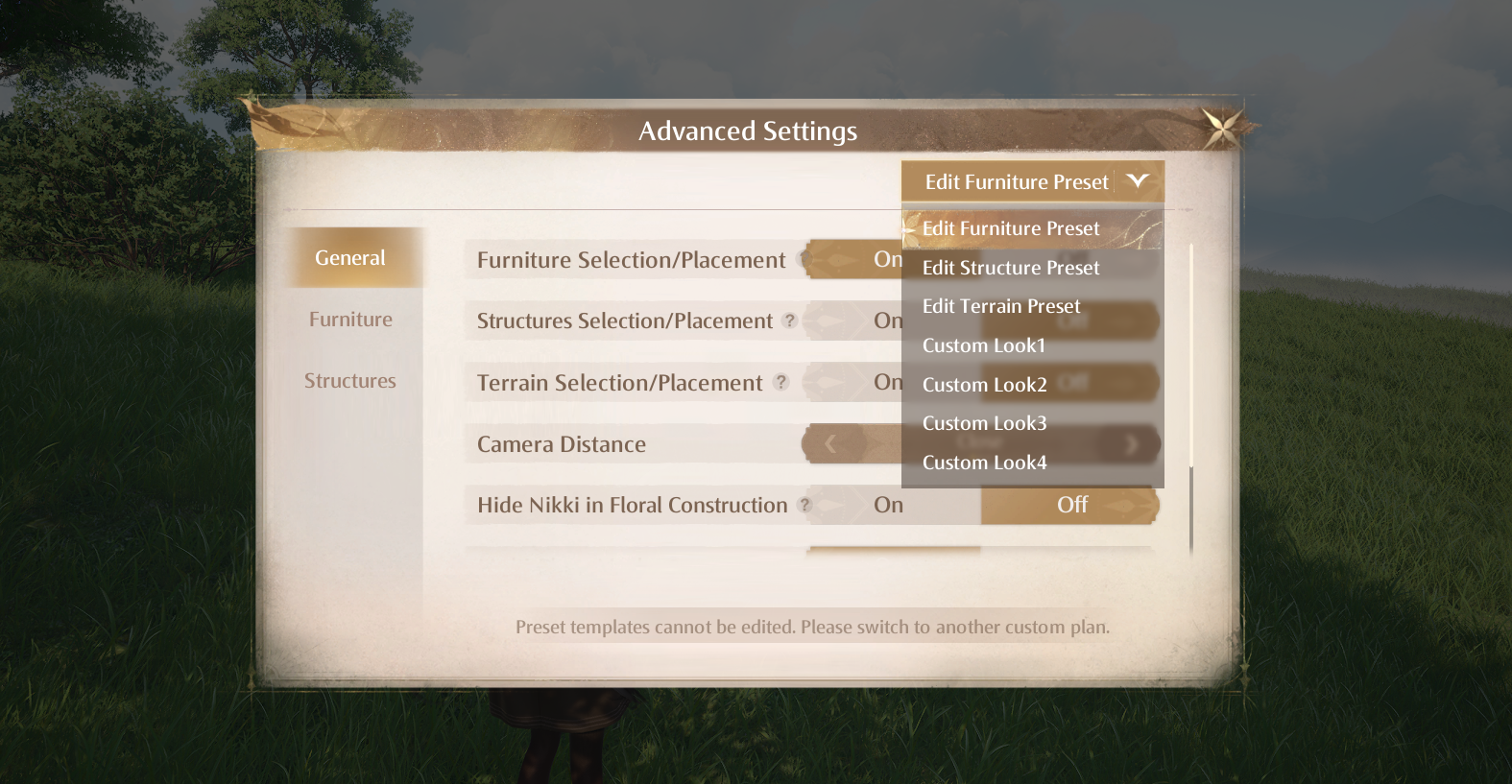 Under the \[[b]General[/b]] tab, the following toggle options will be added:
• \[Selection/Placement]
• \[Camera Distance]
• \[Hide Nikki in Floral Construction]
• \[Continuous placement of inventory items]
• \[Adjust Placement]
You can adjust these settings based on your Construction needs.
With \[Selection/Placement], you can control whether furniture, structures, and terrain can be selected or created during Construction. For example, if you only want to adjust furniture placement, you can turn off selection and creation for structures and terrain. This way, structures and terrain will no longer show selection prompts, helping reduce accidental selections and making Construction smoother.
A new \[Camera Distance] setting will also be added, with close, medium, and far options. This makes it easier to switch to the most suitable view during Construction, whether you're reviewing your Home as a whole or fine-tuning smaller details.
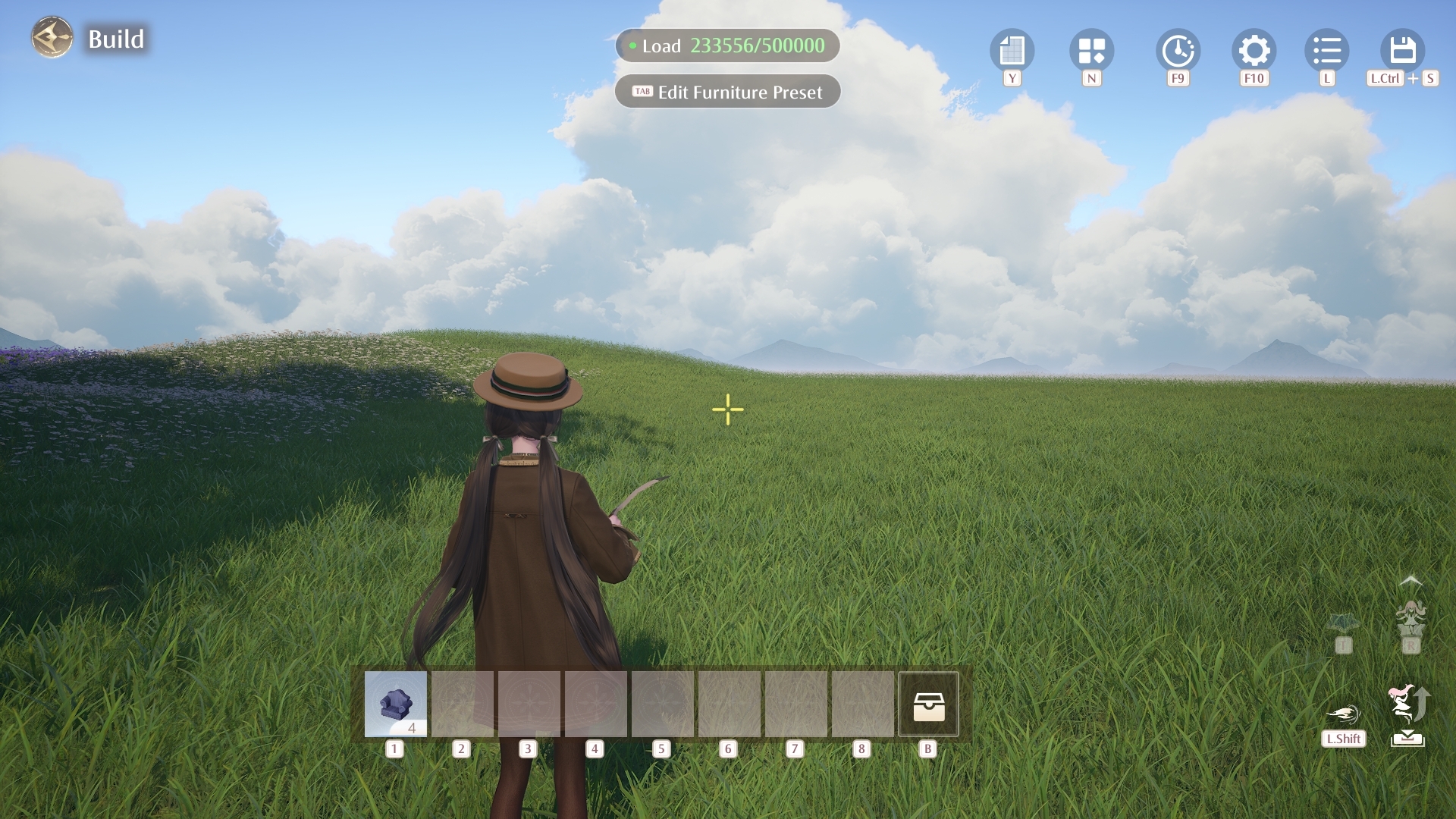 close
close
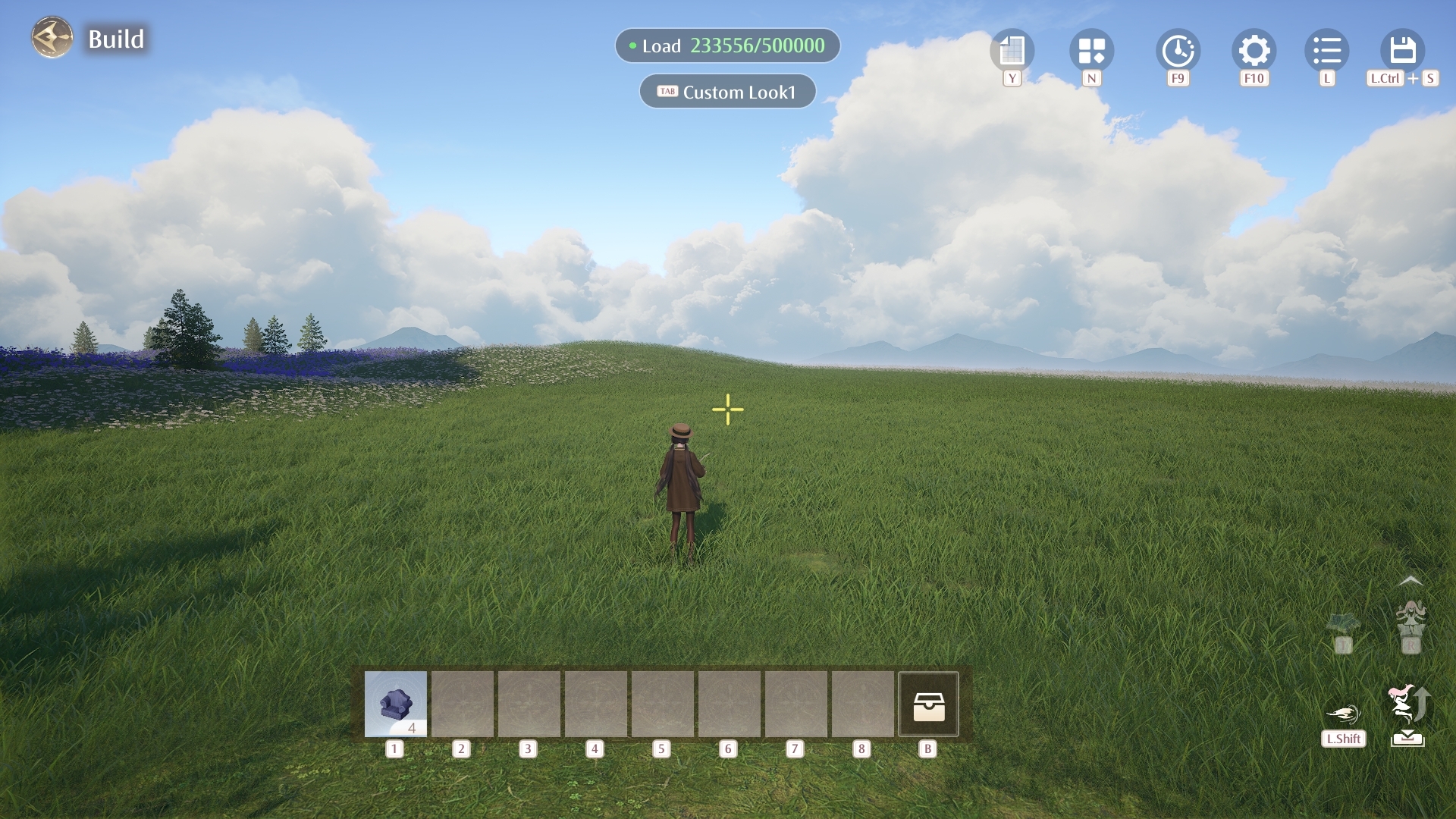 medium
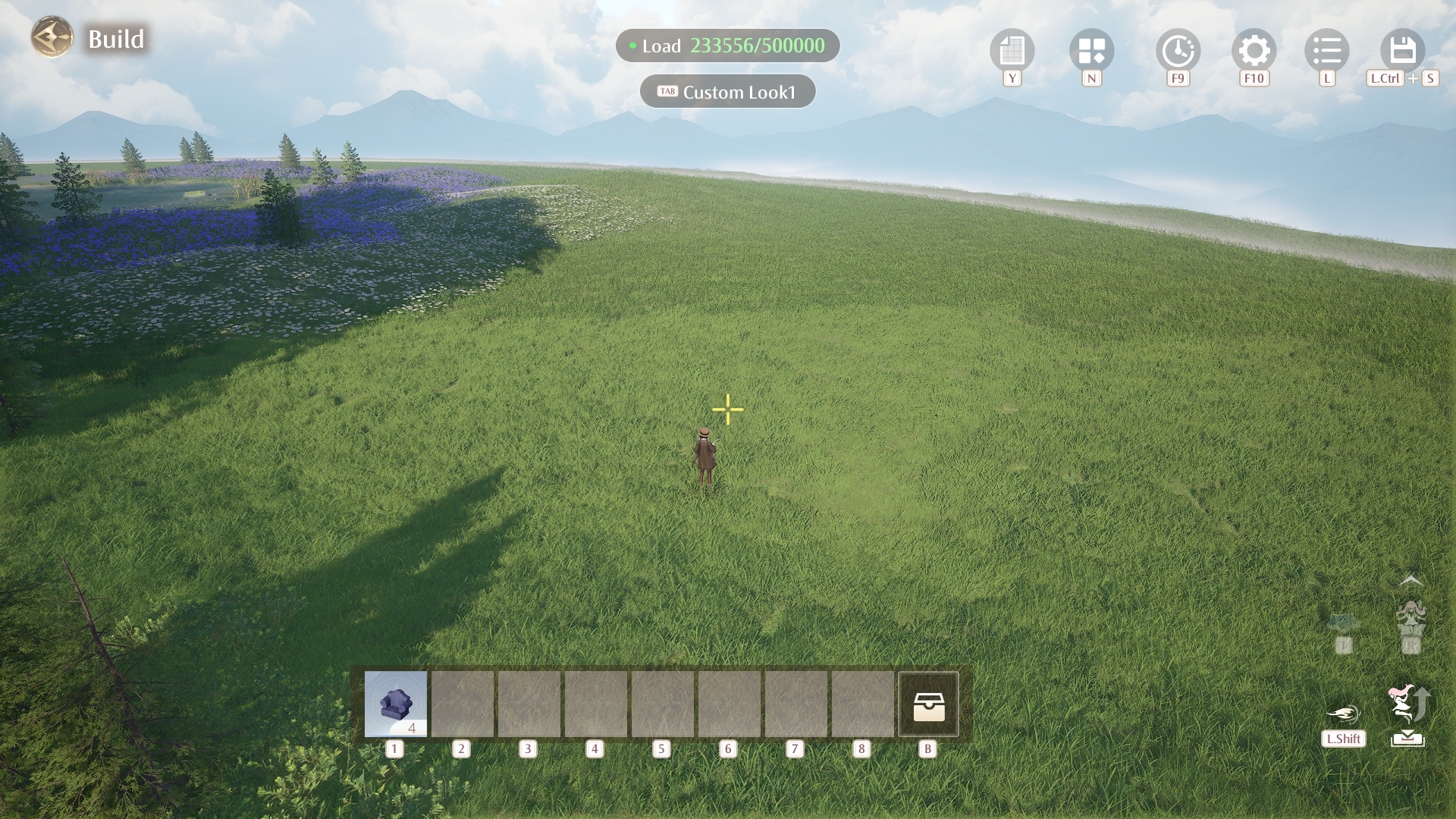 far
far
When \[Hide Nikki in Floral Construction] is enabled, Nikki's model will be hidden while Floral Construction is active. She will also be excluded from collision calculations, so that she won't interfere with furniture placement. This gives you a clearer view and makes Construction easier to work with.
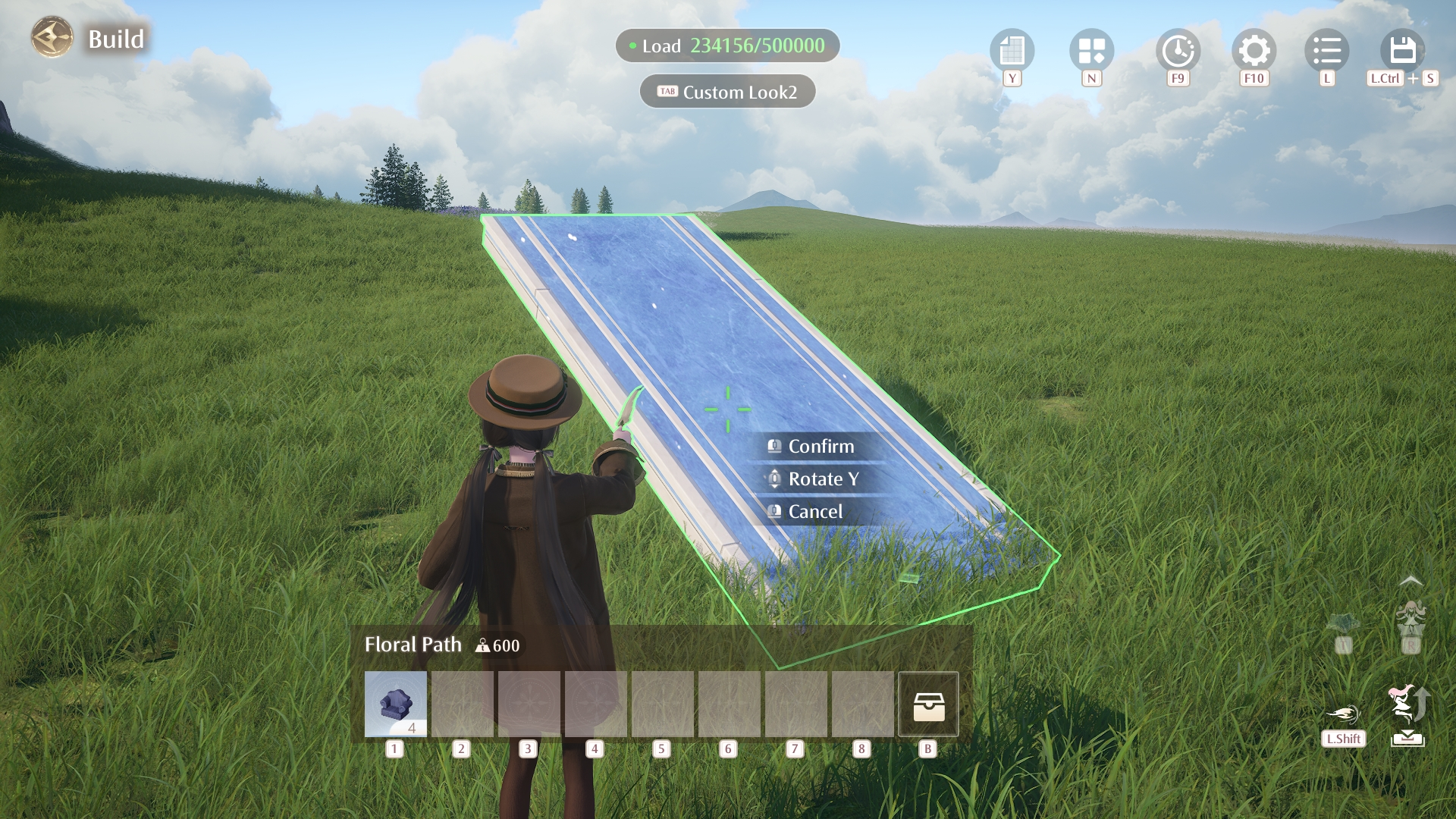
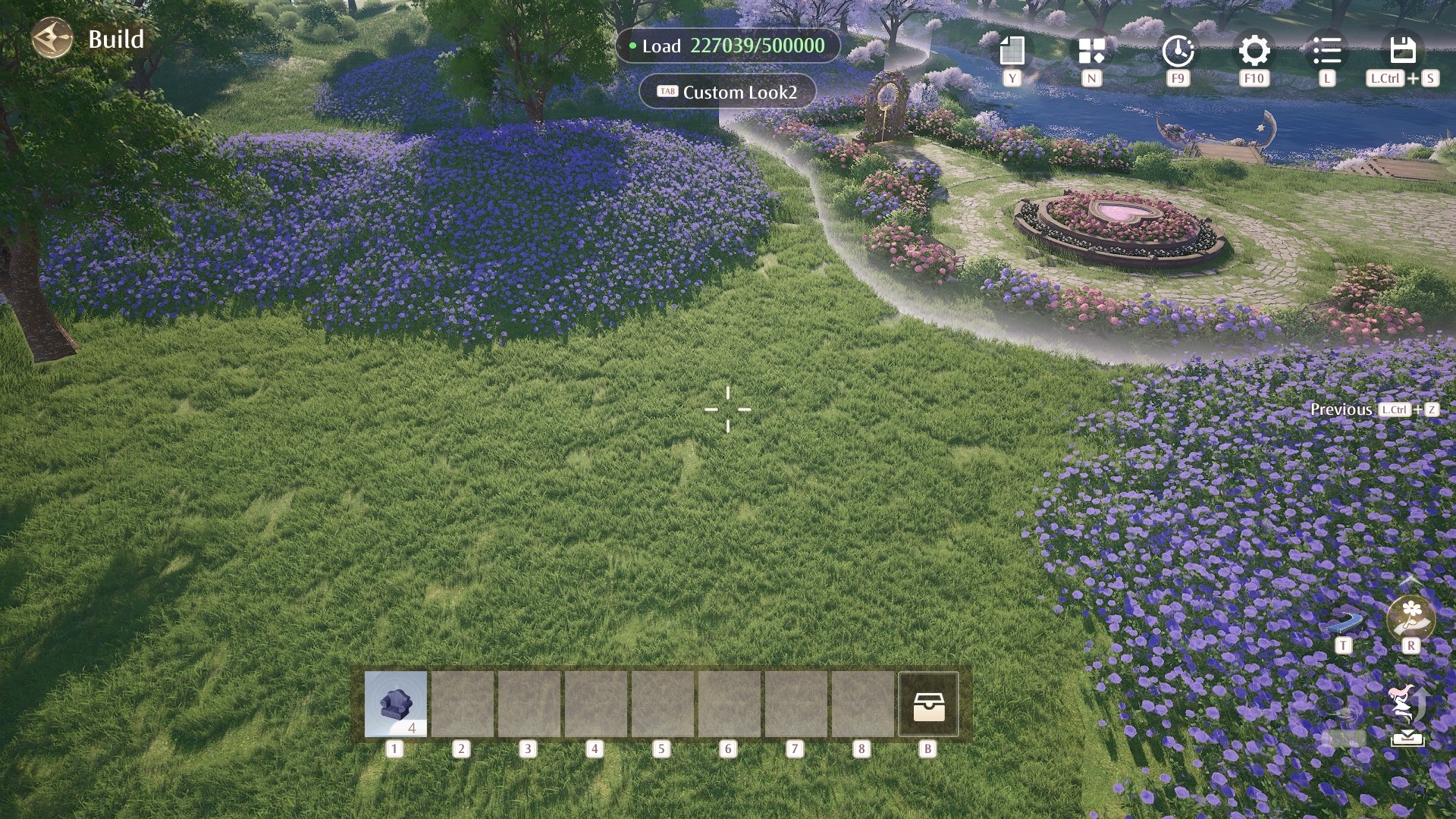 Floral Construction will also receive additional usability improvements. Existing Floral Paths can now be selected and edited, and can be moved, copied, and rotated. Floral Path placements can also be saved in Designs and Group Schemes, and shared or imported along with them.
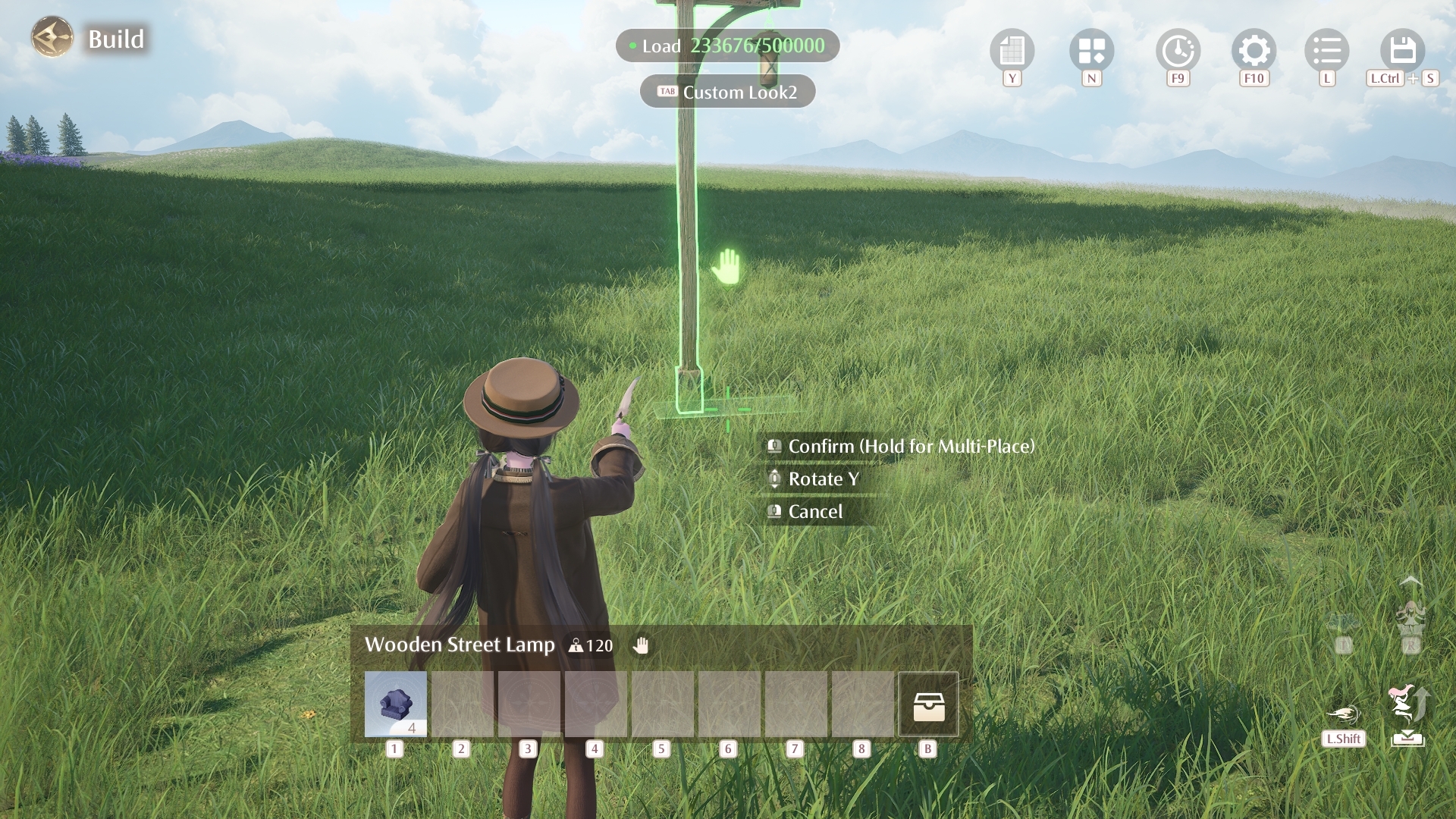
 When \[Continuous Placement of Inventory Items] is enabled, the next identical item will automatically be selected as long as you still have stock, so you can keep placing until you run out. Unlike the current batch placement feature, this gives you more freedom by removing the horizontal and vertical restrictions on placement.
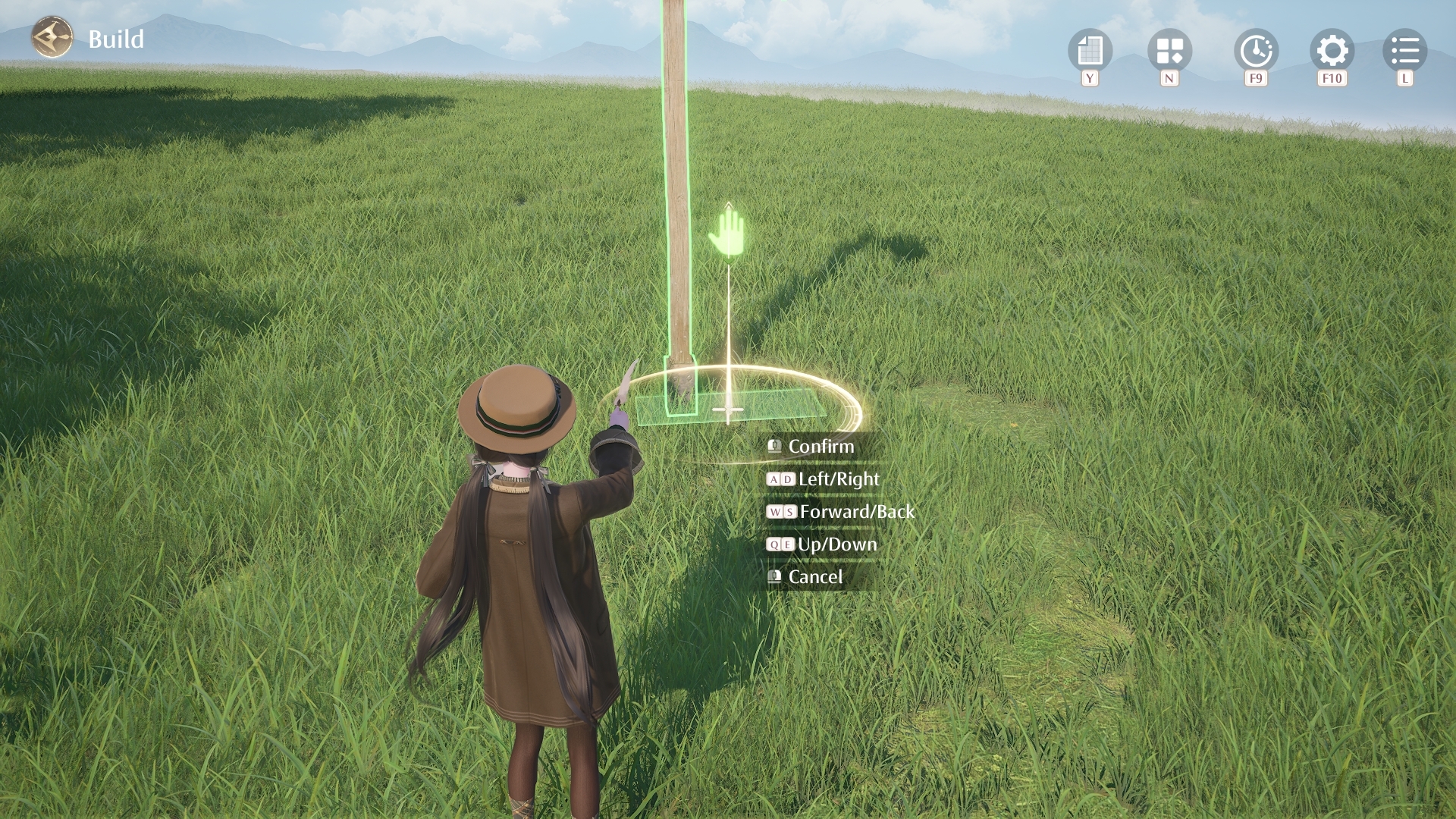
With \[Adjust Placement] enabled, you'll be able to enter a fine adjustment mode after placing furniture and precisely nudge its position left/right, forward/backward, and up/down for more accurate placement.
 In addition, interactive furniture will now include clearer placement feedback, so you can more easily tell whether the current position allows interaction.
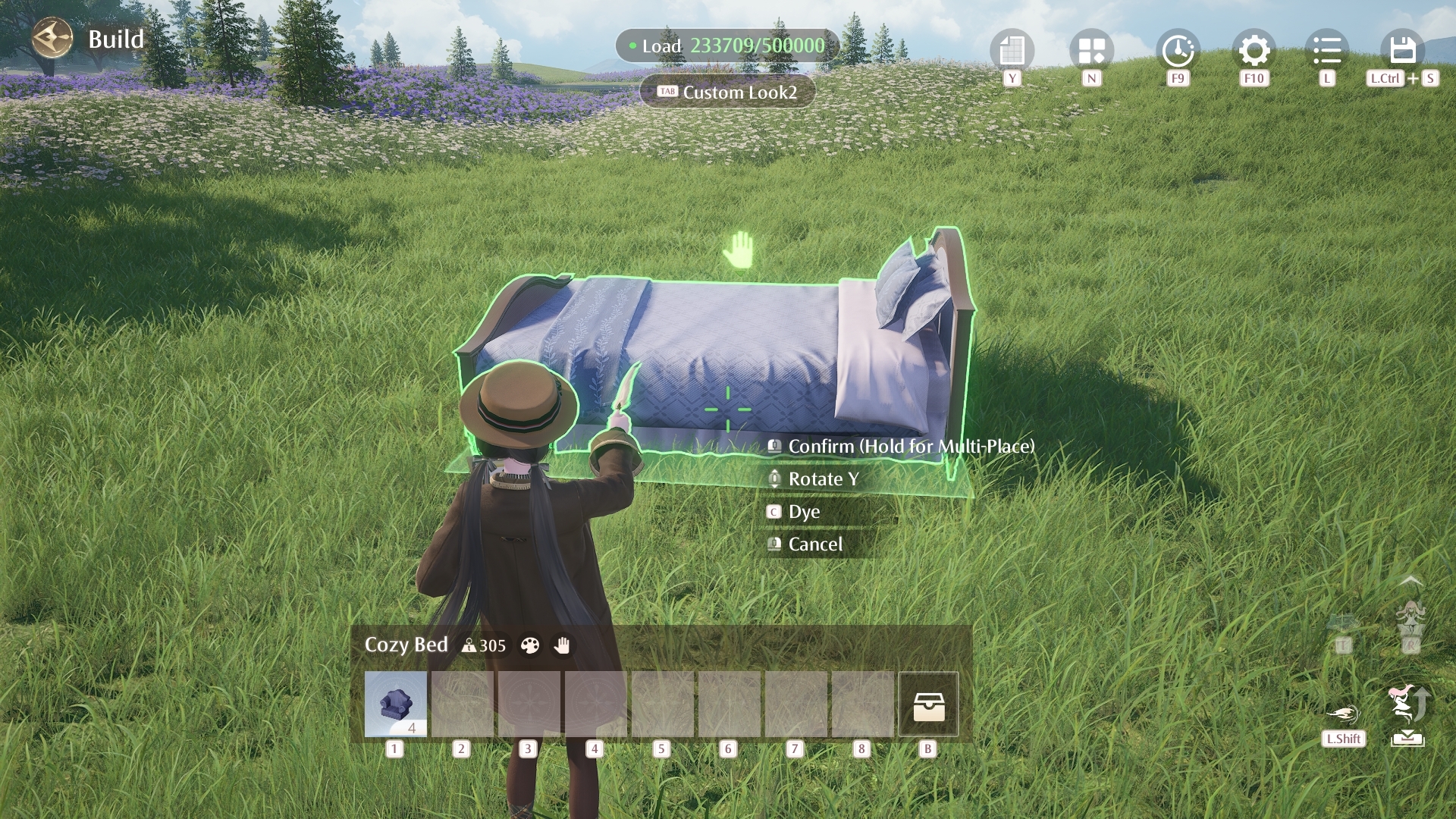 Interactable
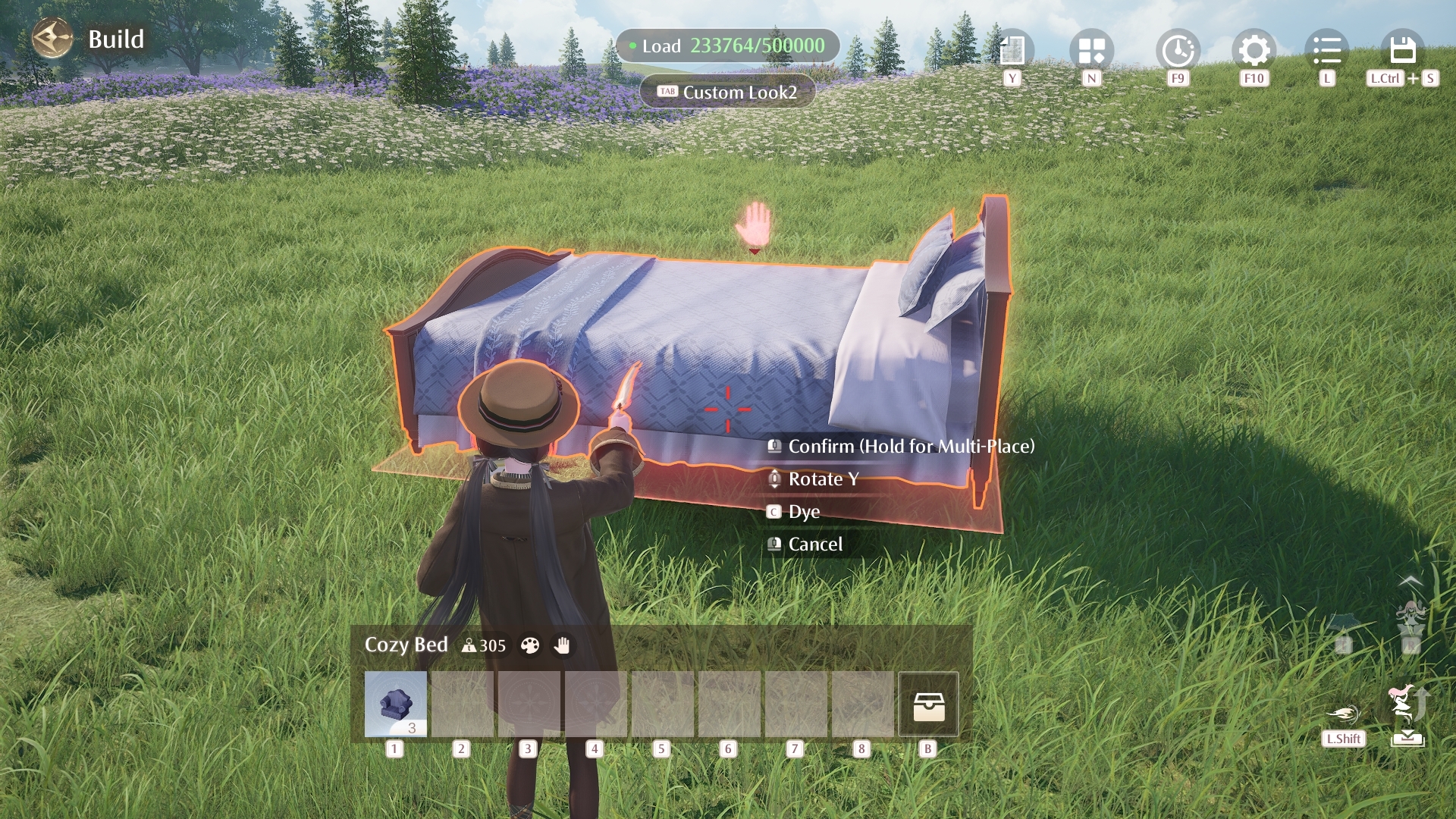 Not Interactable
Under the \[Structures] tab, the \[Enable Snapping] option will be upgraded to \[[b]Snap Settings[/b]], where you can turn snapping on or off and adjust its strength.
At the same time, \[[b]Snap Settings[/b]] will also be added under the \[[b]Furniture[/b]] tab. When snapping is enabled, furniture and structures will automatically snap into place when moved close to objects of the same type. This will help address the alignment issues many of you have mentioned and make placement much easier.
In addition to these construction setting updates, you'll also be able to adjust time during Construction, with the option to lock the selected time. Once enabled, your Home's time will remain fixed until you exit the current construction session. This lets you build under the lighting you want, reducing the impact of changing light conditions on visibility and overall layout results—so no more "staying up late" just to decorate.
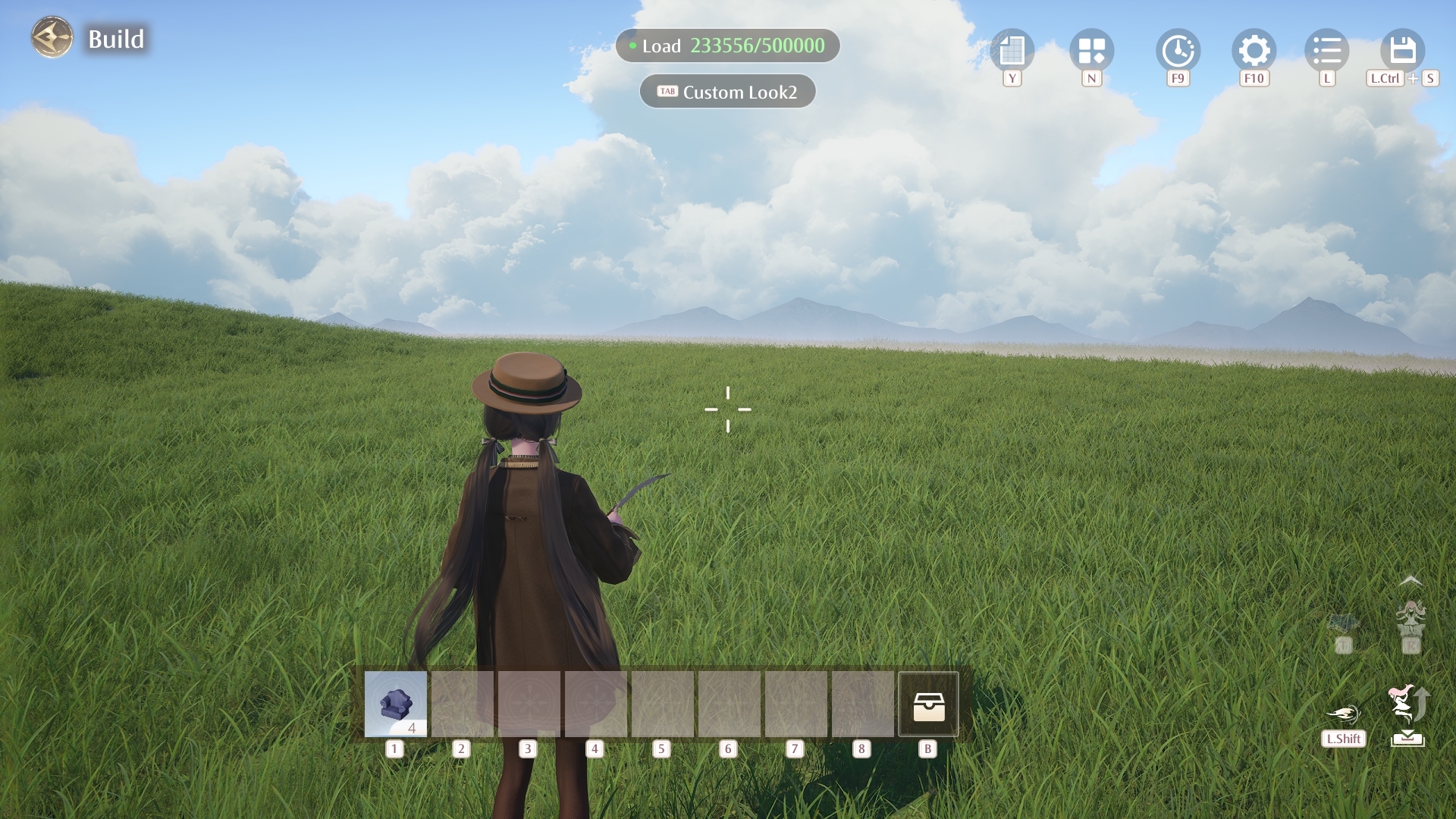
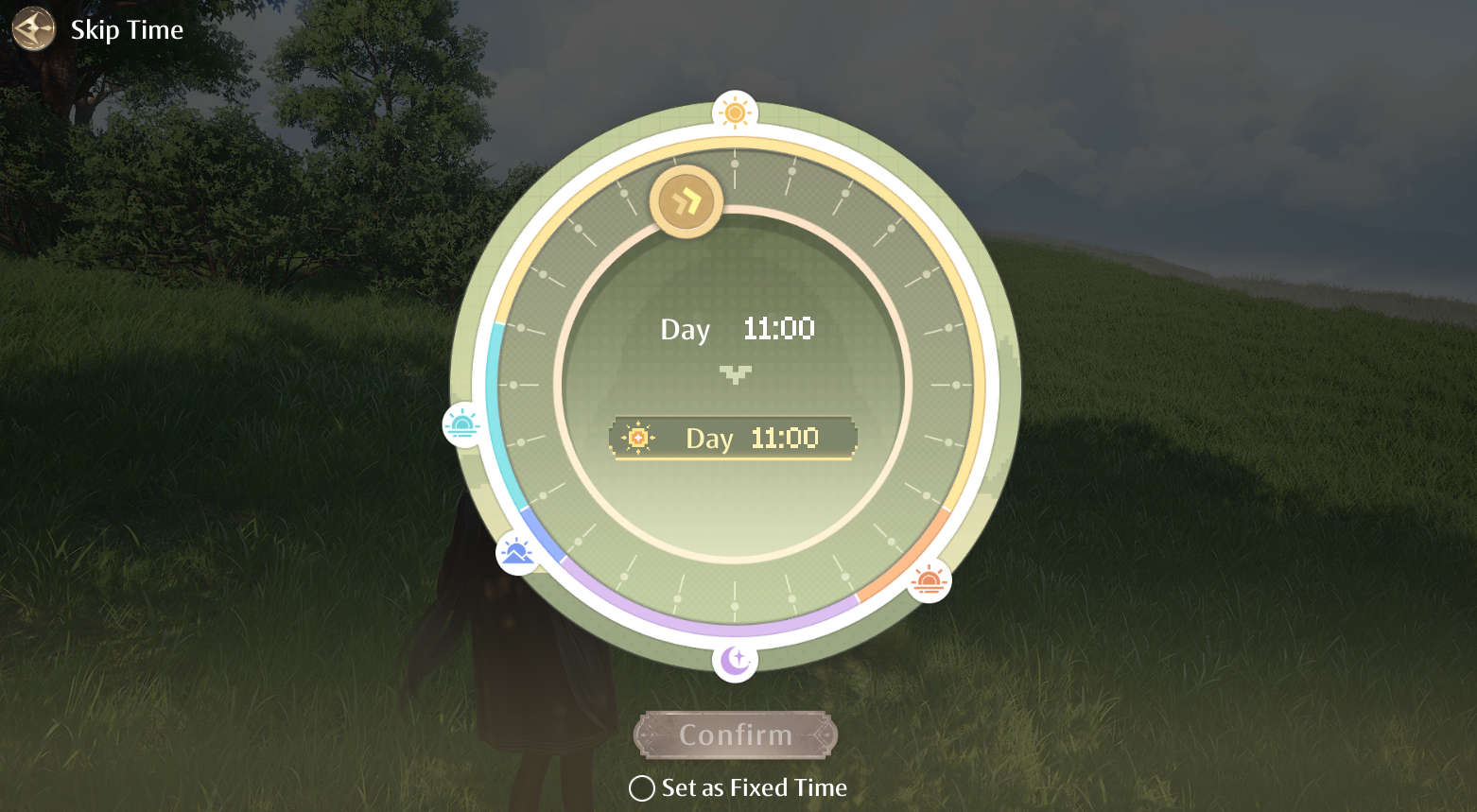 If a piece of furniture is dyed during Construction, that dye selection will be saved for the rest of the session. When you place the same furniture again, it will automatically use the most recently applied color. If the same furniture is dyed multiple times during that session, the latest color used will be applied by default. This dye record will be cleared when you exit Construction and will begin recording again the next time you enter.
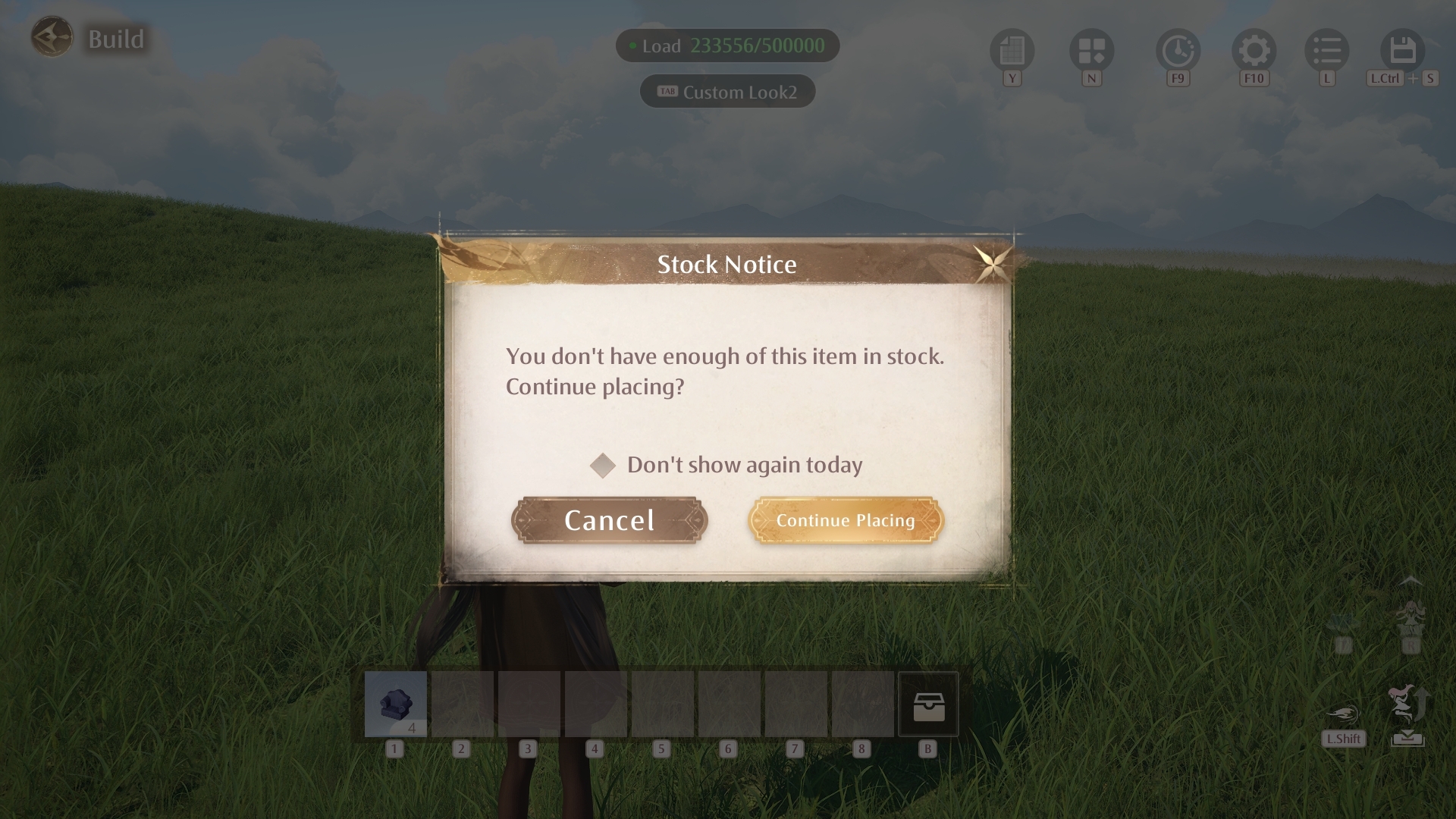
In addition, when the selected furniture is running low, the interface will now display a stock notice to help you adjust your furnishing plans in time.
★ Clearer and More Intuitive List Displays ★
Alongside the improvements to the Construction experience, Version 2.6 will also update various Home lists with clearer information and more convenient shortcuts.
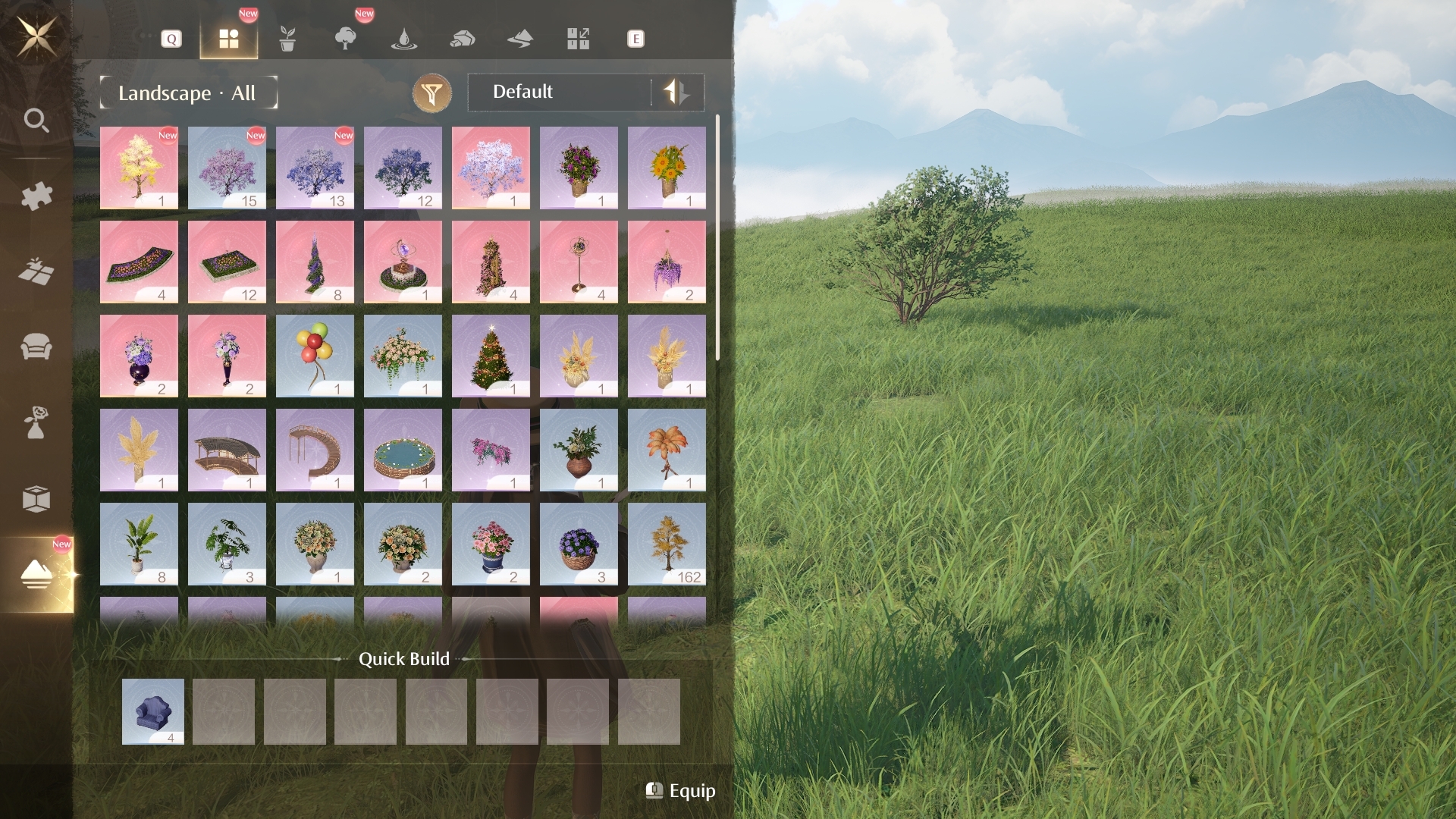
In the Construction List, a new \[[b]All[/b]] category will be added, allowing you to view all furniture under the current top-level category.
Newly obtained furniture will be marked with a \[New] tag and displayed at the top of the list, making it easier to spot your latest additions.
You'll also be able to favorite frequently used furniture, with favorited items prioritized near the top of the list for quicker access. Up to 20 furniture items can be favorited.
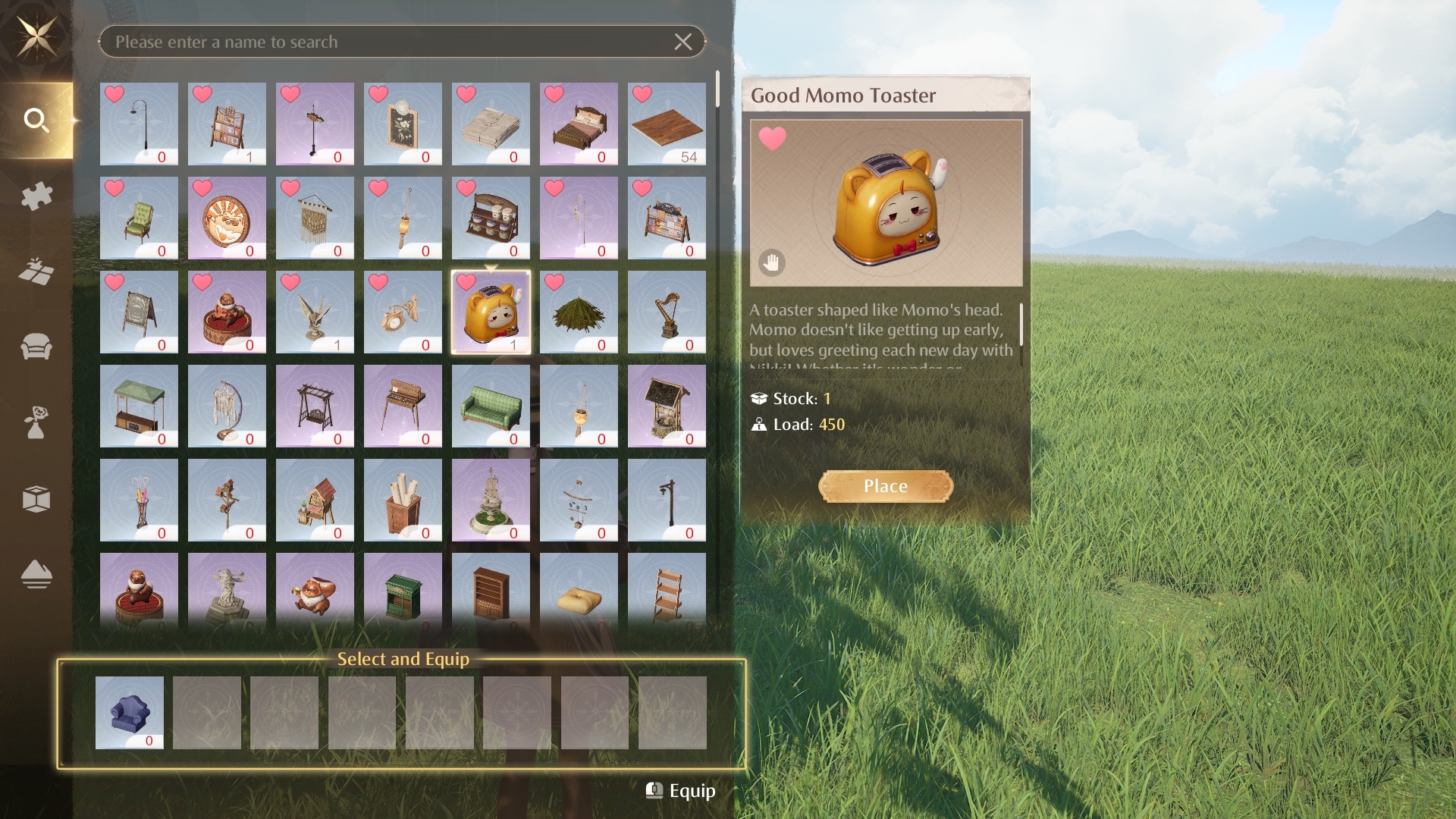
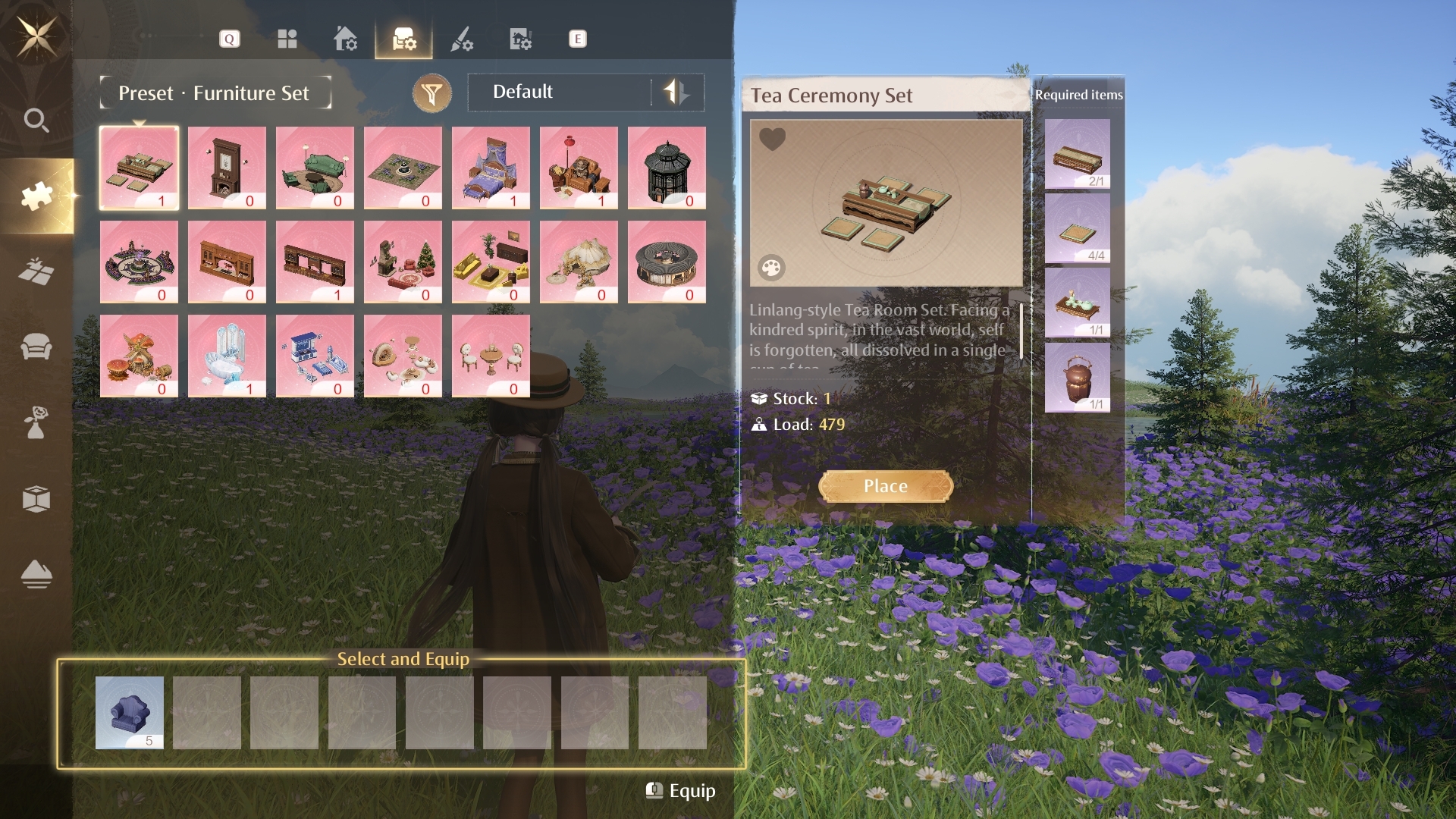
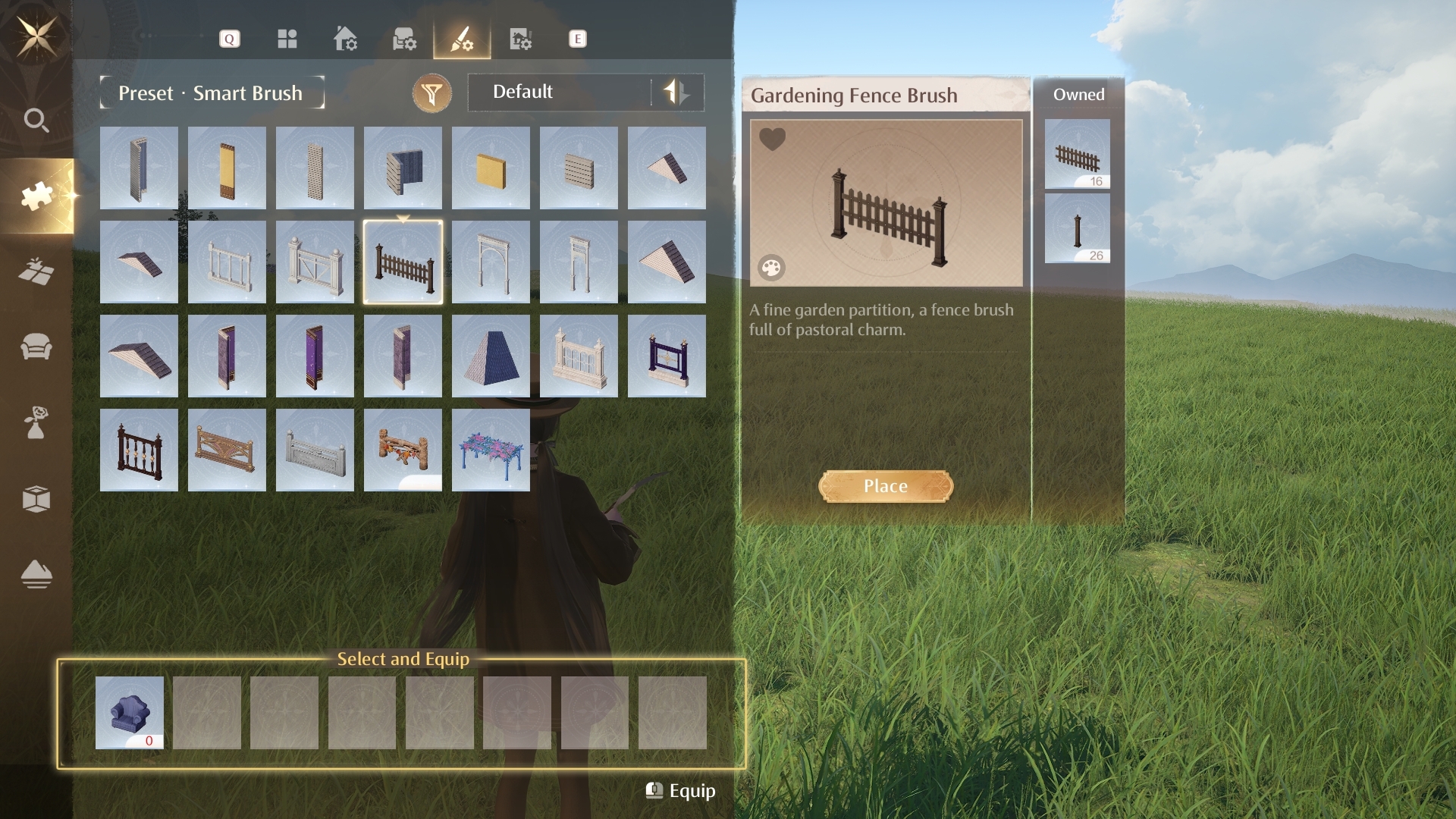
The information shown for Furniture Sets and Smart Brush will also be detailed.
On the \[Preset: Preset Houses] and \[Preset: Furniture Sets] pages, a number displayed at the lower-right corner of each icon will show how many of that preset house or furniture set you currently have available. After selecting a preset house or furniture set, you'll also be able to check how many of each included furniture item you currently have in stock.
On the \[Preset: Smart Brush] page, selecting a brush will now display all object types included in that brush, along with the quantity available for each one.
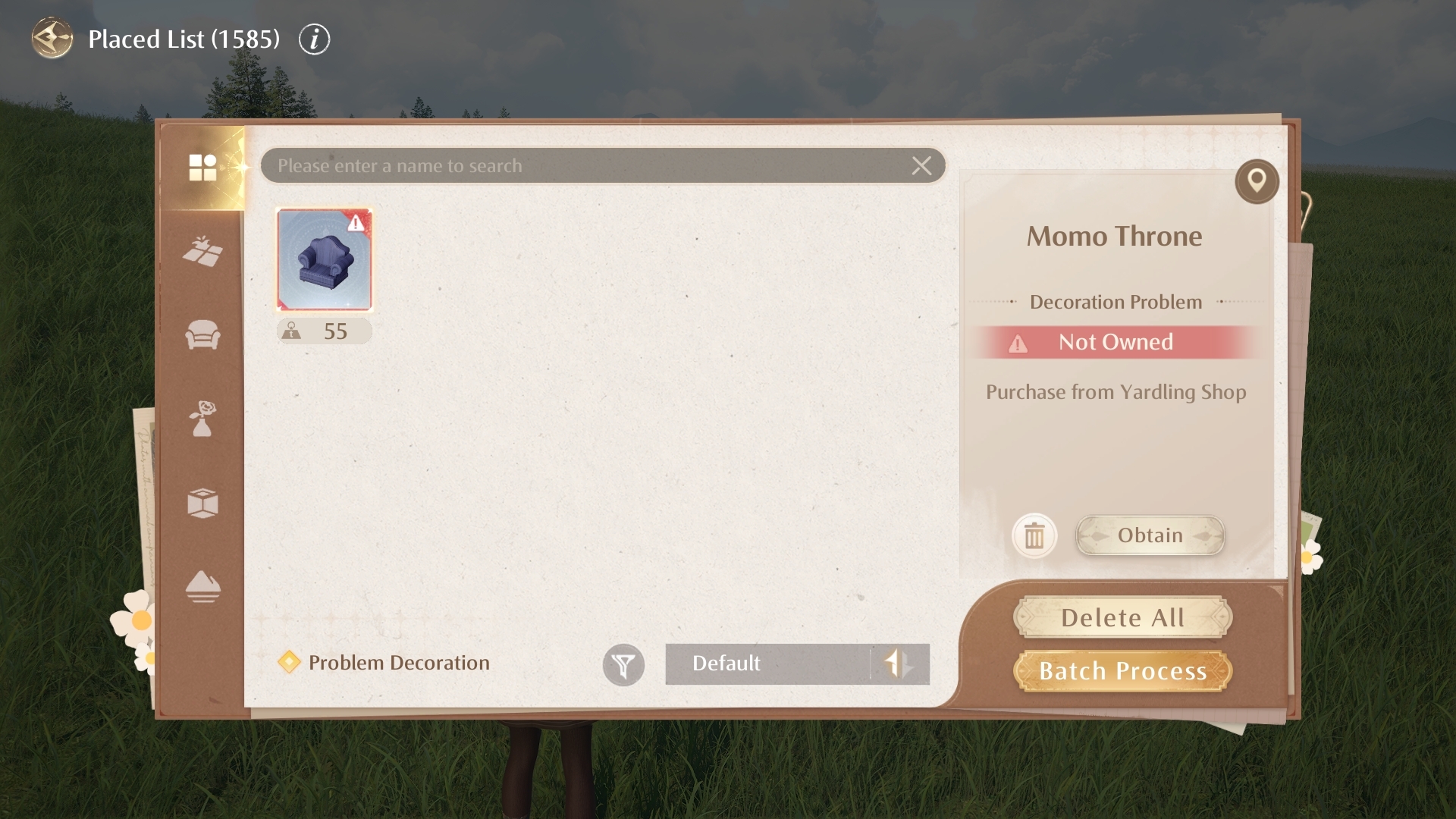
The Placed List will also provide more detailed item information and more streamlined shortcut actions.
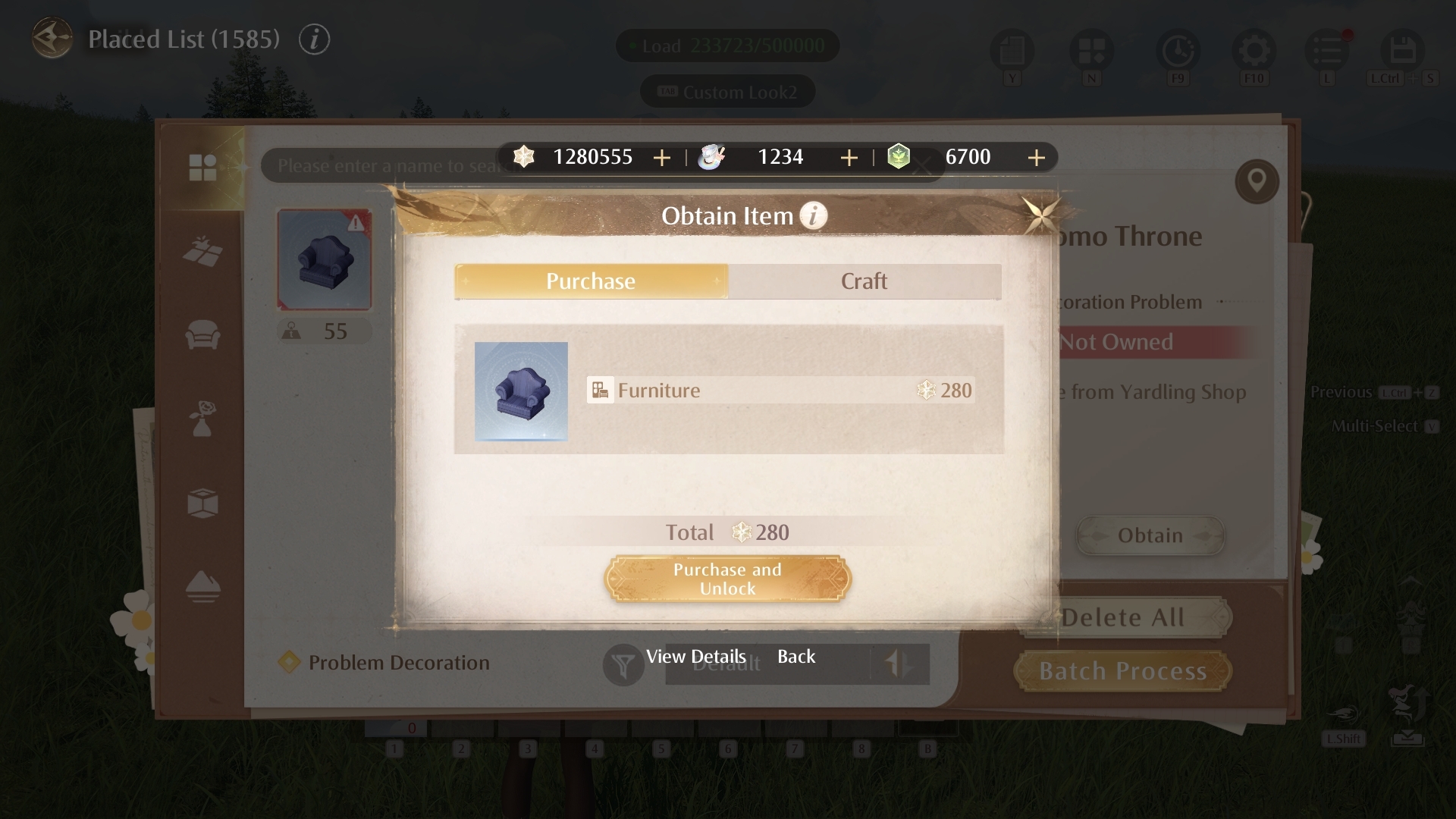
For a single problem decoration, selecting it will show more detailed acquisition methods, and you'll be able to obtain it directly from the interface. The Obtain page will also show additional information, including your current amounts of Astralites, Rainbow Paint, and Dreamland Stones, so you can make decisions more easily.
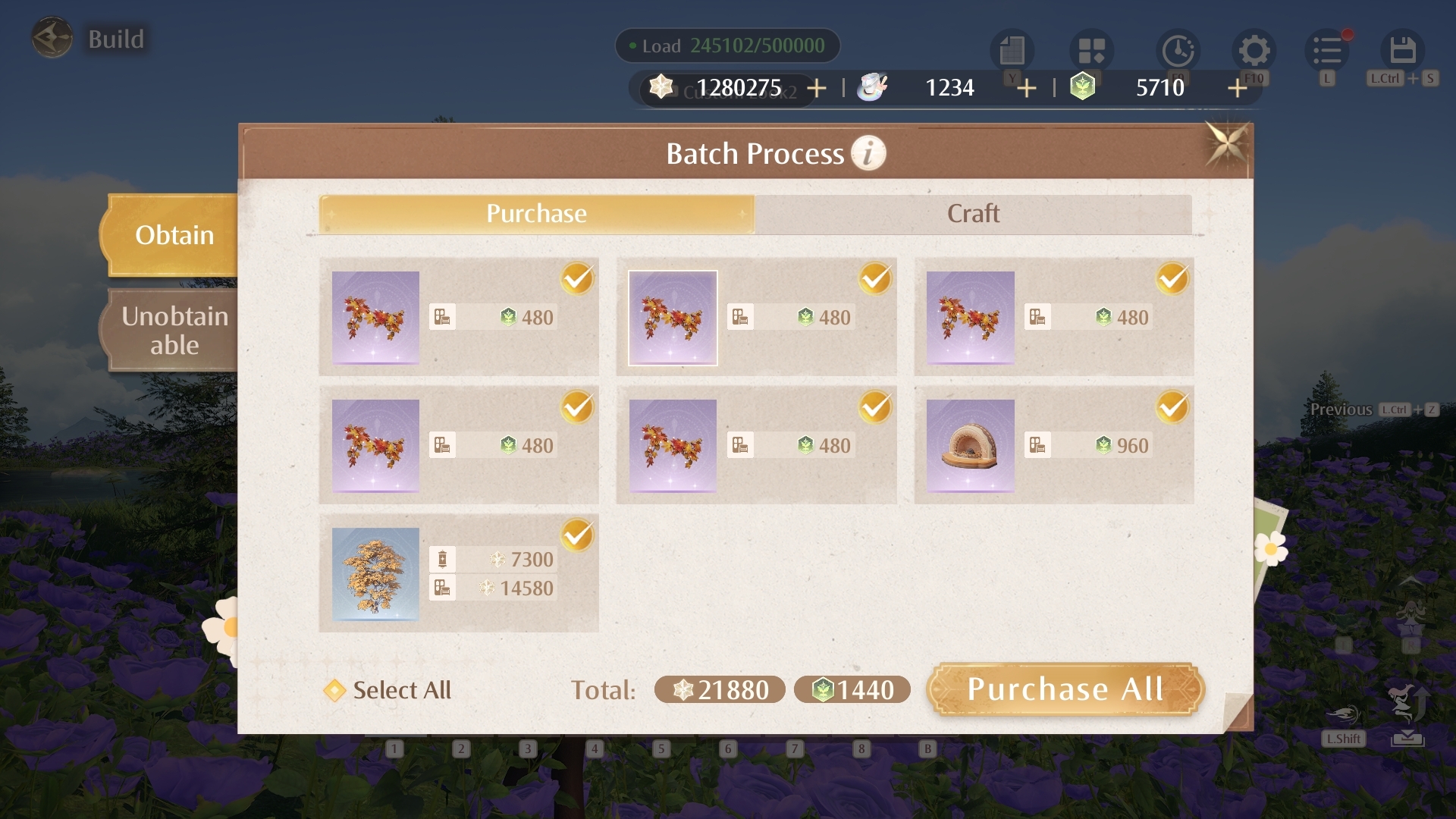
When multiple problem decorations are present, several quick actions will be available after the update:
• \[Delete All]: Force-delete all current problem decorations at once, so you can quickly save your current construction scheme.
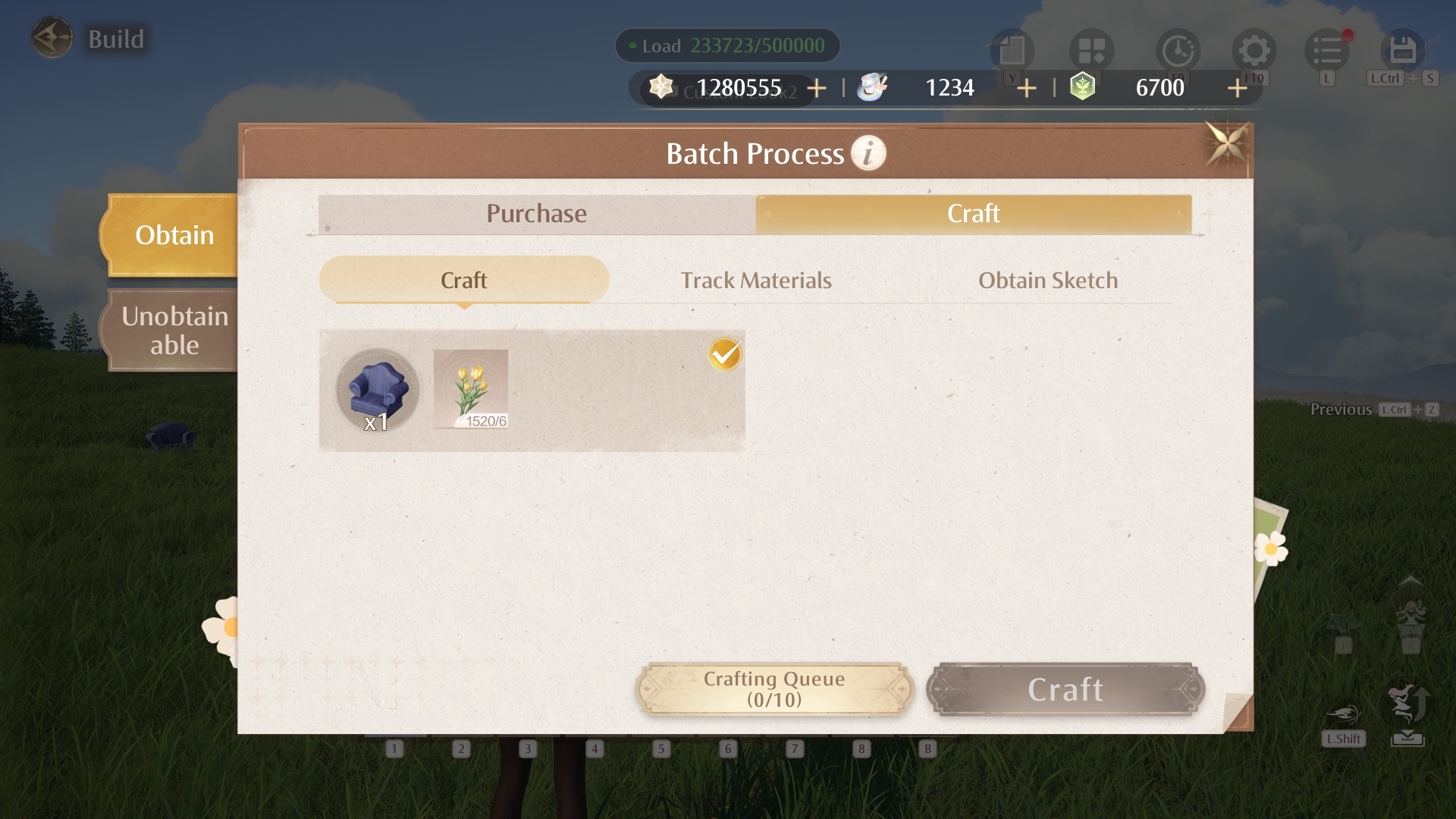
• \[[b]Batch Process[/b]]: Check whether the problem decorations are currently obtainable.
For obtainable items, you can then choose how to obtain them:
• \[[b]Purchase[/b]]: In the purchase interface, you'll be able to use \[Dreamland Stones] to purchase furniture from the Dreamland Store, including furniture from previous lineups.
• \[[b]Craft[/b]]: In the crafting interface, if you have all the required materials, you can craft the furniture right away. If materials are missing or the sketch has not yet been unlocked, you can also track materials and obtain the sketch from the same page.
That wraps up the key Home system improvements coming in Version 2.6. We hope you'll try them out in-game after the update goes live, and that these changes make construction and decorating easier, smoother, and more enjoyable. As always, we'd love to hear what you think after you've had a chance to try them out. Please keep sharing your thoughts and suggestions on the Home system with us—we'll continue listening, refining, and improving it together as we build an even better Miraland~(๑•̀ㅂ•́)و✧
♦ This is an in-development version of the game. Please refer to the actual in-game content.
What's Your Reaction?











![[Business Talk] Chagee: Opening 3,500 stores in 6 years](https://xinker.org/uploads/images/202410/image_140x98_671afce94bf91.webp)






