
![[PRO Tips] Gold’s Bullish Revival: Seasonal Trends and Key Levels to Watch](https://xinker.org/uploads/images/202412/image_430x256_67724cc6ad0cd.webp)
![[PRO Tips] Gold Market Under Short-Term Pressure, Safe-Haven Demand and Central Bank Buying Support Long-Term Upside Potential](https://xinker.org/uploads/images/202412/image_430x256_676ffb4685287.webp)
![[PRO Tips] Analysis of 9 key points of differentiation strategy! Master differentiation to create a brand advantage that is unique in the world!](https://firebasestorage.googleapis.com/v0/b/xinker-tips.appspot.com/o/article_thumbnails%2Fscaled_differentiation%20strategy.png.png?alt=media&token=a1bfc3d2-e85a-4db7-8a6d-01c7274f8940)
![[PRO Tips] Will REITs regain growth momentum in 2024? 3 REITs ETFs you must know if you want to invest in real estate.](https://firebasestorage.googleapis.com/v0/b/xinker-tips.appspot.com/o/article_thumbnails%2Fscaled_REITs1.png.png?alt=media&token=8af4eb93-33ff-466f-8039-b6555fad52b4)
![[PRO Tips] Complete tutorial on how to make money in Adobe Stock!](https://firebasestorage.googleapis.com/v0/b/xinker-tips.appspot.com/o/article_thumbnails%2Fscaled_tut-adobe1.png.png?alt=media&token=0b2c8cf2-22bd-4142-883e-140ed1cbaf02)
![[Passive Income] Unlock the secret of passive income: 3 steps to apply for Google AdSense](https://xinker.org/uploads/images/202410/image_430x256_6717a4fb3052b.webp)
![[Passive Income] Earn over $200 a day with AI-generated articles!](https://firebasestorage.googleapis.com/v0/b/xinker-tips.appspot.com/o/article_thumbnails%2Fscaled_article1.png.png?alt=media&token=f61bf35b-8553-4719-826d-7360024adc70)
![[Passive Income] Earn over 20 USD per download with AI-generated images!](https://firebasestorage.googleapis.com/v0/b/xinker-tips.appspot.com/o/article_thumbnails%2Fscaled_adobe2.png.png?alt=media&token=3e20e76a-a907-45af-80aa-bf9b3600301f)
![[Passive Income] Earn 10 USD per new download by sharing CapCut!](https://firebasestorage.googleapis.com/v0/b/xinker-tips.appspot.com/o/article_thumbnails%2Fscaled_capcut2.png.png?alt=media&token=a04dec40-1fac-4857-86f2-19a8be02d38e)
![[Passive Income] Use your WiFi to create passive income in 5 minutes, and you can earn 4-6 U per day!](https://firebasestorage.googleapis.com/v0/b/xinker-tips.appspot.com/o/article_thumbnails%2Fscaled_Grassio.webp.png?alt=media&token=7659a95e-0e47-4f27-a17d-c942ac3cf7f4)


![[Business Talk] The Unique Theme of XINKER's Song: Beef Wellington and Business Mastery](https://xinker.org/uploads/images/202410/image_430x256_671afc155f47f.webp)
![[Business Talk] Chagee: Opening 3,500 stores in 6 years](https://xinker.org/uploads/images/202410/image_430x256_671afce80c5f9.webp)


SHIPSHAPE
EXTENDED DAYTIMEThis month we've extended the amount of time each day has sunlight by around 20 minutes. The duration of night is unchanged (around 10 minutes). This should hopefully allow for more time for daylight activities while still keeping nighttime tactics viable.BOAT BUILDING IMPROVEMENTS & FIXESThere have been a ton of small fixes and improvements to player boats and boat building this month. I want to a highlight a few of the more common complaints that have been addressed here in this section.Boat building blocks can now be rotated and demolished at any time in edit mode - they are no longer subject to the usual 5 minute timer.The tiny dive site buoys that would bring your full size boat to a complete halt have now been addressed. You may now sail freely!The very annoying issue with sails randomly being destroyed has also been fixed. This was caused by a sail being rotated after initial placement, which sometimes led to them being placed off the edge of a boat. When you then picked something up nearby, the groundwatch triggered and the sails got destroyed. Not any more!Finally, the Deploy & Edit steering wheel option will now always show, even if the current location is unsuitable. An error toast will be displayed if you try to use it, informing you that you cannot edit in this location. There are many reasons why deploy & edit can be unavailable and most of the time the reason is explained, but this one was missing - which led to a lot of confusion previously. Hopefully this will help clear things up!Head to the change list for the full details!DEEP SEA CHANGESWe made a number of balancing changes and improvements to the Deep Sea.Loot now respawns slowly over time. The initial loot fill when the Deep Sea opens has been decreased to around 70% of what it was.The side of the map it spawns on is now random after each opening.The deep sea will no longer open right after the server wipes.You can’t go there using RHIBs now.A notification sound will play when the deep sea opens.All these changes can be configured via new convars. We’ve also increased the network range from 300 to 620 metres in the Deep Sea, so you can spot ships from much further away. We can’t afford to do that on the mainland because of player and entity density, but out at sea we have enough performance headroom to support it.Thanks to everyone for sharing their thoughts about their experience with the Deep Sea since its release.CANNON HIT MOVEMENT PENALTYWe've added a movement penalty for player built boats that are hit by cannons. Repeated hits can reduce a ship's movement speed to 30% of its maximum speed. We'll keep an eye on how this plays out, but our hope is that this leads to more interesting ship to ship combat as well as some more boarding action.We've also buffed the player protection while mounted to cannons so players shouldn't be as vulnerable while using them.ELECTRICITY, INDUSTRIAL, AND WATER IO ON BOATSYou can now use electricity, industrial and water IO items on boats. Almost all the items are available. Some of them are more involved to support than others, for performance or various other reasons. Some of them are blocked purely for gameplay balance concerns.Blocked items: Auto turretSAM siteWindmillCCTV camerasSeismic sensorHanging lightsDoor controller, hopperAll subject to change in the future!WALLPAPER ON BOATSYou can now use wallpaper on boats, the same way as in your base.DESTRUCTIBLE BOAT WRECKSSunken player-built boats can now be damaged block by block, allowing for exploration and loot recovery.PLAYER BUILT BOAT DECAY CHANGESI've made some changes to decay rates, based on player feedback.Decay delay has been doubled from 12 hours to 24 hours and decay duration has been reduced from 18 hours to 12 hours.This will mean players can stay offline for longer without their boat decaying, but abandoned boats will decay quicker.As a reminder, a player boat is only classed as used when it receiving steering wheel input.STORAGE BOX PACK DLCShipping this month is the Storage Box Pack, a packed-out collection of 16 uniquely designed and labelled skins for the Large Wood Box. Featuring bespoke and beautiful designs for Ammo, Armor, Charcoal, Clothing, Components, Explosives, Food, Guns, Meds, Metal, Ore, Scrap, Stone, Sulfur, Tools and Wood.Each box also has a special functionality where they show the contents as a distinctive stack of items. Never fear though, the contents are not visible to hostiles unless your auth is destroyed! Get them boxed up from the in-game store or from the Rust item store!DEPLOYABLE SNAPPING ON BOATSYou can now use deployable snapping on player built boats! This works as you'd expect. Hold a relevant deployable and left shift whilst on a player boat. This works for the exact same set of deployables as it does on land.PLAYER BOAT AIM SWAYWe've added a moderate amount of ADS aim sway while on player built boats, scaled by the speed of the boat. Ideally this encourages the use of cannons over
This month we've extended the amount of time each day has sunlight by around 20 minutes. The duration of night is unchanged (around 10 minutes).
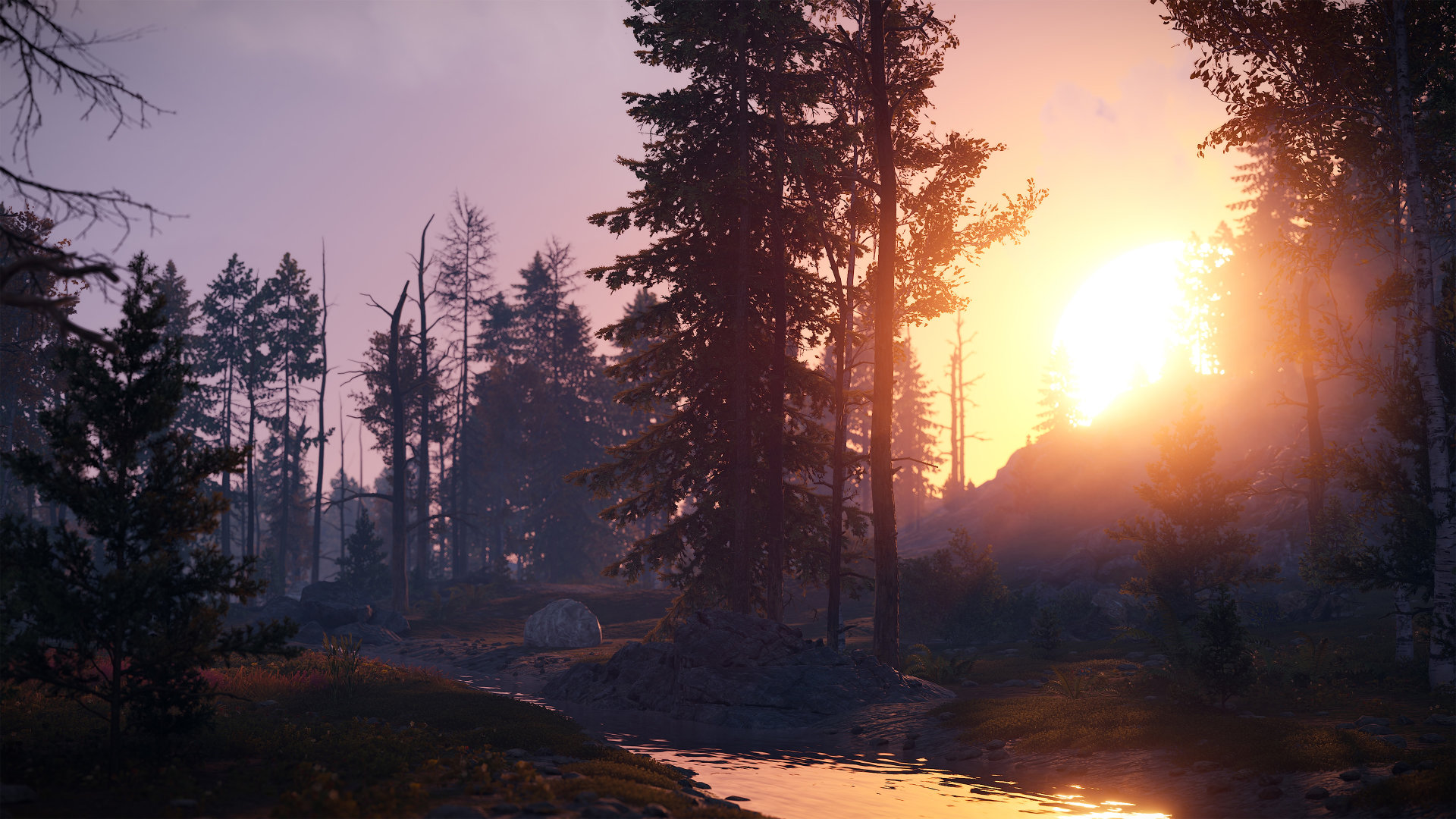
This should hopefully allow for more time for daylight activities while still keeping nighttime tactics viable.
There have been a ton of small fixes and improvements to player boats and boat building this month. I want to a highlight a few of the more common complaints that have been addressed here in this section.
Boat building blocks can now be rotated and demolished at any time in edit mode - they are no longer subject to the usual 5 minute timer.
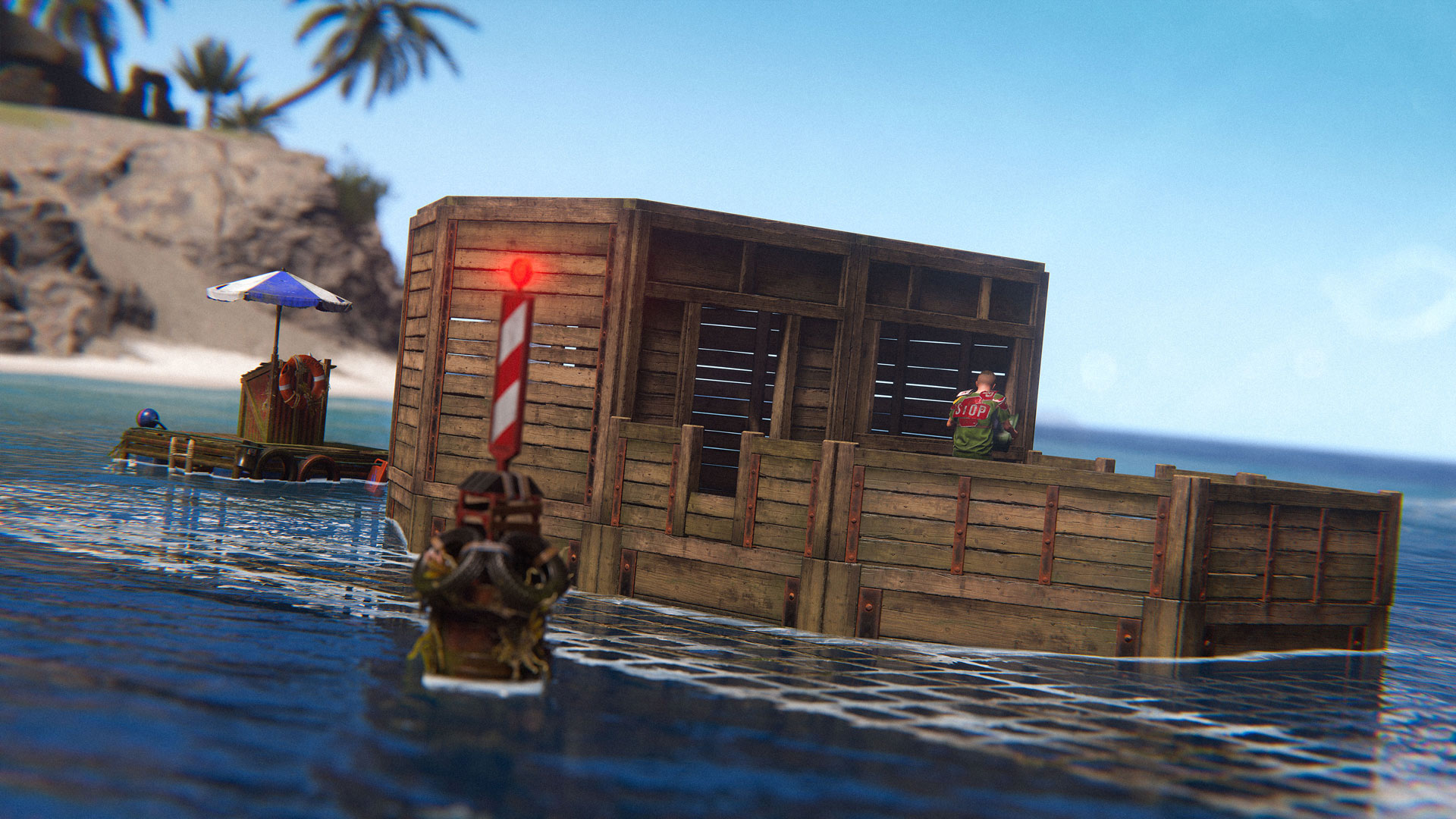
The tiny dive site buoys that would bring your full size boat to a complete halt have now been addressed. You may now sail freely!
The very annoying issue with sails randomly being destroyed has also been fixed. This was caused by a sail being rotated after initial placement, which sometimes led to them being placed off the edge of a boat. When you then picked something up nearby, the groundwatch triggered and the sails got destroyed. Not any more!
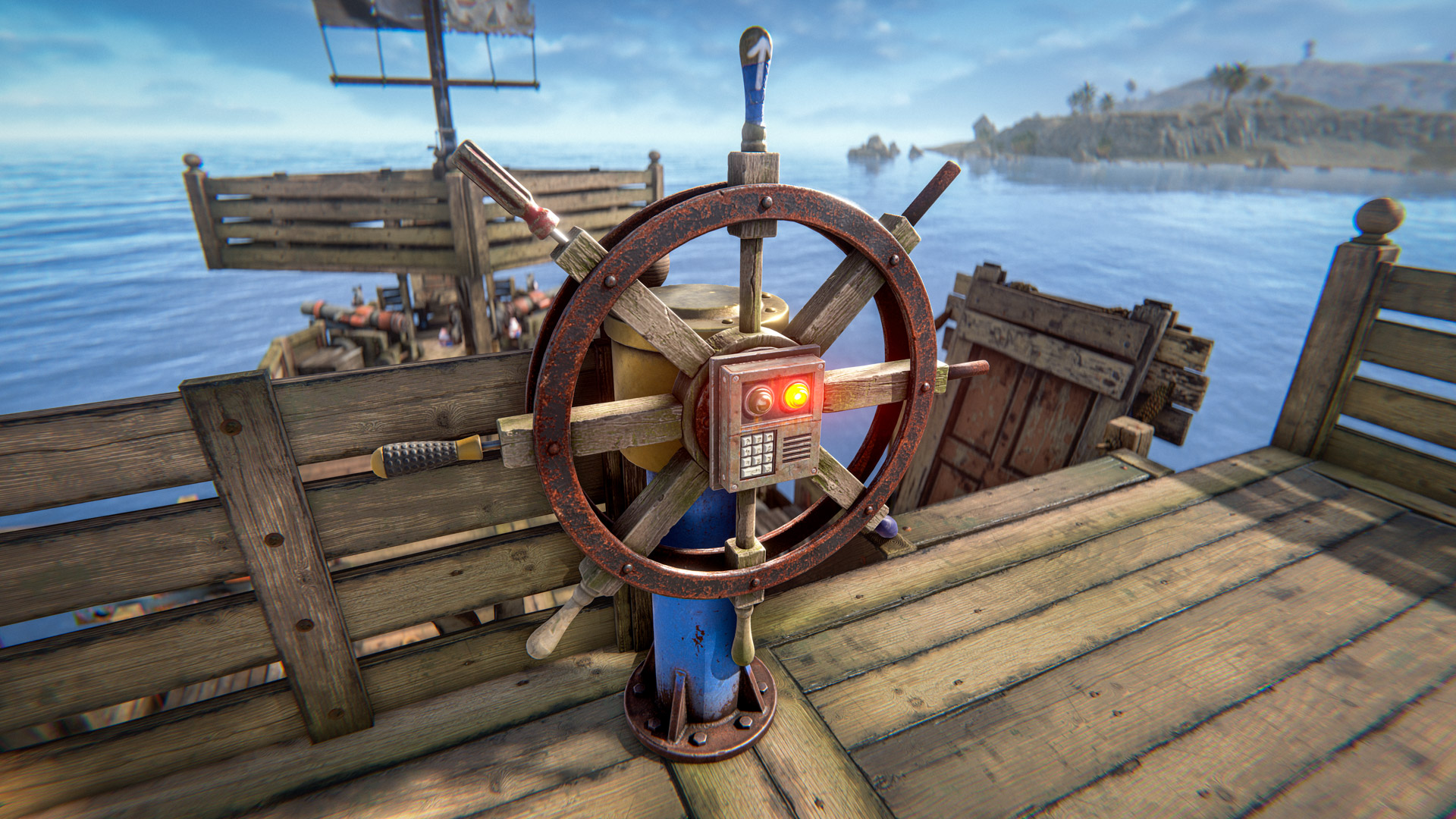
Finally, the Deploy & Edit steering wheel option will now always show, even if the current location is unsuitable. An error toast will be displayed if you try to use it, informing you that you cannot edit in this location. There are many reasons why deploy & edit can be unavailable and most of the time the reason is explained, but this one was missing - which led to a lot of confusion previously. Hopefully this will help clear things up!
Head to the change list for the full details!
We made a number of balancing changes and improvements to the Deep Sea.
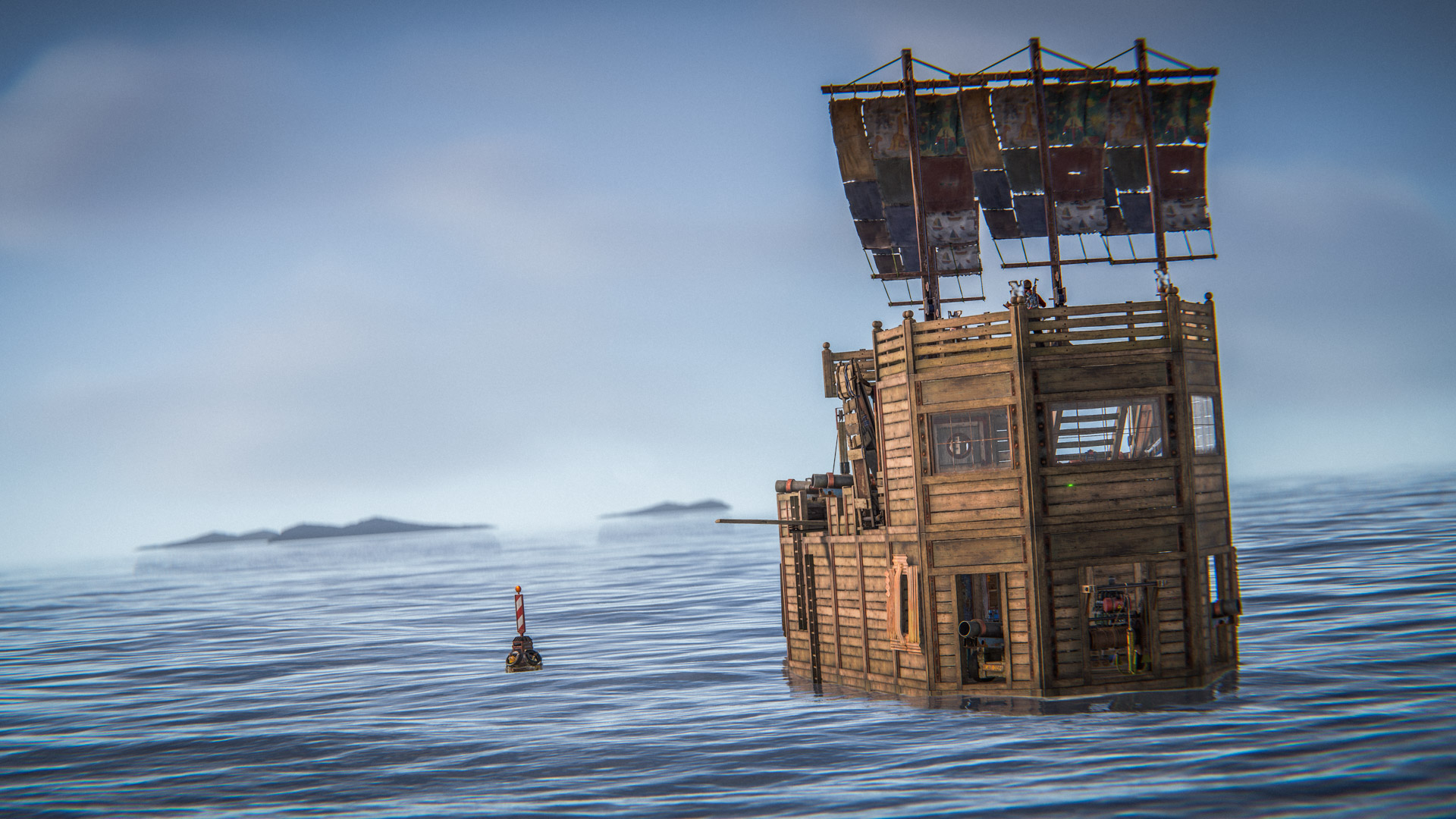
Loot now respawns slowly over time. The initial loot fill when the Deep Sea opens has been decreased to around 70% of what it was.
The side of the map it spawns on is now random after each opening.
The deep sea will no longer open right after the server wipes.
You can’t go there using RHIBs now.
A notification sound will play when the deep sea opens.
All these changes can be configured via new convars.
We’ve also increased the network range from 300 to 620 metres in the Deep Sea, so you can spot ships from much further away. We can’t afford to do that on the mainland because of player and entity density, but out at sea we have enough performance headroom to support it.
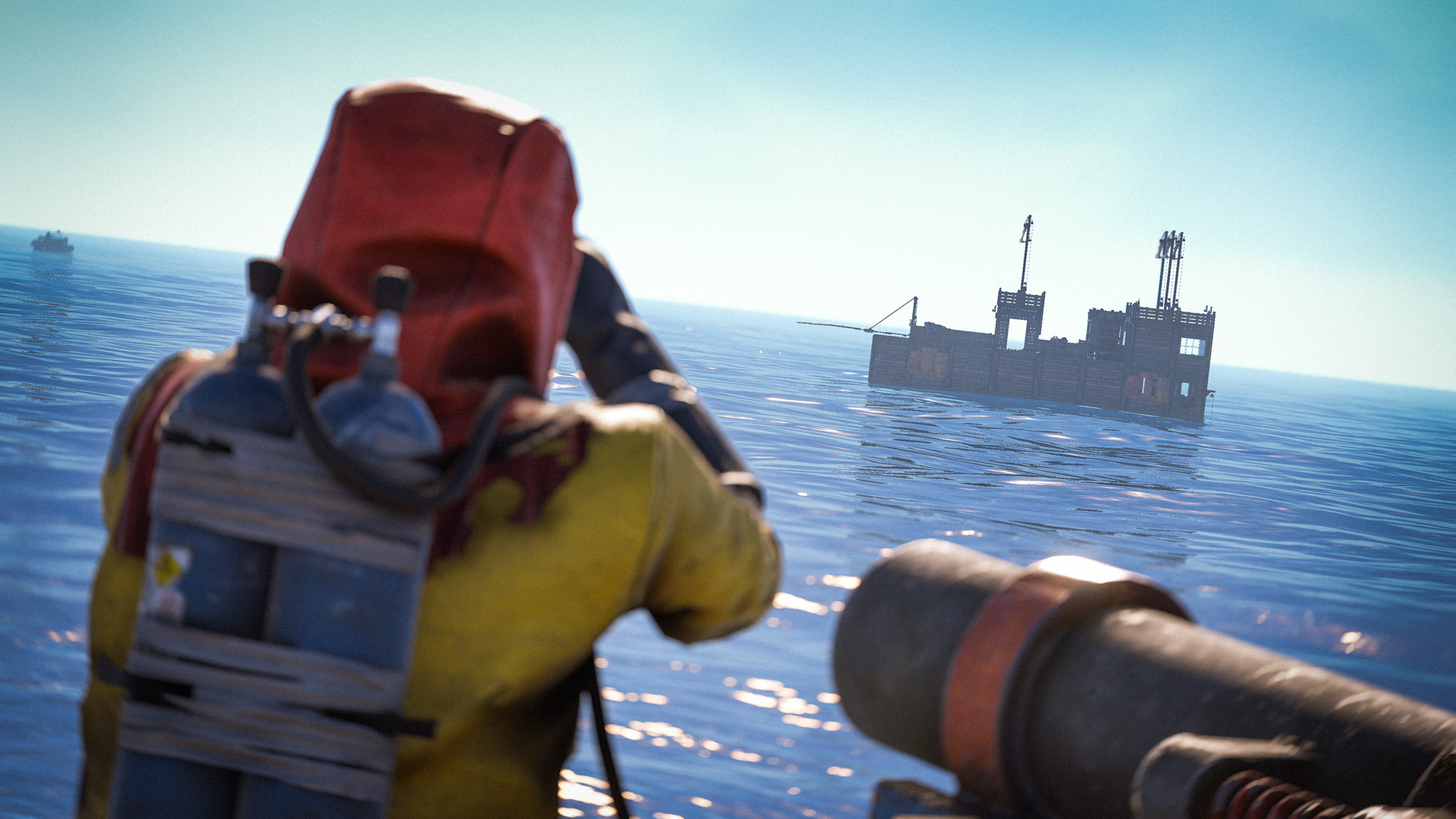
Thanks to everyone for sharing their thoughts about their experience with the Deep Sea since its release.
We've added a movement penalty for player built boats that are hit by cannons. Repeated hits can reduce a ship's movement speed to 30% of its maximum speed. We'll keep an eye on how this plays out, but our hope is that this leads to more interesting ship to ship combat as well as some more boarding action.
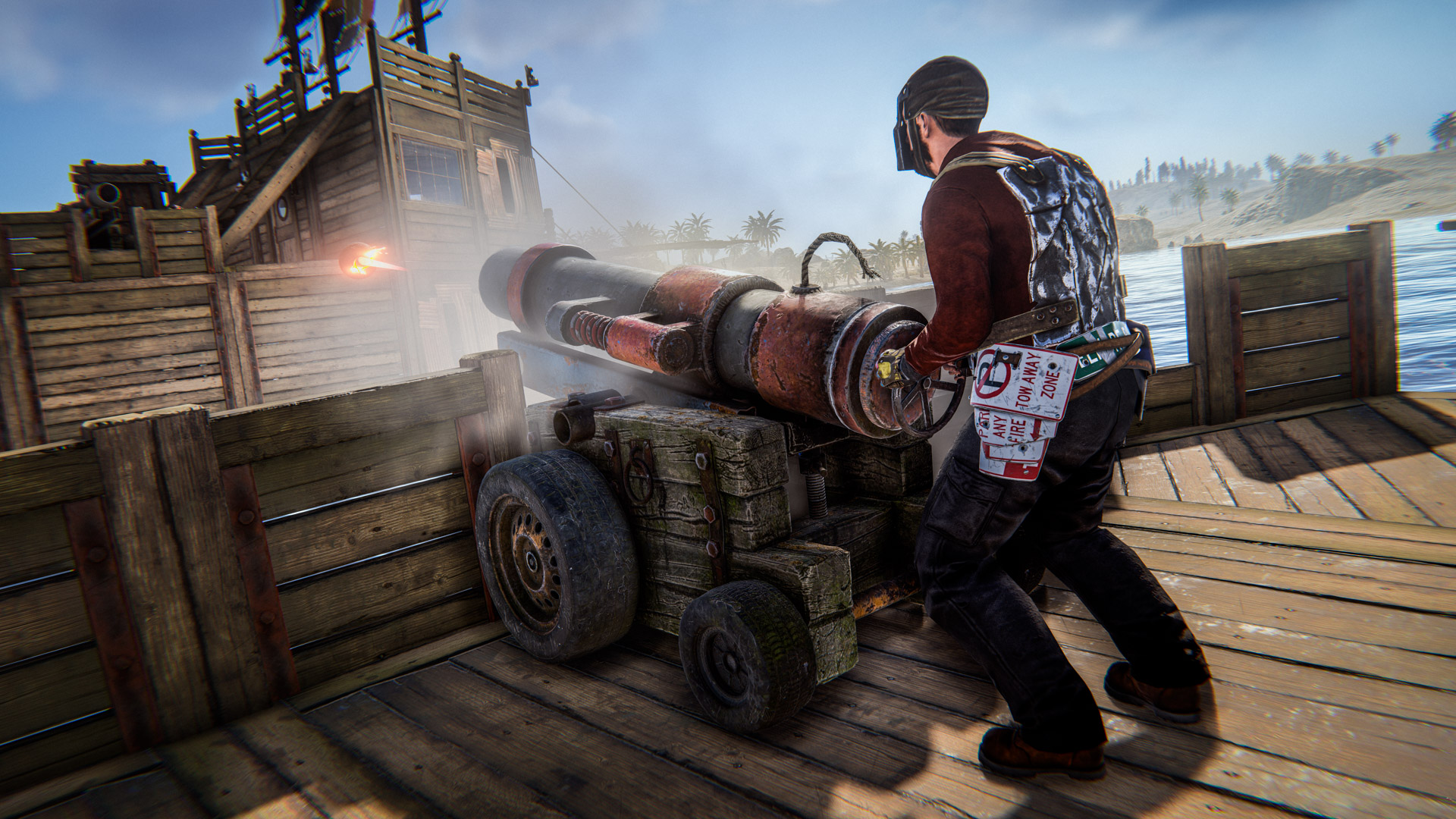
We've also buffed the player protection while mounted to cannons so players shouldn't be as vulnerable while using them.
You can now use electricity, industrial and water IO items on boats.
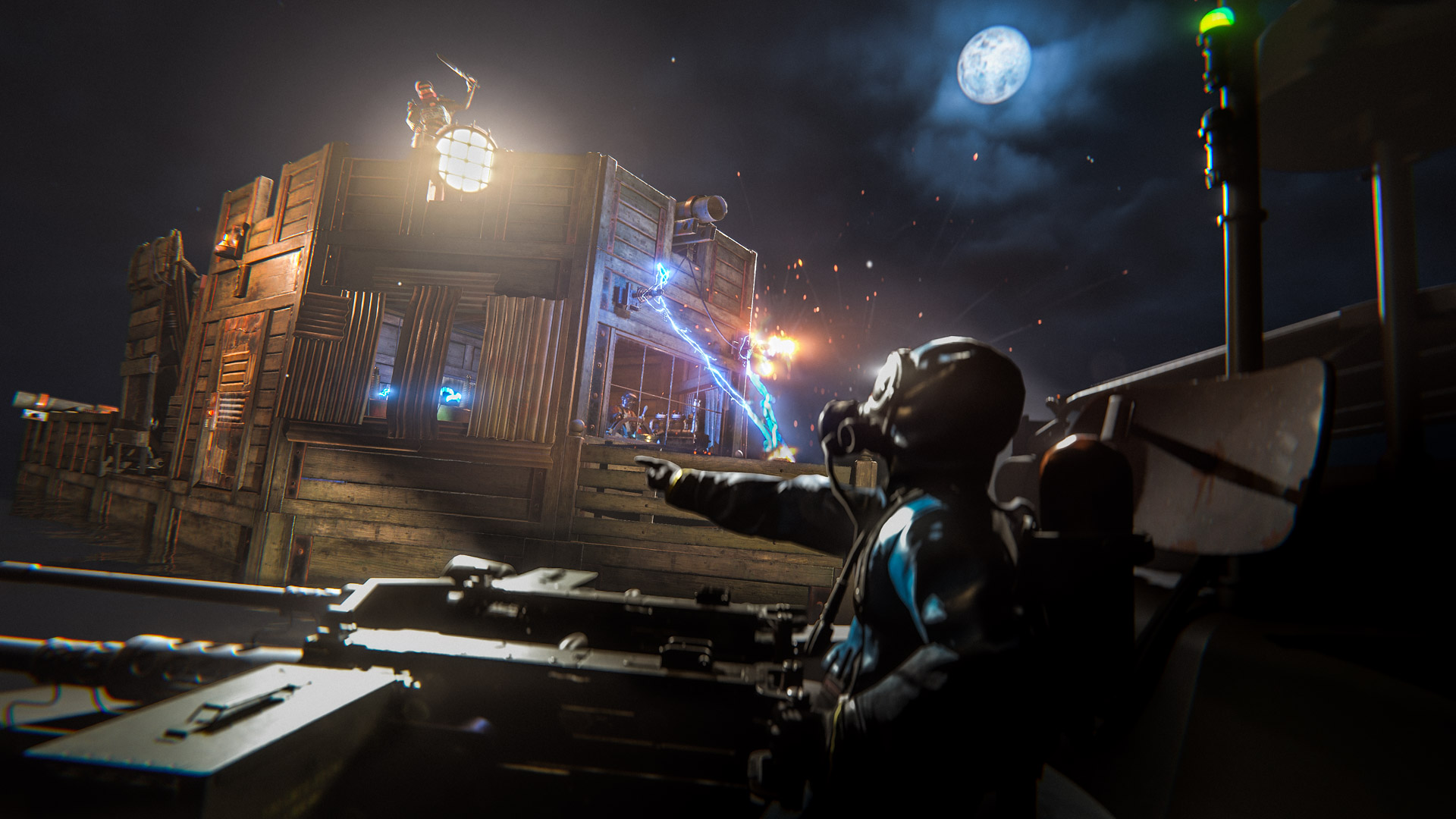
Almost all the items are available. Some of them are more involved to support than others, for performance or various other reasons. Some of them are blocked purely for gameplay balance concerns.
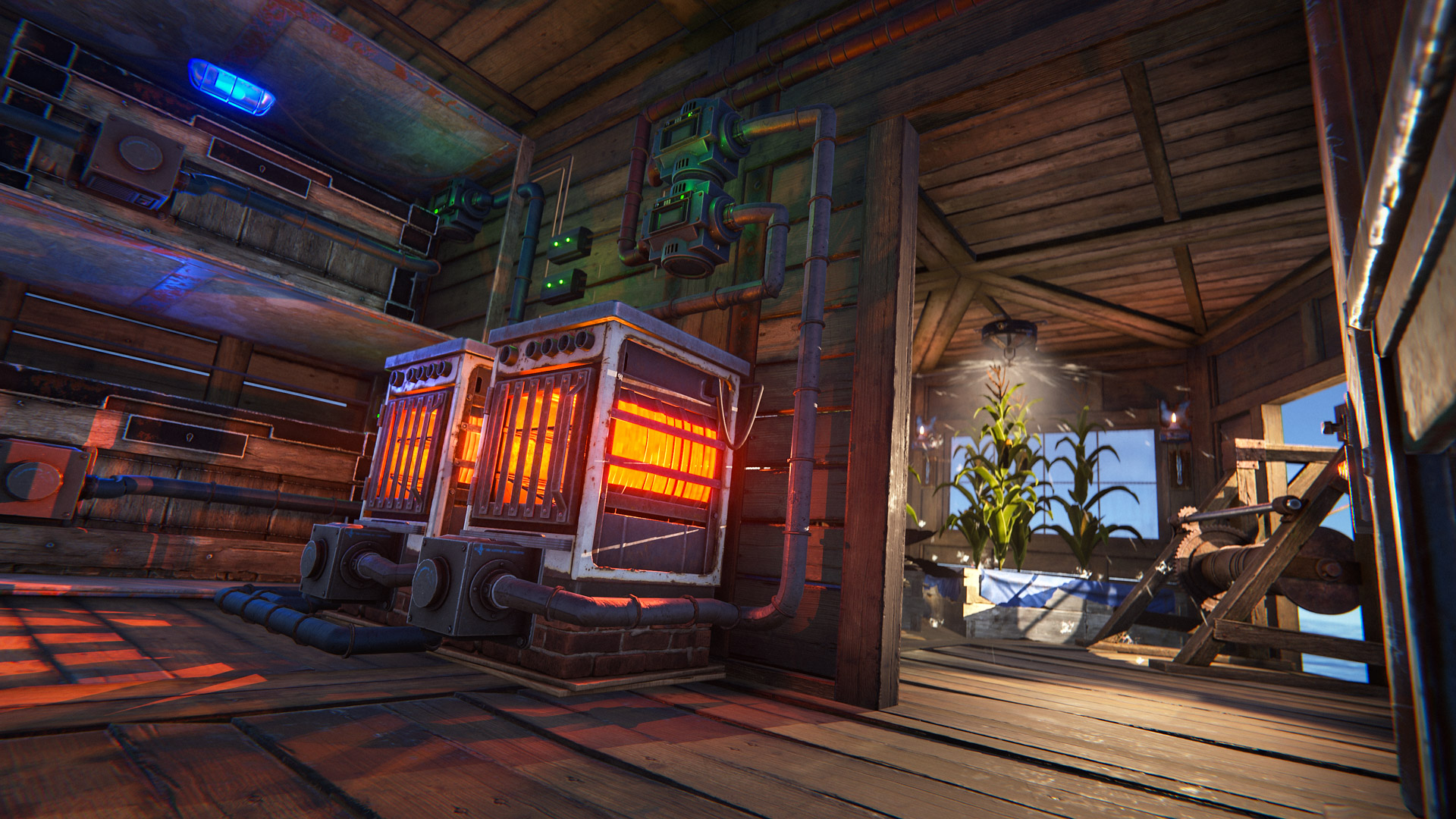
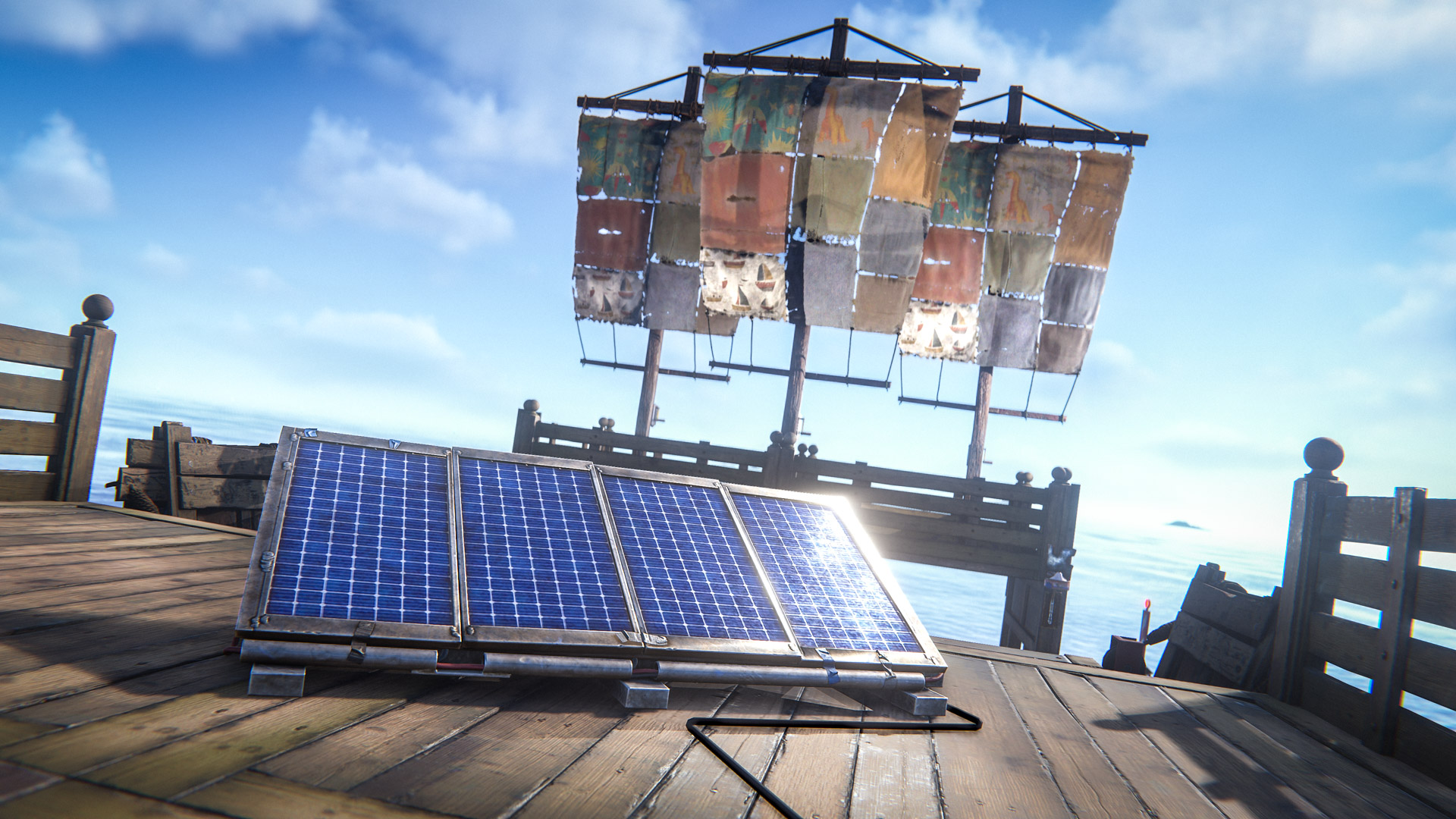
Blocked items:
Auto turret
SAM site
Windmill
CCTV cameras
Seismic sensor
Hanging lights
Door controller, hopper
All subject to change in the future!
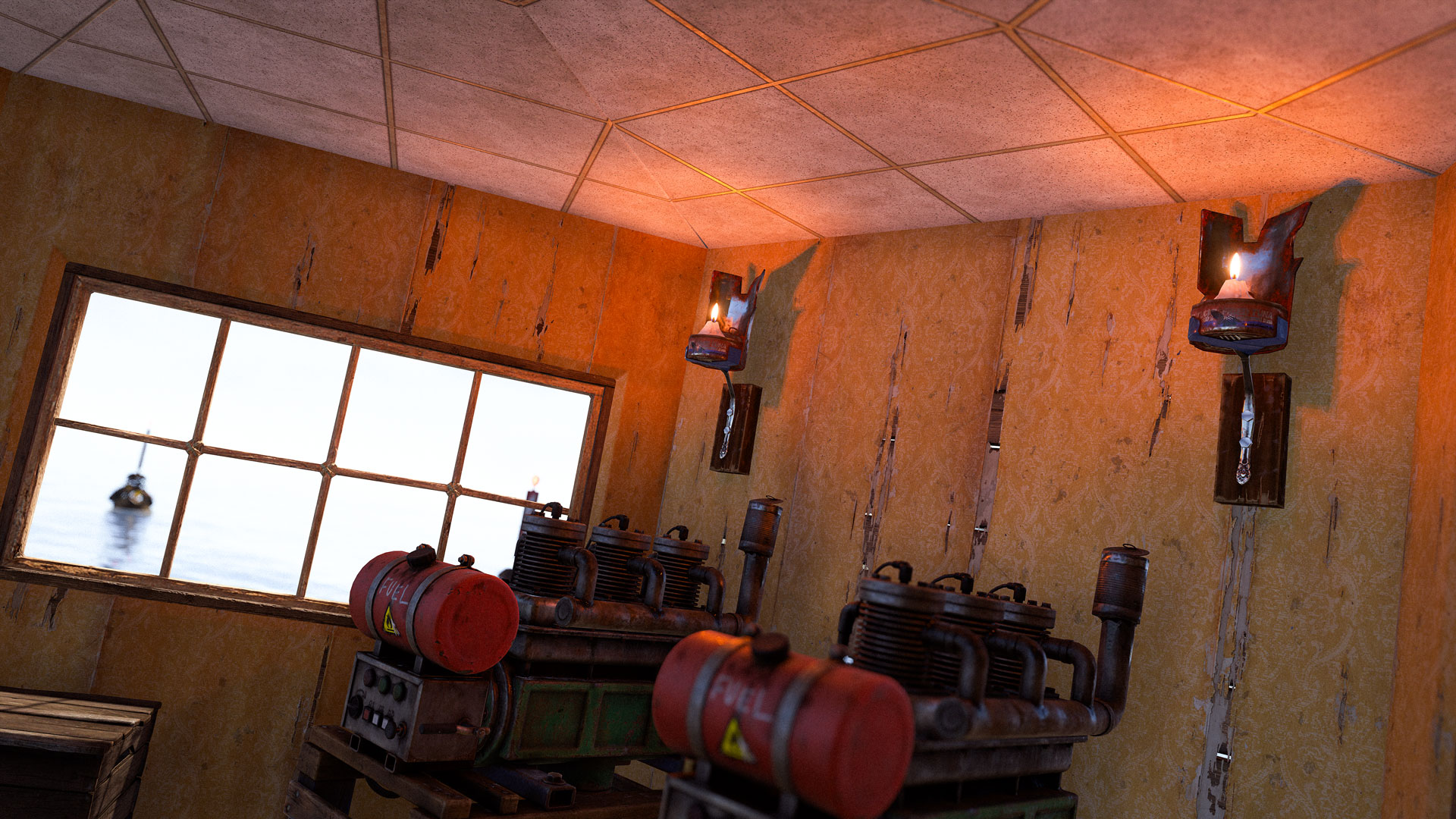
You can now use wallpaper on boats, the same way as in your base.
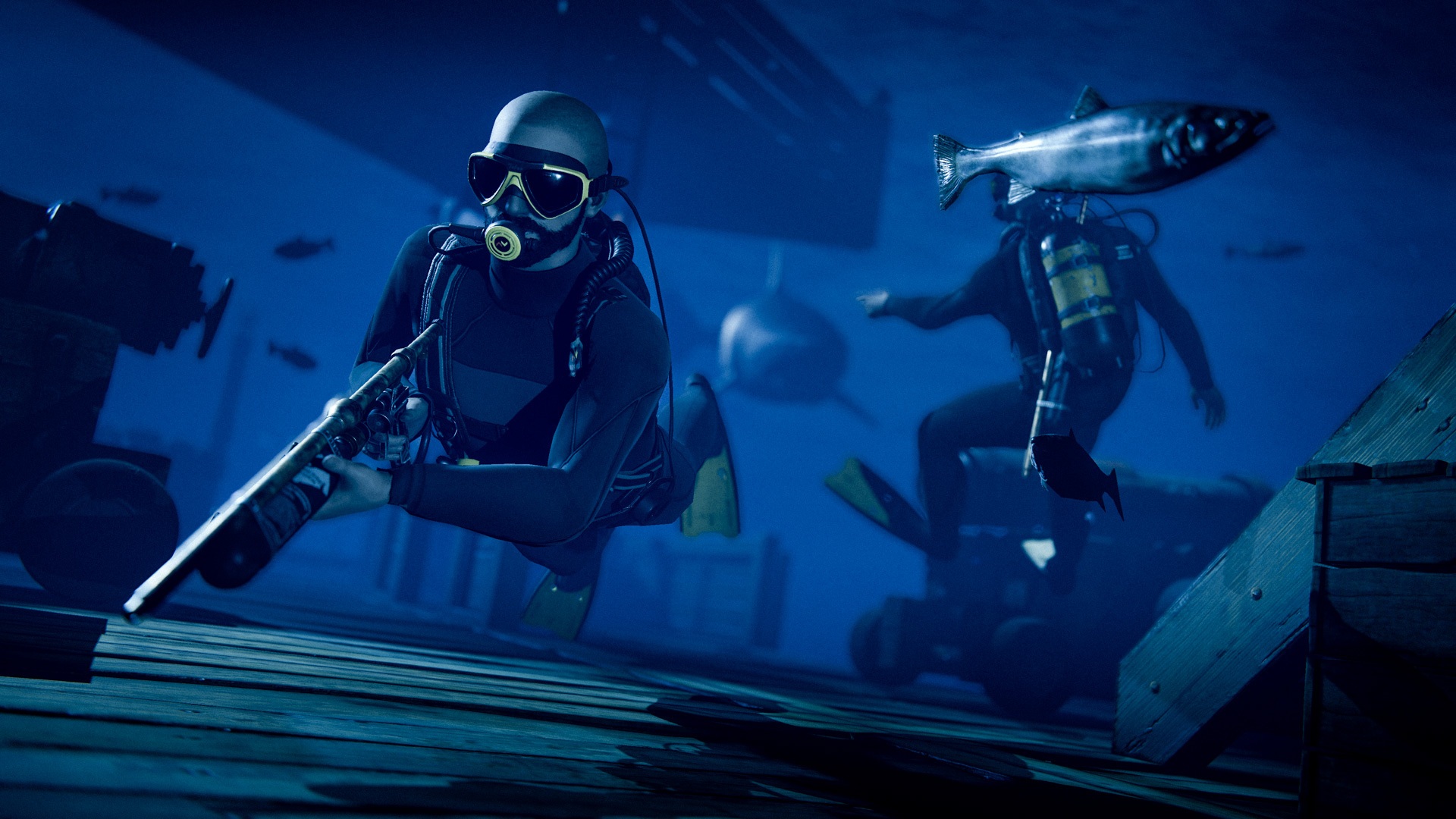
Sunken player-built boats can now be damaged block by block, allowing for exploration and loot recovery.
I've made some changes to decay rates, based on player feedback.
Decay delay has been doubled from 12 hours to 24 hours and decay duration has been reduced from 18 hours to 12 hours.
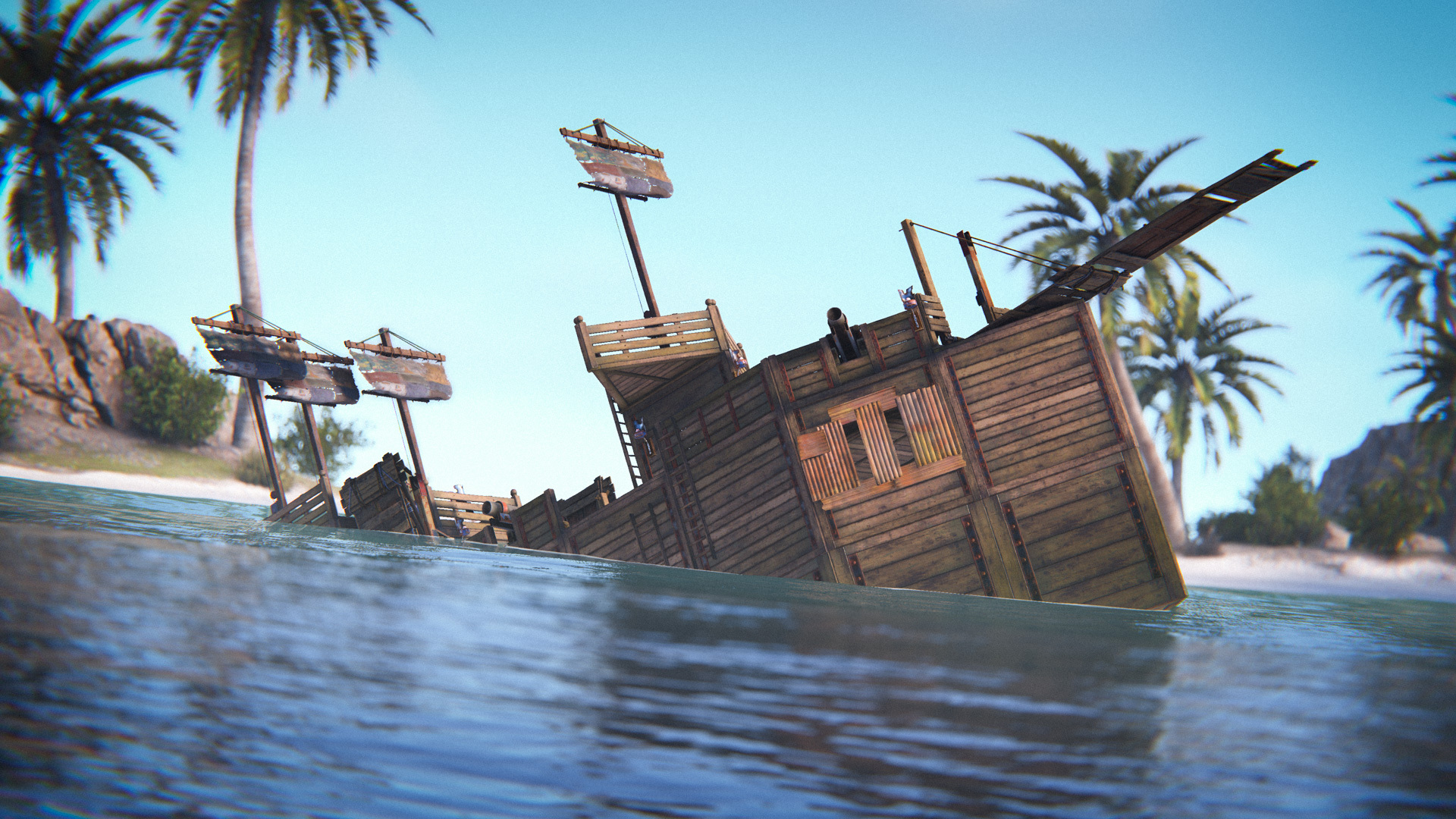
This will mean players can stay offline for longer without their boat decaying, but abandoned boats will decay quicker.
As a reminder, a player boat is only classed as used when it receiving steering wheel input.
Shipping this month is the Storage Box Pack, a packed-out collection of 16 uniquely designed and labelled skins for the Large Wood Box. Featuring bespoke and beautiful designs for Ammo, Armor, Charcoal, Clothing, Components, Explosives, Food, Guns, Meds, Metal, Ore, Scrap, Stone, Sulfur, Tools and Wood.
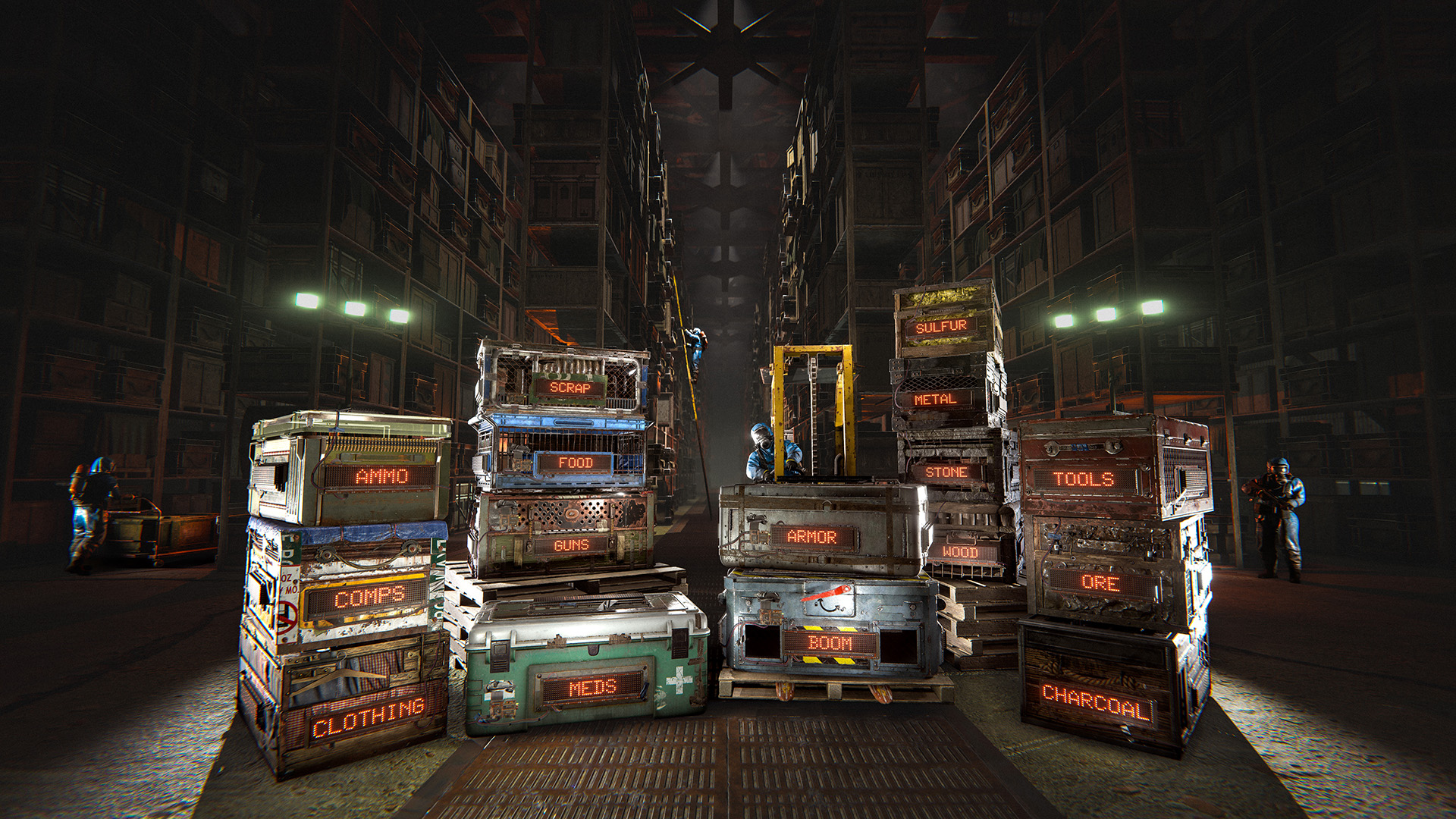
Each box also has a special functionality where they show the contents as a distinctive stack of items. Never fear though, the contents are not visible to hostiles unless your auth is destroyed!
Get them boxed up from the in-game store or from the Rust item store!
You can now use deployable snapping on player built boats!
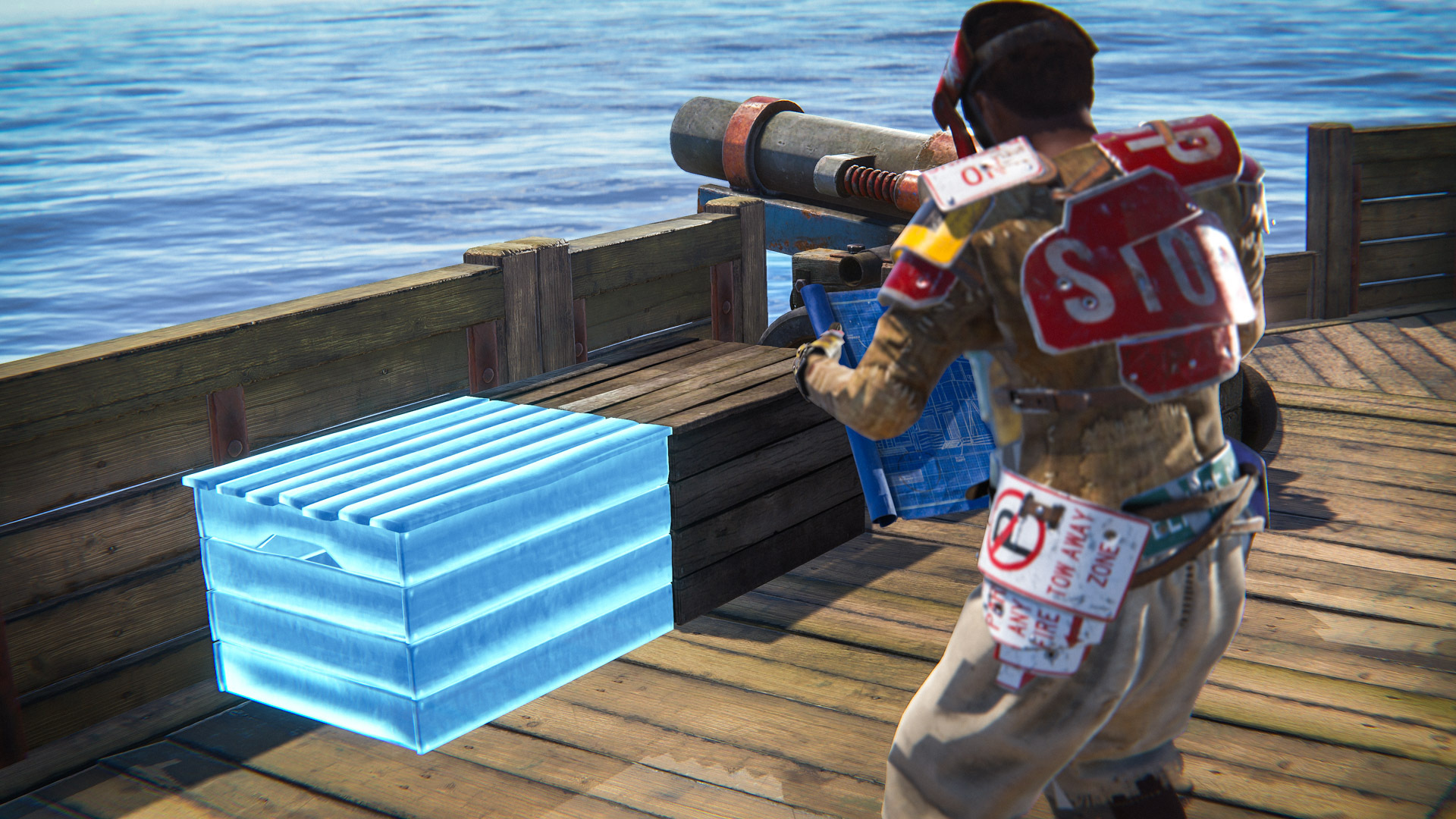
This works as you'd expect. Hold a relevant deployable and left shift whilst on a player boat. This works for the exact same set of deployables as it does on land.
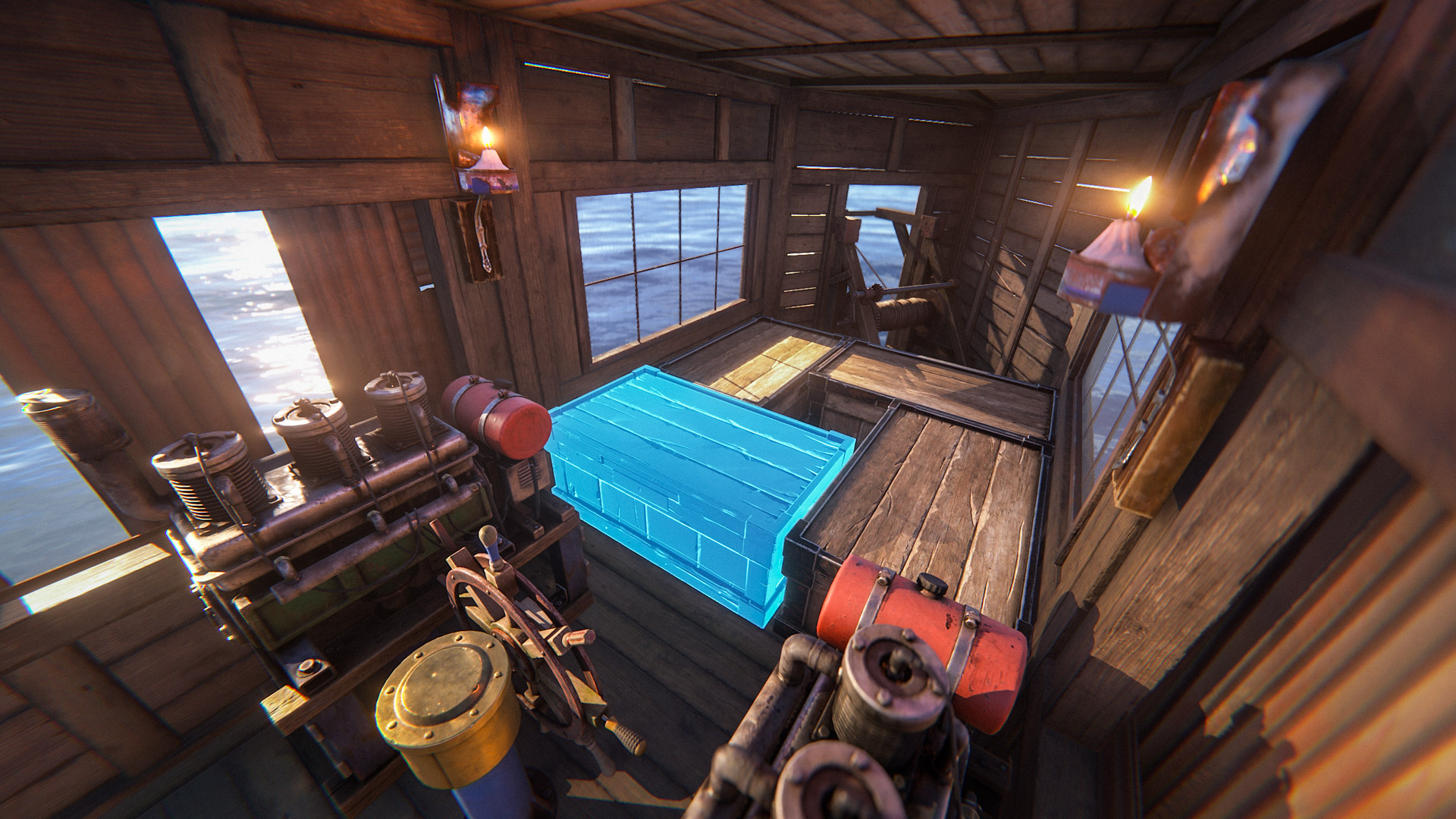
We've added a moderate amount of ADS aim sway while on player built boats, scaled by the speed of the boat. Ideally this encourages the use of cannons over traditional weapons, but doesn't entirely rule out some poorly aimed rockets and AK spray.
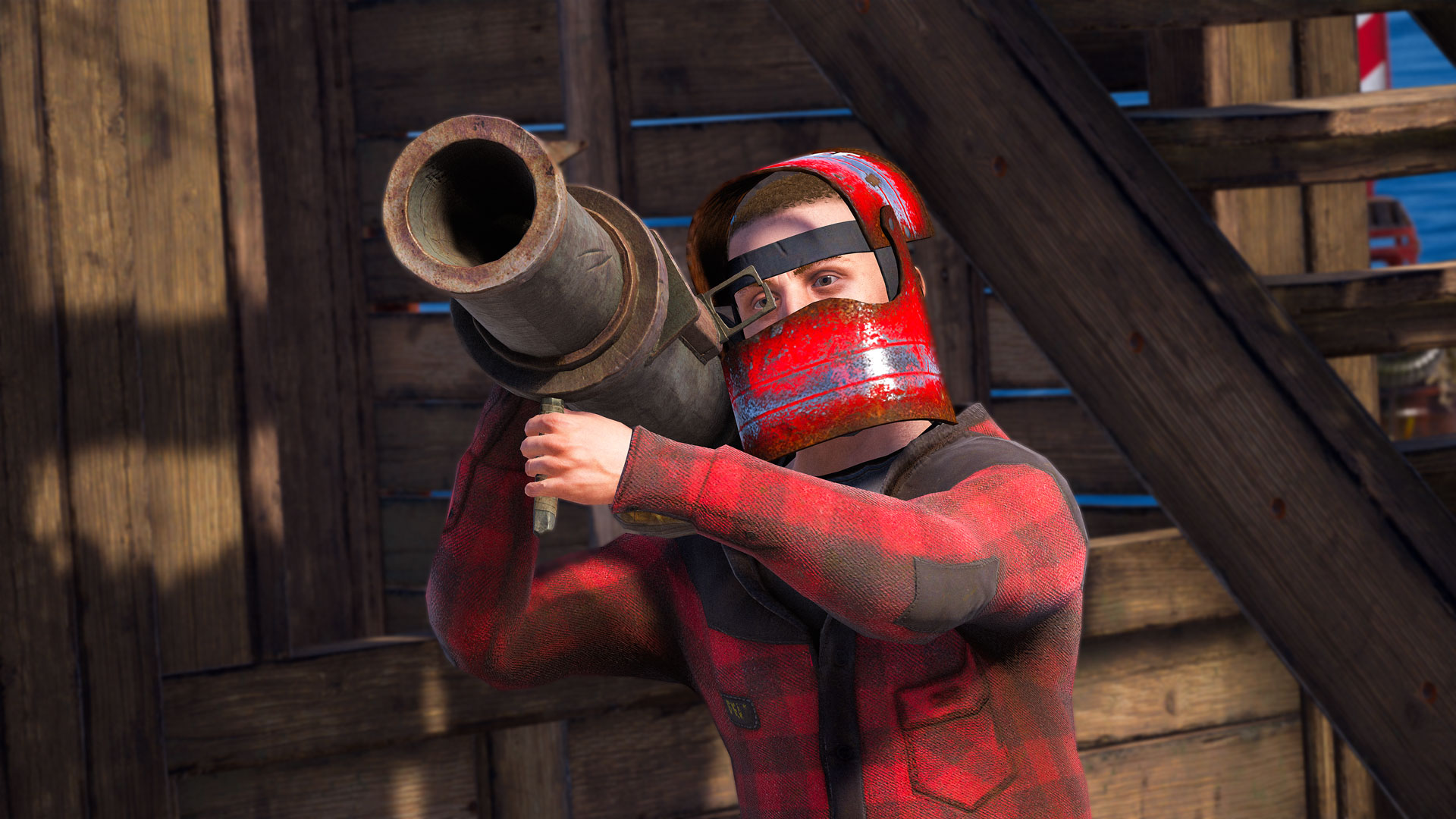
Just like the line tool from back in the day, but updated for modern day Rust standards. You can now draw lines while painting by holding shift and dragging a click to paint a line!
While there's nothing more beautiful to us than the freehand drawing that took seconds to make, we think this tool could benefit the people who really go all out in making masterpieces.
We've added a static Boat Building Station to every Deep Sea island, allowing you to make repairs and modifications while at sea.
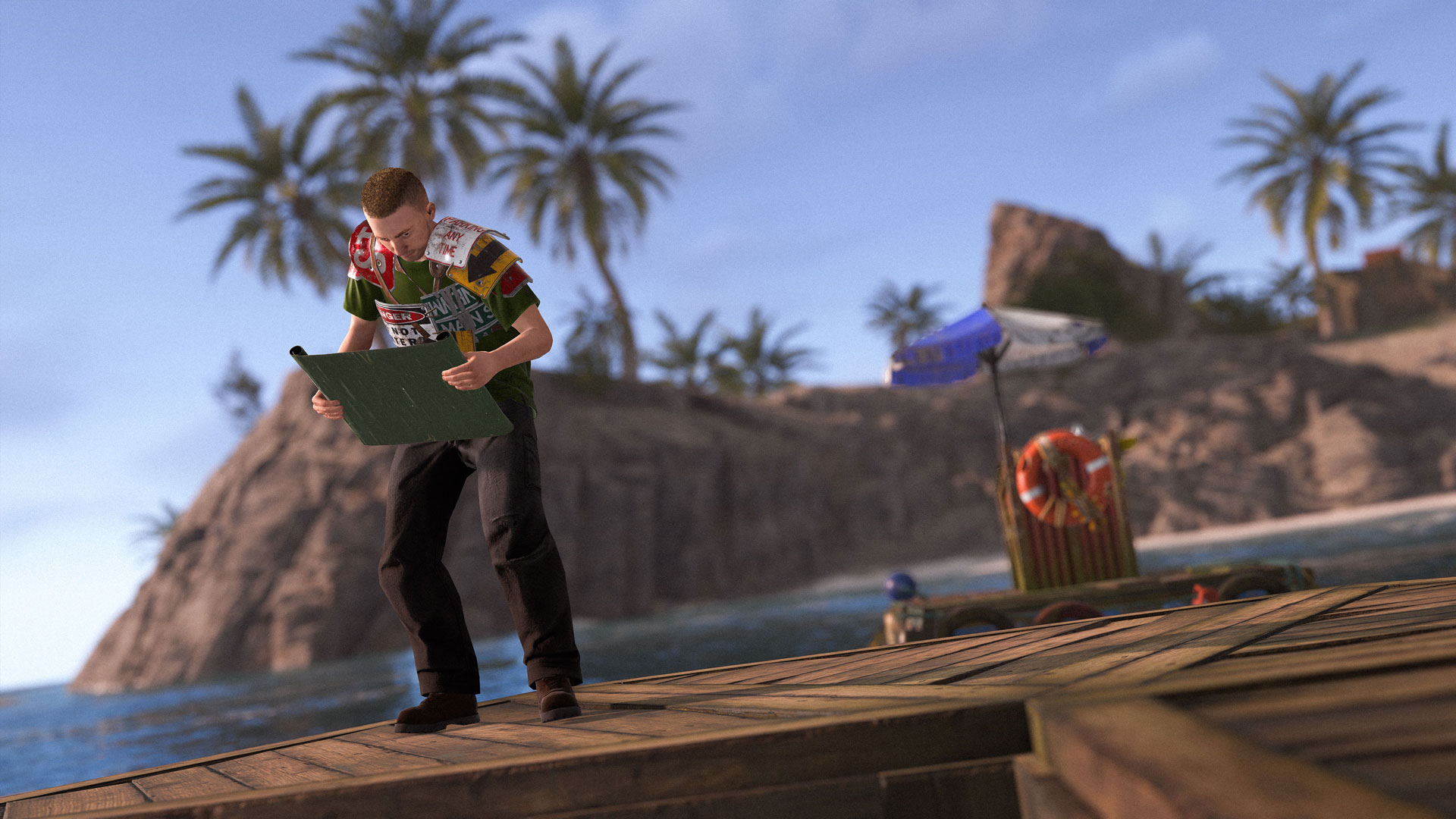
These static stations also have a slight magnet force that pulls your ship in as long as it's powered down and nearby, making it easier to dock.
We made it so that naval scientists can't see through the smoke from smoke grenades anymore.
If this works well we'll port the same soft occlusion tech to prevent them from seeing through bushes, which would be extra nice for the junkpile scientist once he gets the new AI.
There's been a bug in Rust since the very beginnings where the hazmat would give no protection against scientists or turrets. Turned out a lot of other armors actually performed worse than expected.
We updated the formula but only for naval scientists for now, as rebalancing turret damage is a gigantic can of worms.
tldr: Against naval scientist hazmat goes from 5% to 30% protection, and fullmetal from 25% to 50%
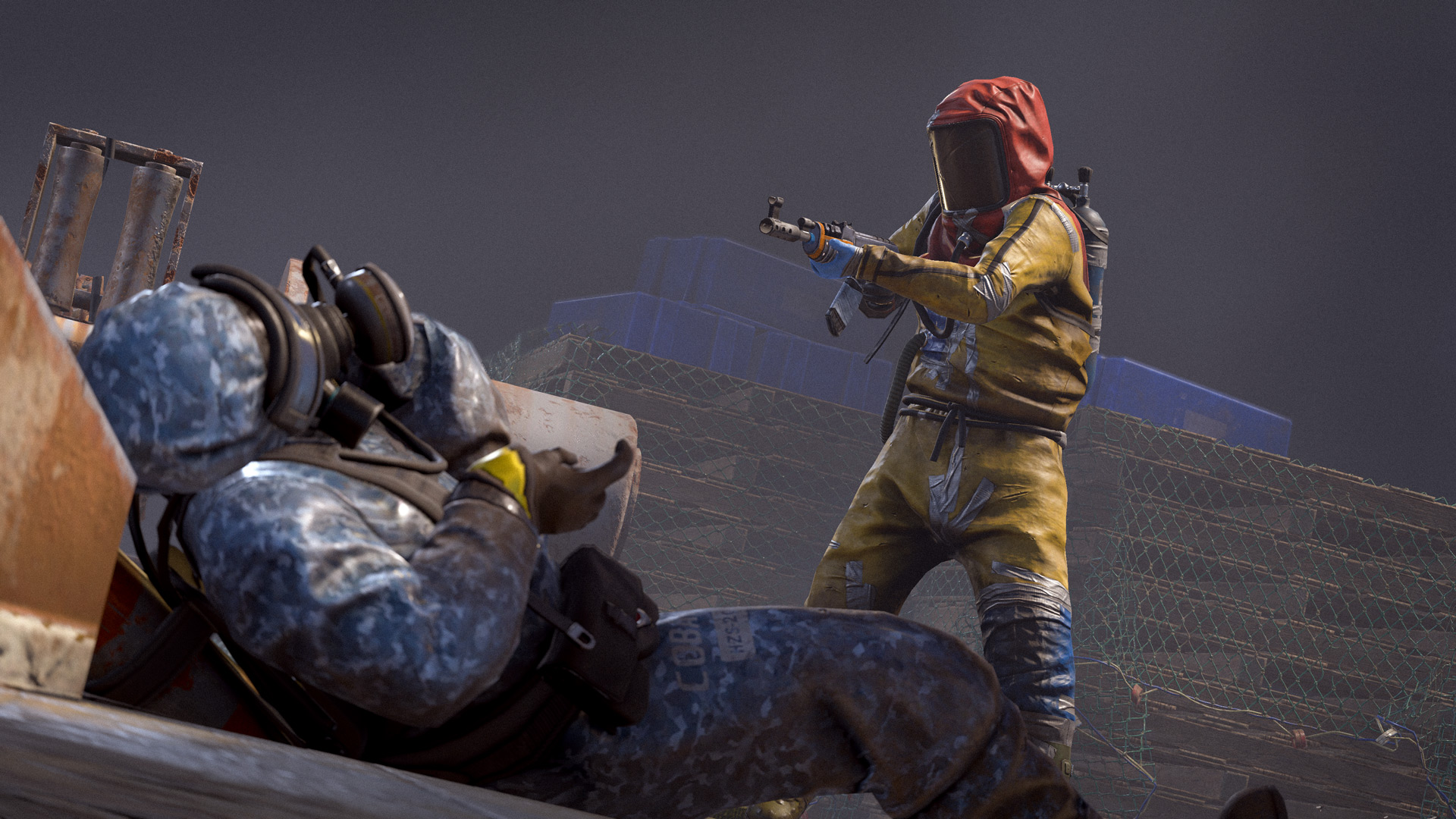
Naval scientists missed a lot but had high damage.
We changed it so that they miss less but have lower damage.
What this means is that you'll have more time to see your health ticking down and get in cover, as opposed to big chunks of health disappearing intermittently.
Unlike regular scientists naval scientists did not have flashlight and lasersights. We gave them some so it'll be easier to fight them at night.
There were a lot of rough corners to the scientists reactions to sniping from extreme distance.
They will be more responsive now, and will reposition if they hear bullets coming from other angles.
Previously at long range they would only reposition if they were hit or saw you flank them.
We'll keep monitoring the naval scientists performance and gameplay wise, before we start porting their AI to the scientists at other monuments.
Servers can now opt-in to requiring TPM and Secure Boot enabled for players to connect to them. This allows EAC to work better but not all players have it set up. Over 80% of players have TPM hardware already but just under 60% of players have Secure Boot enabled right now.
Servers that require TPM and Secure Boot for all players will have the Secure tag shown on the server browser. Clicking on a server with additional requirements will show you what is required and if it is supported on your system.
We will be enforcing this on a few Facepunch servers for the initial test period. Community servers will be able to enforce this at-will. Just look for the "Secure" tag in the server browser.
To require TPM and Secure Boot for all players and get the Secure tag you can enable the server.useServerWideRequiredSystemConfig convar.
Additionally, we are working on backend systems to require TPM, Secure Boot, and more for individual accounts. Servers can opt-in to enforcing these per-player requirements by enabling the server.usePerPlayerRequiredSystemConfig convar. Note that this will not apply the Secure tag to your server - that will only show if it is enforced for all players.
Players can check to see if their PC is compatible by running a couple of Windows commands. If you have a PC from the last ~8 years It's likely your PC is already running it or equipped to run it.
Here's a guide on how to check for and/or enable TPM/Secure Boot on your PC. It's good to familiarize yourself with it, as many games are already enforcing this. Our end goal is to make it global in the future.
We will communicate more about this timeline in future devblogs.
The Shadow settings have been reworked to be part of a Shadow Quality preset setting that can be found under the Graphics Quality section of the Graphics menu. We no longer have a specific section under the Graphics tab for Shadow Settings, as it's no longer needed.

The Max Shadow Lights setting has been moved to the Rendering section of the Graphics menu, as we still wanted this to be separate from the new presets. Max Shadow Lights has also had its minimum value changed to 1 to prevent light-leaking issues.
This has been done to allow us to have more control over the performance and visual balance of the shadow settings, while making it easier for players to configure.
The physics library that Unity uses, PhysX, has always had a limitation that only around 64,000 colliders are allowed to be within a broadphase cell, the entire world is split into 256 of these cells (16x16).As the world got a lot bigger with the naval update the size of these cells also had to increase, meaning a lot more colliders per cell.
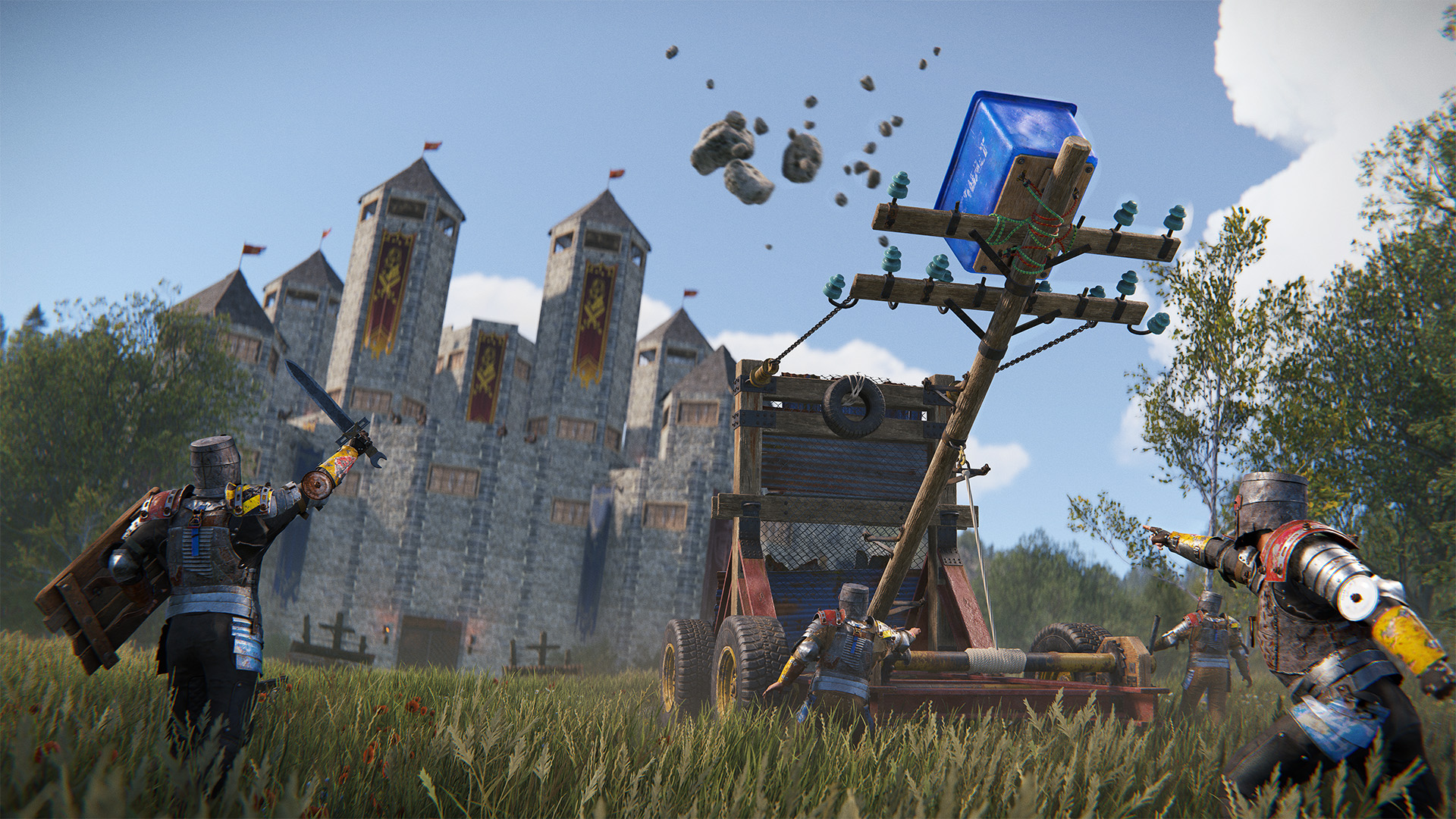
As we now use a custom version of Unity, using a custom version of PhysX, for both the server and client, we have more control over limitations like this.
There is now effectively no limit to the number of colliders that are allowed in each broadphase cell. There is a theoretical limit of around 4 billion colliders per cell, but you would hit performance bottlenecks long before that.
Alongside the new missions introduced with the naval update was a bunch of general misc changes to how missions function on the backend and code cleanup in an effort to make missions easier for us to work with and fix some longstanding issues with them.
One of those longstanding issues was a problem with how we would find which missions are valid and able to be accepted by players. We need to have this information on hand for each player whenever they open their map due to the mission provider map markers showing how many missions are available and where, and to have the correct dialogue options show up when we go to talk with these mission provider NPC's.
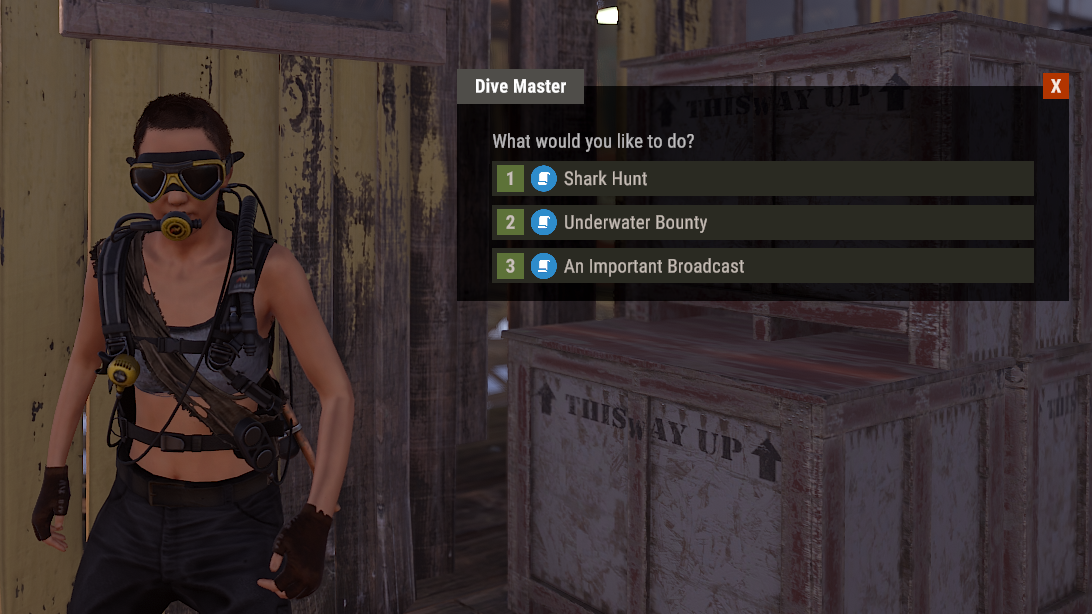
The problem with how this worked before was that we would have the client try to figure out what missions are available for the mission map markers and dialogue options, with the server then checking if a mission is definitely valid for that player when a player tries to accept and start a mission.
This led to scenarios where there could be discrepancies between what the client and server see as a valid mission for that player, due to the client not having access to all the same information that the server has. Where there was a discrepancy, a client could see inaccurate mission map markers and could try to select dialogue options to start missions but would then be booted out the conversation without understanding why.
The idea to fix this was to consolidate this mission validation work to run on the server. To be smart and performant about it, we now have a mission validation "work queue" (a pattern we use to load-balance tasks across frames instead of running many tasks in one frame, to avoid frametime spikes).
The work queue figures out which missions could potentially be accepted by anyone on the server (do the required entities exist, is there a valid spawn point for an entity which the mission spawns, etc), so all players are able to pull from the same information here rather than having a different work queue run for each player. This work queue attempts to run any time a player needs to know what missions are valid, but with a fixed cooldown. If the work queue is in cooldown, then the player which requested an update instead receives the last calculated valid states for each mission.
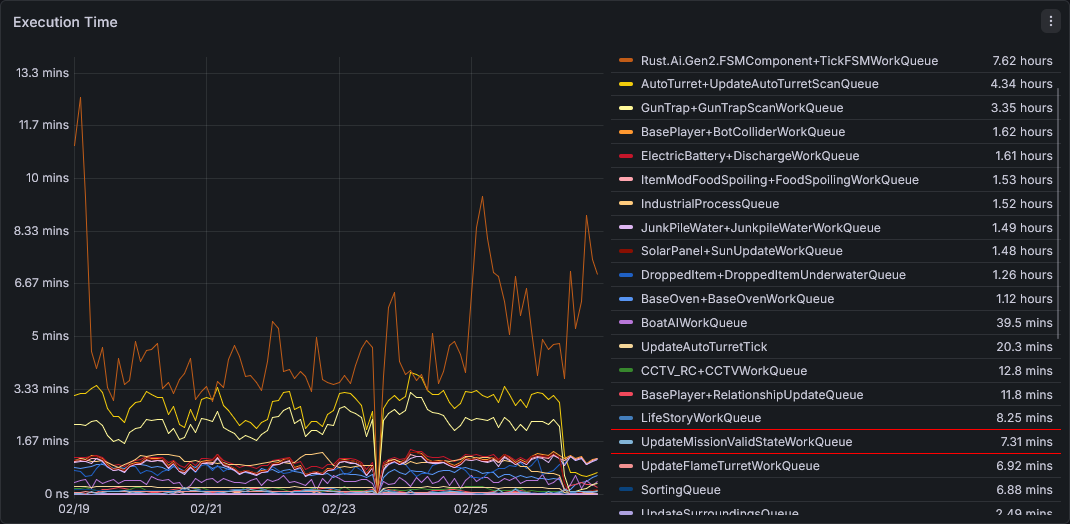
After releasing the naval update, we were seeing that this new work queue was too expensive. We were also seeing some expensive RPC frametime spikes when players go to talk to NPC's (when a player talks to an NPC, the server performs a complete revalidation of that NPC's missions and checks that specific players mission prerequisites, so that they have the most up to date information to display the correct dialogue options). Data from our EU Staging server shows that the work queue was second place in terms of time spent executing (data captured across 7 days after the naval staging wipe). It was also accounting for up to 6% of our total frametime.
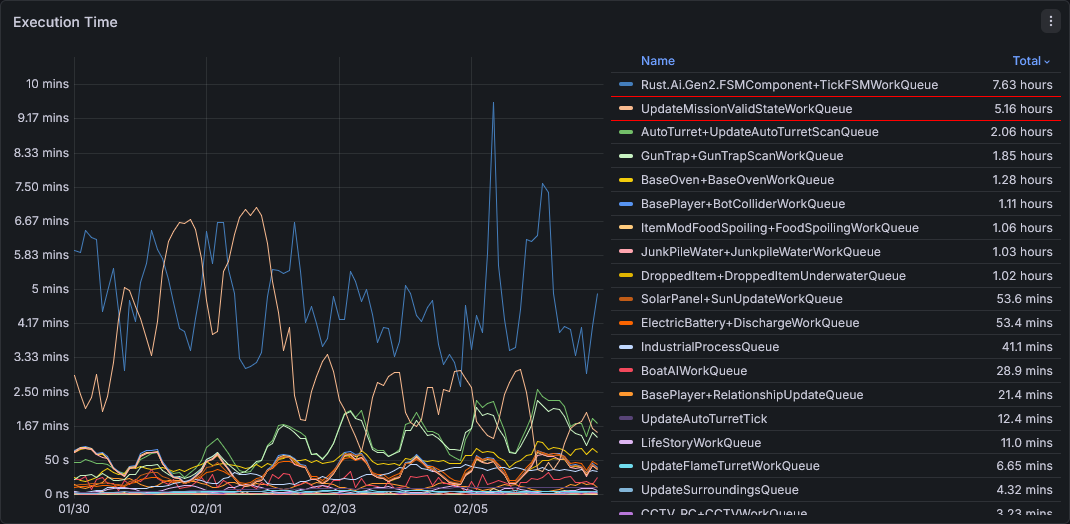
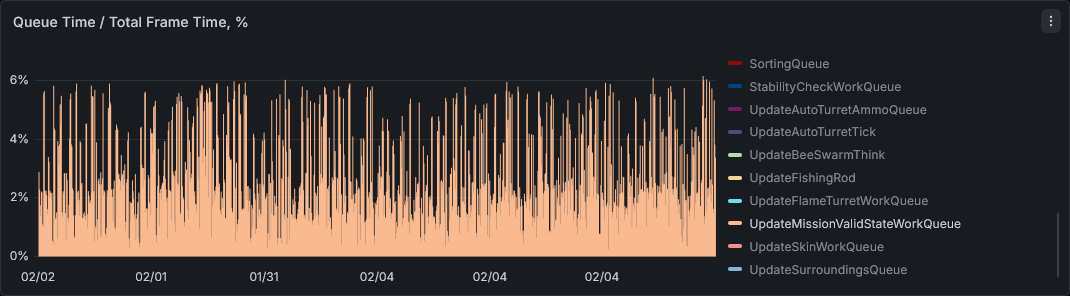
Profiling this showed that the most expensive part of the work queue was for trying to generate points for missions which create generate random positions in specific biome/topology areas of the map, with one position generation taking in the range of 5-6ms.
To summarise, part of that process would iterate over thousands of potential areas of the map, before passing these initially found potential areas to a second filter, pulling randomly until we find one which we can generate a valid position from. This is something which would have always been problematic every time we we started one of those types of missions, but was only exposed in this way because we moved the work to run in a work queue, and more frequently than before as we are now polling the mission regularly rather than only when a player tries to start that mission.

Put simply, the optimisation was to instead of always iterating through thousands of areas, pull all these potential areas into a basic indexed data structure once as part of the servers bootstrap process, and when we need a position pull randomly from that preallocated data structure until we find a valid area. In testing, this showed at worst case we would test a few hundred areas instead of always at least a few thousand.
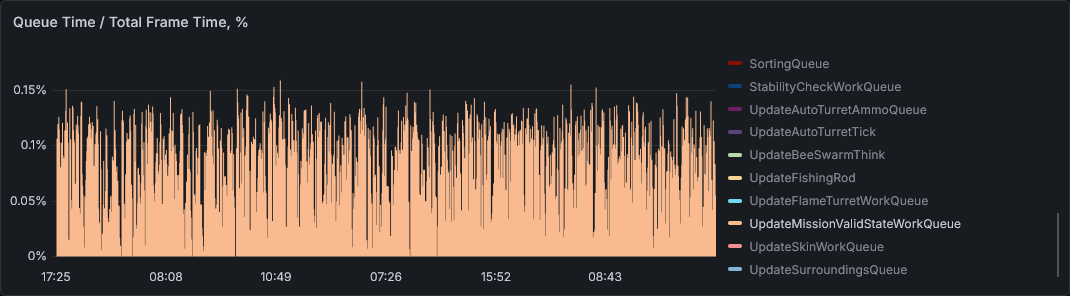
Profiling after this change shows that the cost of the task is now down to around 0.15-0.275ms, bringing down the total cost of the work queue (across all frames) down from around 20ms to 1.5ms. Our EU Staging performance data across 7 days after the change shows that the work queue has now fallen right down the list of total time spent executing, and is now accounting for only up to 0.15% of total frametime. The change also resolved the lag spikes created from talking to mission provider NPC's.

This was a slightly lengthier writeup but I hope it gave some insight as to the context for this specific problem, and how these problems come up and how we resolve them. It is also a good example of a problematic system which can end up being in a game for years, but is only exposed because we happen to try to utilise it in a different way from before.
To help ease the burden on the phsyics system this month I've taken a look at some of the worst offending parts of our game in terms of collider counts. These are important - we want accurate colliders for a variety of gameplay reasons, but the quantity and detail level of the colliders can be a drain on server performance, memory use and contributed to the 64k limit mentioned above.
After receiving some helpful breakdowns from a few community servers I made some specific changes that should help our most collider heavy environments.
Vine swinging trees use 6-9 less colliders (depending on which variation is spawned)
Collectable plants in the world (Hemp, Wheat, Pumpkins, berries, etc) no longer have a collider on the server, just the client. It's needed on the client to allow the player to interact with them, but not needed on the server.
Plants growing in planters have also had the server colliders removed. Sprinklers, heaters and environmental factors are calculated by the planter rather than every individual plant, so this should have no gameplay changes.
The first point should make the Jungle biome a lot less collider heavy, while the other two points will help across the whole map as well as in heavy farming bases.
We've discovered in the last week that Windows is rolling out a new MIDI interface that seems to be incompatible with the implementation in Rust. This is sometimes resulting in a constant increase of virtual MIDI devices that degrades client performance over time.
We would recommend disabling these commands if you are on the latest Windows updates and have used MIDI commands in Rust in the past: midiconvar.enabled and global.processmidiinput.
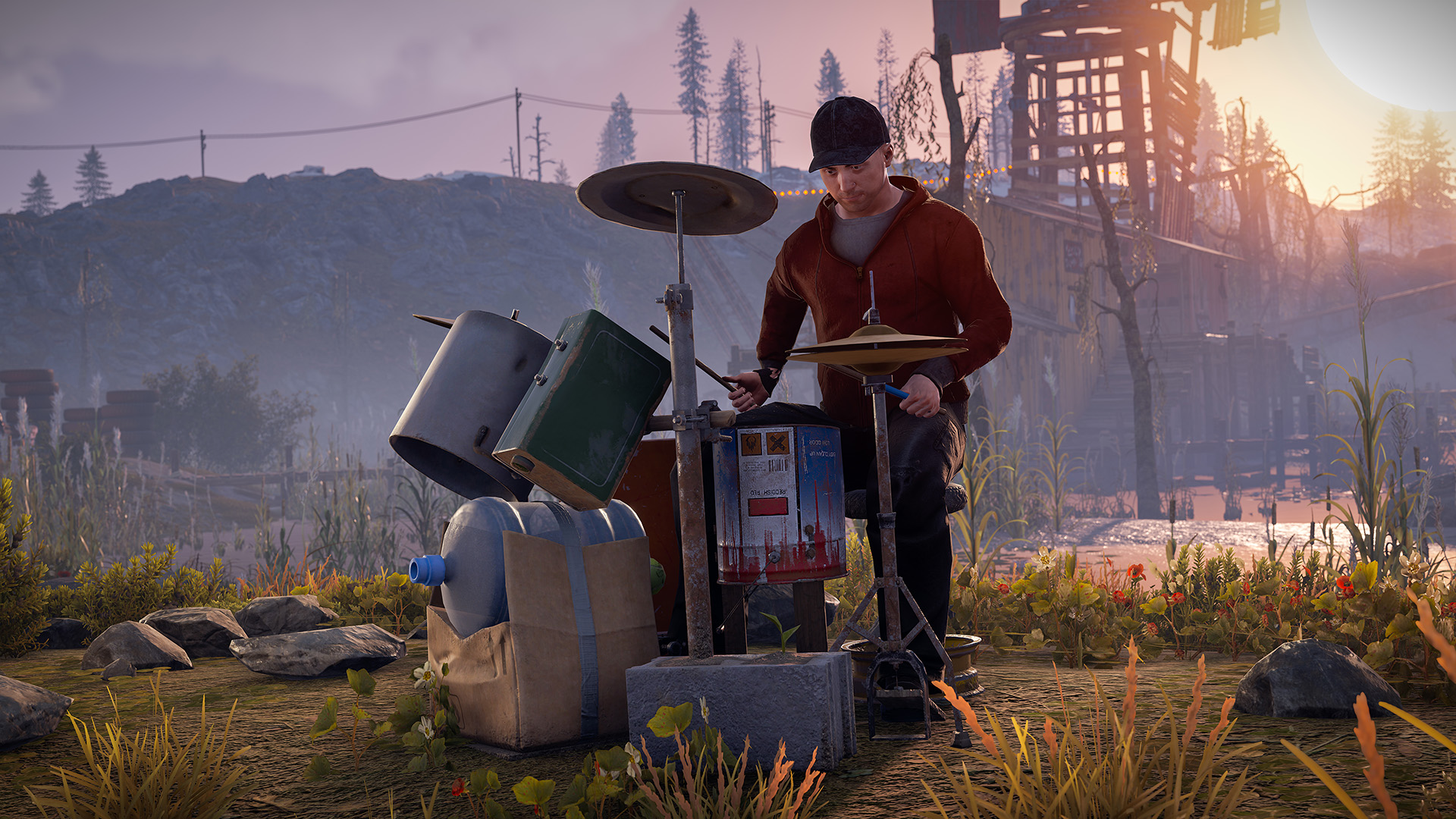
This will unfortunately stop devices like MIDI instruments and Stream Decks working with Rust. We are investigating a fix as a priority as we use these tools internally quite a bit.
This month’s workshop skinnable is the Barbeque
Put another human meat on the barbie with this popular request from the skinning community. The possibilities are endless!
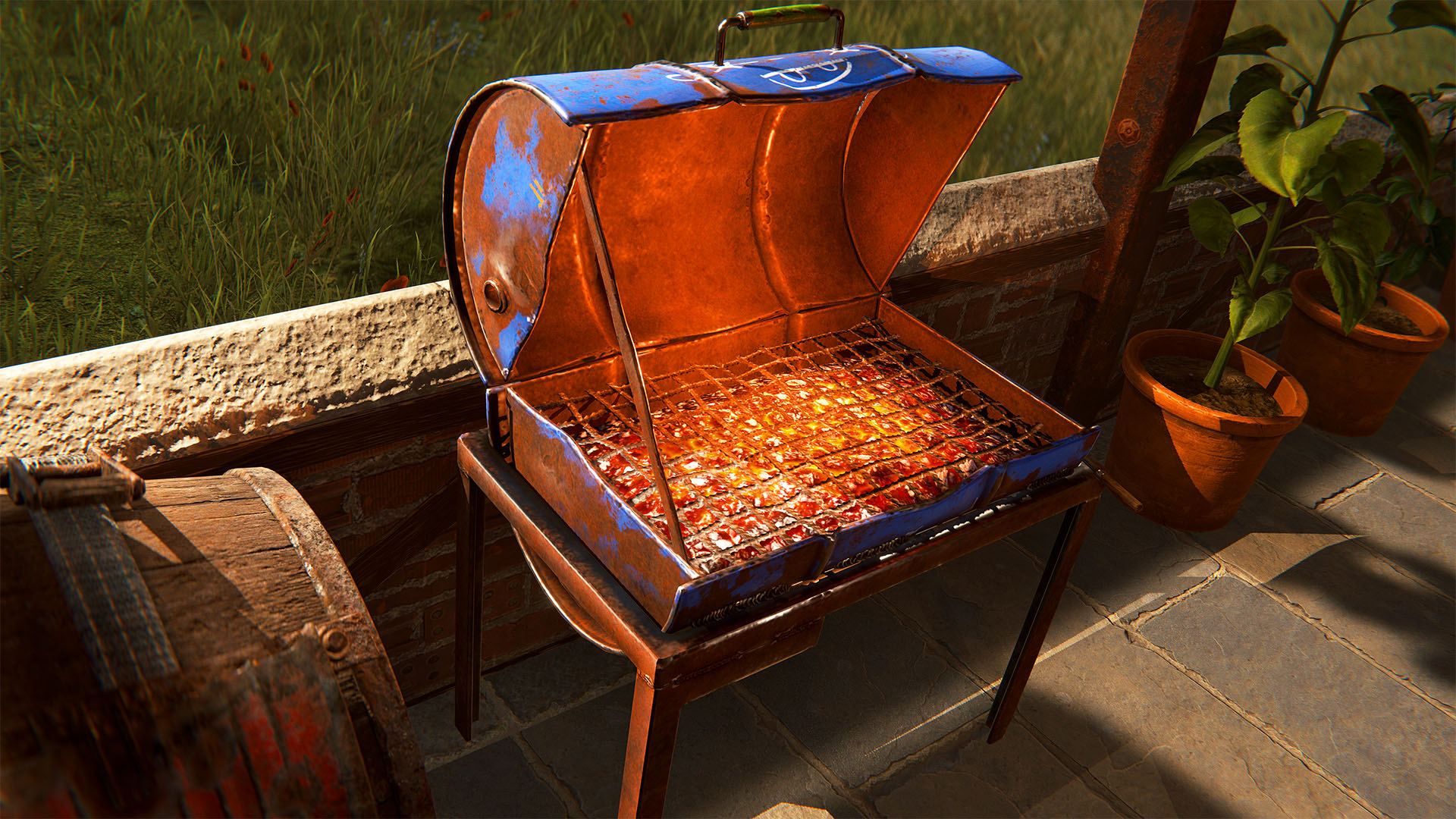
To make your own BBQ skin, head over to the in-game workshop and locate the Barbeque deployable item. From there, you can download the model file and add your own materials.
The journey for Rust doesn’t stop here.
Rust is evolving throughout 2026, with new challenges and changes on the horizon. Here's a current snapshot of this year's roadmap.
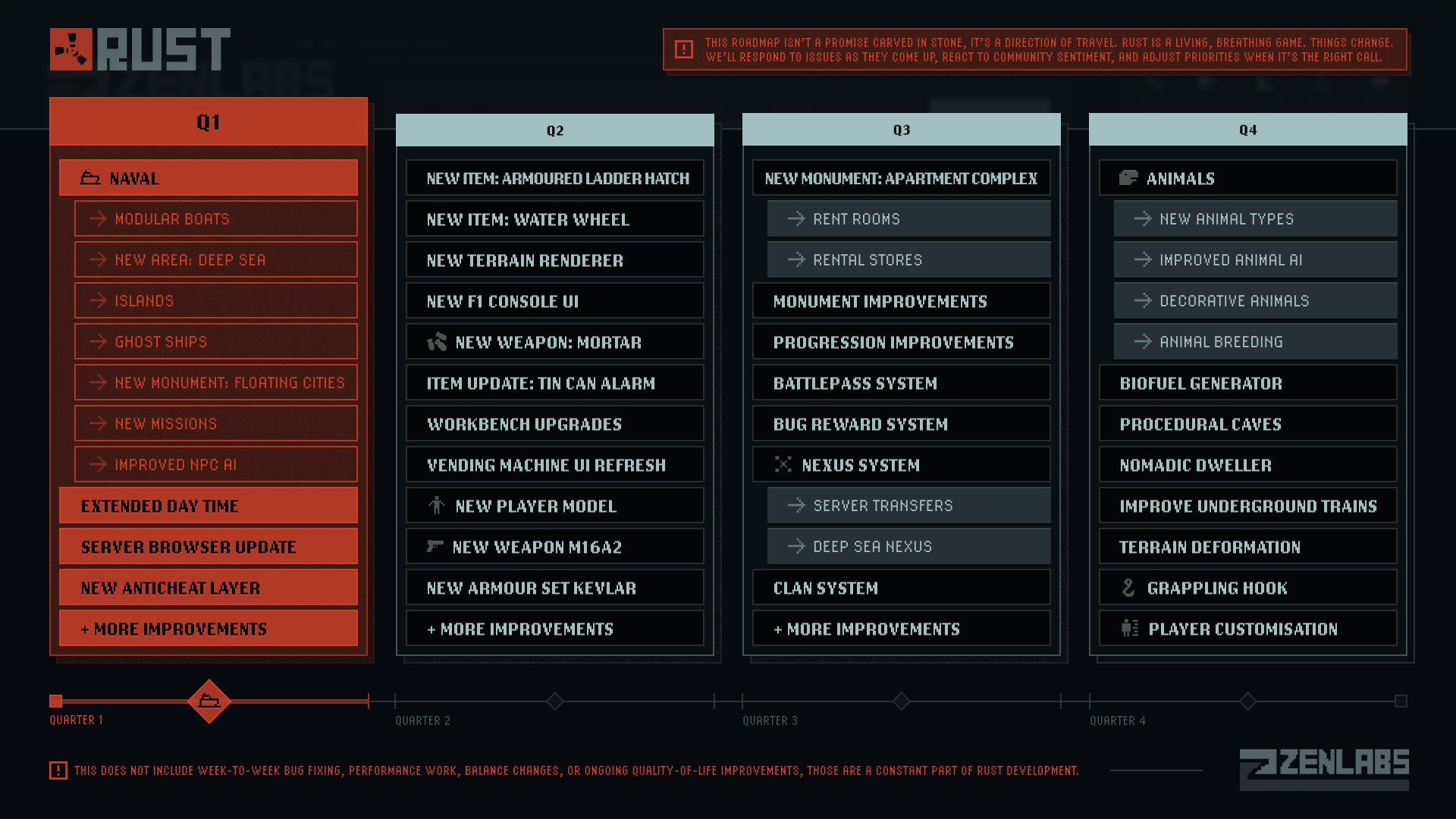
It's also viewable here where it will be updated as we progress through the year's patches:
https://rust.facepunch.com/roadmap
Launching this month is The Art of Rust. A book takes you behind the scenes with a curated collection of concept art, early explorations, environment designs, and visual development that helped define Rust’s unmistakable style.
https://www.darkhorse.com/books/3009-843/art-of-rust-hc/
From the first sketches of iconic monuments to the detailed artwork behind your favourite loot, this is a deep dive into the creative process that built the world you’ve survived in for years.
https://www.darkhorse.com/books/3009-843/art-of-rust-hc/
Whether you’re a long-time player, a creator, or someone who appreciates game art, The Art of Rust captures 12 years of visual evolution in one beautifully crafted, hardback book.
Get yours here.
What's Your Reaction?