


![[PRO Tips] Gold’s Bullish Revival: Seasonal Trends and Key Levels to Watch](https://xinker.org/uploads/images/202412/image_430x256_67724cc6ad0cd.webp)
![[PRO Tips] Gold Market Under Short-Term Pressure, Safe-Haven Demand and Central Bank Buying Support Long-Term Upside Potential](https://xinker.org/uploads/images/202412/image_430x256_676ffb4685287.webp)
![[PRO Tips] Analysis of 9 key points of differentiation strategy! Master differentiation to create a brand advantage that is unique in the world!](https://firebasestorage.googleapis.com/v0/b/xinker-tips.appspot.com/o/article_thumbnails%2Fscaled_differentiation%20strategy.png.png?alt=media&token=a1bfc3d2-e85a-4db7-8a6d-01c7274f8940)
![[PRO Tips] Will REITs regain growth momentum in 2024? 3 REITs ETFs you must know if you want to invest in real estate.](https://firebasestorage.googleapis.com/v0/b/xinker-tips.appspot.com/o/article_thumbnails%2Fscaled_REITs1.png.png?alt=media&token=8af4eb93-33ff-466f-8039-b6555fad52b4)
![[PRO Tips] Complete tutorial on how to make money in Adobe Stock!](https://firebasestorage.googleapis.com/v0/b/xinker-tips.appspot.com/o/article_thumbnails%2Fscaled_tut-adobe1.png.png?alt=media&token=0b2c8cf2-22bd-4142-883e-140ed1cbaf02)
![[Passive Income] Unlock the secret of passive income: 3 steps to apply for Google AdSense](https://xinker.org/uploads/images/202410/image_430x256_6717a4fb3052b.webp)
![[Passive Income] Earn over $200 a day with AI-generated articles!](https://firebasestorage.googleapis.com/v0/b/xinker-tips.appspot.com/o/article_thumbnails%2Fscaled_article1.png.png?alt=media&token=f61bf35b-8553-4719-826d-7360024adc70)
![[Passive Income] Earn over 20 USD per download with AI-generated images!](https://firebasestorage.googleapis.com/v0/b/xinker-tips.appspot.com/o/article_thumbnails%2Fscaled_adobe2.png.png?alt=media&token=3e20e76a-a907-45af-80aa-bf9b3600301f)
![[Passive Income] Earn 10 USD per new download by sharing CapCut!](https://firebasestorage.googleapis.com/v0/b/xinker-tips.appspot.com/o/article_thumbnails%2Fscaled_capcut2.png.png?alt=media&token=a04dec40-1fac-4857-86f2-19a8be02d38e)
![[Passive Income] Use your WiFi to create passive income in 5 minutes, and you can earn 4-6 U per day!](https://firebasestorage.googleapis.com/v0/b/xinker-tips.appspot.com/o/article_thumbnails%2Fscaled_Grassio.webp.png?alt=media&token=7659a95e-0e47-4f27-a17d-c942ac3cf7f4)


![[Business Talk] The Unique Theme of XINKER's Song: Beef Wellington and Business Mastery](https://xinker.org/uploads/images/202410/image_430x256_671afc155f47f.webp)
![[Business Talk] Chagee: Opening 3,500 stores in 6 years](https://xinker.org/uploads/images/202410/image_430x256_671afce80c5f9.webp)


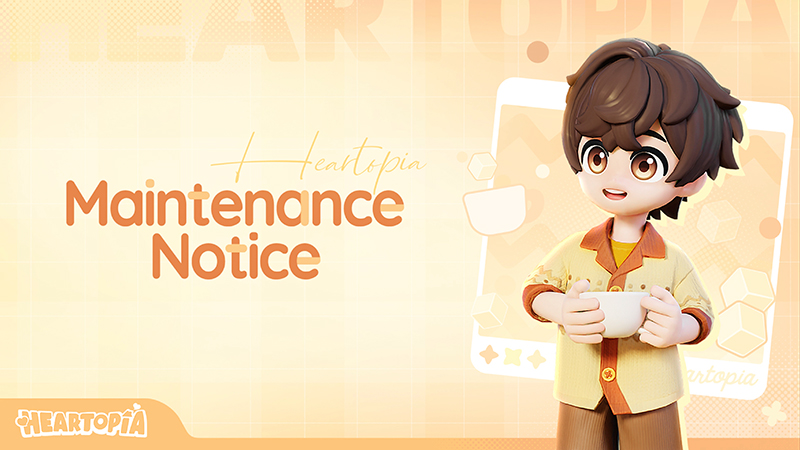
May 27 (UTC-5) Maintenance Notice
Baboo! D.G. Members,Heartopia will undergo maintenance to improve server performance. If delayed, please refer to subsequent announcements for updated information.Maintenance Period: May 27, 15:00 - 18:00 (UTC-5)This maintenance will require server downtime, during which you will be unable to log in to the game. Please plan your game time accordingly to avoid any inconvenience.After this maintenance, the previous client will no longer be able to access the game. You'll need to update to the full new client to continue playing:- Android: via Google Play- iOS: via the App Store- PC: via Steam or TapTap PCOnce the update is complete, log in to claim 300 Moonlight Crystals from your in-game mail.The new client will be available for download on the login screen during maintenance. You can also head directly to your platform's app store and search for Heartopia to update.After the maintenance is complete, we will send maintenance compensation \[Moonlight Crystal*300, Gold*8,000, Wishing Star*10] to all D.G. Members. Please claim your rewards via the in-game mailbox before 17:00 on June 7 (UTC-5).Maintenance details are as follows:◆New Events◆\[Rainbow Verse]Find the rainbow, share the joy.Event Duration: May 28, 6:00 - June 22, 5:59 (Server Time)During this event, head over to the Rainbow Sugar Pop-Up Store at Central Square. Use Wishing Stars to exchange for exclusive rewards: Rainbow Sugar Billboard, Rainbow Spark recipe, and Rainbow Heart recipe. Complete event quests to earn the exclusive emote: Rainbow Gull Showoff.\[Kid-at-Heart Party]Event Duration: May 28, 6:00 - June 22, 5:59 (Server Time)Limited Exchange Store available from May 28, 6:00 to June 22, 5:59 (Server Time).How to Join: D.G. Member Level reaches 5.During this event, D.G. Members can join the party and complete event quests to earn Childlike Corner furniture set, and accessories such as Corn Chip Armor. New outfits will also hit the shelves at Acorn Store during this period, available for purchase with Moonlight Crystal.◆New Arrivals in Gilded Acorn Exhibition◆\[Golden Mirage]Only the breath of life remains, eternal as ever.Sale Period: May 30, 7:00 - July 25, 5:59 (Server Time)The Gilded Acorn Merchant Guild proudly presents a brand-new exhibition: Golden Mirage. This exhibition includes Golden Mirage (Seer), Golden Mirage (Traveler), and Golden Mirage (Oasis). D.G. Members can visit their preferred exhibition and use Exhibition Passes to draw.Also, use Exhibition Ticket Stubs to receive variant color versions of Golden Mirage (Seer), Golden Mirage (Traveler), and Golden Mirage (Oasis) from the Exhibition Exchange Store.◆Feature Updates and Optimizations◆\[Hide & Seek Party]Welcome to the Hide and See Party. This is a team vs. team showdown right at Home. D.G. Members can play as the Mysterious Grimkin Hosts or step into the shoes of Investigative Journalists.Once the party starts, the Mysterious Grimkin Hosts can shapeshift into all sorts of furniture, hiding in the party house. The Investigative Journalists must spot the fakes among the furniture and snap a photo with a survey drone to expose them.1. How to Participate- To join a party: D.G. Member Level reaches 5.- To host a party: D.G. Member Level reaches 10, and at least 1 piece of furniture is placed at Home.- Number of Participants: Minimum 2 players, maximum 12 players. Includes both town visitors and local town members.2. About Ability- Mysterious Grimkin HostMorph: Change the furniture you've transformed.Split: Split into one furniture replica.Lock: Lock yourself in place at the current position.Spirit Drift: This allows you to temporarily separate from your possessed form and freely look around. Please note that the actual position of the possessed host stays right where it is.- Investigative JournalistUse the survey drone to snap photos of suspicious objects. If you capture a Special Photo, the Mysterious Grimkin will be temporarily out of the host.3. Gameplay Introduction- Starting a partyOpen your Watch → Party and select Hide & Seek Party. As long as you meet the requirements, you can start one right away. If you'd like to customize your party, you can change the settings before launching. Once the party is live, you can invite your friends to join in.- Mischief Phase: A mysterious grimkin host can transform into all kinds of furniture. An investigative journalist can walk freely, keeping a sharp eye out for anything that seems... strange.- Hunting Phase: Mysterious Grimkin Host must change themselves wisely and avoid being discovered. The investigative journalist needs to use the survey drone to snap photos of anything suspicious and let the Grimkin out of the host.- Hunting and VictoryInvestigative Journalists win by tracking down and photographing the Mysterious Grimkin Hosts to weaken the Spirit Link. If the Spirit Link drops to zero before time runs out, the Journalists claim an instant victory!Mysterious Grimkin Hosts win by holding out and maintaining the Spirit Link. T
Baboo! D.G. Members,
Heartopia will undergo maintenance to improve server performance. If delayed, please refer to subsequent announcements for updated information.
Maintenance Period: May 27, 15:00 - 18:00 (UTC-5)
This maintenance will require server downtime, during which you will be unable to log in to the game. Please plan your game time accordingly to avoid any inconvenience.
After this maintenance, the previous client will no longer be able to access the game. You'll need to update to the full new client to continue playing:
- Android: via Google Play
- iOS: via the App Store
- PC: via Steam or TapTap PC
Once the update is complete, log in to claim 300 Moonlight Crystals from your in-game mail.
The new client will be available for download on the login screen during maintenance. You can also head directly to your platform's app store and search for Heartopia to update.
After the maintenance is complete, we will send maintenance compensation \[Moonlight Crystal*300, Gold*8,000, Wishing Star*10] to all D.G. Members. Please claim your rewards via the in-game mailbox before 17:00 on June 7 (UTC-5).
Maintenance details are as follows:
◆New Events◆
\[Rainbow Verse]
Find the rainbow, share the joy.
Event Duration: May 28, 6:00 - June 22, 5:59 (Server Time)
During this event, head over to the Rainbow Sugar Pop-Up Store at Central Square. Use Wishing Stars to exchange for exclusive rewards: Rainbow Sugar Billboard, Rainbow Spark recipe, and Rainbow Heart recipe. Complete event quests to earn the exclusive emote: Rainbow Gull Showoff.
\[Kid-at-Heart Party]
Event Duration: May 28, 6:00 - June 22, 5:59 (Server Time)
Limited Exchange Store available from May 28, 6:00 to June 22, 5:59 (Server Time).
How to Join: D.G. Member Level reaches 5.
During this event, D.G. Members can join the party and complete event quests to earn Childlike Corner furniture set, and accessories such as Corn Chip Armor. New outfits will also hit the shelves at Acorn Store during this period, available for purchase with Moonlight Crystal.
◆New Arrivals in Gilded Acorn Exhibition◆
\[Golden Mirage]
Only the breath of life remains, eternal as ever.
Sale Period: May 30, 7:00 - July 25, 5:59 (Server Time)
The Gilded Acorn Merchant Guild proudly presents a brand-new exhibition: Golden Mirage. This exhibition includes Golden Mirage (Seer), Golden Mirage (Traveler), and Golden Mirage (Oasis). D.G. Members can visit their preferred exhibition and use Exhibition Passes to draw.
Also, use Exhibition Ticket Stubs to receive variant color versions of Golden Mirage (Seer), Golden Mirage (Traveler), and Golden Mirage (Oasis) from the Exhibition Exchange Store.
◆Feature Updates and Optimizations◆
\[Hide & Seek Party]
Welcome to the Hide and See Party. This is a team vs. team showdown right at Home. D.G. Members can play as the Mysterious Grimkin Hosts or step into the shoes of Investigative Journalists.
Once the party starts, the Mysterious Grimkin Hosts can shapeshift into all sorts of furniture, hiding in the party house. The Investigative Journalists must spot the fakes among the furniture and snap a photo with a survey drone to expose them.
1. How to Participate
- To join a party: D.G. Member Level reaches 5.
- To host a party: D.G. Member Level reaches 10, and at least 1 piece of furniture is placed at Home.
- Number of Participants: Minimum 2 players, maximum 12 players. Includes both town visitors and local town members.
2. About Ability
- Mysterious Grimkin Host
Morph: Change the furniture you've transformed.
Split: Split into one furniture replica.
Lock: Lock yourself in place at the current position.
Spirit Drift: This allows you to temporarily separate from your possessed form and freely look around. Please note that the actual position of the possessed host stays right where it is.
- Investigative Journalist
Use the survey drone to snap photos of suspicious objects. If you capture a Special Photo, the Mysterious Grimkin will be temporarily out of the host.
3. Gameplay Introduction
- Starting a party
Open your Watch → Party and select Hide & Seek Party. As long as you meet the requirements, you can start one right away. If you'd like to customize your party, you can change the settings before launching. Once the party is live, you can invite your friends to join in.
- Mischief Phase: A mysterious grimkin host can transform into all kinds of furniture. An investigative journalist can walk freely, keeping a sharp eye out for anything that seems... strange.
- Hunting Phase: Mysterious Grimkin Host must change themselves wisely and avoid being discovered. The investigative journalist needs to use the survey drone to snap photos of anything suspicious and let the Grimkin out of the host.
- Hunting and Victory
Investigative Journalists win by tracking down and photographing the Mysterious Grimkin Hosts to weaken the Spirit Link. If the Spirit Link drops to zero before time runs out, the Journalists claim an instant victory!
Mysterious Grimkin Hosts win by holding out and maintaining the Spirit Link. They can restore the link by popping Psionic Bubbles. If the timer runs out and the Spirit Link hasn't hit zero, the Mysterious Grimkin Hosts come out on top!
\[Parkour Party]
Parkour Party is here! In this new mode, D.G. Members can transform building materials—pillars, walls, and platforms—into jump puzzles, obstacles, and tracks. Team up with your fellow D.G. Members and dive into the joy of creation and challenge.
1. How to Participate
- To join a party: D.G. Member Level reaches 5.
- To host a party: D.G. Member Level reaches 10, and at least 1 piece of furniture is placed at Home.
- Number of Participants: Minimum 2 players, maximum 12 players. Includes both town visitors and local town members.
2. Party Gameplay Blueprint
Go to the Blueprint → Gameplay Blueprint to design a new Parkour Party blueprint, or just import an existing Home Blueprint and get it certified.
To certify a Parkour Party gameplay blueprint, you'll need to place the essential items within it: a Starting Rug and a Finish Rug. Both can be purchased from Bob's Special Home Decor Store.
Select a gameplay blueprint that has all the required components placed, give it a name, and then complete the certification objectives, and your blueprint will be officially certified!
3. Gameplay Introduction
- Starting a party
Open your Watch → Party, select Parkour Party, and pick a certified blueprint. Once the party is live, you can invite your friends to join in.
- During the party
The timer starts the moment you step onto the Starting Rug and stops once you reach the Finish Rug, displaying your completion time. You can also replay as many times as you like while the party is active.
- Results
Once the party timer runs out, the party comes to an end. You can check the results later.
\[Party Festival]
Party Festival is available! During this festival, D.G. Members can browse and join all currently active public parties.
The party festival of this season runs from May 28, 6:00 - June 29, 5:59 (Server Time).
1. Party Share
During this period, you can choose whether to share the party to Party Festival. If you opt in, other D.G. Members can jump straight into your party too.
2. Party Search and Join
During the party festival, you can quickly browse all public parties currently hosted by other D.G. Members on the Party → Party Festival page—not just in your town, but across all towns!
3. Party Visitor
During the party festival, if you join a party that is still available for joining but whose target town is already full, you will enter as a party visitor. When the party ends, you will then be sent back to your own town.
\[Dream System Update]
New Dreams added: Party Player and Party Artisan
Whether you join a party as a Party Player or host one as a Party Artisan, your participation counts toward your Dream Goals. Complete Dream Goals to unlock new goal tiers, earn higher Titles, and claim more tier rewards along the way.
\[New Arrivals at the Furniture Store]
1. After the update, new furniture will be available at Bob's Furniture Store. This includes items such as Outdoor Bench, Manhole Cover and Snack Machine.
Please note that the refreshed inventory varies by D.G. Member. Be sure to keep an eye out for future stock updates!
2. Bob's Special Decor Store
- New furniture: Parkour Party Scoreboard, Starting Rug, Finish Rug, Spring Column, etc.
- New building materials: Balance Beam, Plum Blossom Stake and other Small Pillar Platforms.
\[Build Feature Update]
1. Furniture in Build mode now supports editing and saving.
2. Build Mode now displays the number of materials currently used, including Gold, timbers, stones, and various material packs.
\[Order Update]
1. Starting from May 30, 6:00 (Server Time), each Weekly request reward will include 1 Order Ticket.
\[PC Update]
1. Optimized camera sensitivity when playing on PC, improving the view and camera movement experience.
2. Optimized camera correction speed when playing on PC.
3. Added quick dialogue playback function. When talking to town residents on PC, you can now press the Space or Enter key to show dialogues.
4. Cook on PC: After selecting the food you want to cook, you can press the F key to start cooking immediately.
5. Optimized image quality performance on the PC version.
\[Other Optimizations]
1. Optimized the logic for triggering the Breeding Powder effect with Rainbow Clover Blessing. When you have Rainbow Clover Blessing, the probability calculation for triggering the Breeding Powder effect will no longer check whether the current watering is effective. After the update, when D.G. Members with Rainbow Clover Blessing water a flower for the first time that day, there will always be a chance to trigger the Breeding Powder effect.
2. Optimized the logic of the Mermaid Fish Attractor. The fish shadows generated by the Mermaid Fish Attractor will be changed from shared fish shadows to personal fish shadows. After the update, each D.G. Member's fish shadows will be calculated independently. Blue Flashing Fish Shadows will still be triggered based on the total number of successful catches by all players. The summoned blue Flashing Fish Shadows will belong to the owner of the Mermaid Fish Attractor, and only the owner can see and catch them.
3. Increased the maximum number of images that can be played through the Screen feature from 8 to 12.
4. Added the Floral Melody furniture set, Gold, and Wishing Stars to the Special Furniture Collection progress rewards.
\[Bug Fixes]
1. Fixed the issue where the backpack button shortcut was missing while playing on PC.
2. Optimized Vanya model's angle on the Vanya's Brick Fishing Rod.
3. Optimized the overall color of the Street Aeroplane Chessboard.
4. Optimized the shop name General Goods Merchant to General Store, and optimized the category name Switch Tool Painting to Basic Tool.
5. Optimized the material of the Portal and fixed an issue where clipping could easily occur in certain situations.
6. Fixed an issue where emote numbers were not fully displayed on the Books/Music CD interface.
7. Fixed an issue where the preview of the Casual Jacket top was missing buttons in the Collection.
8. Fixed an issue where some tags of items in Lustrous Parade Exhibition were displayed incorrectly.
9. Fixed an issue where unreleased outfits were displayed abnormally in the Collection.
10. Fixed an issue where trees near the Fishing Village Bus Stop could not be interacted with.
11. Fixed an issue where the color of the Snowman Humidifier appeared abnormal under certain resolution settings.
12. Fixed an issue where the interface could display abnormally after changing a pet's outfit in certain situations.
13. Fixed an issue where Saxophone sound effects could remain in certain situations.
14. Fixed an issue where some vehicles displayed wrong colors in the Collection.
15. Fixed an issue where colors were displayed abnormally on the Books interface in certain situations.
16. Fixed the text display errors on certain interfaces.
What's Your Reaction?








![[July 23] Update Notes](https://clan.akamai.steamstatic.com/images/45693889/6b6708812c36aeb8ac5bb669fe65a13879fbf583.png?#)
![[Business Talk] Chagee: Opening 3,500 stores in 6 years](https://xinker.org/uploads/images/202410/image_140x98_671afce94bf91.webp)






