


![[PRO Tips] Gold’s Bullish Revival: Seasonal Trends and Key Levels to Watch](https://xinker.org/uploads/images/202412/image_430x256_67724cc6ad0cd.webp)
![[PRO Tips] Gold Market Under Short-Term Pressure, Safe-Haven Demand and Central Bank Buying Support Long-Term Upside Potential](https://xinker.org/uploads/images/202412/image_430x256_676ffb4685287.webp)
![[PRO Tips] Analysis of 9 key points of differentiation strategy! Master differentiation to create a brand advantage that is unique in the world!](https://firebasestorage.googleapis.com/v0/b/xinker-tips.appspot.com/o/article_thumbnails%2Fscaled_differentiation%20strategy.png.png?alt=media&token=a1bfc3d2-e85a-4db7-8a6d-01c7274f8940)
![[PRO Tips] Will REITs regain growth momentum in 2024? 3 REITs ETFs you must know if you want to invest in real estate.](https://firebasestorage.googleapis.com/v0/b/xinker-tips.appspot.com/o/article_thumbnails%2Fscaled_REITs1.png.png?alt=media&token=8af4eb93-33ff-466f-8039-b6555fad52b4)
![[PRO Tips] Complete tutorial on how to make money in Adobe Stock!](https://firebasestorage.googleapis.com/v0/b/xinker-tips.appspot.com/o/article_thumbnails%2Fscaled_tut-adobe1.png.png?alt=media&token=0b2c8cf2-22bd-4142-883e-140ed1cbaf02)
![[Passive Income] Unlock the secret of passive income: 3 steps to apply for Google AdSense](https://xinker.org/uploads/images/202410/image_430x256_6717a4fb3052b.webp)
![[Passive Income] Earn over $200 a day with AI-generated articles!](https://firebasestorage.googleapis.com/v0/b/xinker-tips.appspot.com/o/article_thumbnails%2Fscaled_article1.png.png?alt=media&token=f61bf35b-8553-4719-826d-7360024adc70)
![[Passive Income] Earn over 20 USD per download with AI-generated images!](https://firebasestorage.googleapis.com/v0/b/xinker-tips.appspot.com/o/article_thumbnails%2Fscaled_adobe2.png.png?alt=media&token=3e20e76a-a907-45af-80aa-bf9b3600301f)
![[Passive Income] Earn 10 USD per new download by sharing CapCut!](https://firebasestorage.googleapis.com/v0/b/xinker-tips.appspot.com/o/article_thumbnails%2Fscaled_capcut2.png.png?alt=media&token=a04dec40-1fac-4857-86f2-19a8be02d38e)
![[Passive Income] Use your WiFi to create passive income in 5 minutes, and you can earn 4-6 U per day!](https://firebasestorage.googleapis.com/v0/b/xinker-tips.appspot.com/o/article_thumbnails%2Fscaled_Grassio.webp.png?alt=media&token=7659a95e-0e47-4f27-a17d-c942ac3cf7f4)


![[Business Talk] The Unique Theme of XINKER's Song: Beef Wellington and Business Mastery](https://xinker.org/uploads/images/202410/image_430x256_671afc155f47f.webp)
![[Business Talk] Chagee: Opening 3,500 stores in 6 years](https://xinker.org/uploads/images/202410/image_430x256_671afce80c5f9.webp)


Game Crashing After the Update? Read This If You've Used Mods
If you previously installed mods (for example via MelonLoader or Thunderstore) on an older version of MIMESIS and the game now crashes on launch, fails to start, or won't let you create a room after updating, this announcement is for you.The crashes appear to be most likely for players who had mods installed on a previous version and then updated to the new build, and we suspect that leftover mod files from the old version may be causing conflicts.Please note: “join anytime”-style mods such as JoinAnywhere have been confirmed to not work with this version yet.How to fix it: 1) Open your mod manager and disable MIMESIS (turn off the profile/mods for the game). 2) Go to the game's install folder and move or delete the "mods" folder. 3) In Steam, verify the integrity of the game files (right-click the game in your Library, choose Properties, then Installed Files, then Verify integrity of game files). If issues persist, reinstall the game.Thanks for your patience.
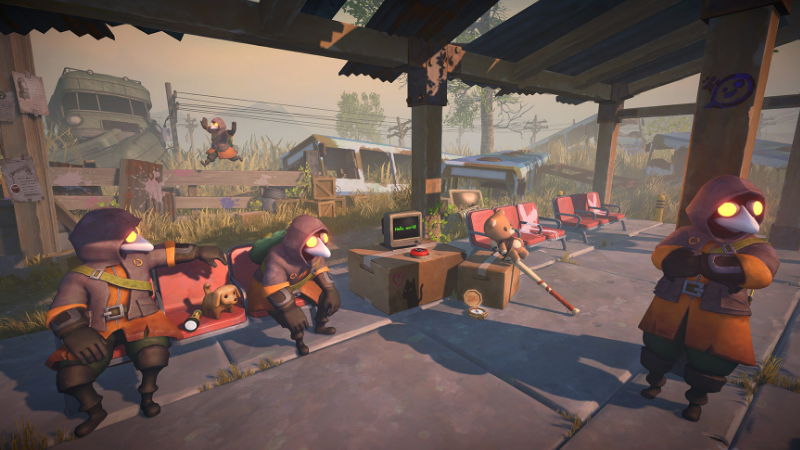
If you previously installed mods (for example via MelonLoader or Thunderstore) on an older version of MIMESIS and the game now crashes on launch, fails to start, or won't let you create a room after updating, this announcement is for you.
The crashes appear to be most likely for players who had mods installed on a previous version and then updated to the new build, and we suspect that leftover mod files from the old version may be causing conflicts.
Please note: “join anytime”-style mods such as JoinAnywhere have been confirmed to not work with this version yet.
How to fix it: 1) Open your mod manager and disable MIMESIS (turn off the profile/mods for the game). 2) Go to the game's install folder and move or delete the "mods" folder. 3) In Steam, verify the integrity of the game files (right-click the game in your Library, choose Properties, then Installed Files, then Verify integrity of game files). If issues persist, reinstall the game.
Thanks for your patience.
What's Your Reaction?










![[Business Talk] Chagee: Opening 3,500 stores in 6 years](https://xinker.org/uploads/images/202410/image_140x98_671afce94bf91.webp)






