


![[PRO Tips] Gold’s Bullish Revival: Seasonal Trends and Key Levels to Watch](https://xinker.org/uploads/images/202412/image_430x256_67724cc6ad0cd.webp)
![[PRO Tips] Gold Market Under Short-Term Pressure, Safe-Haven Demand and Central Bank Buying Support Long-Term Upside Potential](https://xinker.org/uploads/images/202412/image_430x256_676ffb4685287.webp)
![[PRO Tips] Analysis of 9 key points of differentiation strategy! Master differentiation to create a brand advantage that is unique in the world!](https://firebasestorage.googleapis.com/v0/b/xinker-tips.appspot.com/o/article_thumbnails%2Fscaled_differentiation%20strategy.png.png?alt=media&token=a1bfc3d2-e85a-4db7-8a6d-01c7274f8940)
![[PRO Tips] Will REITs regain growth momentum in 2024? 3 REITs ETFs you must know if you want to invest in real estate.](https://firebasestorage.googleapis.com/v0/b/xinker-tips.appspot.com/o/article_thumbnails%2Fscaled_REITs1.png.png?alt=media&token=8af4eb93-33ff-466f-8039-b6555fad52b4)
![[PRO Tips] Complete tutorial on how to make money in Adobe Stock!](https://firebasestorage.googleapis.com/v0/b/xinker-tips.appspot.com/o/article_thumbnails%2Fscaled_tut-adobe1.png.png?alt=media&token=0b2c8cf2-22bd-4142-883e-140ed1cbaf02)
![[Passive Income] Unlock the secret of passive income: 3 steps to apply for Google AdSense](https://xinker.org/uploads/images/202410/image_430x256_6717a4fb3052b.webp)
![[Passive Income] Earn over $200 a day with AI-generated articles!](https://firebasestorage.googleapis.com/v0/b/xinker-tips.appspot.com/o/article_thumbnails%2Fscaled_article1.png.png?alt=media&token=f61bf35b-8553-4719-826d-7360024adc70)
![[Passive Income] Earn over 20 USD per download with AI-generated images!](https://firebasestorage.googleapis.com/v0/b/xinker-tips.appspot.com/o/article_thumbnails%2Fscaled_adobe2.png.png?alt=media&token=3e20e76a-a907-45af-80aa-bf9b3600301f)
![[Passive Income] Earn 10 USD per new download by sharing CapCut!](https://firebasestorage.googleapis.com/v0/b/xinker-tips.appspot.com/o/article_thumbnails%2Fscaled_capcut2.png.png?alt=media&token=a04dec40-1fac-4857-86f2-19a8be02d38e)
![[Passive Income] Use your WiFi to create passive income in 5 minutes, and you can earn 4-6 U per day!](https://firebasestorage.googleapis.com/v0/b/xinker-tips.appspot.com/o/article_thumbnails%2Fscaled_Grassio.webp.png?alt=media&token=7659a95e-0e47-4f27-a17d-c942ac3cf7f4)


![[Business Talk] The Unique Theme of XINKER's Song: Beef Wellington and Business Mastery](https://xinker.org/uploads/images/202410/image_430x256_671afc155f47f.webp)
![[Business Talk] Chagee: Opening 3,500 stores in 6 years](https://xinker.org/uploads/images/202410/image_430x256_671afce80c5f9.webp)


Update 4.2 is out now!
Hello, Captains!Update 4.2 has just landed, and it’s a big one: full COI Hub integration directly in the game, modular ramps, a host of new train features, and major performance improvements. We’ve also put together a new trailer highlighting the key features, while this post takes a closer look at everything included in the update. Important: If anything seems off after updating, use Steam’s Verify integrity of game files option. Several players on the experimental branch found that Steam had not applied the update correctly and left the game in an inconsistent state.You can read all of the details about today's update on our blog post.Full Patch Notes:New feature: COI Hub integration * Added a Mod Manager that lets you browse mods from COI Hub and install/update them directly in-game. * Maps from the Hub can be browsed, downloaded, and updated directly in-game. * Blueprints from the Hub can be browsed and downloaded directly in-game from the blueprints manager. * All these features currently do not require a login or account creation. New feature: Modular ramps * Added modular road ramps built with a new place & drag tool. * Modular ramps can have any length and a height of 1 or 2, and unlike bridges, all vehicles can pass over them, small vehicles can pass under them. * The original ramps are now obsolete. New train features and improvements * Added T1 and T2 universal wagons that can carry any product (unit, loose, or fluid), at 3/4 of a dedicated wagon's capacity. * Added new train track pieces: corner ramps, grade transitions, and 2-tile S-bends. * Waypoints can now restrict which trains may path to or through them, using configurable allow and deny rules, including filtering by wagon product type. * Trains can now perform switchbacks autonomously on bidirectional tracks: navigating to a dead end, stopping, and reversing back out. * Added train network tutorials covering networks, linked storages, advanced train line rules, station groups, and troubleshooting. Performance * New product renderer makes product rendering itself 10-20x faster, cutting product draw calls and memory dramatically. A benchmark map went from 23 to 78 FPS, and real saves see solid 20-50% FPS gains too. See Captain's diary #56 for details. * Optimized terrain physics processing for avalanches and large-scale mining, up to ~9x faster on heavy avalanche and mining scenarios. * Optimized train pathfinding goal selection at stations, making pathfinding more than 2x faster on train-heavy saves. Improvements * All 100+ product 3D models have been remade with better graphics. * Reworked construction preview and blueprint graphics: new shaders with blueprint grid lines and improved depth perception. * Inspector windows now remember their positions. * Office and Captain's Office bonuses now activate and deactivate with a delay via a charge that fills while needs are satisfied and drains otherwise, preventing rapid on/off toggling. * Added a detailed per-recipe breakdown to the product statistics window, showing production and consumption by individual machine recipe with stacked bar charts and share percentages. * Added /60 per-minute toggles to the Maintenance, Food, and Fuel statistics tabs. * Drag placement now works with surfaces and decals, and a new "Hold key to drag-place" accessibility option (off by default) only starts drag-placing while the grid-fill key is held. * Bridge building improvements: height lines and a height-delta readout for a clearer sense of depth, faster validity arrows and previews, higher performance, and bug fixes. * Product search now covers more buildings, including Food Market, Hospital, Captain's Office, Research Lab, Shipyard, Sorter, Cargo Depot, and train station modules. * Construction and deconstruction now obey the target zone's vehicle bans instead of the construction zone's, so vehicle restrictions you set up are respected. * Shipyard now shows its storage buffers (non-empty cargo only). * Settlement waste, biomass, and recyclables module inspectors now show the amount collected in the last month. * The rocket launch pad inspector now shows its logistics zone. * Vehicles now show their unreachable destination even when no specific entities are targeted (useful for tree harvesters). * Moved the entity tooltip icon into the inspector title bar. * Loading progress is now shown in the Windows taskbar, with a blink on completion. * Improved the tutorial window with a per-message section navigation list, a maximize button, and improved styling. Tutorial messages now appear in a consistent order across all games and saves. * Upgraded rendering engine to Unity 6.3.19 (modders may need to update). Fixes * Fixed notifications lingering for destroyed entities. * Fixed an error when panning the camera with the tower area overlay open. * Fixed a train pathfinding requeue bug that could stall pathfinding on very large networks with many trains. * Fixed deleted stations still showing lines when a train rep
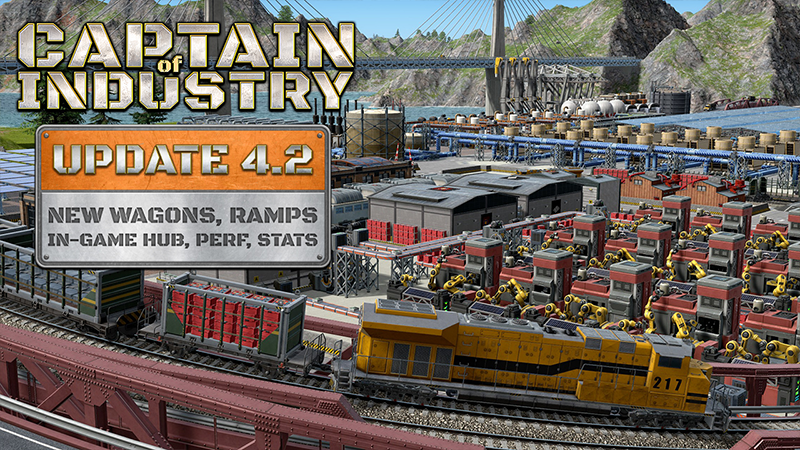
Hello, Captains!
Update 4.2 has just landed, and it’s a big one: full COI Hub integration directly in the game, modular ramps, a host of new train features, and major performance improvements. We’ve also put together a new trailer highlighting the key features, while this post takes a closer look at everything included in the update.
Important: If anything seems off after updating, use Steam’s Verify integrity of game files option. Several players on the experimental branch found that Steam had not applied the update correctly and left the game in an inconsistent state.
You can read all of the details about today's update on our blog post.

What's Your Reaction?










![[Business Talk] Chagee: Opening 3,500 stores in 6 years](https://xinker.org/uploads/images/202410/image_140x98_671afce94bf91.webp)