

![[PRO Tips] Gold’s Bullish Revival: Seasonal Trends and Key Levels to Watch](https://xinker.org/uploads/images/202412/image_430x256_67724cc6ad0cd.webp)
![[PRO Tips] Gold Market Under Short-Term Pressure, Safe-Haven Demand and Central Bank Buying Support Long-Term Upside Potential](https://xinker.org/uploads/images/202412/image_430x256_676ffb4685287.webp)
![[PRO Tips] Analysis of 9 key points of differentiation strategy! Master differentiation to create a brand advantage that is unique in the world!](https://firebasestorage.googleapis.com/v0/b/xinker-tips.appspot.com/o/article_thumbnails%2Fscaled_differentiation%20strategy.png.png?alt=media&token=a1bfc3d2-e85a-4db7-8a6d-01c7274f8940)
![[PRO Tips] Will REITs regain growth momentum in 2024? 3 REITs ETFs you must know if you want to invest in real estate.](https://firebasestorage.googleapis.com/v0/b/xinker-tips.appspot.com/o/article_thumbnails%2Fscaled_REITs1.png.png?alt=media&token=8af4eb93-33ff-466f-8039-b6555fad52b4)
![[PRO Tips] Complete tutorial on how to make money in Adobe Stock!](https://firebasestorage.googleapis.com/v0/b/xinker-tips.appspot.com/o/article_thumbnails%2Fscaled_tut-adobe1.png.png?alt=media&token=0b2c8cf2-22bd-4142-883e-140ed1cbaf02)
![[Passive Income] Unlock the secret of passive income: 3 steps to apply for Google AdSense](https://xinker.org/uploads/images/202410/image_430x256_6717a4fb3052b.webp)
![[Passive Income] Earn over $200 a day with AI-generated articles!](https://firebasestorage.googleapis.com/v0/b/xinker-tips.appspot.com/o/article_thumbnails%2Fscaled_article1.png.png?alt=media&token=f61bf35b-8553-4719-826d-7360024adc70)
![[Passive Income] Earn over 20 USD per download with AI-generated images!](https://firebasestorage.googleapis.com/v0/b/xinker-tips.appspot.com/o/article_thumbnails%2Fscaled_adobe2.png.png?alt=media&token=3e20e76a-a907-45af-80aa-bf9b3600301f)
![[Passive Income] Earn 10 USD per new download by sharing CapCut!](https://firebasestorage.googleapis.com/v0/b/xinker-tips.appspot.com/o/article_thumbnails%2Fscaled_capcut2.png.png?alt=media&token=a04dec40-1fac-4857-86f2-19a8be02d38e)
![[Passive Income] Use your WiFi to create passive income in 5 minutes, and you can earn 4-6 U per day!](https://firebasestorage.googleapis.com/v0/b/xinker-tips.appspot.com/o/article_thumbnails%2Fscaled_Grassio.webp.png?alt=media&token=7659a95e-0e47-4f27-a17d-c942ac3cf7f4)


![[Business Talk] The Unique Theme of XINKER's Song: Beef Wellington and Business Mastery](https://xinker.org/uploads/images/202410/image_430x256_671afc155f47f.webp)
![[Business Talk] Chagee: Opening 3,500 stores in 6 years](https://xinker.org/uploads/images/202410/image_430x256_671afce80c5f9.webp)


Patch notes v1.011
Some users have experienced issues with corrupted savefiles, which also lead to the game not launching properly anymore. This build aims to prevent this happening in the future. While the previously corrupted savefiles are not recoverable - for which we are very sorry - this update should enable the game to launch again.The changes in this build should make a big difference in performance and stability so we are looking forward to hearing what you think.PATCH NOTESNew Features:Implemented automatic savefile backups and restoresBalancing:Increased ducat/corpuscle collection radius when there are a lot of resources on the groundReduced concurrent corpse limitFixes:Fixed sound thread mixer crashImproved management of very high numbers of enemies, including preventing them from all clustering in the same areaIncreased project limits to prevent crashes due to excessive objects Increased text render limit to prevent disappearing textUpdated render script to attempt fix for crash caused by invalid window sizeMisc:Lowered volume of ambience in Cult of the Flayed GoatAdded debugging information for supporter DLC detection as some users still do not have their support recognised in-game How you can help The experimental branch gets access to new builds before the main branch. Switch to the experimental branch to test new builds before they are released to everyone else. Please report any issues using the "Send Bug report" button in the main menu. If there are no issues - please comment here to let us know!To access the experimental branch: Right click Skull Horde in your Steam library. Click Properties -> Game Versions & Betas -> opt in to the experimental branch. Ensure the game updates before you launch it. Warning Updates are tested before they are uploaded, but there is always a risk that we have missed something. If you are on the experimental branch, please back up your savefile manually from time to time (particularly around updates). If anything goes wrong we will help you restore your save. Your savefile is located:Windows: %appdata%\\8bitskull_skull_horde\\Mac: ~/Library/Application Support/8bitskull_skull_horde/Linux: ~/.local/share/8bitskull_skull_horde/
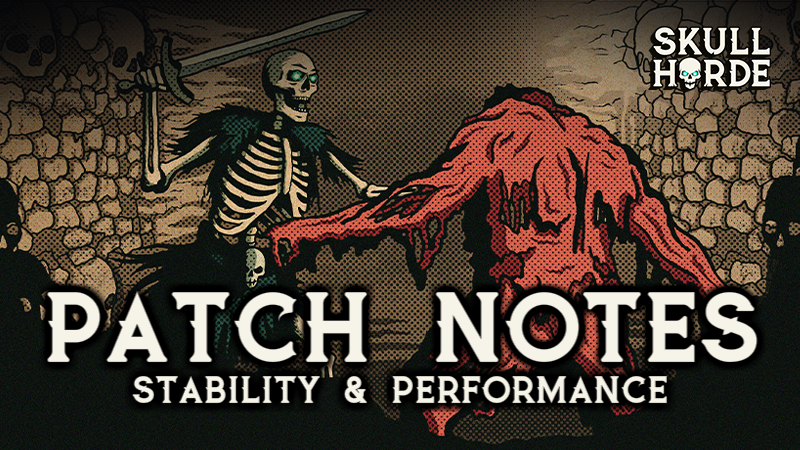
Some users have experienced issues with corrupted savefiles, which also lead to the game not launching properly anymore. This build aims to prevent this happening in the future. While the previously corrupted savefiles are not recoverable - for which we are very sorry - this update should enable the game to launch again.
The changes in this build should make a big difference in performance and stability so we are looking forward to hearing what you think.

Implemented automatic savefile backups and restores
Increased ducat/corpuscle collection radius when there are a lot of resources on the ground
Reduced concurrent corpse limit
Fixed sound thread mixer crash
Improved management of very high numbers of enemies, including preventing them from all clustering in the same area
Increased project limits to prevent crashes due to excessive objects
Increased text render limit to prevent disappearing text
Updated render script to attempt fix for crash caused by invalid window size
Lowered volume of ambience in Cult of the Flayed Goat
Added debugging information for supporter DLC detection as some users still do not have their support recognised in-game
 How you can help
 The experimental branch gets access to new builds before the main branch. Switch to the experimental branch to test new builds before they are released to everyone else. Please report any issues using the "Send Bug report" button in the main menu. If there are no issues - please comment here to let us know!
To access the experimental branch: Right click Skull Horde in your Steam library. Click Properties -> Game Versions & Betas -> opt in to the experimental branch. Ensure the game updates before you launch it.
 Warning
 Updates are tested before they are uploaded, but there is always a risk that we have missed something. If you are on the experimental branch, please back up your savefile manually from time to time (particularly around updates). If anything goes wrong we will help you restore your save.
 Your savefile is located:
Windows: %appdata%\\8bitskull_skull_horde\\
Mac: ~/Library/Application Support/8bitskull_skull_horde/
Linux: ~/.local/share/8bitskull_skull_horde/
What's Your Reaction?