




![[PRO Tips] Gold’s Bullish Revival: Seasonal Trends and Key Levels to Watch](https://xinker.org/uploads/images/202412/image_430x256_67724cc6ad0cd.webp)
![[PRO Tips] Gold Market Under Short-Term Pressure, Safe-Haven Demand and Central Bank Buying Support Long-Term Upside Potential](https://xinker.org/uploads/images/202412/image_430x256_676ffb4685287.webp)
![[PRO Tips] Analysis of 9 key points of differentiation strategy! Master differentiation to create a brand advantage that is unique in the world!](https://firebasestorage.googleapis.com/v0/b/xinker-tips.appspot.com/o/article_thumbnails%2Fscaled_differentiation%20strategy.png.png?alt=media&token=a1bfc3d2-e85a-4db7-8a6d-01c7274f8940)
![[PRO Tips] Will REITs regain growth momentum in 2024? 3 REITs ETFs you must know if you want to invest in real estate.](https://firebasestorage.googleapis.com/v0/b/xinker-tips.appspot.com/o/article_thumbnails%2Fscaled_REITs1.png.png?alt=media&token=8af4eb93-33ff-466f-8039-b6555fad52b4)
![[PRO Tips] Complete tutorial on how to make money in Adobe Stock!](https://firebasestorage.googleapis.com/v0/b/xinker-tips.appspot.com/o/article_thumbnails%2Fscaled_tut-adobe1.png.png?alt=media&token=0b2c8cf2-22bd-4142-883e-140ed1cbaf02)
![[Passive Income] Unlock the secret of passive income: 3 steps to apply for Google AdSense](https://xinker.org/uploads/images/202410/image_430x256_6717a4fb3052b.webp)
![[Passive Income] Earn over $200 a day with AI-generated articles!](https://firebasestorage.googleapis.com/v0/b/xinker-tips.appspot.com/o/article_thumbnails%2Fscaled_article1.png.png?alt=media&token=f61bf35b-8553-4719-826d-7360024adc70)
![[Passive Income] Earn over 20 USD per download with AI-generated images!](https://firebasestorage.googleapis.com/v0/b/xinker-tips.appspot.com/o/article_thumbnails%2Fscaled_adobe2.png.png?alt=media&token=3e20e76a-a907-45af-80aa-bf9b3600301f)
![[Passive Income] Earn 10 USD per new download by sharing CapCut!](https://firebasestorage.googleapis.com/v0/b/xinker-tips.appspot.com/o/article_thumbnails%2Fscaled_capcut2.png.png?alt=media&token=a04dec40-1fac-4857-86f2-19a8be02d38e)
![[Passive Income] Use your WiFi to create passive income in 5 minutes, and you can earn 4-6 U per day!](https://firebasestorage.googleapis.com/v0/b/xinker-tips.appspot.com/o/article_thumbnails%2Fscaled_Grassio.webp.png?alt=media&token=7659a95e-0e47-4f27-a17d-c942ac3cf7f4)


![[Business Talk] The Unique Theme of XINKER's Song: Beef Wellington and Business Mastery](https://xinker.org/uploads/images/202410/image_430x256_671afc155f47f.webp)
![[Business Talk] Chagee: Opening 3,500 stores in 6 years](https://xinker.org/uploads/images/202410/image_430x256_671afce80c5f9.webp)


Asus ROG NUC vs gaming laptops, how does the mini PC top dog fare against portable powerhouses?
As component prices soar and games grow more sophisticated (read: demanding), mini PCs have seen a surge in popularity as of late. Fuelled by the Steam Machine's compact form factor and with the Xbox Project Helix rumor mill further spinning up excitement, many are turning to these mobile-component toting boxes as a cheaper alternative to both full towers and gaming laptops. But what if you go straight to the top of the food chain? The Asus ROG NUC holds a price tag comparable to the best gaming PCs on the market, while using the same components as the best gaming laptops. While most of the mini PC market sticks with streamlined engineering of integrated graphics cards, it's one of the few tiny rigs that sports full-fat RTX 50-series GPUs and therefore draws quite the crowd. I put an RTX 5070 Asus ROG NUC up against a selection of gaming laptops to see where each form factor shines and where you should be focusing your investment in 2026.The contenders I put the ROG NUC up against the Asus ROG Strix G16 (for a chunkier machine's viewpoint) and the Razer Blade 14 (for some slimline action). I'd argue, however, that the former represents the most comparative example. Asus ROG NUC Asus ROG Strix G16 (RTX 5070 Ti) Performance (Image credit: Future) The Asus ROG NUC uses mobile components, with configurations spanning AMD's topline Ryzen 9 9955HX3D all the way through to the Intel Core Ultra 7 255HX. GPUs offer a similar range, from the RTX 5060 to RTX 5080. Only those after a super powerful RTX 5090 machine or an entry level RTX 5050 are excluded from the mini PC experience here. Popping those components into a slightly fatter shell, the ROG NUC typically performs slightly better than a counterpart gaming laptop running similar specs. I tested the RTX 5070 version, and it beat the Asus ROG Strix G16, Razer Blade 14, and Acer Predator Triton 14 AI with the same GPU across 3D Mark Fire Strike and Steel Nomad. The ROG NUC performing on average 11.1% better in Steel Nomad and 22.5% better in Fire Strike. However, Time Spy presented a different story in my testing. Here, the Asus ROG Strix G16 just edged ahead of the mini PC with a 14,531 score compared to the ROG NUC's 14,422. https://flo.uri.sh/visualisation/29829751/embed In-game, the story is fairly similar, though it should be noted that my 1080p benchmark results are going to give a more accurate picture than the QHD numbers you'll find in my review. That's because the ROG NUC was tested at 1440p, whereas gaming laptops move up to a 1600p resolution these days. For the sake of an Asus ROG NUC vs gaming laptop debate, then, we'll focus our attention on FHD. https://flo.uri.sh/visualisation/29938943/embed Once again, the Asus ROG NUC easily beats out slimmer machines like the Razer Blade 14, but trades places with chunkier units like the Asus ROG Strix G16 a little more in real life. The mini PC takes the crown in Cyberpunk 2077 (though only just) and lighter runs like Shadow of the Tomb Raider. Meanwhile the laptop beats it in Total War: Three Kingdoms and Horizon Zero Dawn: Remastered. What does that mean then? It essentially means an RTX 5070 Asus ROG NUC will perform about the same as a chunkier gaming laptop, but comfortably beats slimline rigs designed more for portability than sheer power. Just remember you're still, on average, paying less for that performance from a gaming laptop. Winner: TieEase of use (Image credit: Future) Here's where things get a little more nuanced. The Asus ROG NUC has a number of benefits over gaming laptops by virtue of its form factor. Those wins will only present themselves if you plan to use your machine in a specific way, though. If your rig is going to sit only on your desk, the Asus ROG NUC could gain an edge. My Blade 14 lives on my desk for 99% of its life, but having direct access to power on the ROG NUC (both for myself and various control accessories) was a small quality of life upgrade that I enjoyed during testing. It also takes up far less space on a desk, tucking neatly into whichever corner you need. That's not the main draw here, though, instead it's ports. Most 16-inch and 14-inch gaming laptops will send you off with two to three USB-A ports, a couple of USB-Cs, and an HDMI. In my setup, that means making the most of extra connections through expensive docks. The ROG NUC has two USB-As and a USB-C on the front, a Thunderbolt 4, and four additional USB-As, two HDMIs, two DisplayPorts, and an RJ-45 connection to the rear. That's more space than you'll find on even the chunkiest 18-inch gaming laptops. Winner: Asus ROG NUCPortability (Image credit: Future) Of course, that 'ease of use' win quickly falls down for the NUC when you take portability into account. If it wasn't immediately obvious, this isn't a device you'll be taking on the road all too often. While today's gaming laptops have pretty hefty chargers, to juice up their fairly poorly performing internal batteries, they're still design
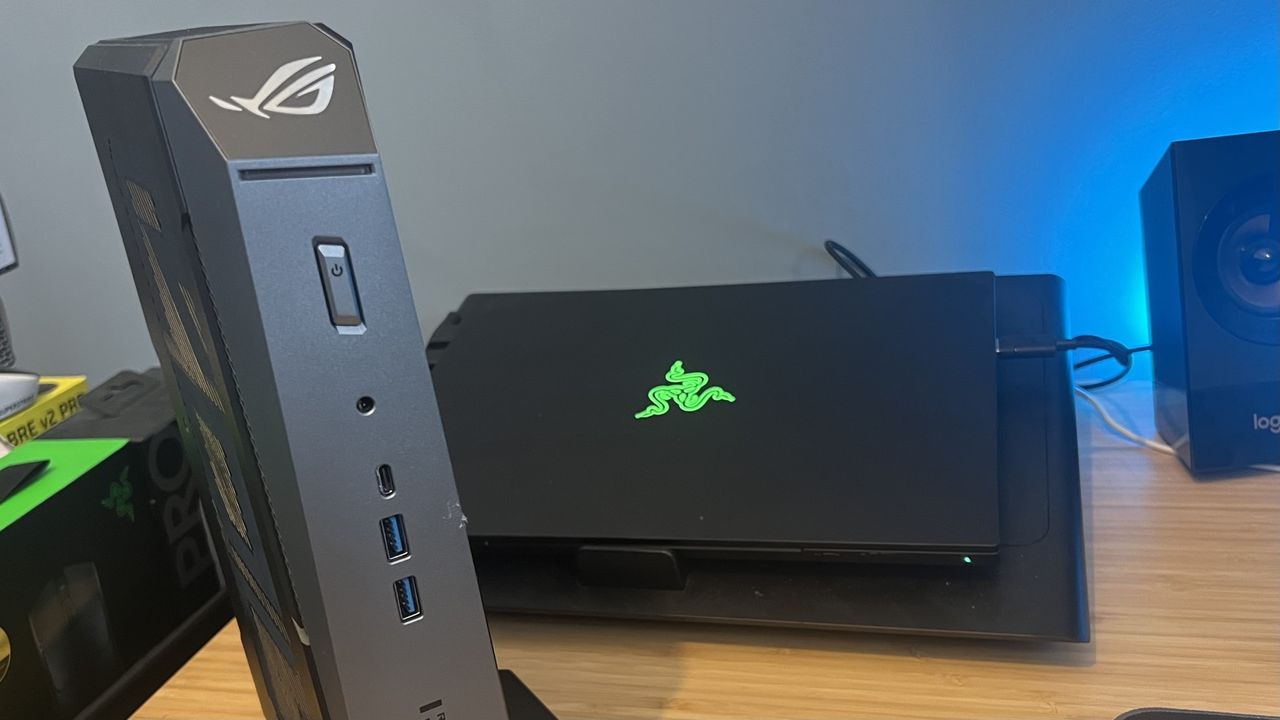 As component prices soar and games grow more sophisticated (read: demanding), mini PCs have seen a surge in popularity as of late. Fuelled by the Steam Machine's compact form factor and with the Xbox Project Helix rumor mill further spinning up excitement, many are turning to these mobile-component toting boxes as a cheaper alternative to both full towers and gaming laptops.
 But what if you go straight to the top of the food chain? The Asus ROG NUC holds a price tag comparable to the best gaming PCs on the market, while using the same components as the best gaming laptops. While most of the mini PC market sticks with streamlined engineering of integrated graphics cards, it's one of the few tiny rigs that sports full-fat RTX 50-series GPUs and therefore draws quite the crowd.
I put an RTX 5070 Asus ROG NUC up against a selection of gaming laptops to see where each form factor shines and where you should be focusing your investment in 2026.
The contenders
I put the ROG NUC up against the Asus ROG Strix G16 (for a chunkier machine's viewpoint) and the Razer Blade 14 (for some slimline action). I'd argue, however, that the former represents the most comparative example. 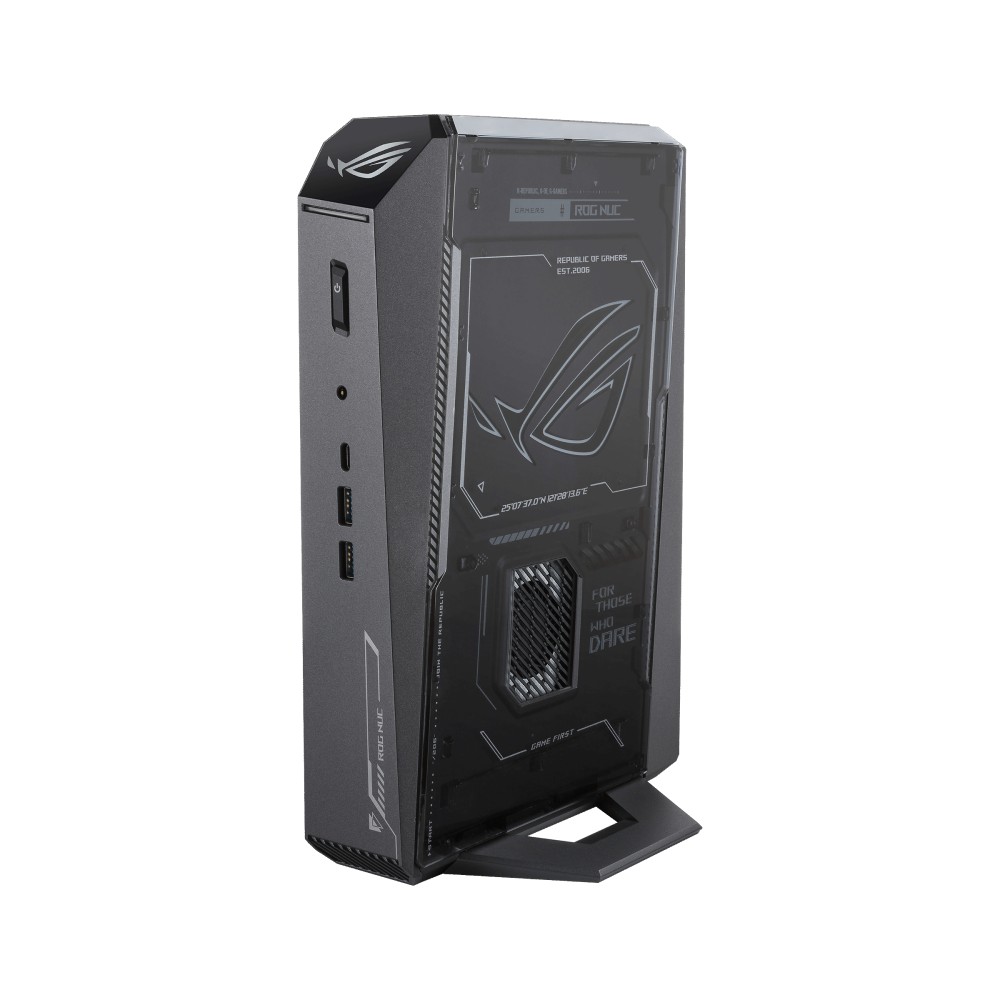 Asus ROG NUC
 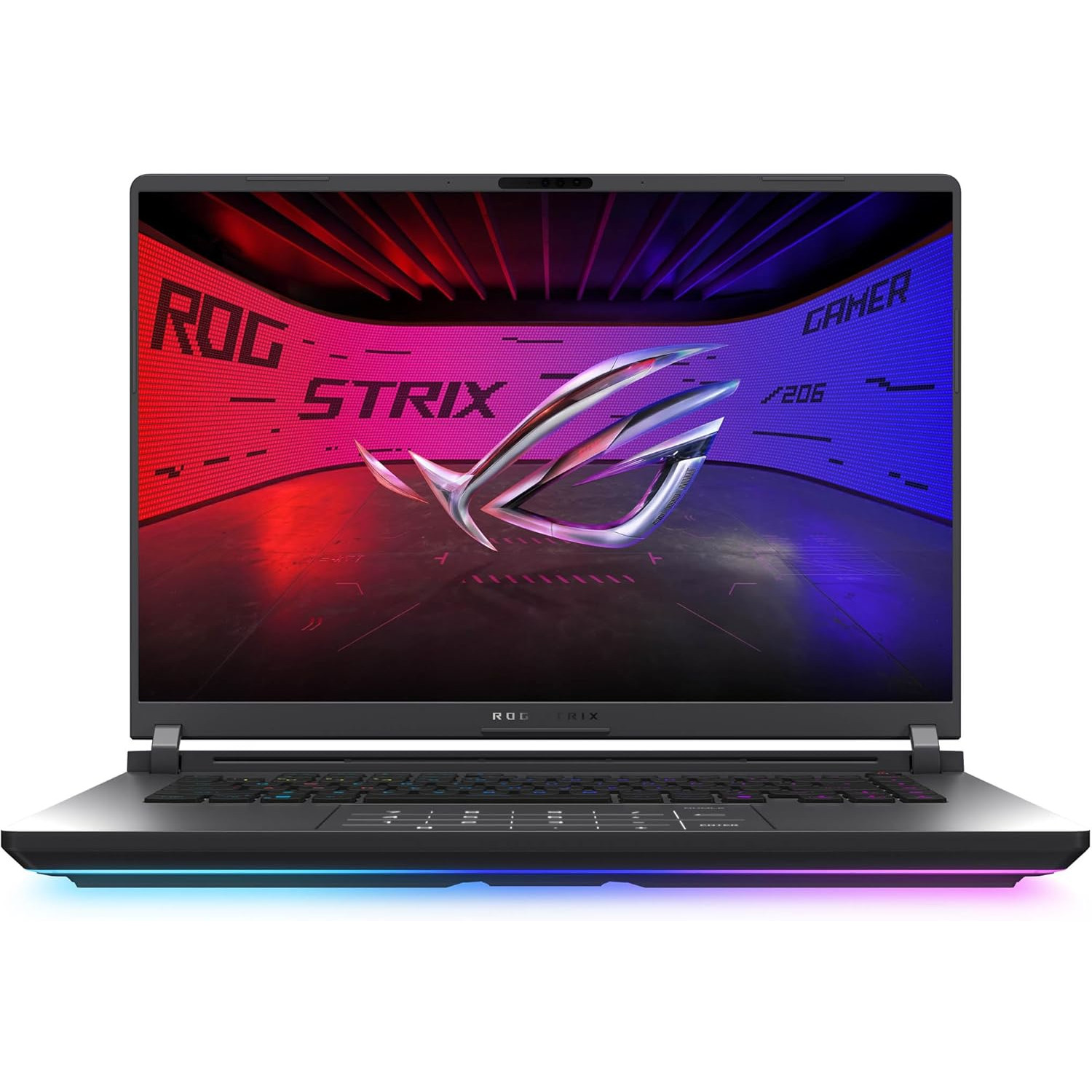 Asus ROG Strix G16 (RTX 5070 Ti)
 Performance
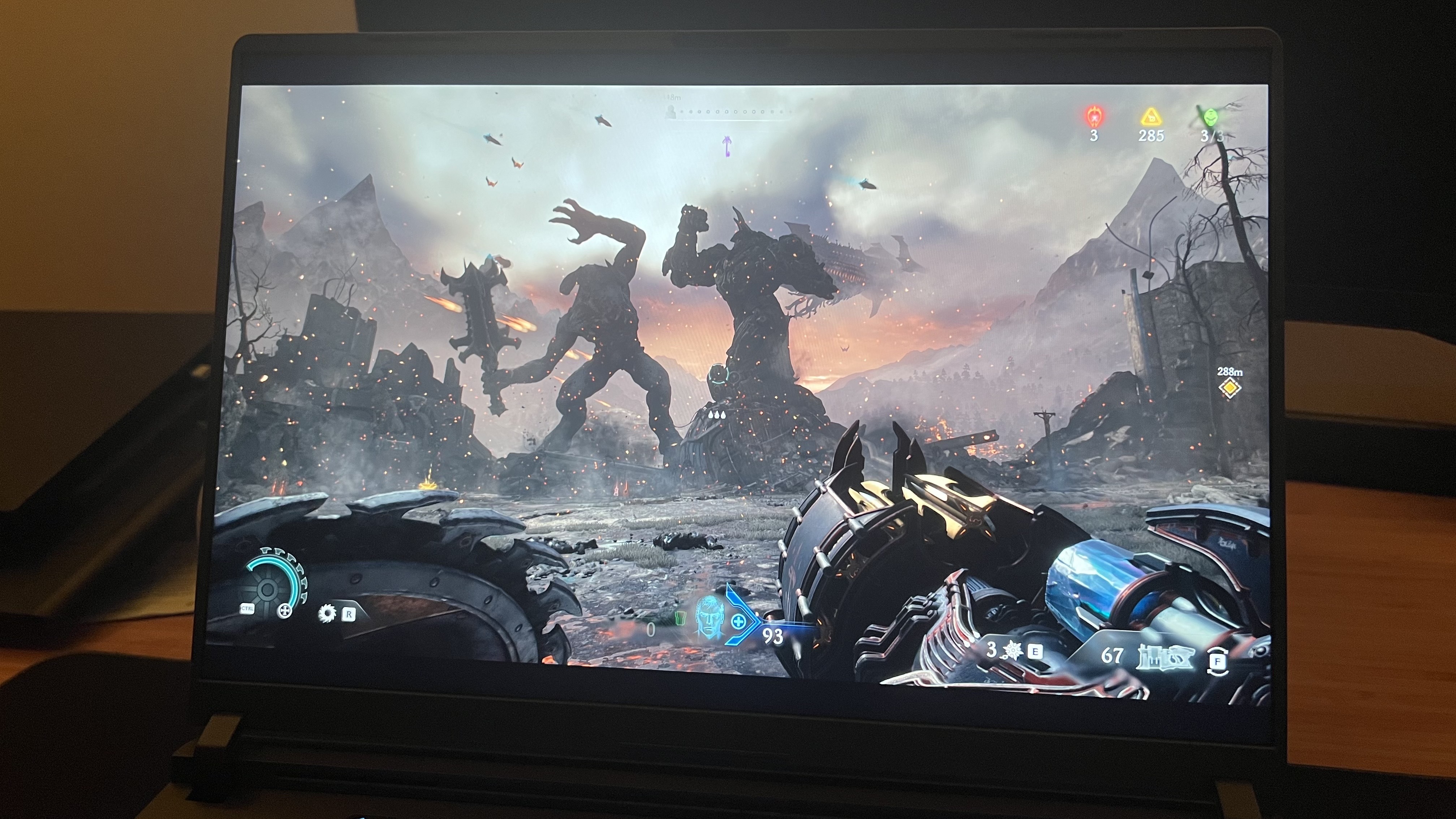
(Image credit: Future) The Asus ROG NUC uses mobile components, with configurations spanning AMD's topline Ryzen 9 9955HX3D all the way through to the Intel Core Ultra 7 255HX. GPUs offer a similar range, from the RTX 5060 to RTX 5080. Only those after a super powerful RTX 5090 machine or an entry level RTX 5050 are excluded from the mini PC experience here.
Popping those components into a slightly fatter shell, the ROG NUC typically performs slightly better than a counterpart gaming laptop running similar specs. I tested the RTX 5070 version, and it beat the Asus ROG Strix G16, Razer Blade 14, and Acer Predator Triton 14 AI with the same GPU across 3D Mark Fire Strike and Steel Nomad.
The ROG NUC performing on average 11.1% better in Steel Nomad and 22.5% better in Fire Strike. However, Time Spy presented a different story in my testing. Here, the Asus ROG Strix G16 just edged ahead of the mini PC with a 14,531 score compared to the ROG NUC's 14,422.
https://flo.uri.sh/visualisation/29829751/embed In-game, the story is fairly similar, though it should be noted that my 1080p benchmark results are going to give a more accurate picture than the QHD numbers you'll find in my review. That's because the ROG NUC was tested at 1440p, whereas gaming laptops move up to a 1600p resolution these days. For the sake of an Asus ROG NUC vs gaming laptop debate, then, we'll focus our attention on FHD.
https://flo.uri.sh/visualisation/29938943/embed Once again, the Asus ROG NUC easily beats out slimmer machines like the Razer Blade 14, but trades places with chunkier units like the Asus ROG Strix G16 a little more in real life. The mini PC takes the crown in Cyberpunk 2077 (though only just) and lighter runs like Shadow of the Tomb Raider. Meanwhile the laptop beats it in Total War: Three Kingdoms and Horizon Zero Dawn: Remastered.
What does that mean then? It essentially means an RTX 5070 Asus ROG NUC will perform about the same as a chunkier gaming laptop, but comfortably beats slimline rigs designed more for portability than sheer power. Just remember you're still, on average, paying less for that performance from a gaming laptop.
Winner: Tie
Ease of use
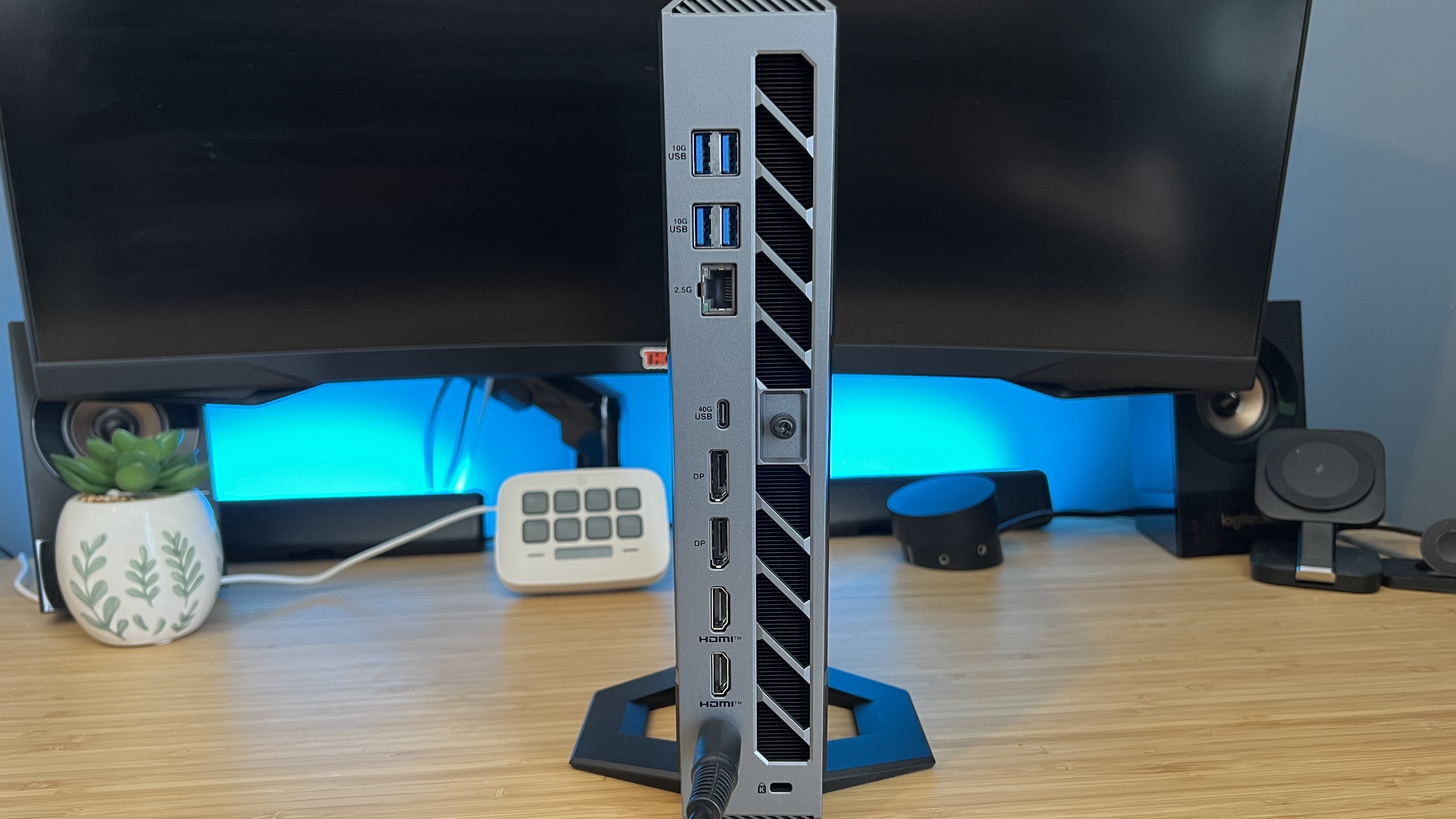
(Image credit: Future) Here's where things get a little more nuanced. The Asus ROG NUC has a number of benefits over gaming laptops by virtue of its form factor. Those wins will only present themselves if you plan to use your machine in a specific way, though.
If your rig is going to sit only on your desk, the Asus ROG NUC could gain an edge. My Blade 14 lives on my desk for 99% of its life, but having direct access to power on the ROG NUC (both for myself and various control accessories) was a small quality of life upgrade that I enjoyed during testing. It also takes up far less space on a desk, tucking neatly into whichever corner you need. That's not the main draw here, though, instead it's ports.
Most 16-inch and 14-inch gaming laptops will send you off with two to three USB-A ports, a couple of USB-Cs, and an HDMI. In my setup, that means making the most of extra connections through expensive docks. The ROG NUC has two USB-As and a USB-C on the front, a Thunderbolt 4, and four additional USB-As, two HDMIs, two DisplayPorts, and an RJ-45 connection to the rear. That's more space than you'll find on even the chunkiest 18-inch gaming laptops.
Winner: Asus ROG NUC
Portability
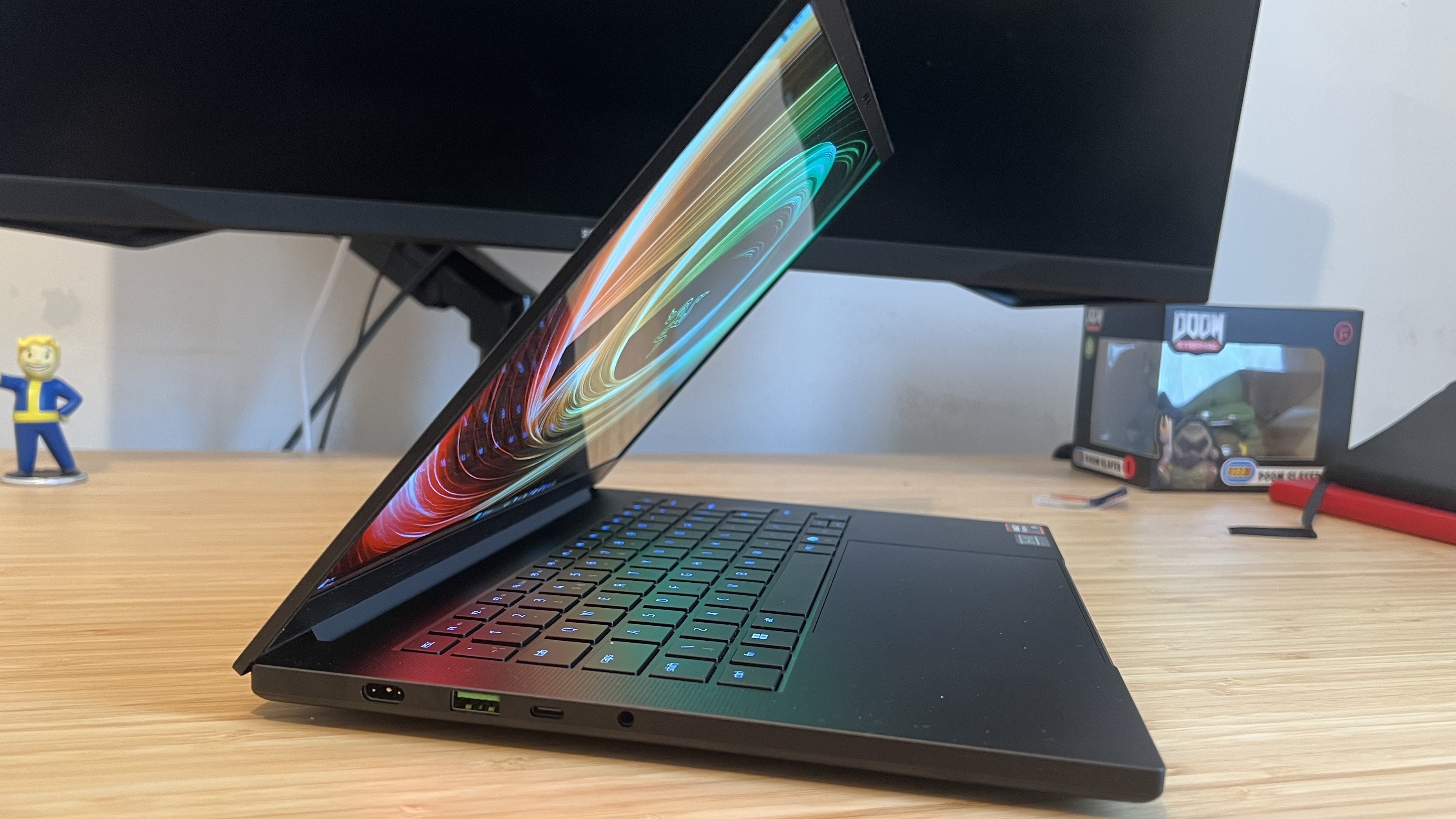
(Image credit: Future) Of course, that 'ease of use' win quickly falls down for the NUC when you take portability into account. If it wasn't immediately obvious, this isn't a device you'll be taking on the road all too often. While today's gaming laptops have pretty hefty chargers, to juice up their fairly poorly performing internal batteries, they're still designed for work and play on the go. That's not just the flexibility to play wherever you want, it's a double form factor that can handle portable work, content creation, and everyday browsing while you're away from home.
It feels obvious to say it, but considering you're spending more to leave the ROG NUC at home, it's worth repeating.
Winner: Gaming laptops
Value for money
The RTX 5070 Asus ROG NUC I tested comes in at $2,800 for an AMD Ryzen 9 9955HX3D build, 32GB RAM (my tested unit had 64GB, but pricing is spotty for that upgrade), and a 2TB SSD. How does that compare to the Asus ROG Strix G16 and Razer Blade 14 in my testing pool? Last year's Asus ROG Strix G16 started life at $2,399 for an Intel Core Ultra 9 275HX / RTX 5070 / 32GB RAM / 1TB SSD spec. The Razer Blade 14 comes in at $2,699.99 for an AMD Ryzen AI 9 365 / RTX 5070 / 32GB RAM / 1TB SSD spec.
The numbers are leaning in gaming laptops' favor at MSRP, and with older Strix G16's sliding into the $1,700 price range with age things start to look pretty squeaky for the NUC.
Still, those are last year's machines. If you've been abreast of RAM shortages, you'll know that 2026 releases are seeing their own price increases. If we keep our search focused around that RTX 5070 position and look at the prices actually on the market right now, though, gaming laptops are still fighting fitter than the ROG NUC.
The average MSRP of an RTX 5070 gaming laptop at Best Buy (taken from the first 20 results, not including bundles) stands at $2,538.44 at the time of writing. Taking discounts into account, the actual average price you'll be paying for one of these machines is $2,407.89.
See full data
Average RTX 5070 gaming laptop prices, Best Buy (August 11 2026)
The fact is, a gaming laptop - provided it's got enough heft - will perform similarly to the Asus ROG NUC while offering additional portability features and a lower price tag. Gaming laptop
MSRP
Discounted price (if applicable)
HP Omen Transcend 14
$2,669.99
-
Asus ROG Zephyrus G16
$2,149.99
$1,849.99
Gigabyte Aero X16
$1,499.99
-
Lenovo Legion Pro 5i
$2,749.99
$2,409.99
Lenovo Legion 7a
$3,549.99
-
HP Omen 16
$2,599.99
-
Alienware 16X Aurora
$2,499
$2,369
Asus TUF A16
$2,224.99
-
MSI Katana 15
$1,999
-
Lenovo Legion Pro 5i
$2,649.99
-
MSI Stealth 16 AI
$2,499.99
$2,469
HP Omen Transcend 14
$2,999.99
-
Gigabyte A16
$1,599.99
-
HP Omen 16
$1,999
$1,949
Asus ROG Strix G18
$2,829
$2,749
HP Omen 17
$1,949
-
Acer Predator Triton 14
$2,799.99
-
Gigabyte Aorus Elite 16
$3,399
$2,199
That gap closes a little if you're investing in a high end system.
An RTX 5080 ROG NUC will run you $3,799 with an Intel Core Ultra 9 290HX at the helm, 16GB RAM and a 1TB SSD. Of Best Buy's current RTX 5080 stock, prices average at $3,696.49 at MSRP, dropping slightly to $3,519.49 when sales are taken into account.
See full data
Average RTX 5080 gaming laptop prices, Best Buy (August 11, 2026)
That's getting us a little closer to the ROG NUC's price point. Gaming laptop
MSRP
Discounted price (if applicable)
HP Omen Max 16
$4,019.99
-
Asus ROG Zephyrus G14
$3,169.99
$3,129
Asus ROG Zephyrus G16
$3,399.99
$2,949.99
Asus ROG Strix G18
$3,299.99
-
Lenovo Legion Pro 7i
$4,249.99
$3,899
MSI Stealth 16 AI+
$3,999.99
-
HP Omen Max 16
$2,849.99
-
Asus ROG Zephyrus G16
$4,399.99
-
Lenovo Legion Pro 7i
$4,299
-
Lenovo Legion Pro 7
$4,624.99
-
MSI Vector
$2,999
-
MSI Vector 16 HX
$2,749
-
MSI Stealth 16 AI+
$3,999.99
-
MSI Titan 18 HX AI
$4,146.59
$4,099.99
HP Omen Max 16
$3,999.99
-
MSI Raider A18 HX
$3,549.99
-
MSI Raider A18 HX
$3,599.99
-
Lenovo Legion Pro 7i
$4,099
-
MSI Stealth A16
$3,128.35
-
MSI Stealth A18 AI+
$3,344.05
-
If you're going all out on an RTX 5080 chonkster like the MSI Raider A18 HX or MSI Titan, the NUC's price tag could start to make sense. It's worth noting that a lot of these gaming laptops come with 32GB RAM as standard, though, as opposed to the 16GB shipped in our $3,799 comparison rig.
Overall, though, for most purchases, gaming laptops represent the better value for money.
Winner: Gaming laptops
Asus ROG NUC vs gaming laptop: which should you buy?
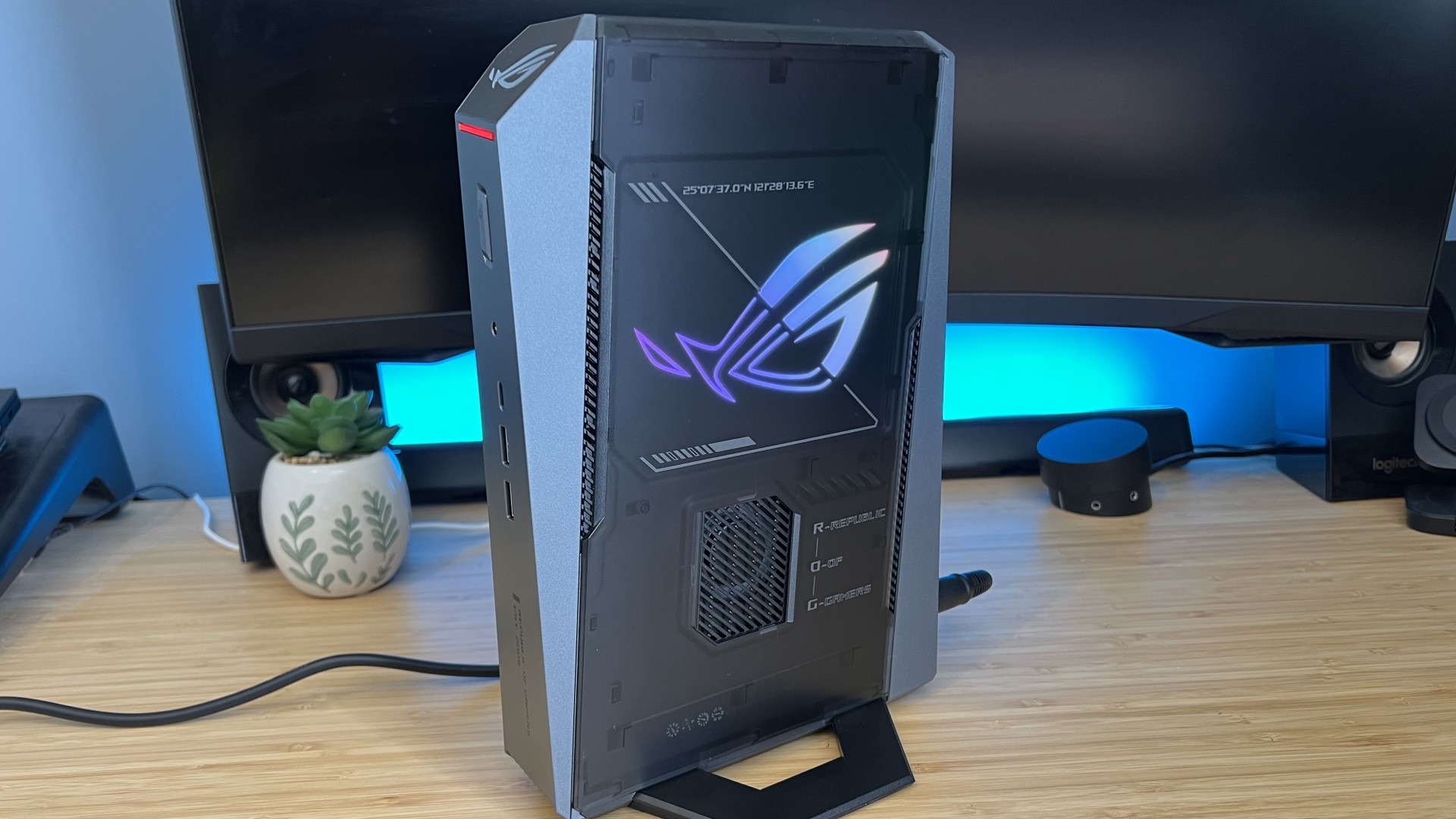
(Image credit: Future) Ultimately, the cost of the Asus ROG NUC is just too high considering you're sacrificing portability and netting pretty similar performance levels (from my testing at least). The only caveat in that power argument comes from slimline gaming laptops falling much shorter than chunky ones. You'll only be interested in those skinnier machines, though, if you're looking for portability - taking us back to square one.
If you're shopping right at the top of the RTX 5080 pay scale, only keeping your machine on your desk, and have a bunch of accessories to plug in, the Asus ROG NUC is going to be more worth your time than something like the MSI Raider or Asus ROG Strix Scar 18. If you're after an everyday gaming machine, though, heading to the top of the mini PC pyramid won't be in your best interests.
That's not to say all rigs like this are going to be less valuable than a gaming laptop. I'm in the process of getting a bunch of cheaper mini PCs on the test bench that will hopefully give us an idea of value in the budget market. As for the top dog, portable rigs win pretty easily.
- See all gaming laptops at Best Buy
- See all mini PCs at Best Buy
[/url]
What's Your Reaction?








XINKER - Business and Income Tips
Explore XINKER, the ultimate platform for mastering business strategies, discovering passive income opportunities, and learning success principles. Join a community of thinkers dedicated to achieving financial freedom and entrepreneurial excellence.



![[Business Talk] Chagee: Opening 3,500 stores in 6 years](https://xinker.org/uploads/images/202410/image_140x98_671afce94bf91.webp)