
![[Home Page Event] Into the Unnamed](https://clan.akamai.steamstatic.com/images/45643295/e300c53b1b3f6e84c4d2b75b67359eb8f8e7ae0b.png?#)


SPRING CLEAN
NEW ITEM: ARMOURED LADDER HATCHThe Armoured Ladder Hatch is a new top-tier construction. A direct upgrade from the Metal Ladder Hatch, the Armoured Ladder Hatch is built for players who want maximum durability on their vertical access points.Unlocked at Tier 3, it’s available in both square and triangle variants, slots straight into existing frames.Unlocked at Tier 3, it’s available in both square and triangle variants, slots straight into existing frames.NEW ITEM: WATER WHEELRenewable energy is the best energy.You liked wind and solar? Now it's time for another classic, Hydro!Water wheels can be placed in rivers to passively generate electricity from the water flowing along its base. When placed in the ocean they do generate some charge, but more inconsistently as the tides change. Either way you will need to make sure that the waterflow coming in is not blocked by anything!The wheels can also be used as giant hamster wheels if you want to hop in and convert some calories into power. And before you ask, yes you can force handcuffed players into them.TECH TREE MULTI-UNLOCKINGThe tech tree unlocking process received a long-overdue upgrade this month!Instead of painfully having to select and unlock each item as you go down the tree, you are now able to select any node you want and will be shown a preview path that leads to the desired item. Pressing the unlock button then automatically unlocks the whole path at once, playing a satisfying animation.New sound effects have also been added, the unlock animation was improved and the tree is now centered when zooming in and out - interacting with this UI should feel a lot better overall.NOTABLE CHANGESChainsaw FrenzyChainsaw now always hits the X when farming treesWatchtowersWatchtowers can no longer be spam placed next to each otherSleepy JunkpilesFixed junkpiles spawning on sleeping bagsIO counterCan now set the reset value of the IO counterDeep Sea Sleeping BagsAdded a visual indicator to distinguish between sleeping bags in the deep sea on death screenEXTENDED PLANT RIPENESSWe've increased the time plants are in their "ripe" stage to 24 hours (was 14). This should hopefully be less punishing for players who can't log back on to harvest their plants more than once per day.Note that the growable flowers were already at 28 hours so they are unchanged.SHIELD COLLISION CHANGEWe've noted the new meta around shields becoming a bit too popular over the last month. Ideally shields are a powerful defensive tool but they come at the cost of reducing your offensive capabilities.To better fit that direction we're now switching the hitbox based on whether you are actively holding up the shield. When idle the shield uses a smaller square hitbox and it will use the current larger hitbox while it is being held up.We've also fixed a bug that resulted in additional recoil being applied when shooting at a shield, this was only meant to be applied when attacking a shield with a melee weapon.COLOURED BUTTONSWe saw a cool community concept for coloured buttons and decided to implement it as a part of this patch, the functionality is really similar to wires with a similar colour set - the only difference being that red is the default colour for buttons to match how they previously looked. The more technical and cooler side of this is that we previously didn't support nested radial menus, the new coloured buttons are the first to support them and should allow for more complex nested menus in the future. CUSTOM CHAT CHANNEL TAG COLOURSAfter a recent request, I've added some extra colour pickers to the accessibility options.These allow you to change the colour of the tags for Discord DMs, team chat, cards chat, etc.Hopefully this makes things a bit clearer!LIGHT TOGGLE RADIAL MENUThe old ToggleLight feature/bind has had a major upgrade this month!“Light Toggle Radial” has been added to the controls menu as a replacement for the previous togglelight bind, and will use the same default/current bind.Tap the keybind to retain the original behaviour: all equipped light sources toggle simultaneously.Hold the keybind to open a radial menu (when multiple light sources are equipped), allowing you to toggle each one individually.This is especially useful in situations where you don’t want everything toggled at once - for example, when using night vision goggles alongside a weapon-mounted flashlight.There's potential to expand this feature into a more generic "item state toggle" feature in the future, that could also toggle things such as weapon fire mode.OVERFISHING & FISHING IN THE DEEP SEAFishing inside your base or botting the fishing minigame doesn't align with the true spirit of fishing. To get the best catches you should be hunting down secluded spots and casting your line there. Plus, if you want to do things passively, fishing traps exist for a reason.So we've added an overfishing mechanic. If a certain amount of fish have been caught in the vicinity within a certain time span, the area b
The Armoured Ladder Hatch is a new top-tier construction. A direct upgrade from the Metal Ladder Hatch, the Armoured Ladder Hatch is built for players who want maximum durability on their vertical access points.
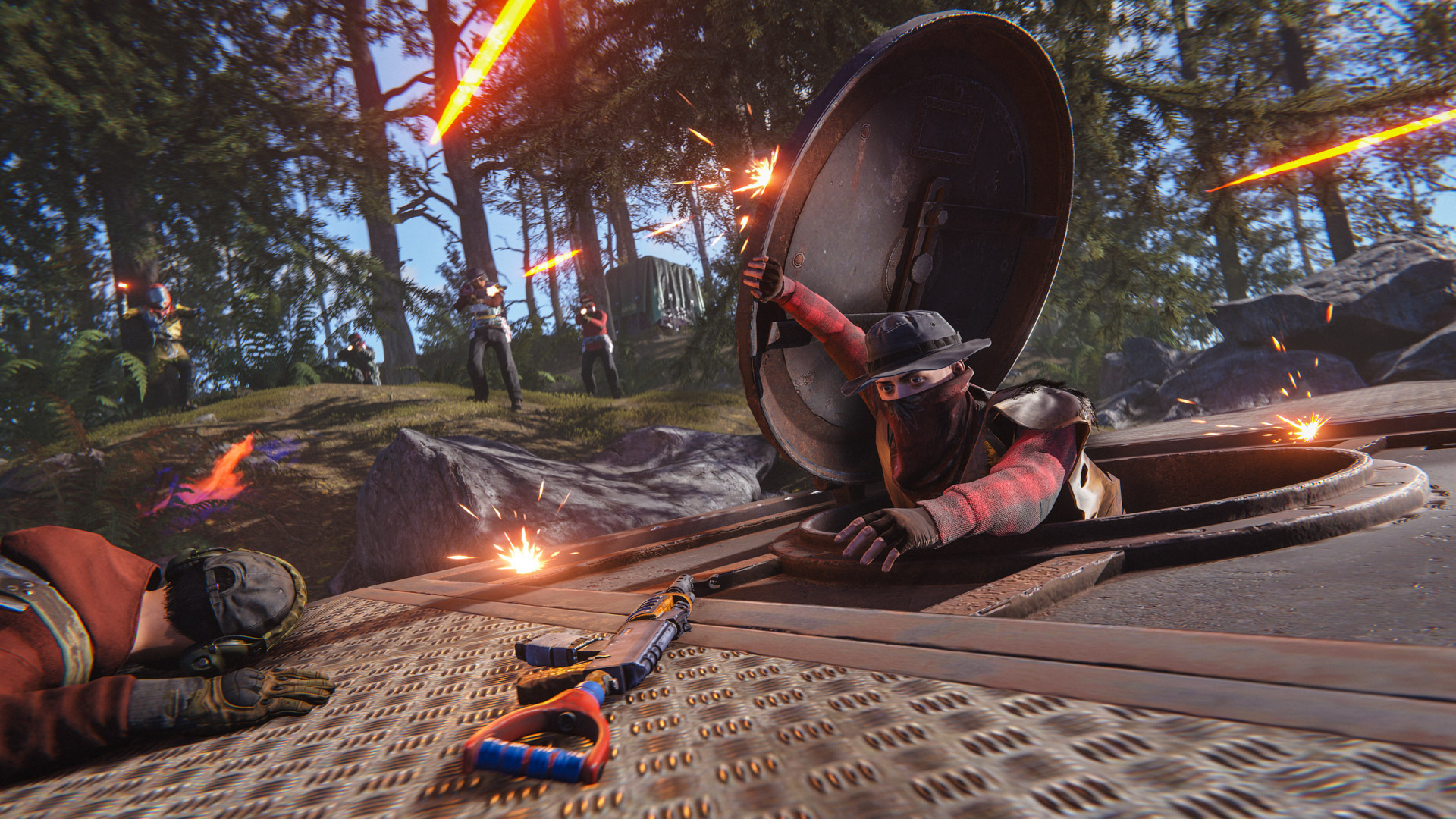
Unlocked at Tier 3, it’s available in both square and triangle variants, slots straight into existing frames.
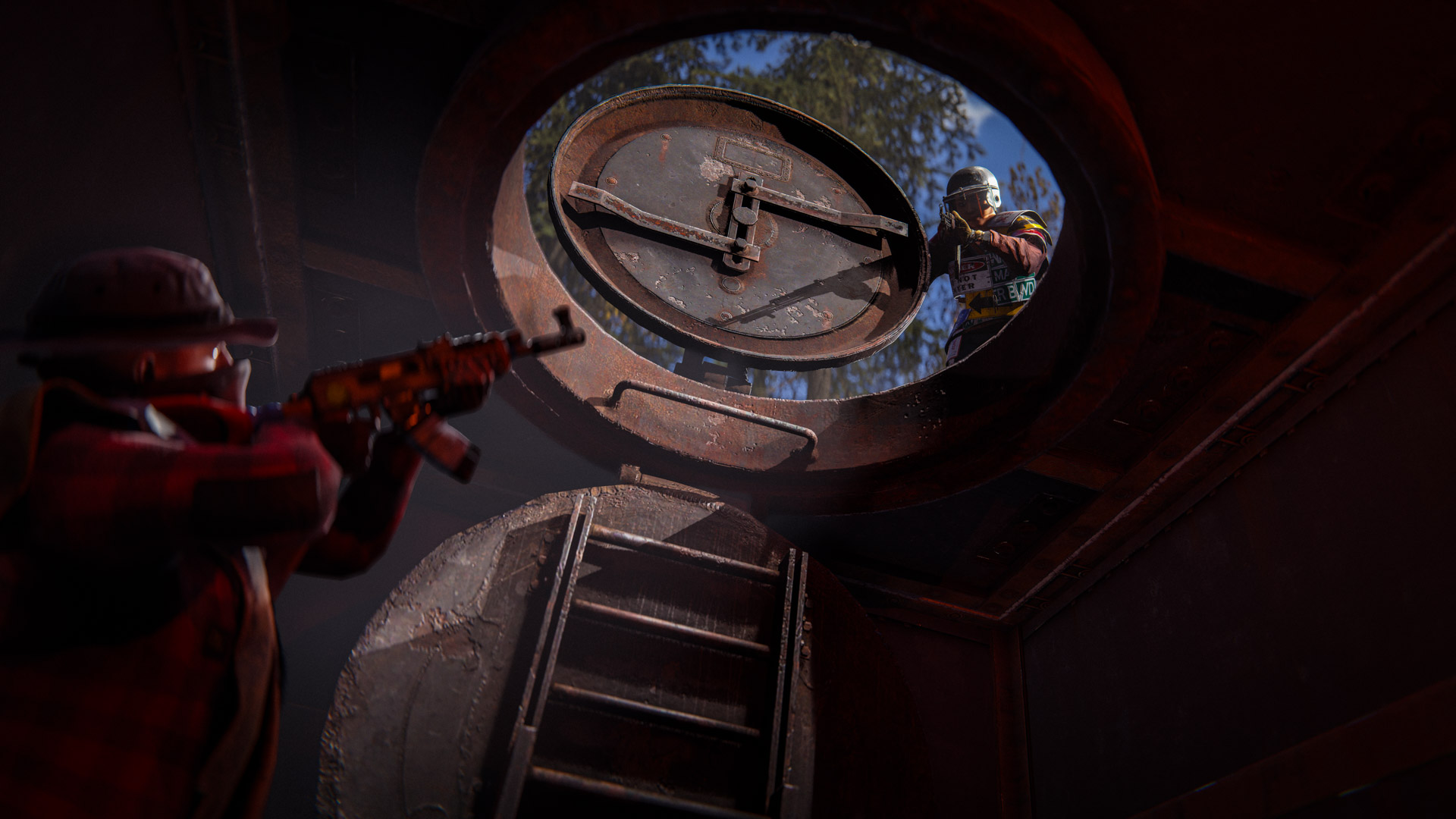
Unlocked at Tier 3, it’s available in both square and triangle variants, slots straight into existing frames.
Renewable energy is the best energy.
You liked wind and solar? Now it's time for another classic, Hydro!
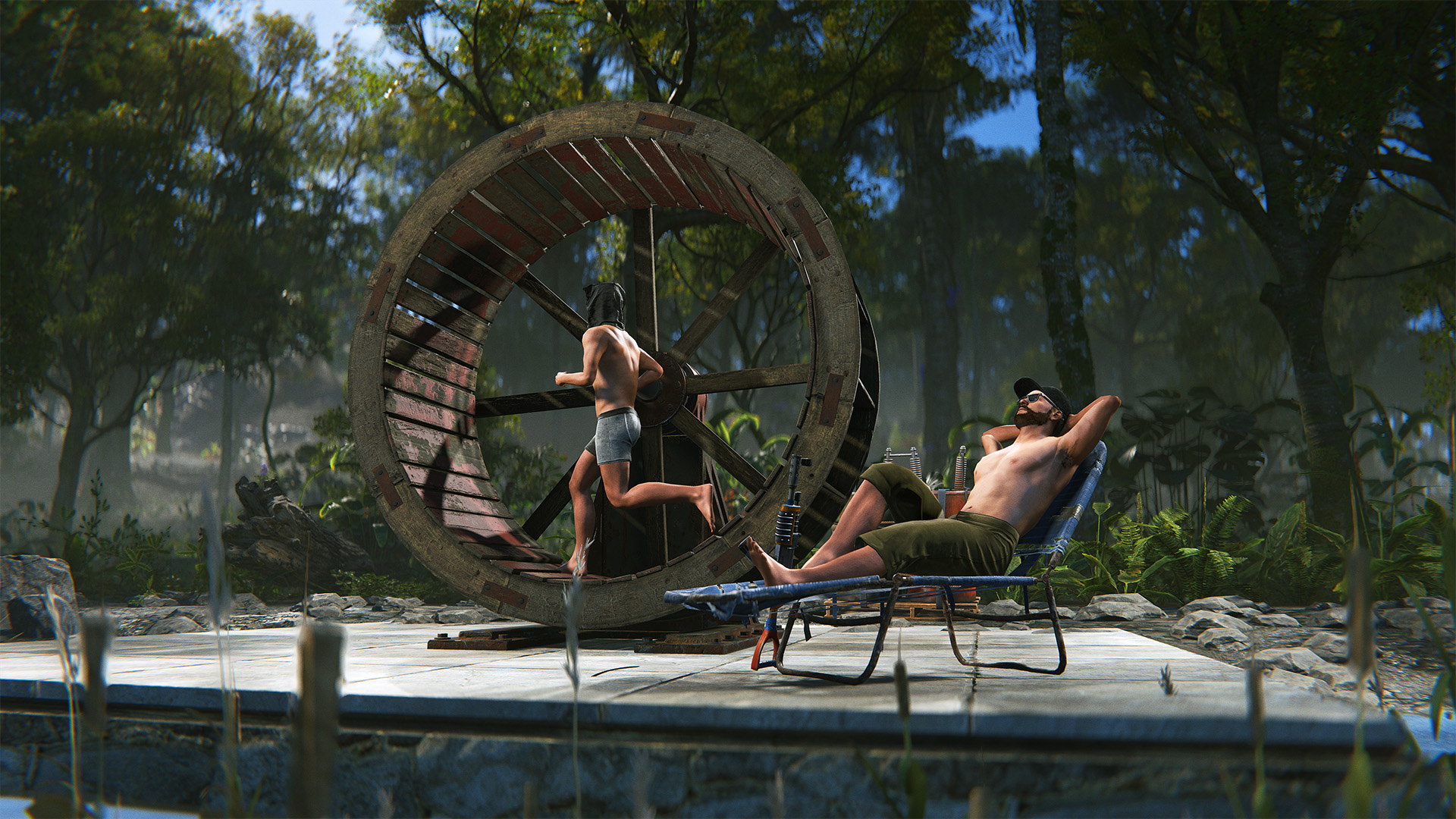
Water wheels can be placed in rivers to passively generate electricity from the water flowing along its base. When placed in the ocean they do generate some charge, but more inconsistently as the tides change. Either way you will need to make sure that the waterflow coming in is not blocked by anything!
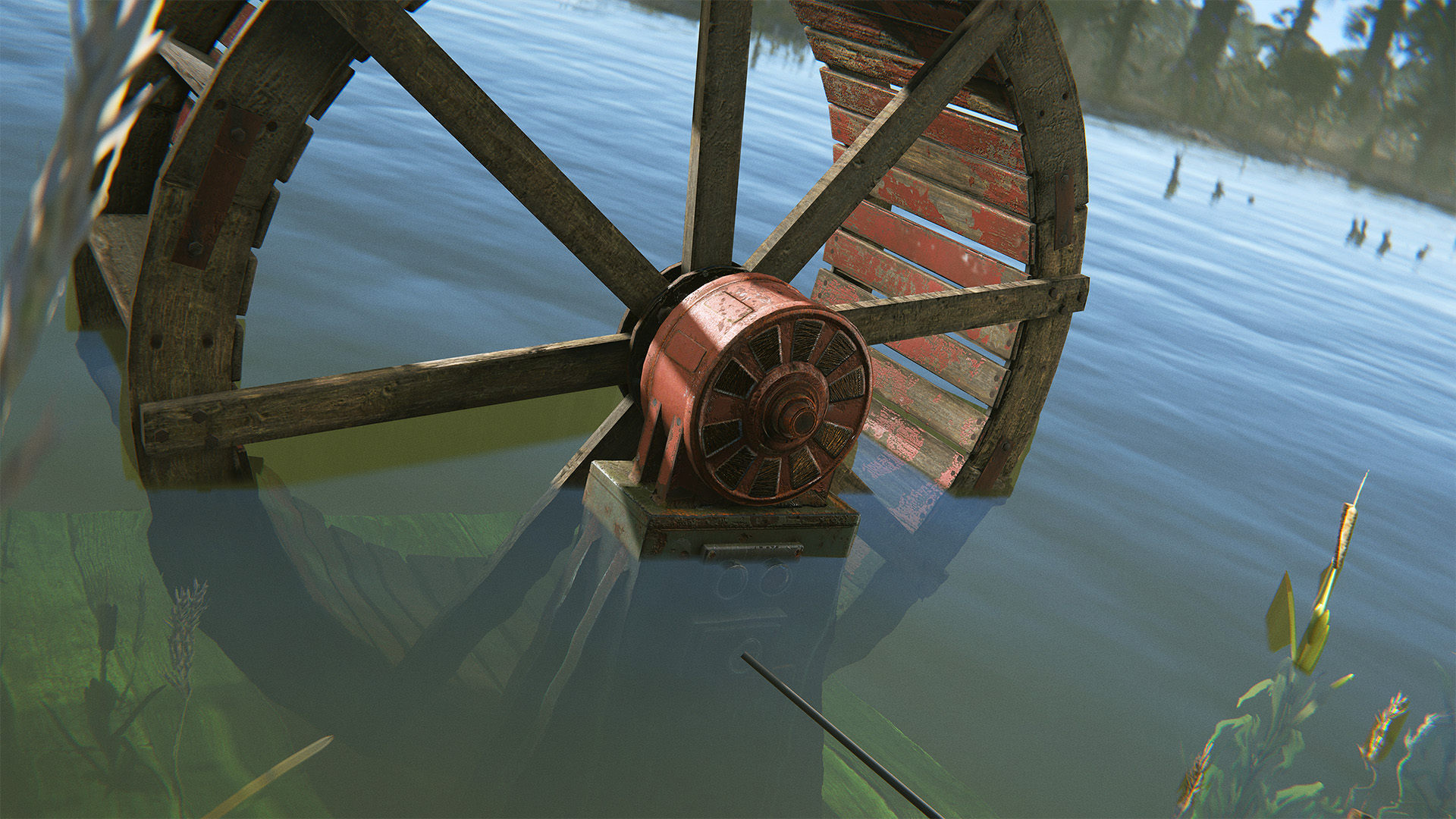
The wheels can also be used as giant hamster wheels if you want to hop in and convert some calories into power. And before you ask, yes you can force handcuffed players into them.
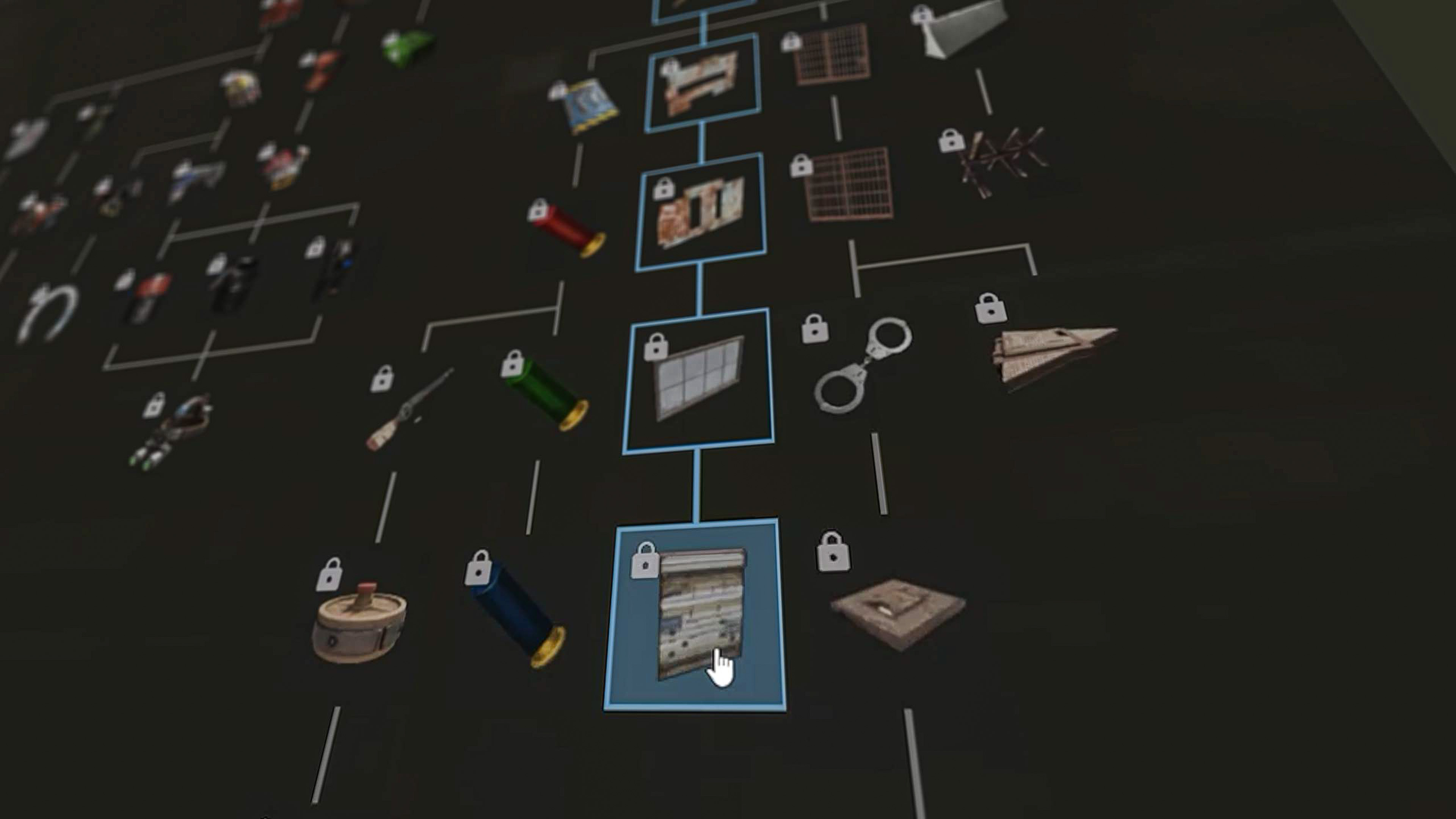
The tech tree unlocking process received a long-overdue upgrade this month!
Instead of painfully having to select and unlock each item as you go down the tree, you are now able to select any node you want and will be shown a preview path that leads to the desired item. Pressing the unlock button then automatically unlocks the whole path at once, playing a satisfying animation.
New sound effects have also been added, the unlock animation was improved and the tree is now centered when zooming in and out - interacting with this UI should feel a lot better overall.
Chainsaw Frenzy
Chainsaw now always hits the X when farming trees
Watchtowers
Watchtowers can no longer be spam placed next to each other
Sleepy Junkpiles
Fixed junkpiles spawning on sleeping bags
IO counter
Can now set the reset value of the IO counter
Deep Sea Sleeping Bags
Added a visual indicator to distinguish between sleeping bags in the deep sea on death screen
We've increased the time plants are in their "ripe" stage to 24 hours (was 14). This should hopefully be less punishing for players who can't log back on to harvest their plants more than once per day.
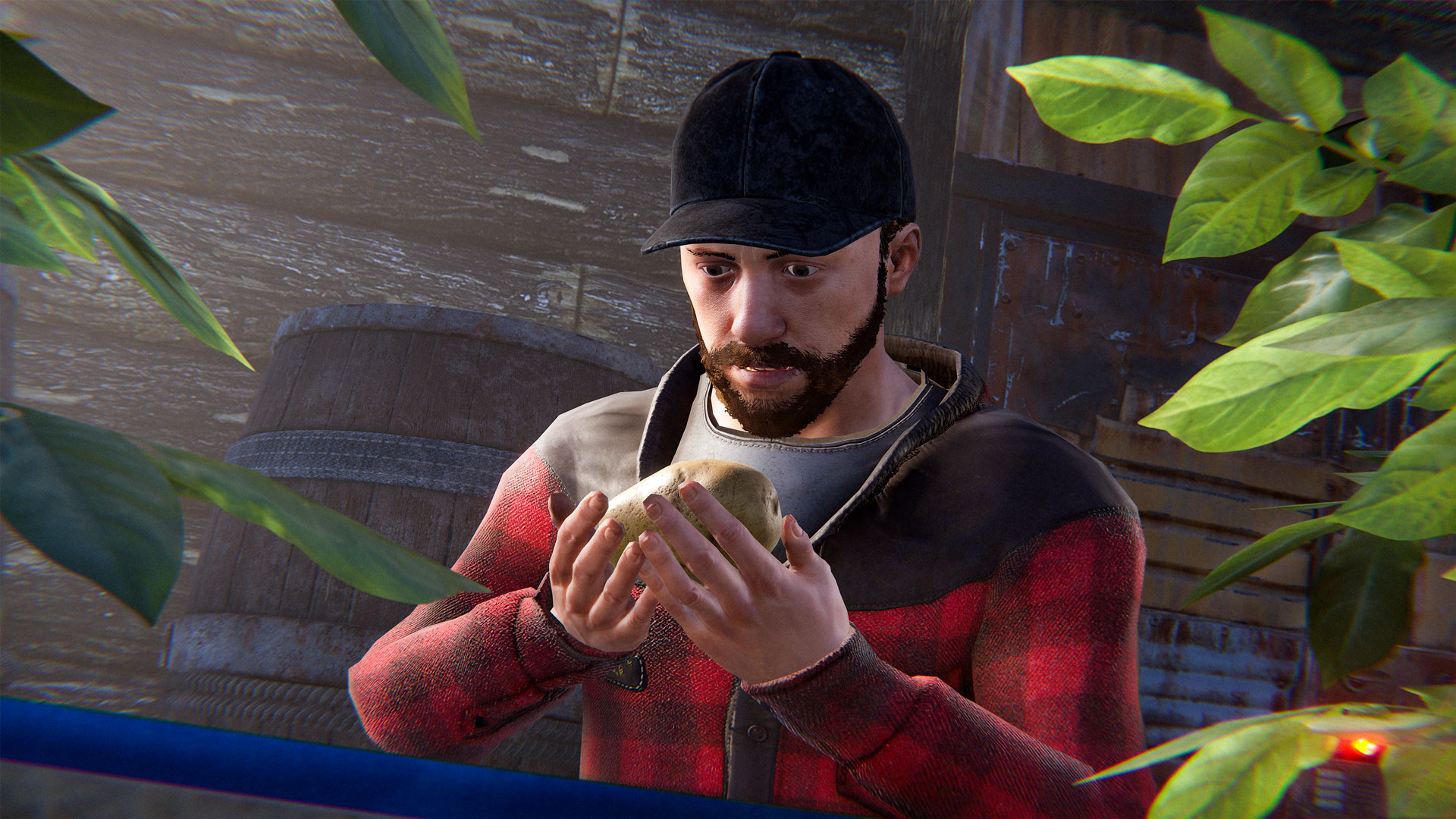
Note that the growable flowers were already at 28 hours so they are unchanged.
We've noted the new meta around shields becoming a bit too popular over the last month. Ideally shields are a powerful defensive tool but they come at the cost of reducing your offensive capabilities.
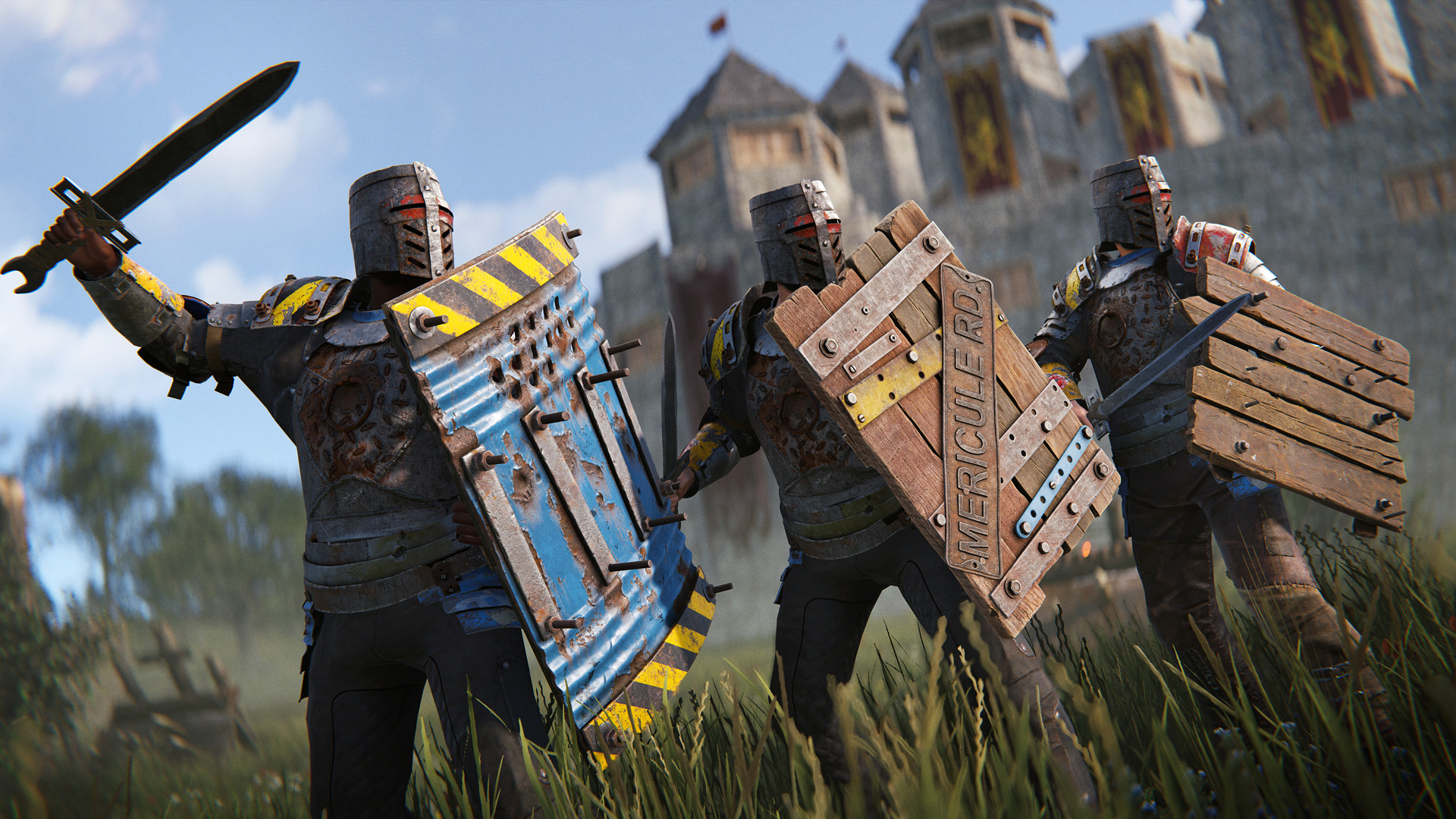
To better fit that direction we're now switching the hitbox based on whether you are actively holding up the shield. When idle the shield uses a smaller square hitbox and it will use the current larger hitbox while it is being held up.
We've also fixed a bug that resulted in additional recoil being applied when shooting at a shield, this was only meant to be applied when attacking a shield with a melee weapon.
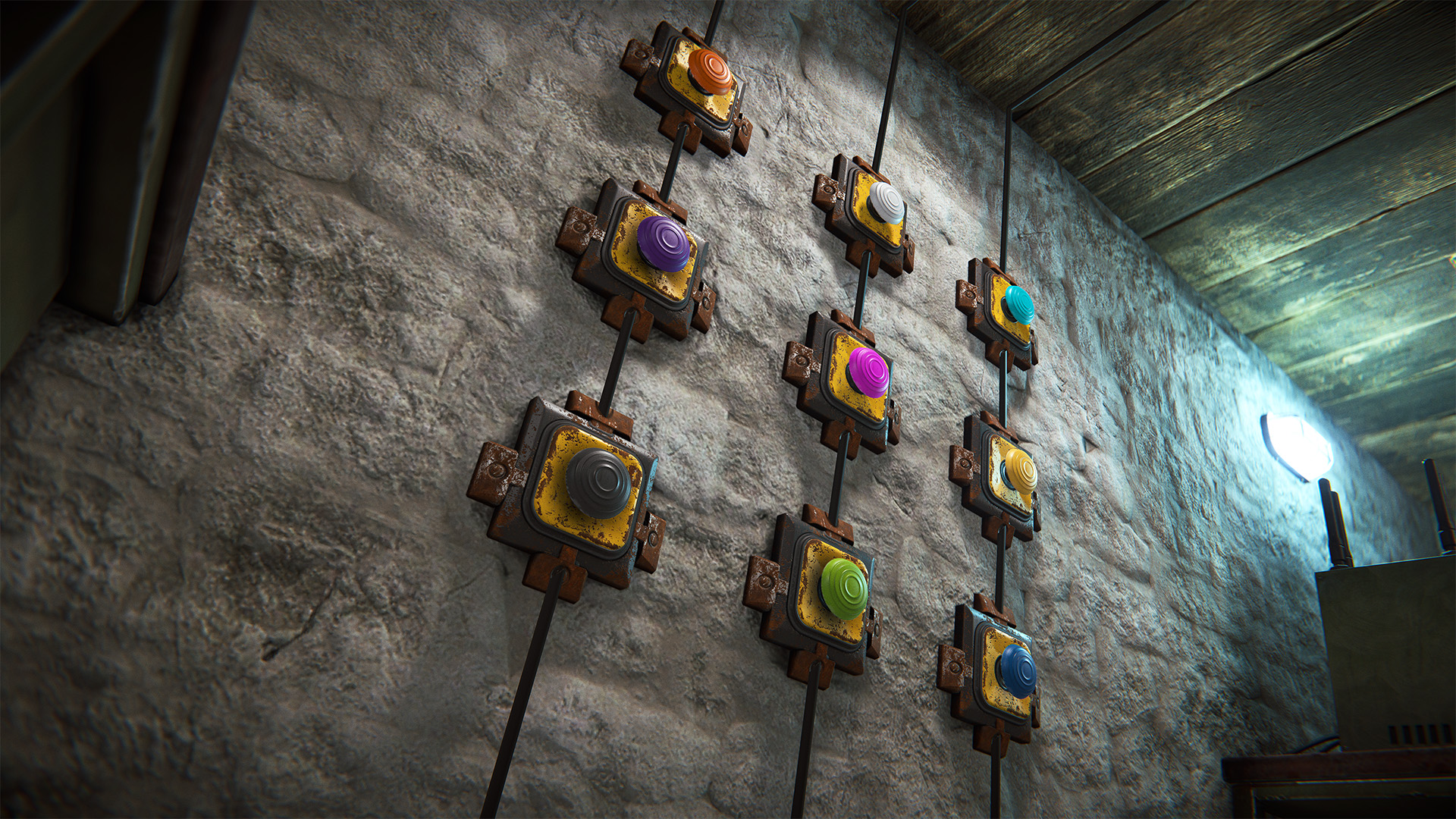
We saw a cool community concept for coloured buttons and decided to implement it as a part of this patch, the functionality is really similar to wires with a similar colour set - the only difference being that red is the default colour for buttons to match how they previously looked.
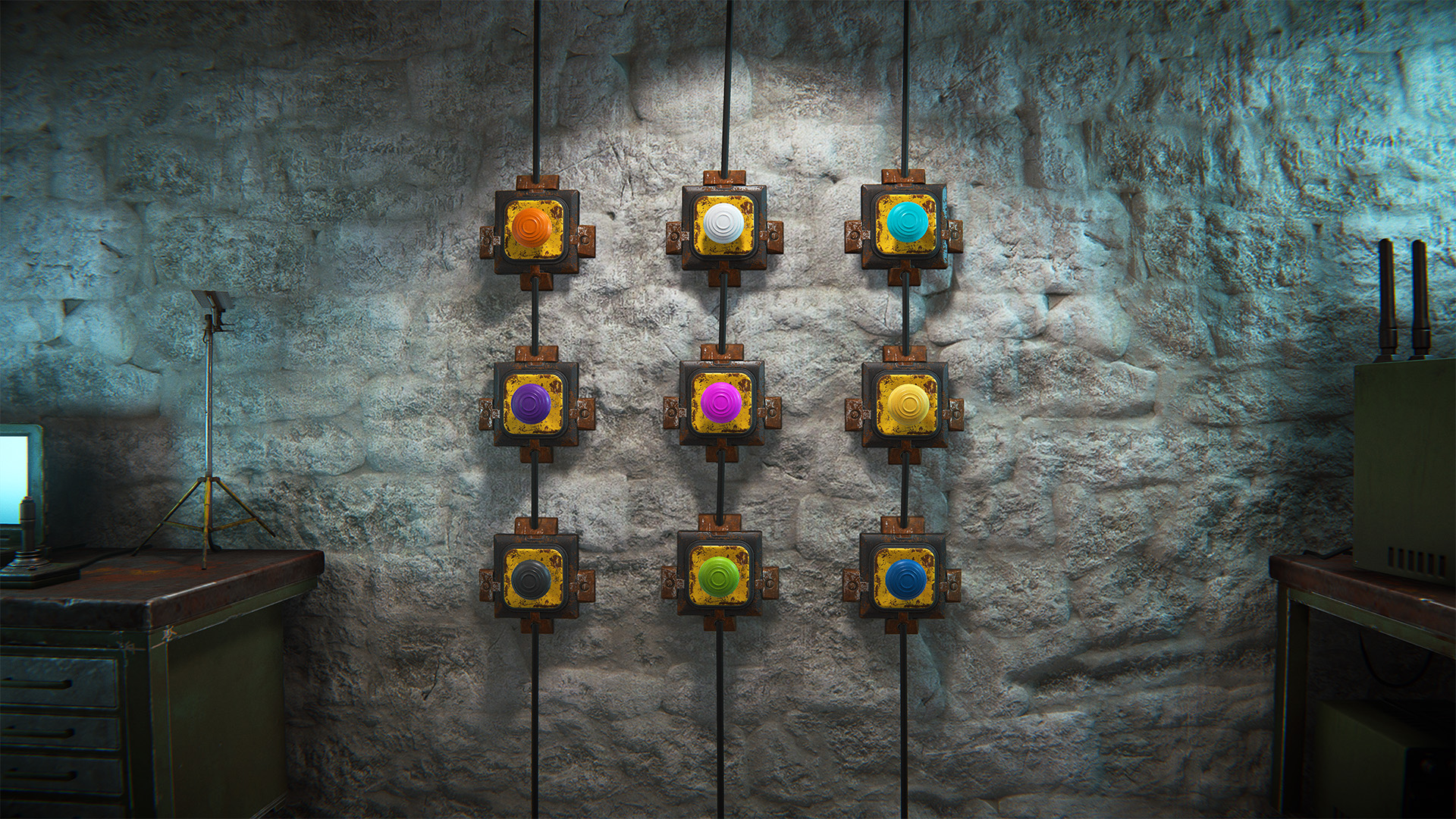
The more technical and cooler side of this is that we previously didn't support nested radial menus, the new coloured buttons are the first to support them and should allow for more complex nested menus in the future.
After a recent request, I've added some extra colour pickers to the accessibility options.
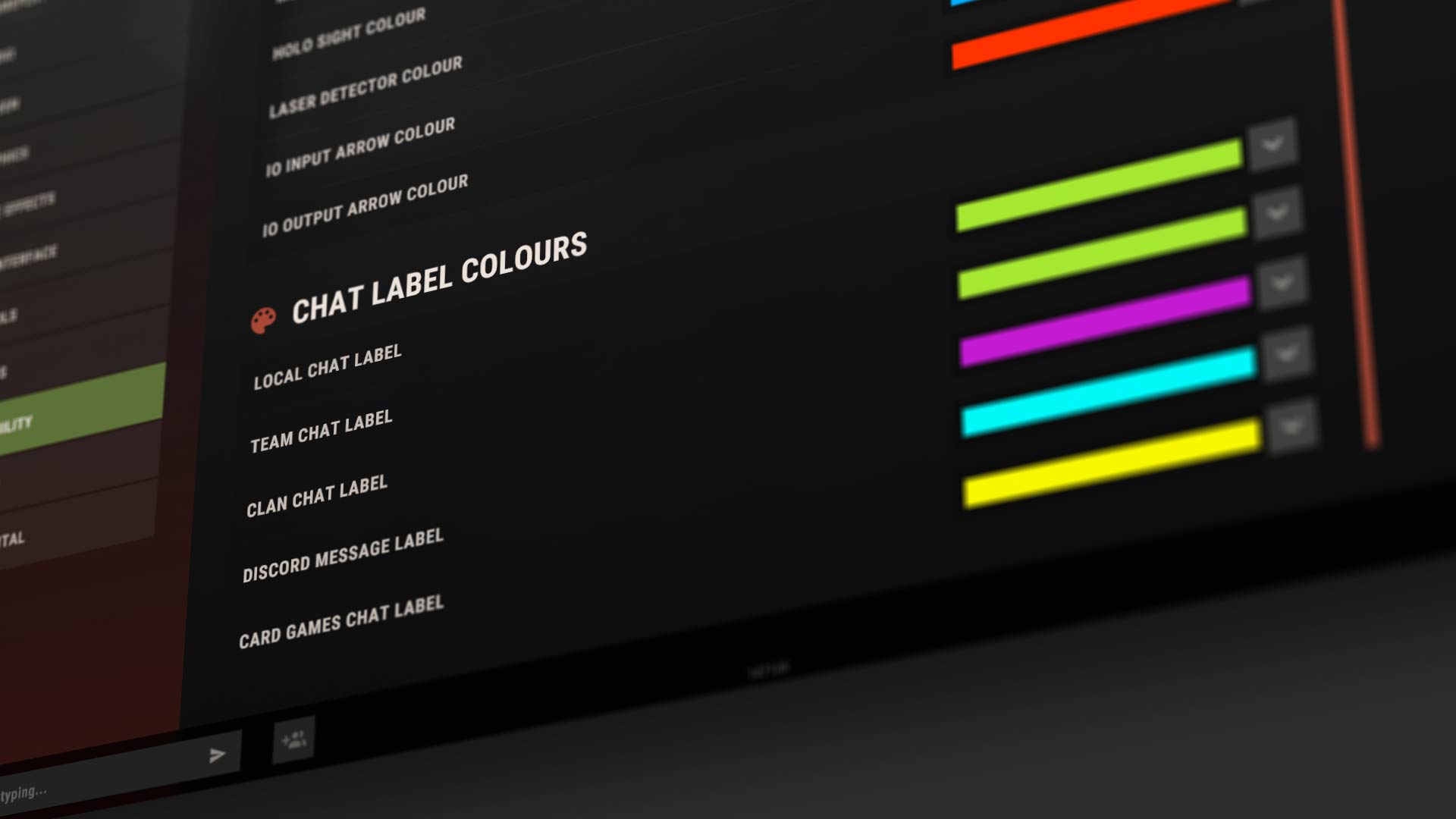
These allow you to change the colour of the tags for Discord DMs, team chat, cards chat, etc.
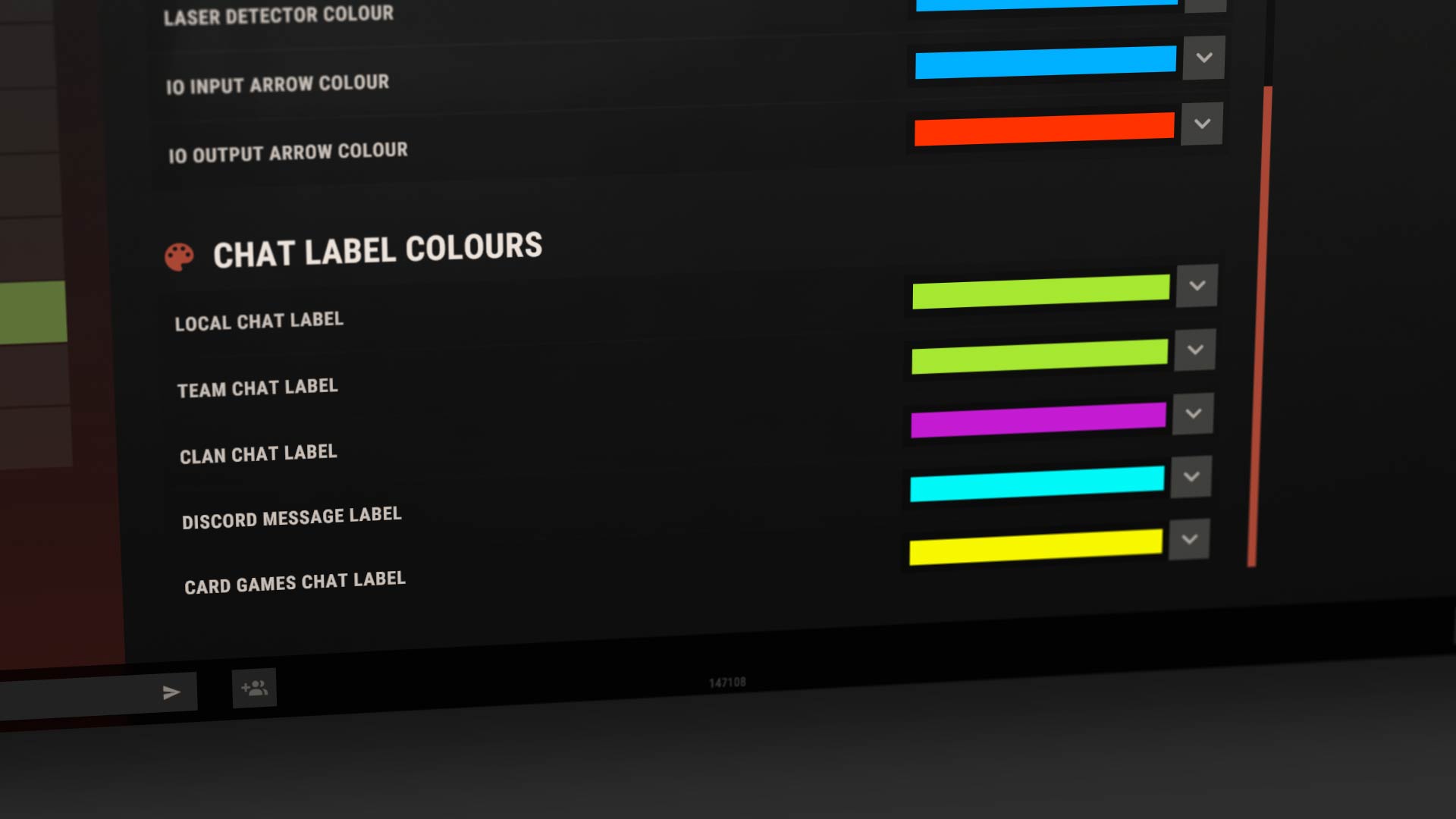
Hopefully this makes things a bit clearer!
The old ToggleLight feature/bind has had a major upgrade this month!
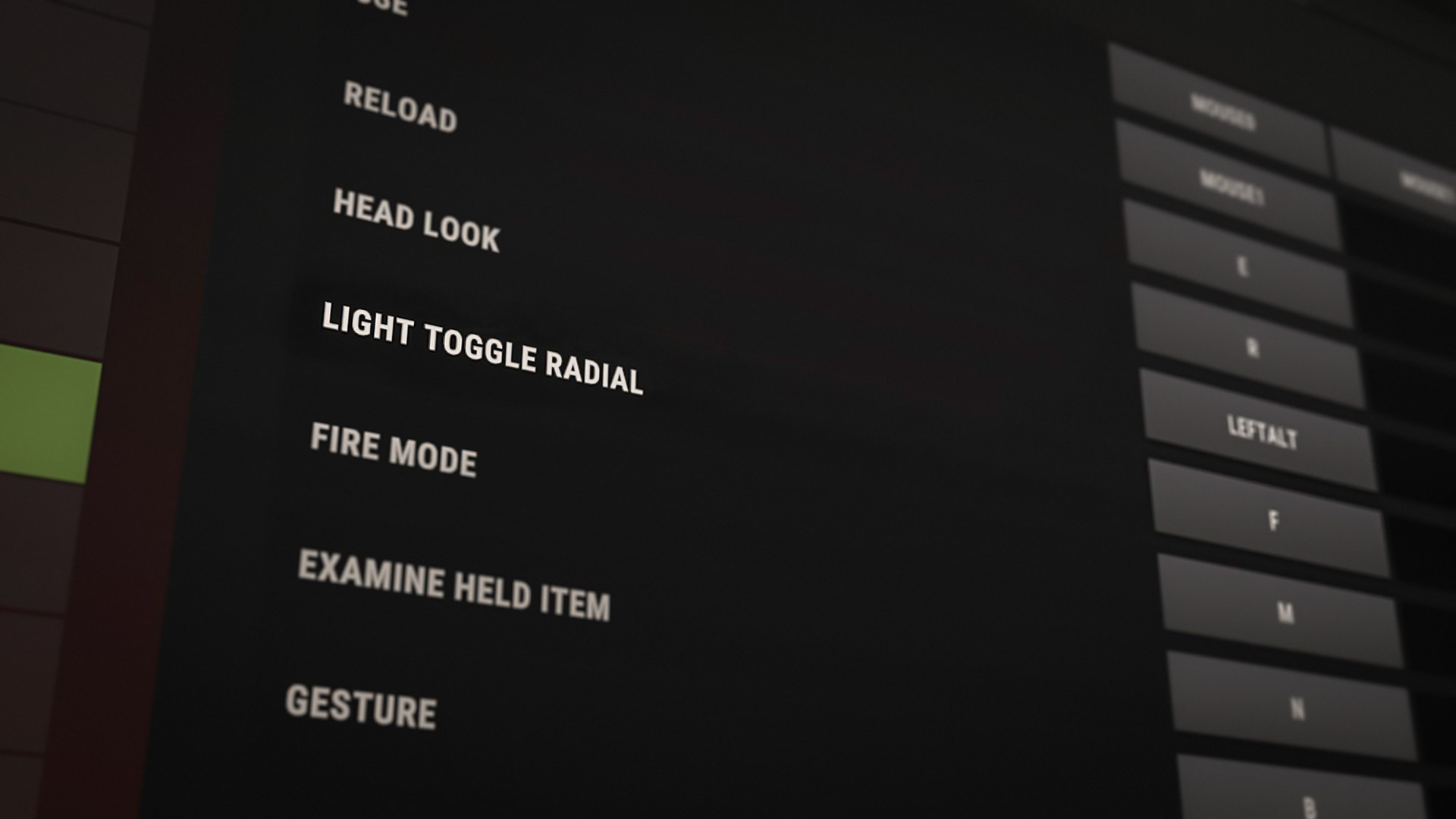
“Light Toggle Radial” has been added to the controls menu as a replacement for the previous togglelight bind, and will use the same default/current bind.
Tap the keybind to retain the original behaviour: all equipped light sources toggle simultaneously.
Hold the keybind to open a radial menu (when multiple light sources are equipped), allowing you to toggle each one individually.
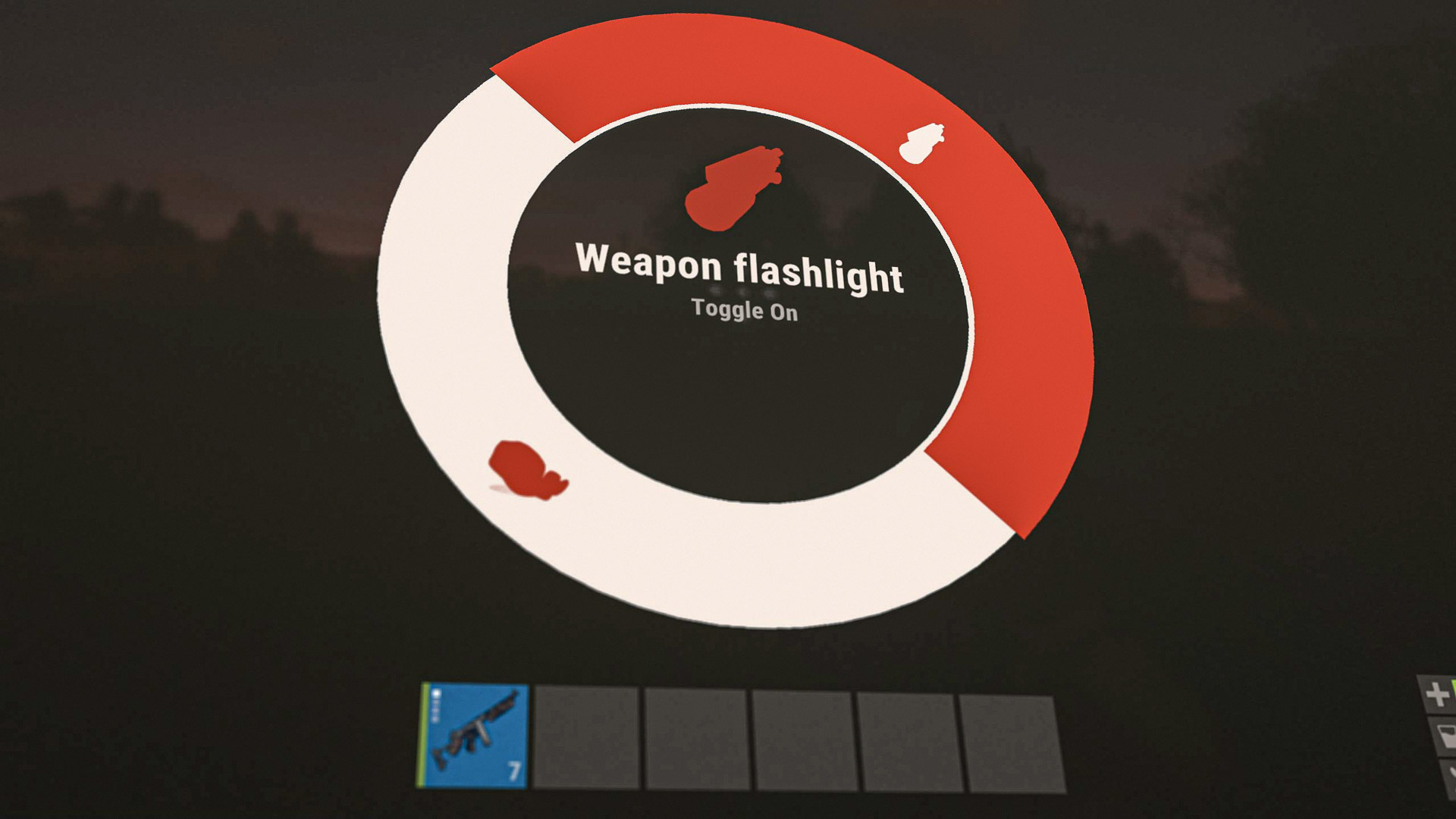
This is especially useful in situations where you don’t want everything toggled at once - for example, when using night vision goggles alongside a weapon-mounted flashlight.
There's potential to expand this feature into a more generic "item state toggle" feature in the future, that could also toggle things such as weapon fire mode.
Fishing inside your base or botting the fishing minigame doesn't align with the true spirit of fishing. To get the best catches you should be hunting down secluded spots and casting your line there. Plus, if you want to do things passively, fishing traps exist for a reason.
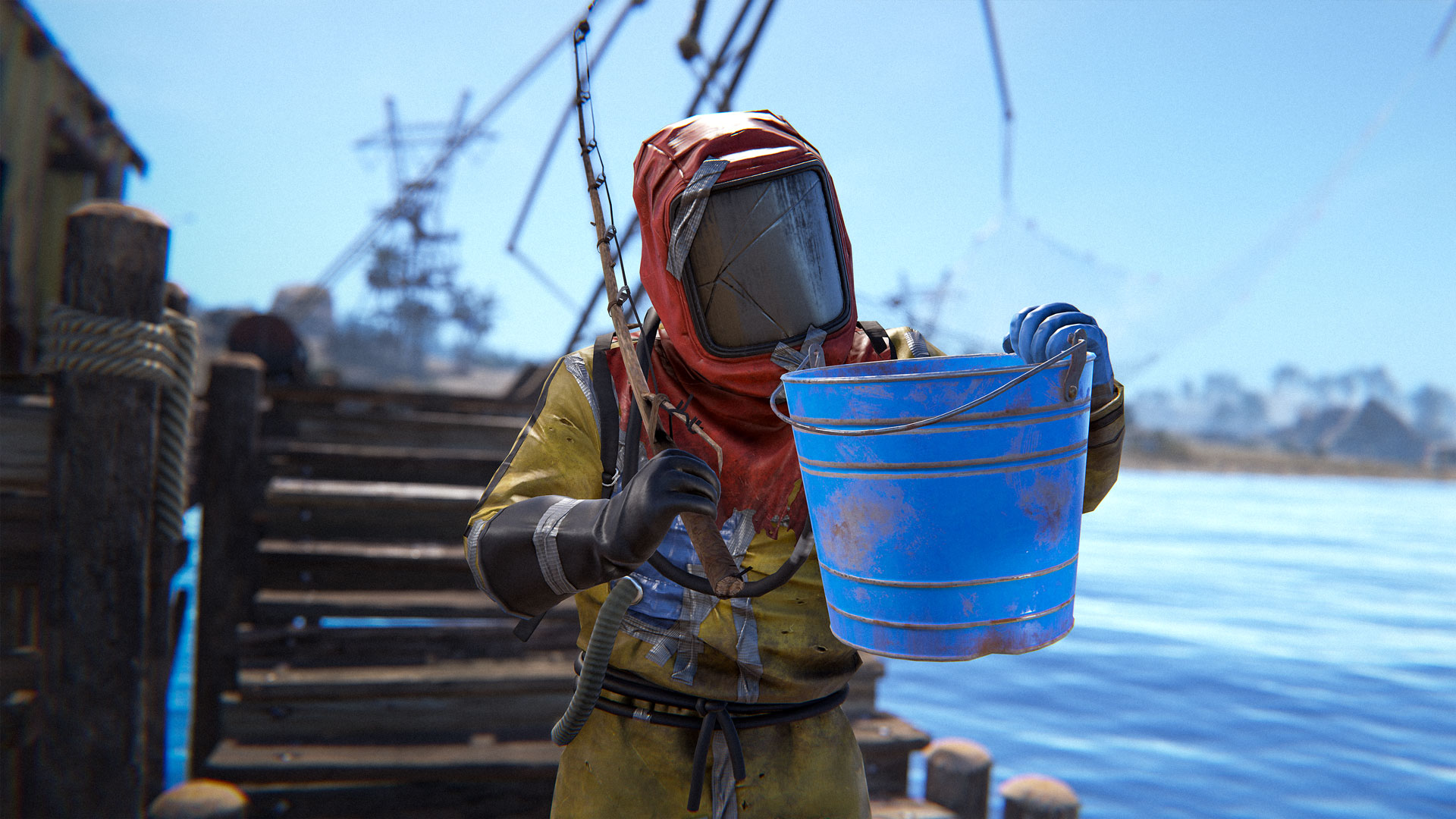
So we've added an overfishing mechanic. If a certain amount of fish have been caught in the vicinity within a certain time span, the area becomes "overfished". In overfished areas, only junk will come up from cast lines. The area will repopulate after it has time to refresh, and fishing can resume then.
There are plenty of ConVars for community servers to tweak the mechanic to their liking (including disabling it completely) so don't worry about it being forced. Additionally, overfishing has no impact on the fish traps as the primary intent for the feature is to mitigate in-base afk fish farming.
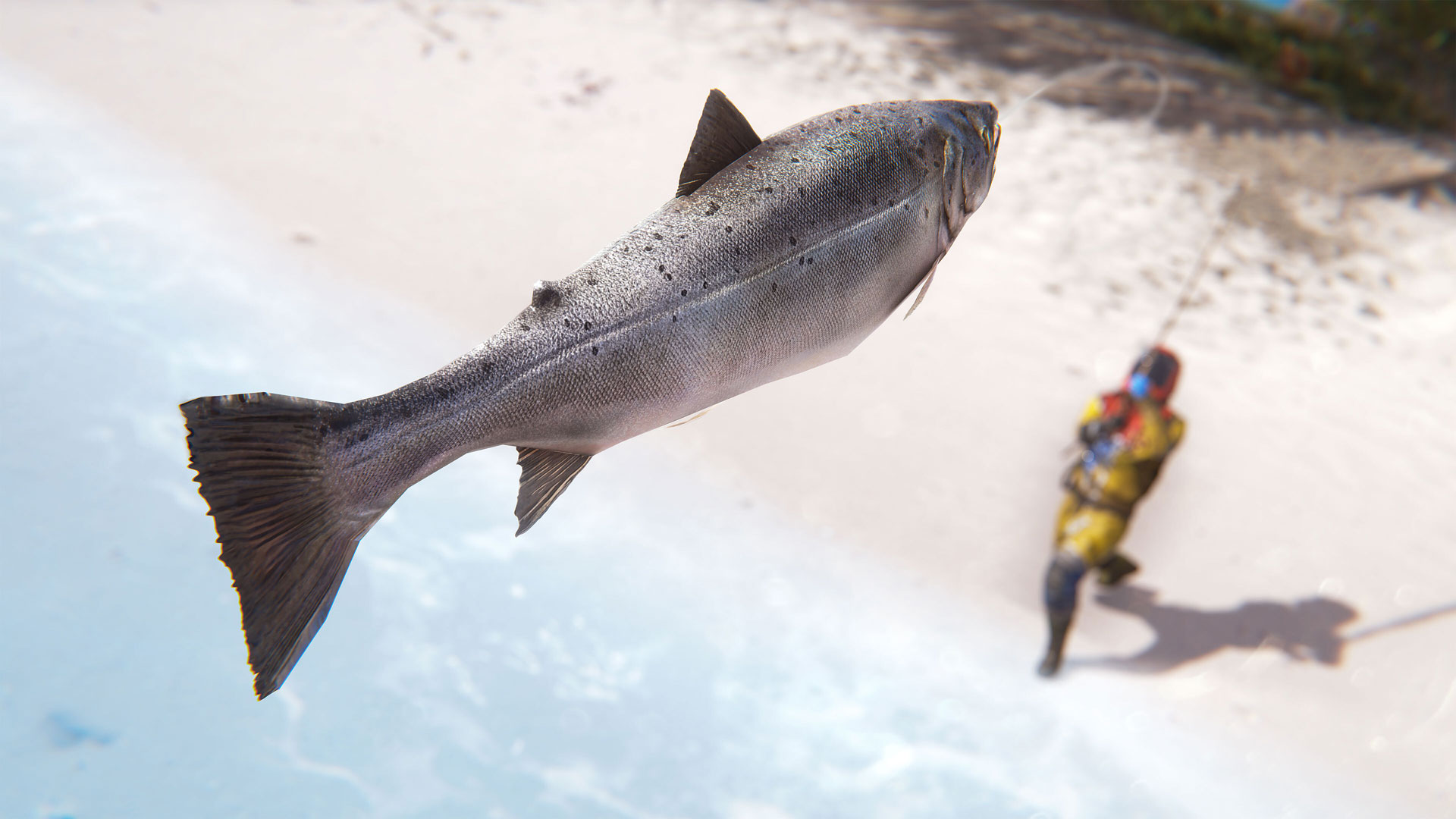
To balance this out, fishing in the Deep Sea is getting a buff! You can no longer catch Herrings or Anchovies in the deep sea, which means the loot pool has been concentrated towards higher-value catches.
This year we’ve somehow created an even more silly costume to terrorise the nakeds with, the Bunny Costume.
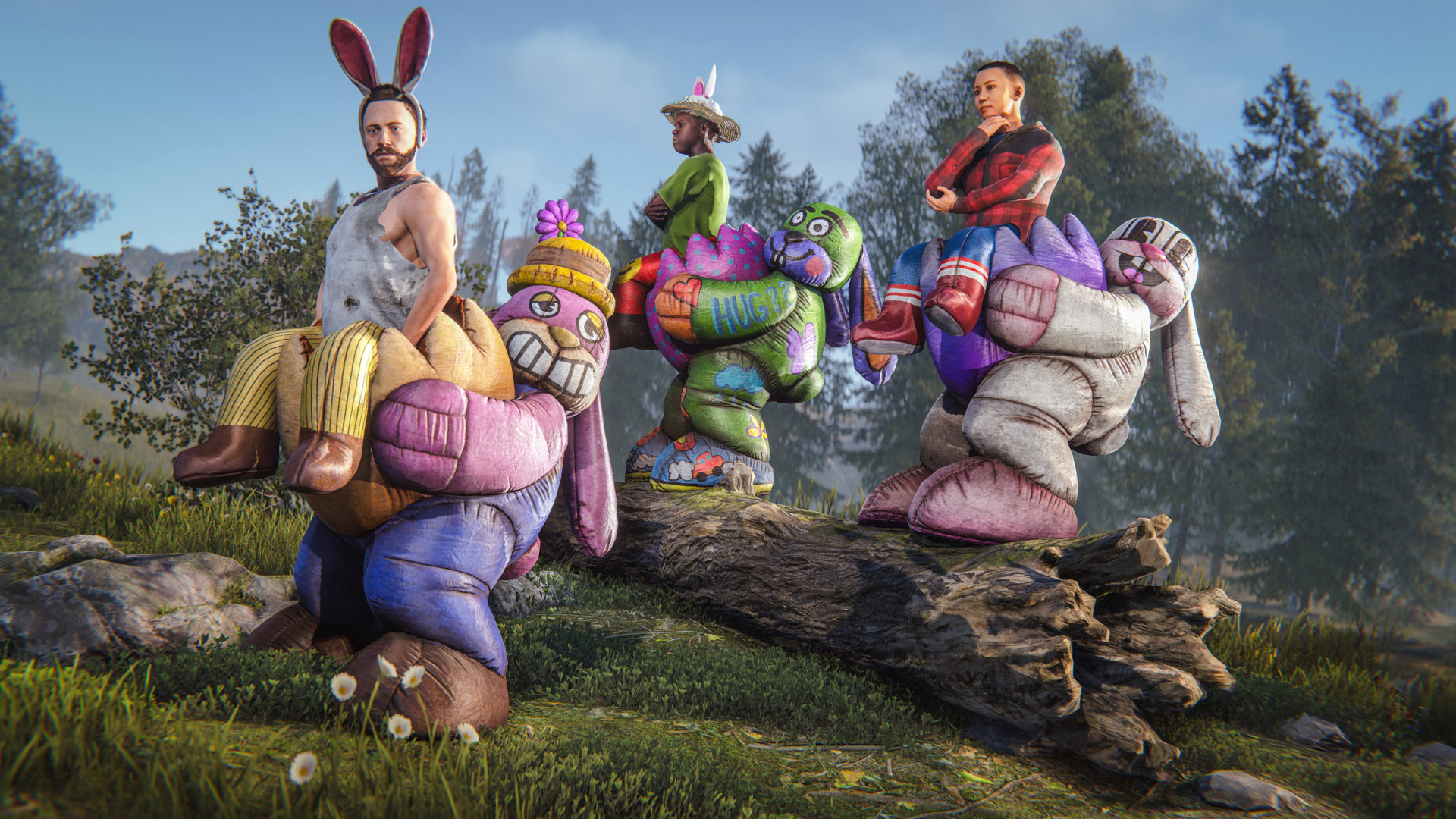
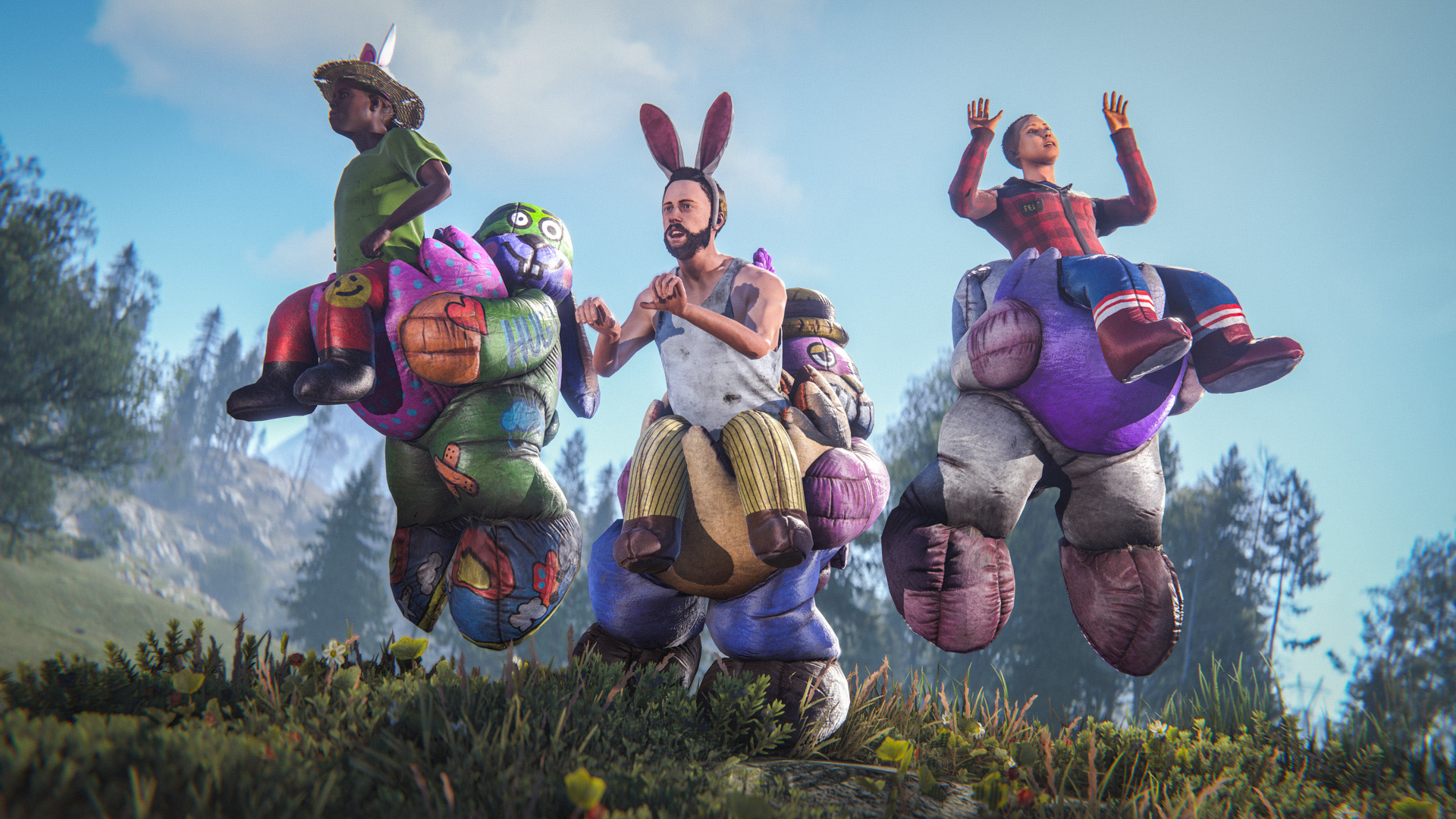
Coming in three cute and cracked varieties so you can dress for any occasion.
The Bunny Costume is only available for a limited time on the Rust Steam item store
Bringing in a little decorum this Easter, we have the latest Rustigé Egg coming in exquisite amethyst and gold. Open it up to reveal an eggcellent mini Excavator scene and a unique tune.
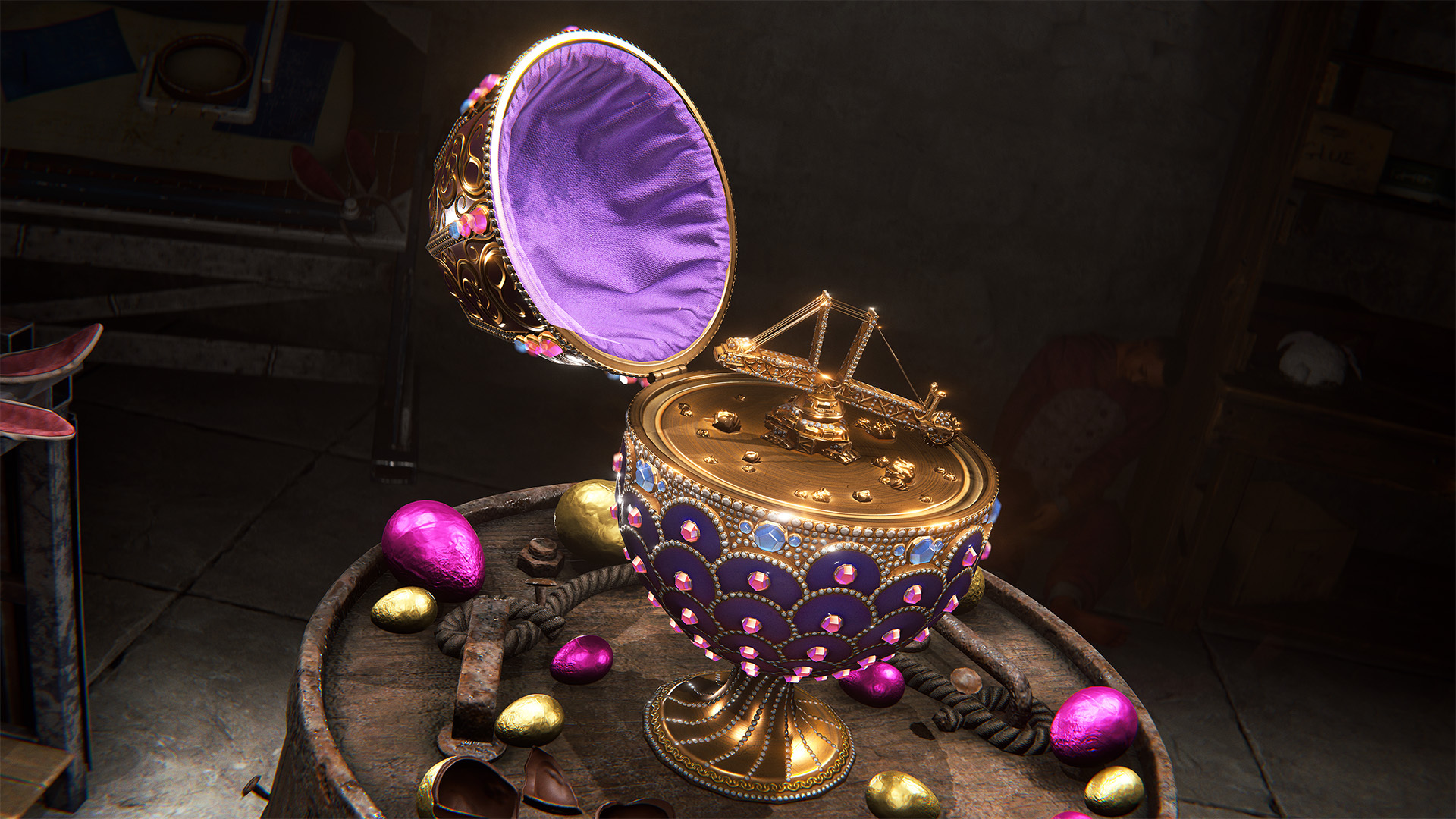
Available for a limited time on the Rust Steam item store
Happy Easter! Easter Egg Hunt is back today until the 16th of April and there's a whole range of fun items now available too!
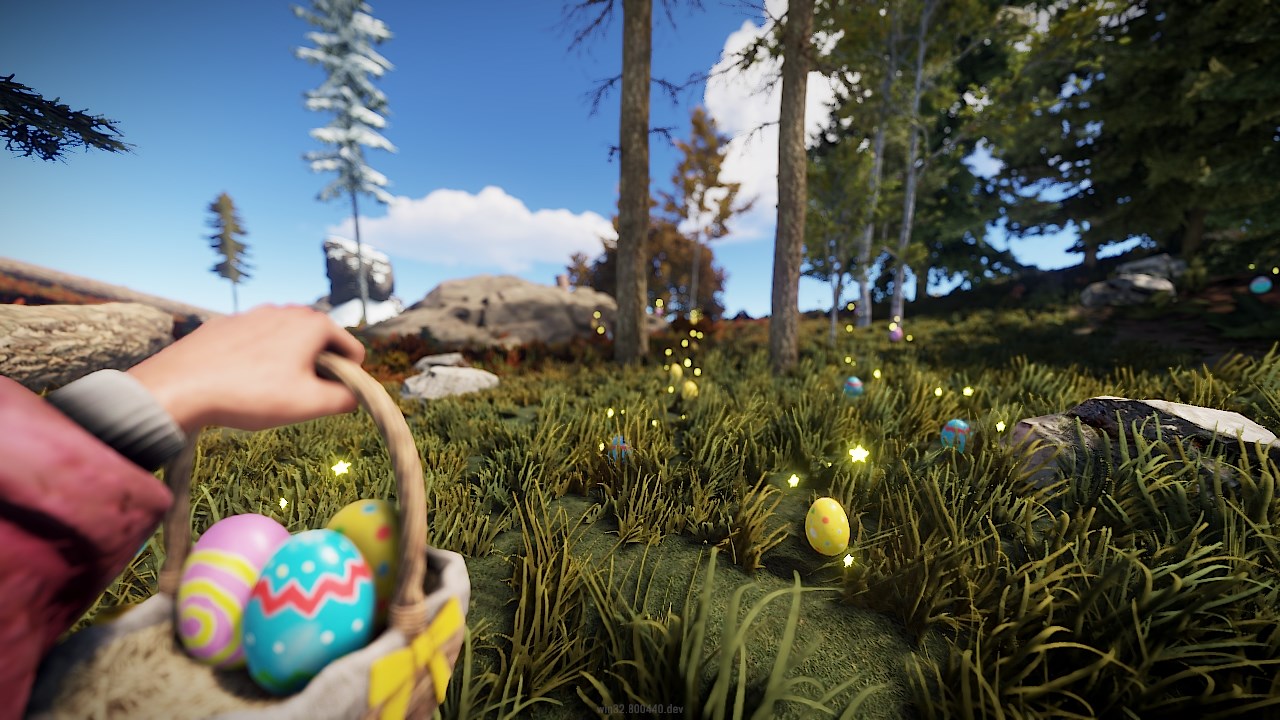
If you don't make the podium, that's okay. The painted eggs you collect can be upgraded to Bronze eggs once you collect 10. If you collect 10 bronze eggs then you can upgrade to a silver egg, eventually all the way to gold!
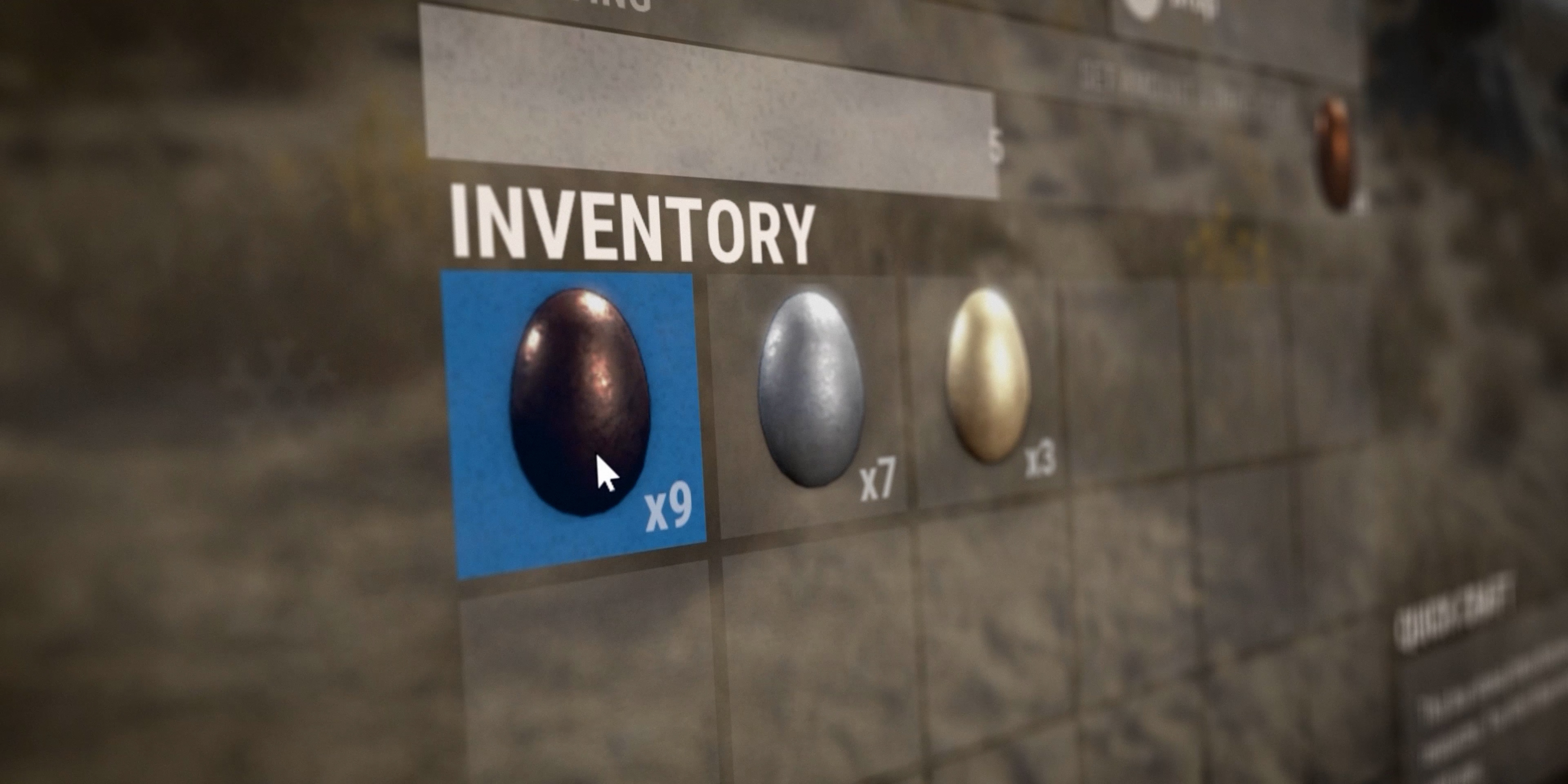
There are various items available to help you during your hunt - the Easter Basket will allow instant pickup of eggs and the Bunny Onesie and Ears will provide you with an advantage via Egg Vision.
EASTER WALLPAPERS
What better way to spring clean your base this year than applying these fresh new individual wallpapers for your walls and floors.
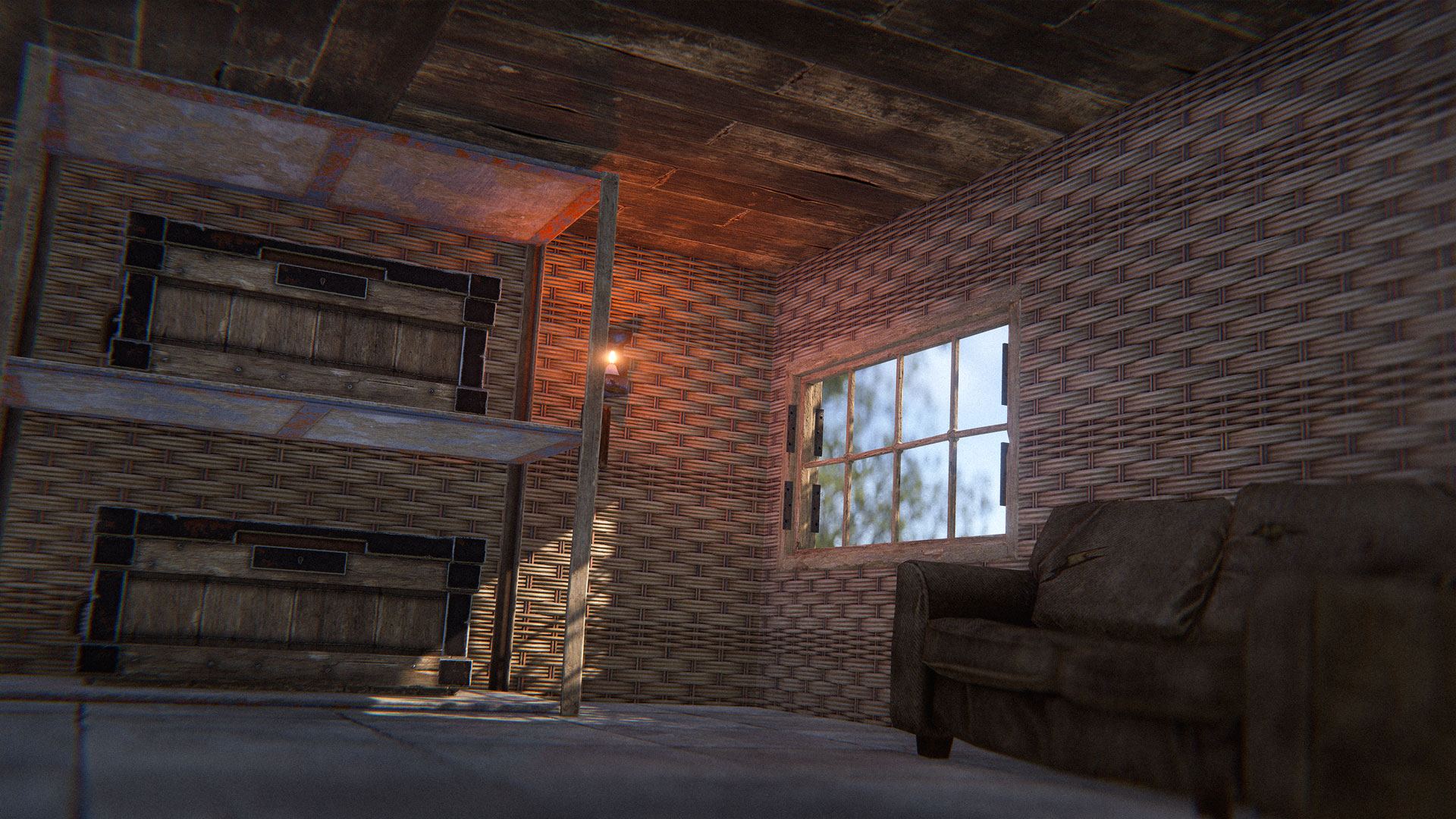
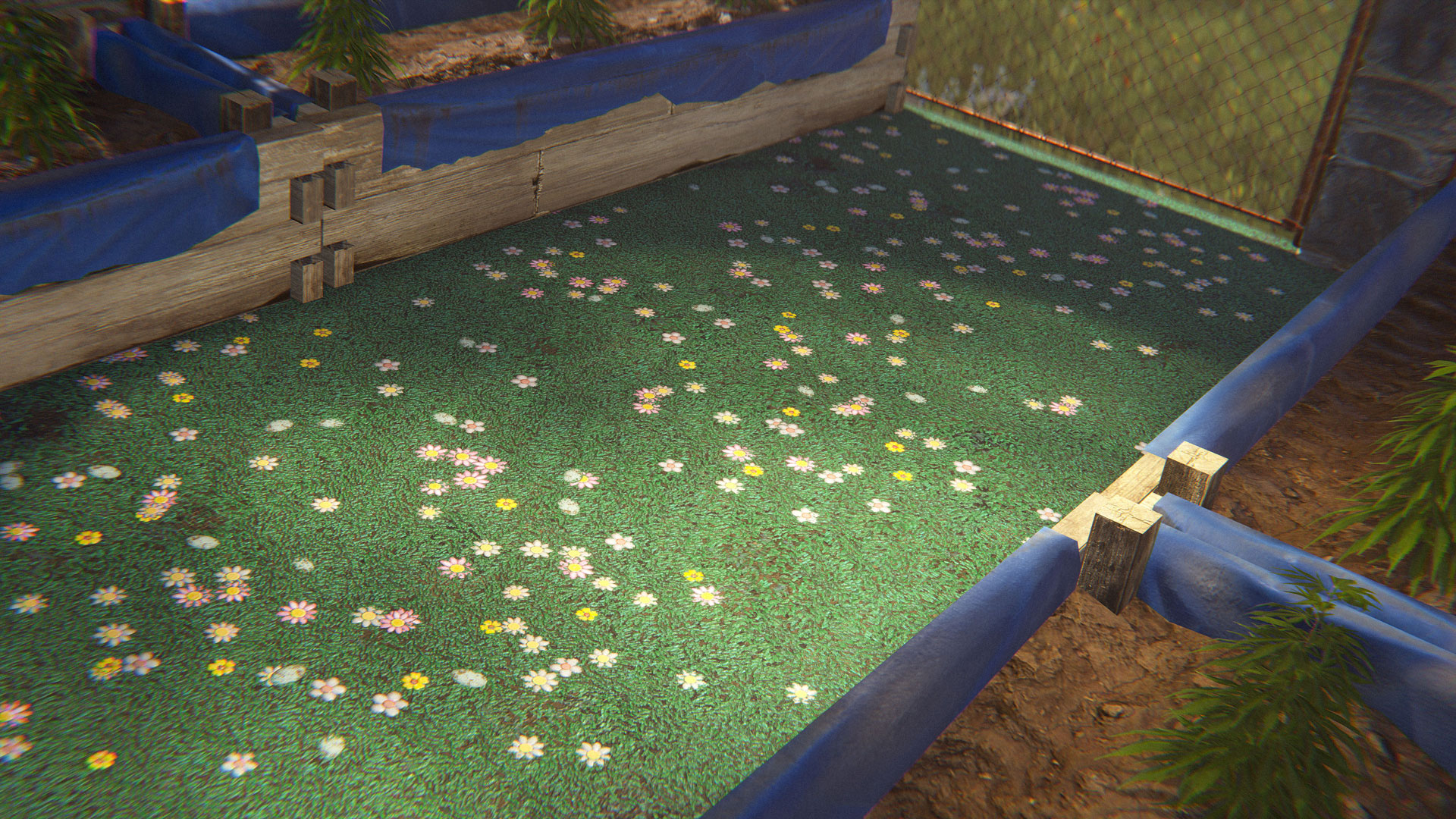
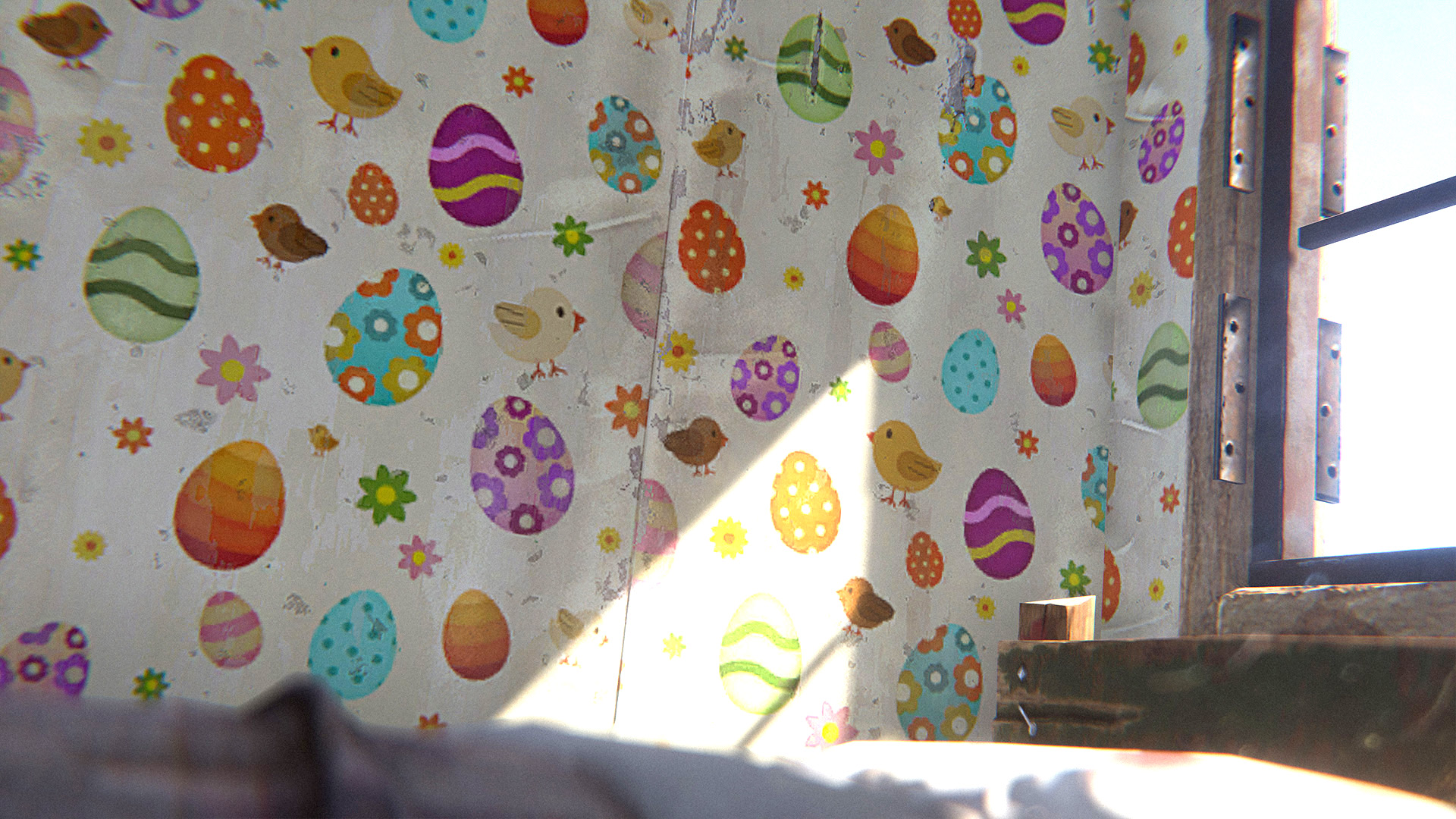
Available as individual limited wallpapers on the Rust Steam item store
Since rolling out march's Shipshape update, we have enabled UsePlayerUpdateJobs 2 on all our servers and it's been a smooth ride, most of the time. It revealed a couple bugs with the demo system, but those have been fixed. And it's been helping our servers - you can see where we've switched one of our servers:
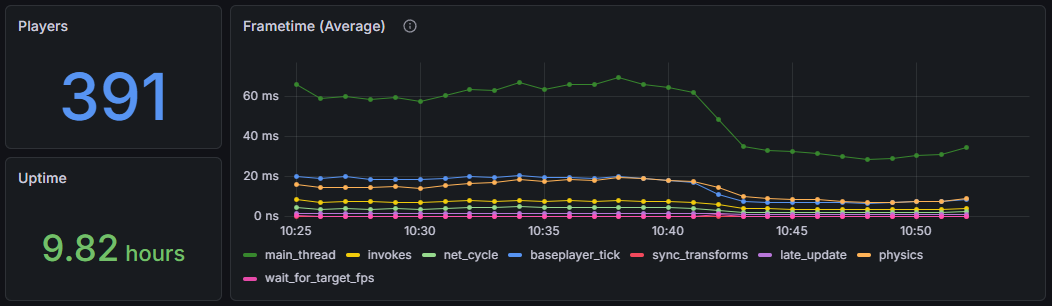
As a result, I'm changing the servervar to be set to 2 by default. For a short while the 0 and 1 modes will still be available, but I'm planning to rip out support for them - if your server has custom mods that target player update loop, you should look to upgrade those.
The above image shows the performance gain on a fresh-ish server, but as the world grows old it starts to slow down and bottlenecks become worse. Here's an example of a server mid-way through update cycle with 360 players:
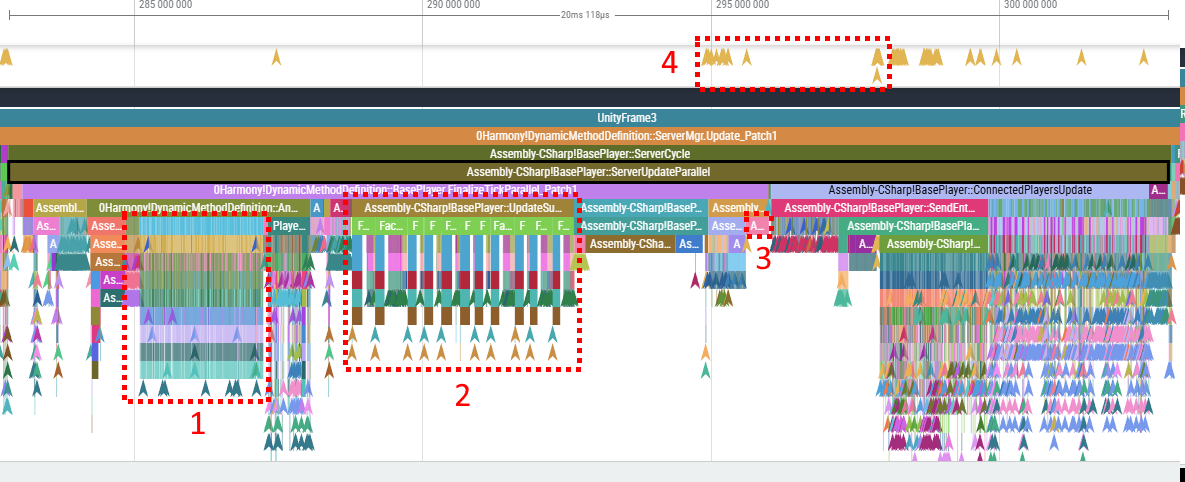
There are a number of issues highlighted above in the ~20ms section:
The areas marked with 1 and 2 are running serial code. For 1(2.3ms) it's running our server side antihack logic, for 2(3.8ms) it's updating player's network streaming
For number 3 - we spend 0.3ms because one of async tasks doesn't finish early
For number 4 - our use of C# asyncs is leading to allocations, so our optims have a tax
Problems 2 and 4 are related - to fix problem 2, we would use more asyncs, but that would cause more allocations, inflating problem 4.
To deal with this, we started rolling out our fork of UniTask, a framework for cheaper creation of tasks. In Jobs 3 mode, all task creation code has been converted to UniTasks instead of C# Tasks to eliminate related allocations, we converted more of antihack to Burst Jobs and parallelized player network streaming logic further.
We're currently trialling it out internally, but it's publicly available for experimenting. I'll be keeping an eye out on feedback.
Continuing moving to a more GPU driven rendering pipeline we are rolling out our own terrain rendering system (no longer using Unity's). Everything should look broadly the same visually but a lot of the work has moved to the GPU. The new terrain has massively reduced drawcalls and more aggressive culling. This results in an overall gain in CPU performance.
Performance Details
Terrain can be situational but for a performance snapshot example I'll take a profile on top of this hill:
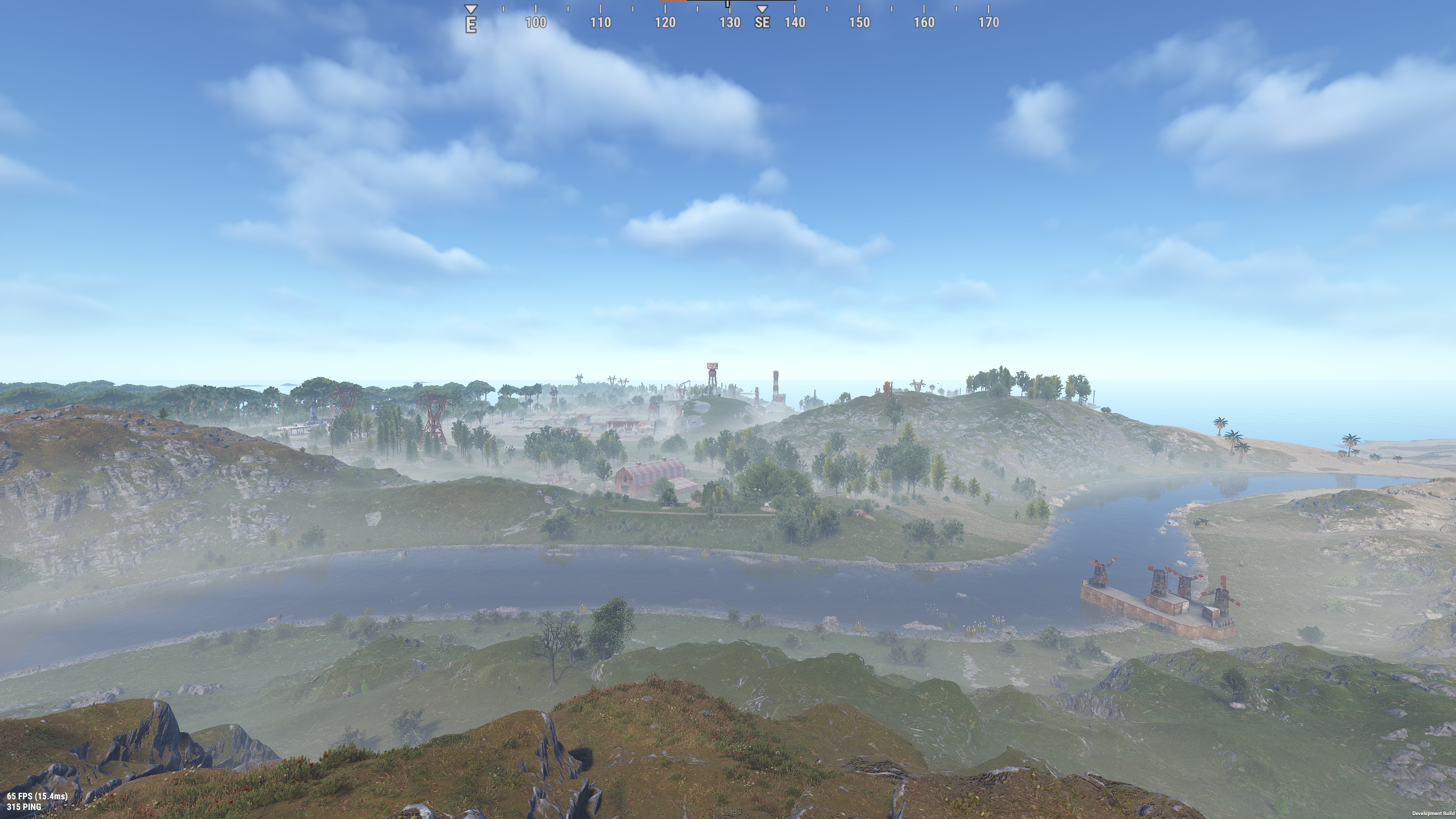
I can compare the metrics by turning new terrain on/off:
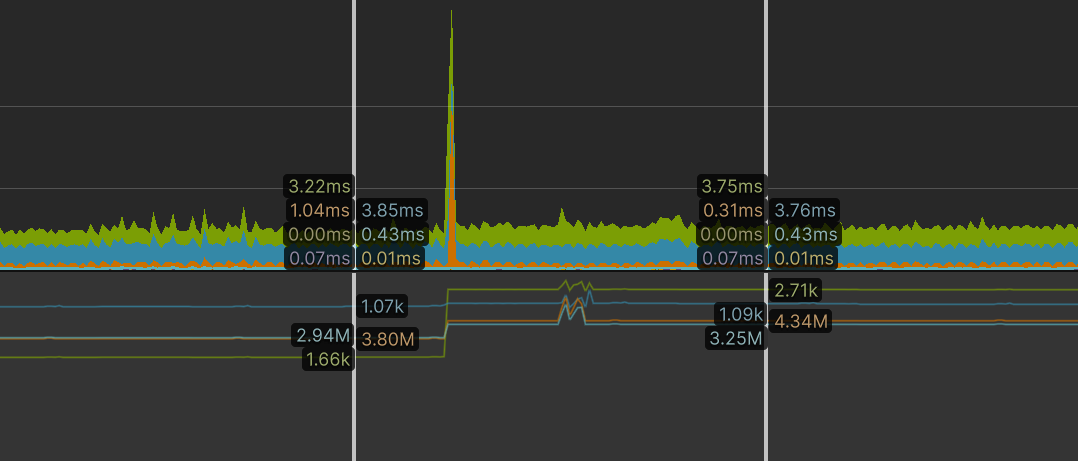
Rendering metrics
Drawcall reduction: ~1000 (2.71k -> 1.07k)
Shadowcaster reduction: ~550
CPU main thread
Unity's terrain CPU update completely removed: ~0.25ms gain

The combined reduction in drawcalls and terrain.CullAllTerrains update result in a median: ~0.65ms gain.
The numbers will vary (and can sometimes be even better) but overall you should see decent improvement in CPU times.
GPU performance
While most of the work has moved to the GPU, the improved culling and terrain rendering technique has minimised any overhead. In tests GPU performance has remained similar.
As part of our standard build process for the dedicated server, we have always stripped out Textures (since the server does no rendering) but Meshes have always been included. This is usually wasteful - the majority of meshes are only ever used for rendering and are not needed on the server. These meshes are loaded by default, and take up memory which is critical on the server. They also waste space on disk which is less important, but still worth improving.
This month, we are now removing most meshes from the server build unless they are required for a collider. Our initial tests showed that this has saved around 600mb of memory at runtime and 2.7GB of space on disk. We're reasonably sure we haven't inadvertently removed any meshes that are required by the server, but if you encounter any missing collisions that worked last month please let us know.
I've made some improvements to our network group code, which handles area of interest management, to better optimize what is networked from the server to clients.
Before this change, the server networked everything in a large square around the player. A square is simple but not ideal because it networks much further towards the corners vs. the center of the edges. After this change, the server now networks everything in a large, blocky circle around the player.
Next up, I added the ability to use different network ranges for different entities. This allows us to only network smaller entities (decor, dropped items, etc.) when you're closer to them, and allows us to network larger entities (vehicles) further away. We've tweaked the network ranges of a few entities to start with and will explore more going forward.
To make it clearer that altitude affects direction, we've added an altimeter to the Hot Air Balloon!
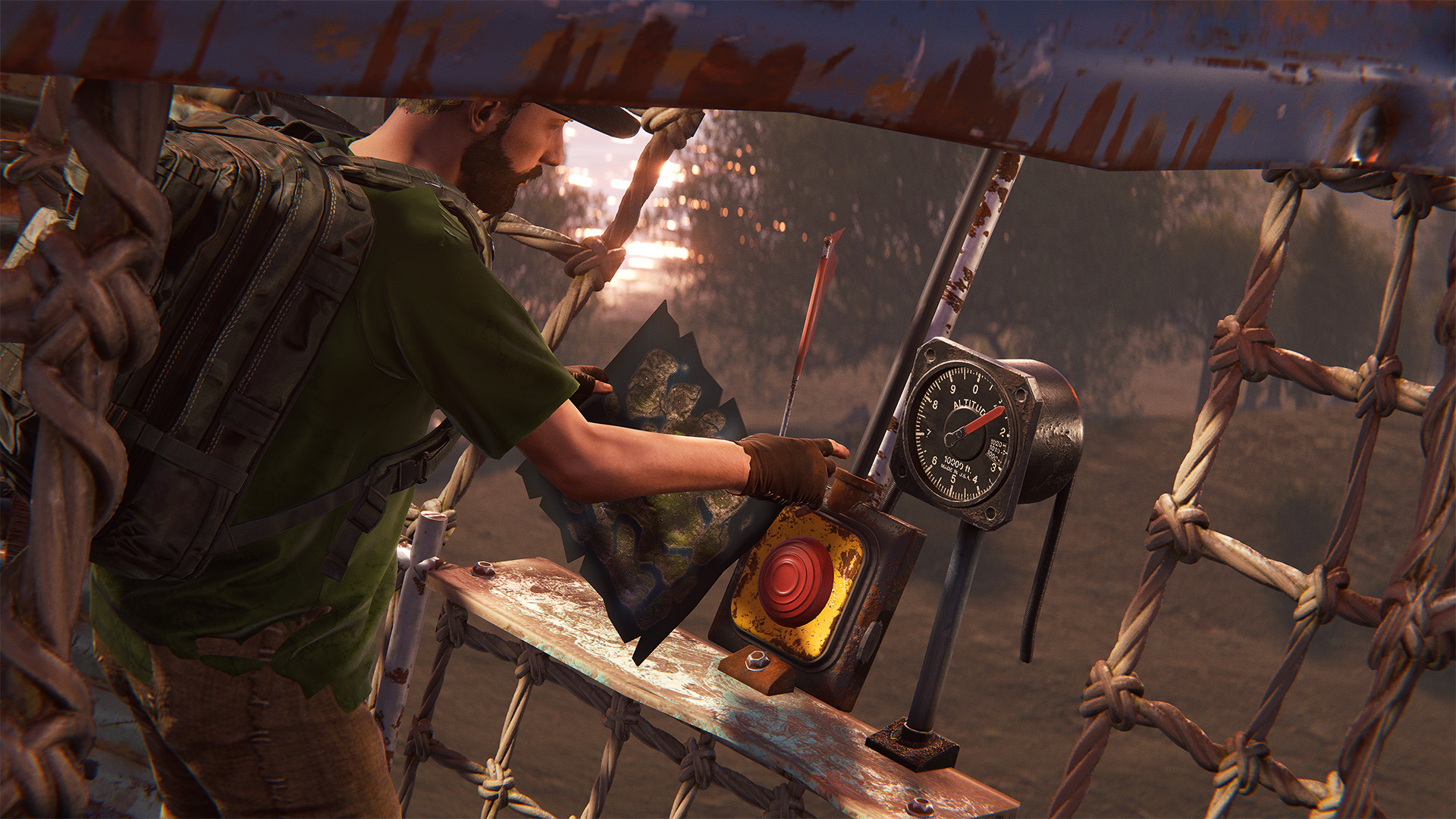
It's positioned right where you need it - next to the Windsock and the Burn Control Button.
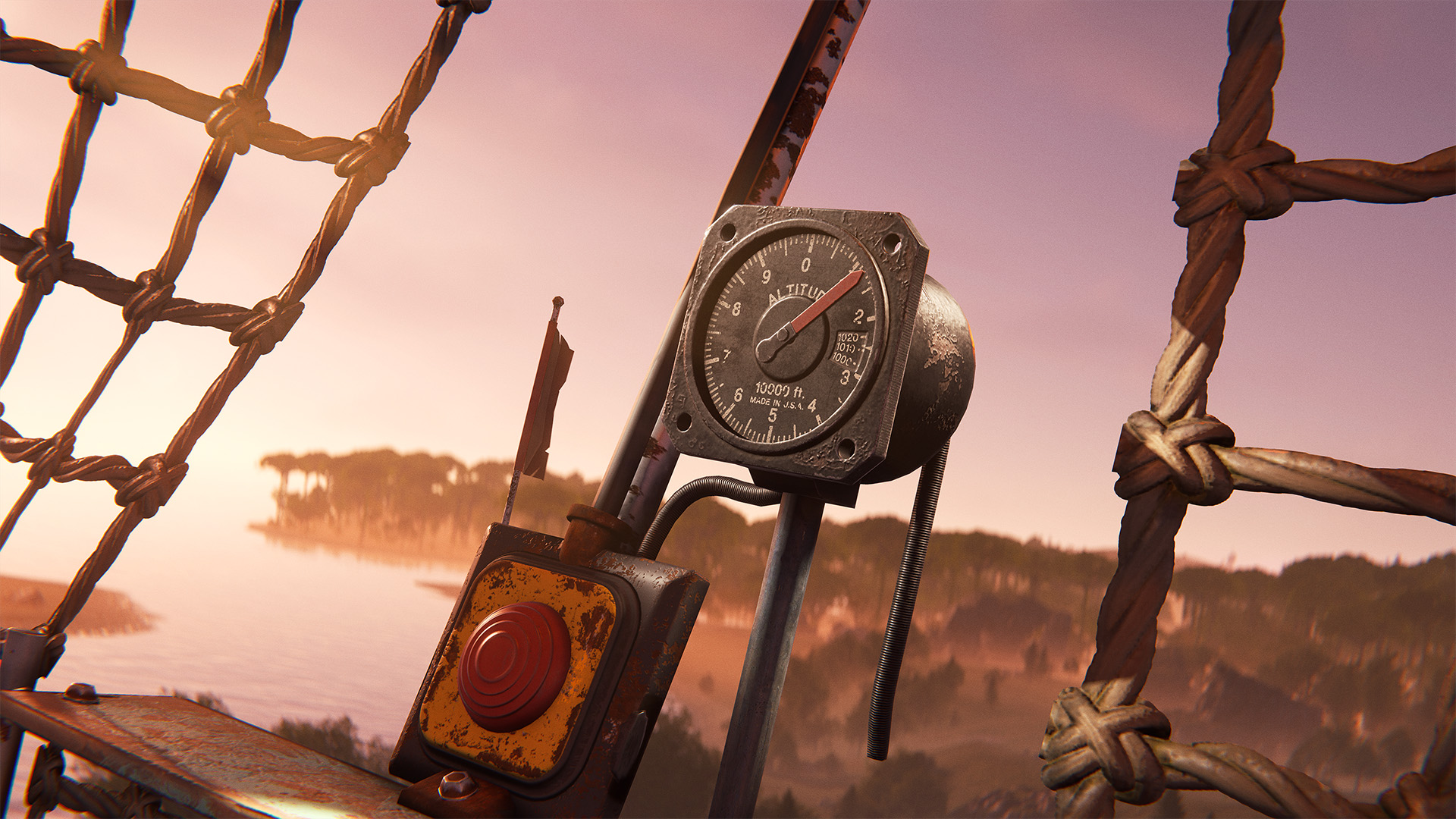
This should help explain the correlation and make it a bit easier to get ballooning!
After 12 years, this month the Salvaged Axe has been given a new face lift. A well and truly deserved update to this staple tool.
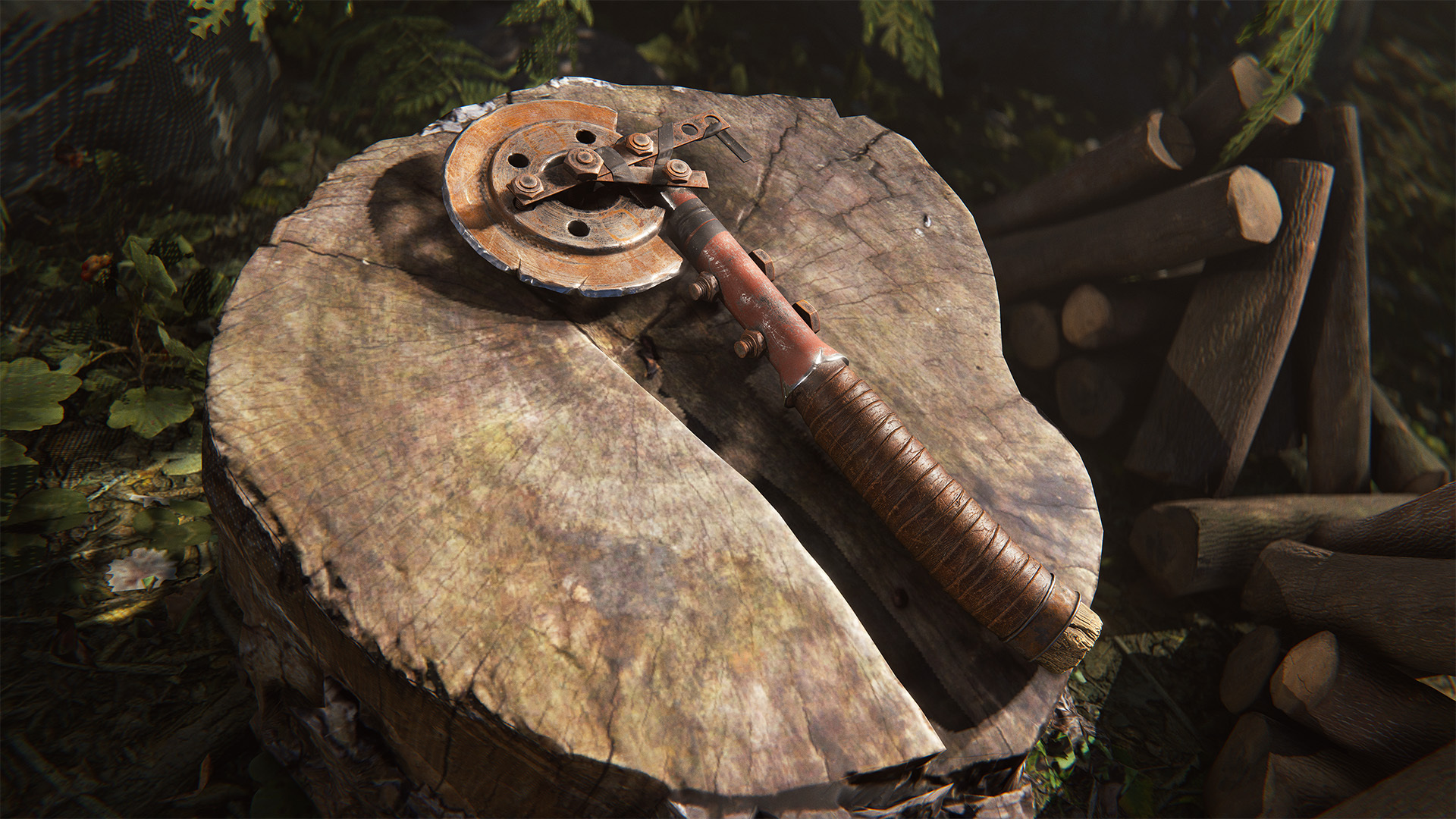
Featuring a new high resolution model and textures, as well as a brand new set of animations to match the updated model.
Another asset receiving a facelift is the trusty medical syringe!
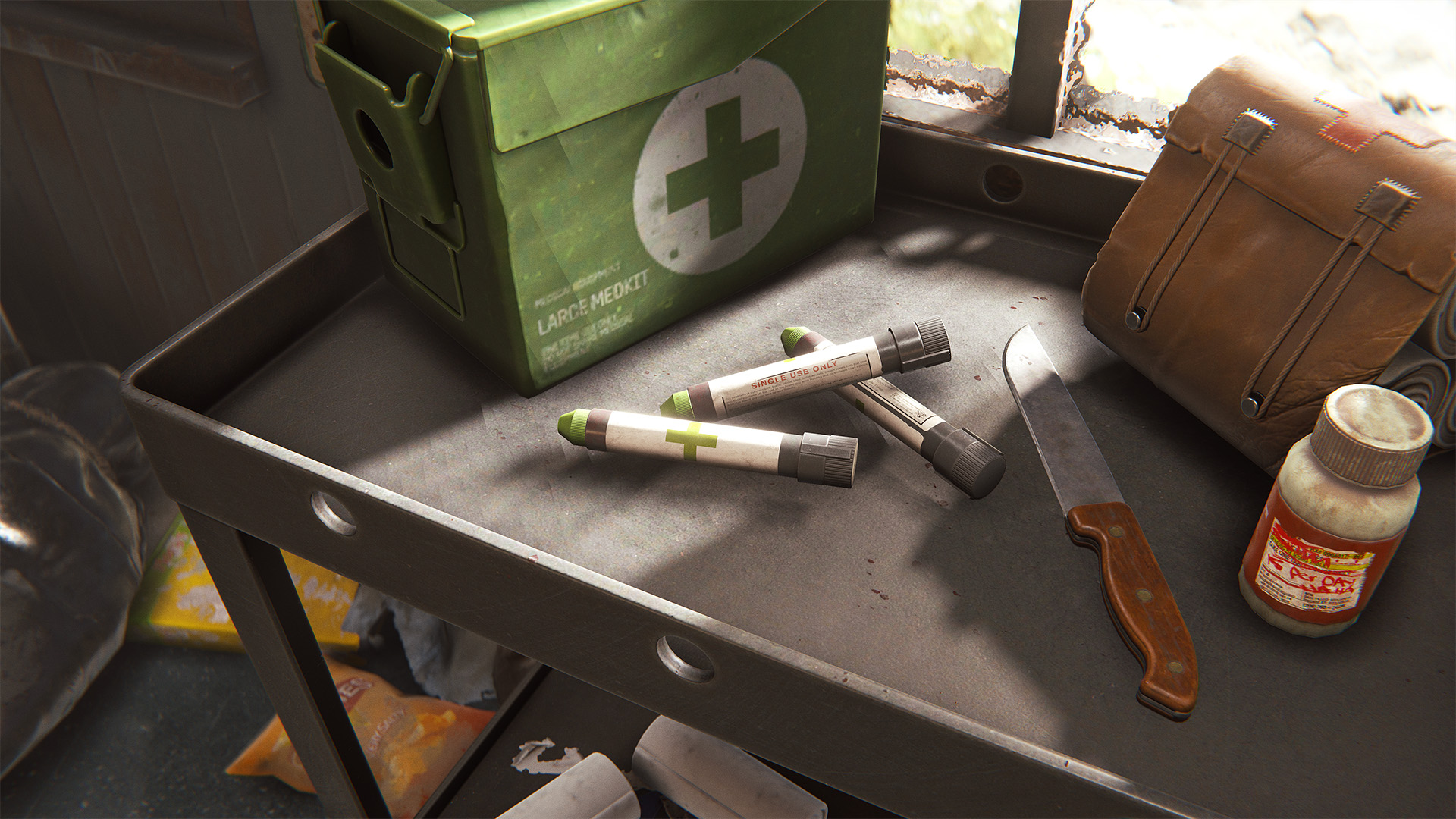
It was starting to show its age at 12 years old, so in this update we've upgraded it to includes a new high-resolution model, updated textures, and a brand-new set of animations.
Restoring health in an emergency situation has never looked so good!
This month’s workshop skinnable is the Salvaged Axe.
This weapon just received an awesome visual upgrade which makes us especially excited to see what the community will create with it!
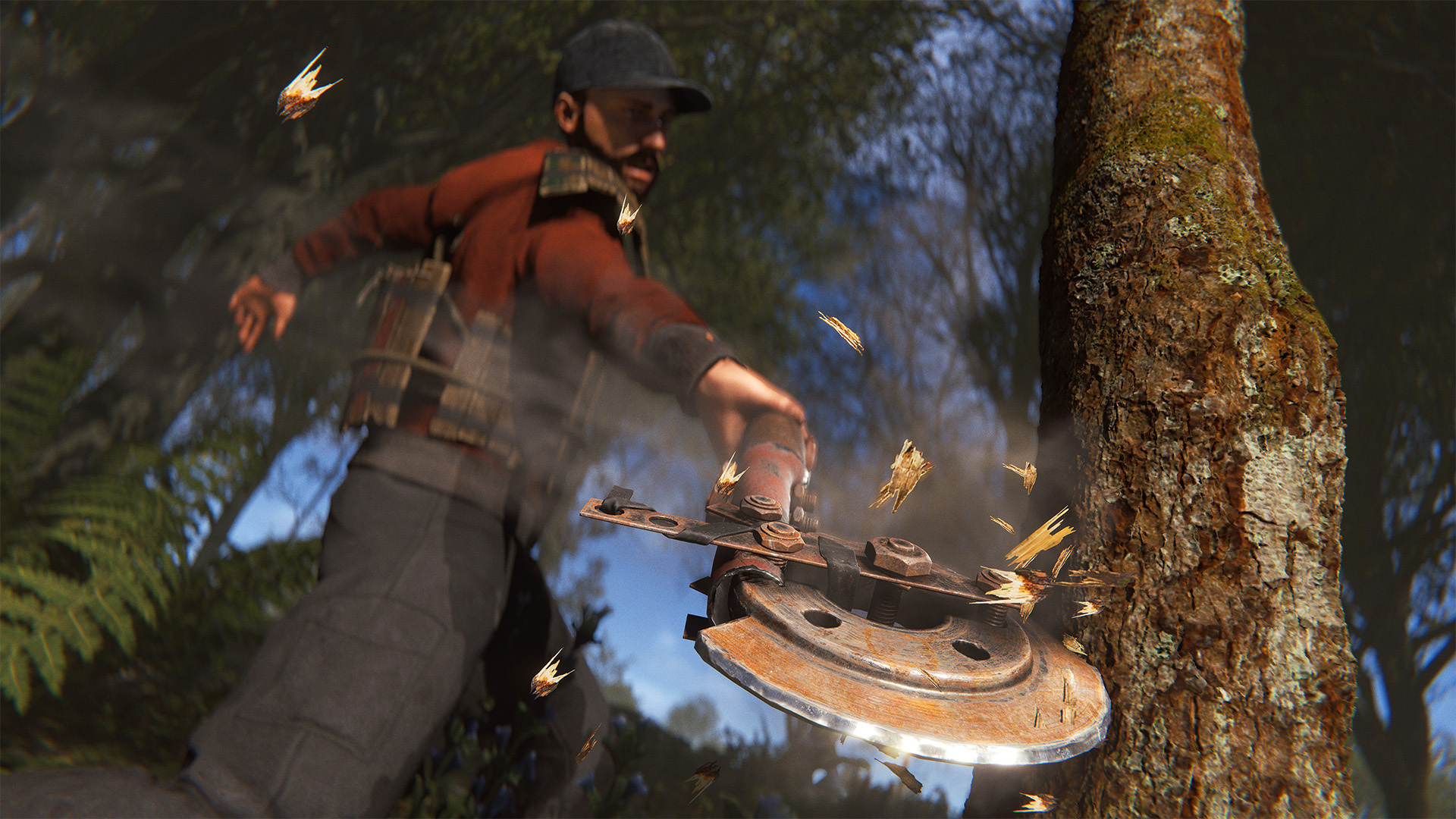
To make your own Salvaged Axe skin, head over to the in-game workshop and locate the Salvaged Axe weapon item. From there, you can download the model file and add your own materials.
We've completely re-designed and rebuilt the F1 menu. All tabs have been improved, packed with new features and nice QOLs.
Here is a non-exhaustive list of the notable improvements.
Console
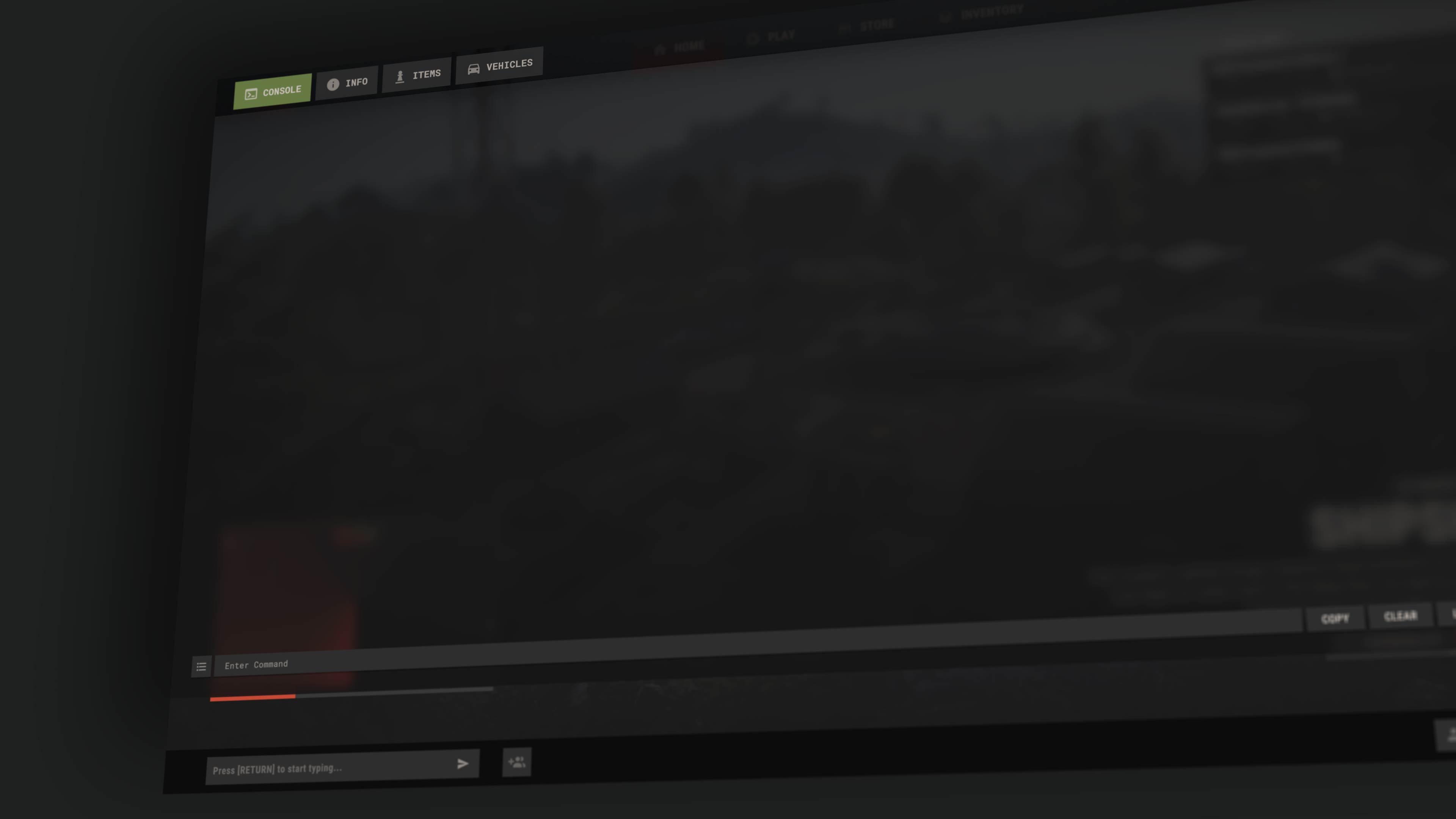
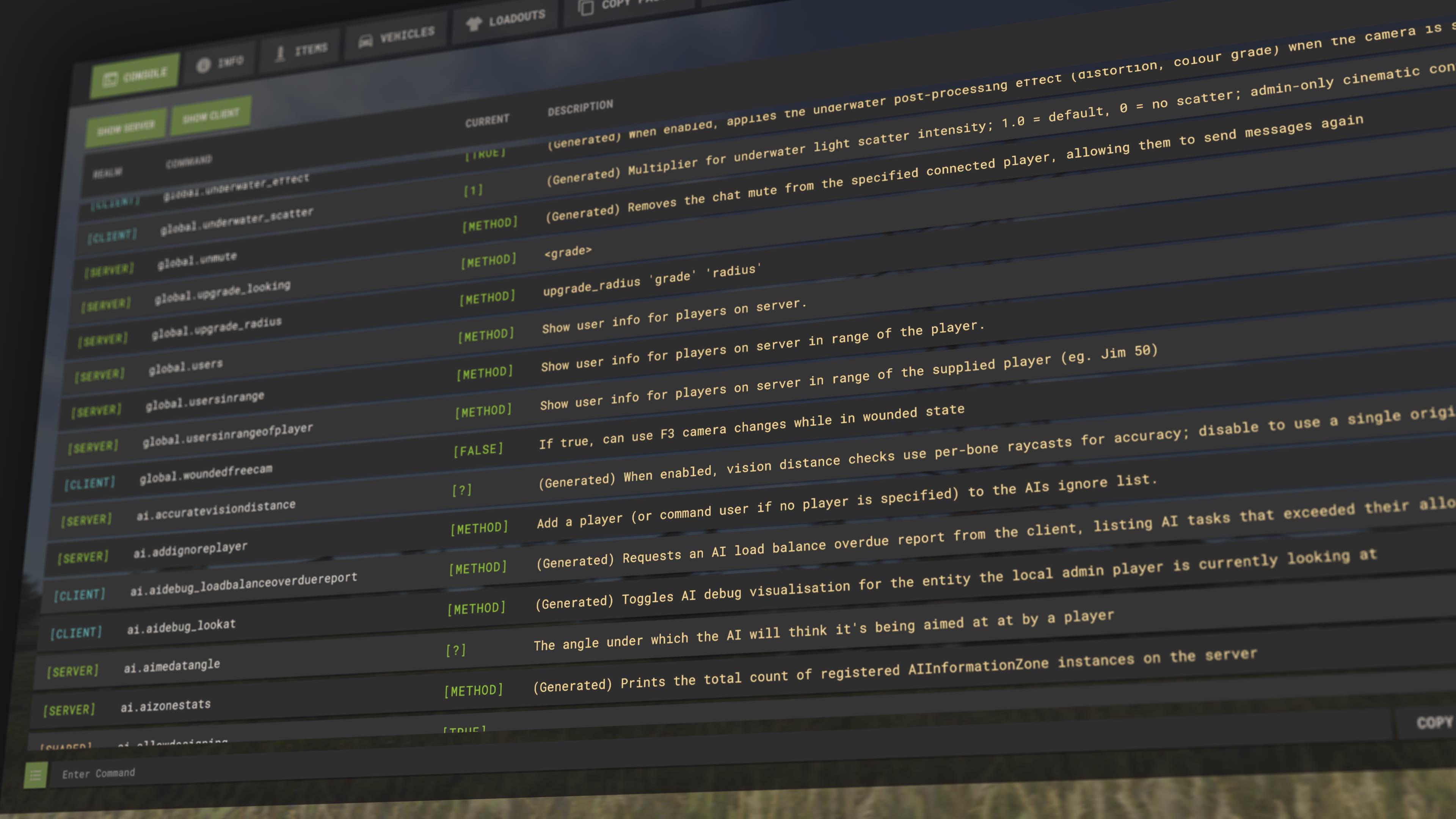
A command list screen has been added, showing all the available commands
For admins, auto completion now works with server convars
CTRL + Scrollwheel will increase/decrease the text size
All the missing convar descriptions have been generated using AI. You'll see (Generated) in front as a warning, we figured AI descriptions are better than no descriptions.
Items/Vehicles
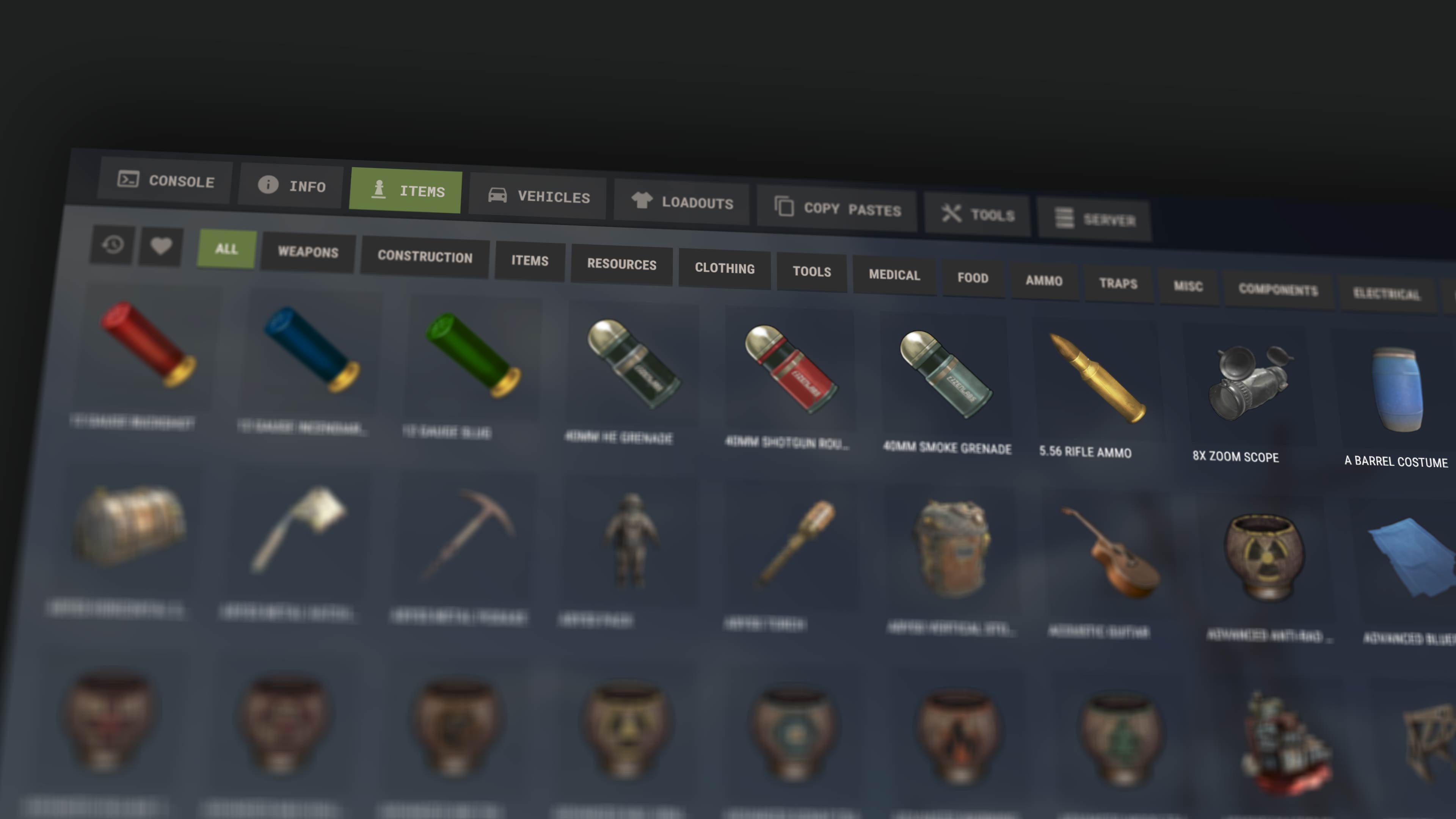
You can now favourite items and find them in a dedicated tab
We've also added a "Recents" tabs
CTRL + Scrollwheel will increase/decrease the item size
Keyboard controls have been added
Server
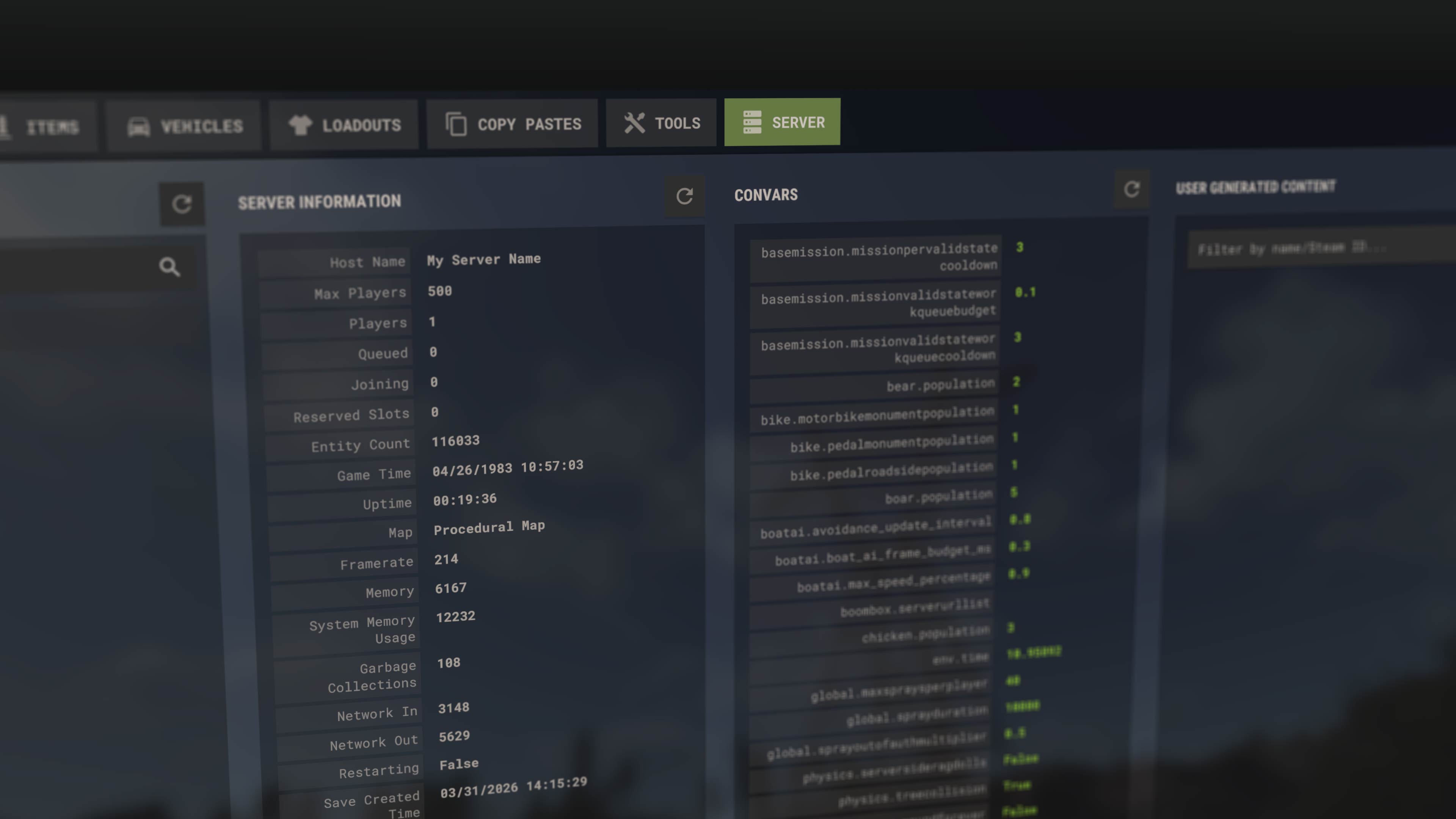
Added player positions and team ID
Added teleport and mute buttons
Added a UGC filtering panel
Copy pastes (new)
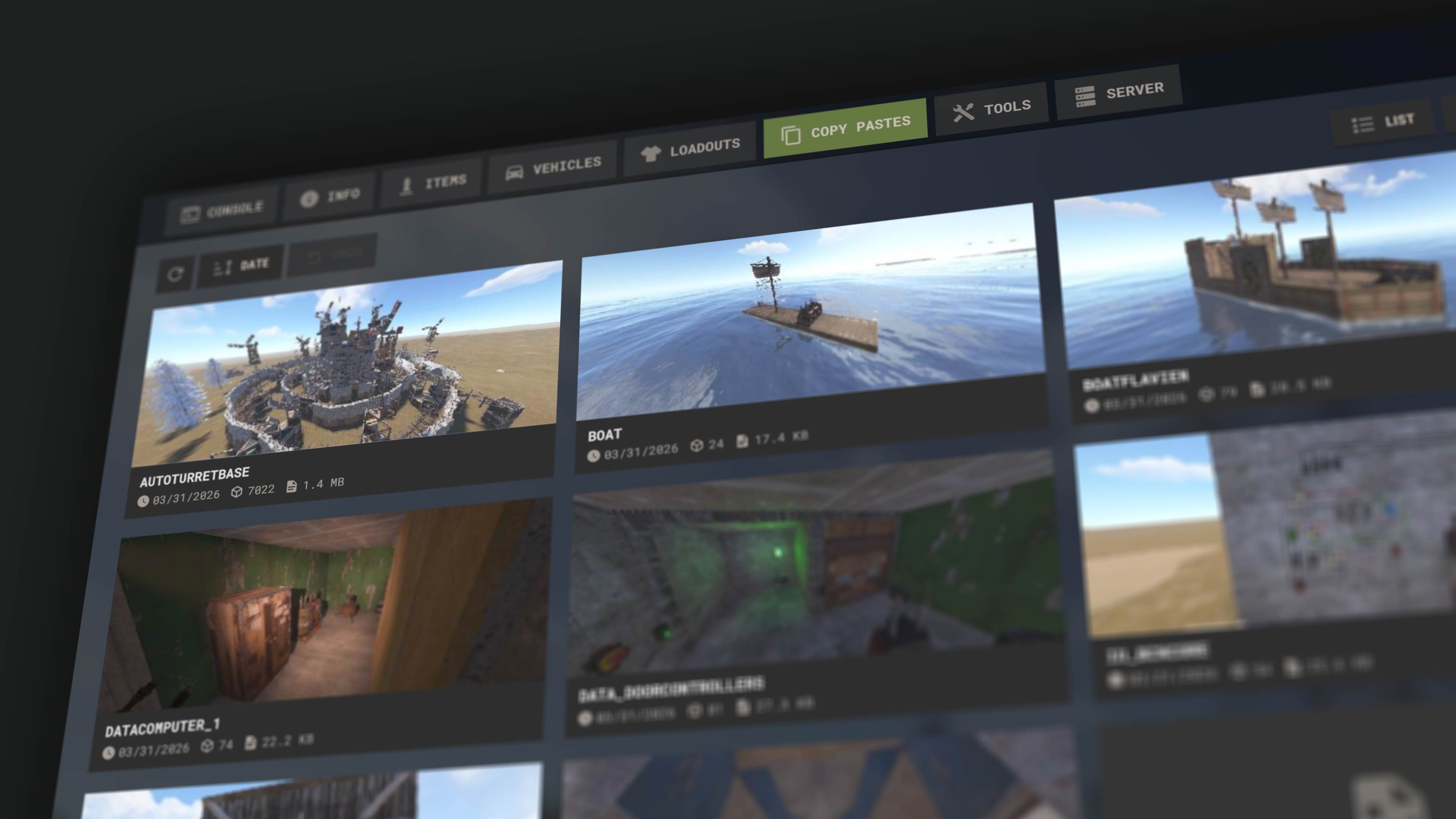
This tab lets you manage and use your copy paste files. Note: hold CTRL and click on a file to add a screenshot (or update it).
Loadouts (new)
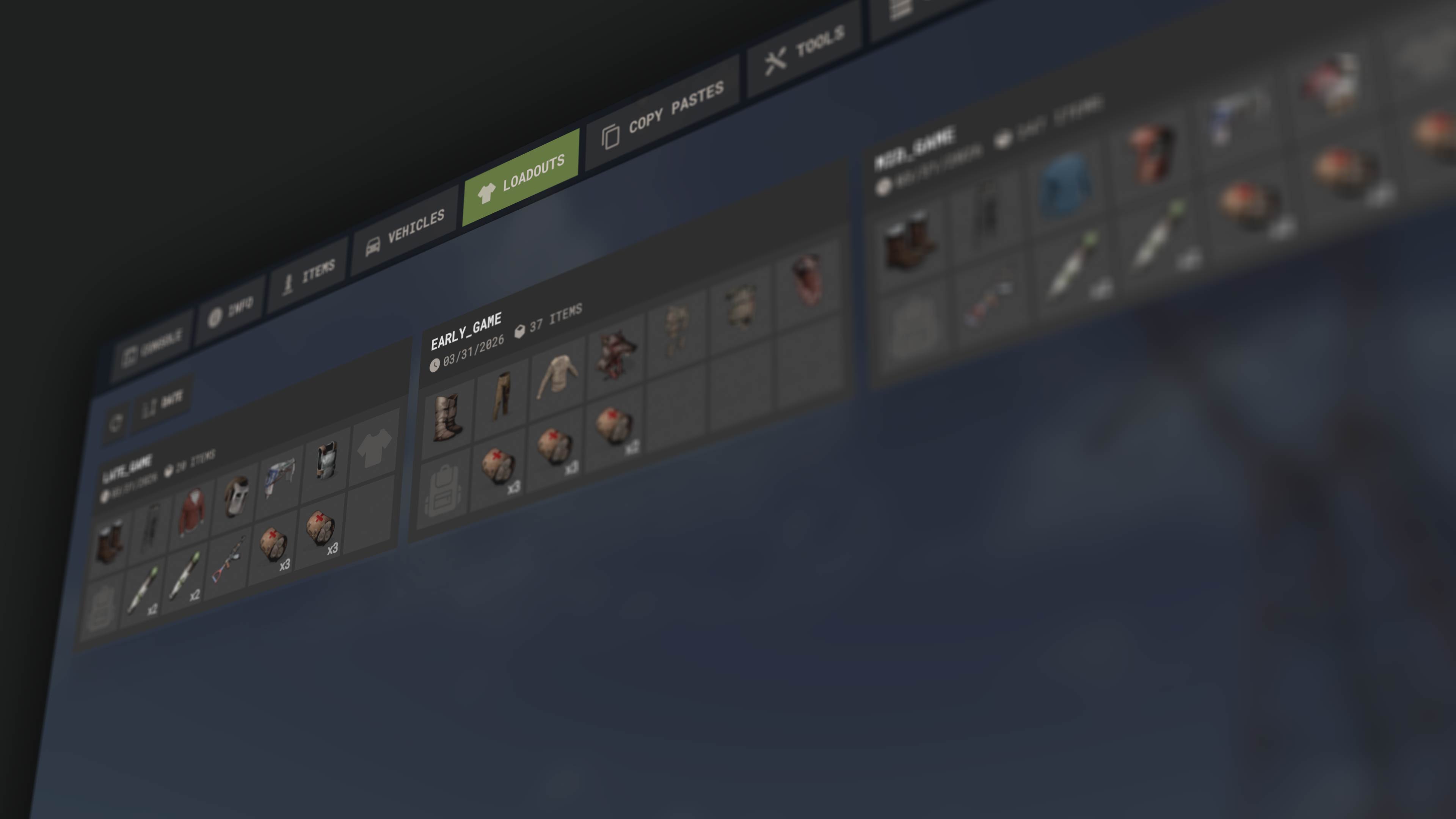
An easier way to access the loadouts available on the server. Lets you create new ones from your inventory.
Note: you can still access the old F1 menu using client.legacyconsoletoggle. This will be removed in the coming months.
Last month, we introduced secure servers with TPM 2.0 and Secure Boot requirements, and while we're still in the process of evaluating, we do have some details to share.
To cut to the chase, we have seen a measurable reduction in cheaters across our new secure servers, with approximately 1-in-63 players being cheaters vs 1-in-42 players on a regular server. The impact has not been as considerable in comparison to when we introduced premium servers last year, but we are pleased with the initial results. You may be wondering, why is the impact less than premium servers? Currently we believe it's two primary factors.
Rollout
When we launched premium servers, we introduced 20 new servers to support the rollout. This represented a significant portion of the Facepunch server ecosystem, which still holds up today with around 25% of Facepunch server players being premium users.
For reasons we'll talk more about below, for secure servers we kept to a smaller pool of 6 servers, as a result it's not the perfect representation of the playerbase and cheaterbase and brings into question statistical reliability when analysing.
Adoption & Features
Our biggest hurdle with fast-tracking the rollout of secure servers is feature adoption, currently we require players to have TPM and Secure Boot enabled, features that only ~60% of players have enabled!
While our goal is to create a secure environment for players with as little cheater disruption as possible, we also don't want to alienate players from the game entirely, a tricky balancing act.
As mentioned in the last devblog, if your hardware supports it we strongly encourage you follow this support article and enable those features, the more players that adopt, the more secure we can make Rust.
We've added a new feature to our demo/cinematic tools this month that allows more iteration and control over shots produced in our demo editor.
Once you've recorded a shot you can now open a new editing interface that will allow you to selectively modify elements of the shot.
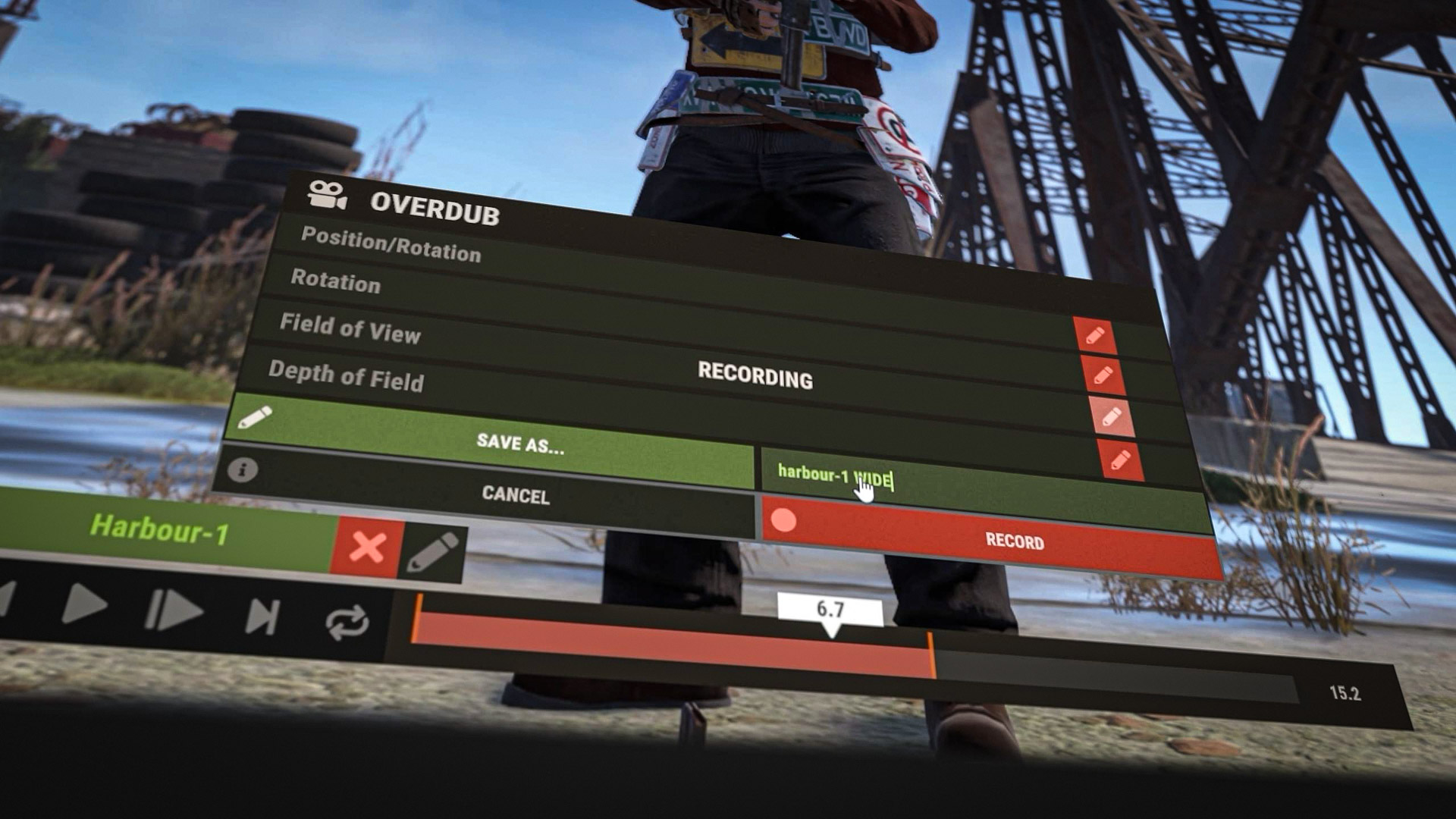
This includes the position/rotation of the camera, Field of View and Depth of Field settings. Once you've selected the elements you want to modify, the shot will now play with a 3 second cooldown and you will have control over those elements only (eg. if you edit just FoV the camera will move and rotate on it's own).
This allows you to layer your work instead of having to get everything correct in a single take. Got a complex shot with camera positioning and zooming? Just do the camera movement and then apply the zoom afterwards.
We've started exploring tools to help server owners.
RustRelay is a system baked into the networking layer that forwards all outbound packets from the Rust server to a recipient of your choice via websocket.
This is the first part of our plan to implement a 3D real-time and historical server render application in the web browser. Think demos but outside of the game!
In this release RustRelay will be enablable on servers via the following command line arguments:
relayenabled #Enables the RustRelay server
relayurl "https://example.com" #Url of the recipient websocket server
relaytoken "
" #Token of your choice to be passed as Bearer HTTP Authorization header
With the above 3 command args supplied (all required!) the Rust server will now start relaying outbound packets to your server, you can do what ever you'd like with them! Maybe a cute collage?
If you don't know what any of this means, maybe this feature isn't for you. But trust, it's gonna be cool!
你覺得這篇文章如何?