

![[August 13] Explore Edania Part 2 with No Crystal Breaks & Accessory Reforms!](https://clan.akamai.steamstatic.com/images/28674304/4286143e044413ceec526eacafee55ad7c85ae01.png?#)


Important Launch Info | Hell Let Loose: Vietnam
Thank You & Important Launch InfoThank you to everyone who has joined us for the launch of Hell Let Loose: Vietnam today. We’ve already seen almost three times the number of concurrent players compared to Hell Let Loose’s all-time peak, which shows just how many of you have already deployed into Vietnam.With that in mind, and with just how many players are loading into the game, we’re aware that some players are experiencing issues when trying to get in and play the game, and the team is actively investigating your reports and working to address them.We wanted to provide a quick update on some of the most commonly reported issues, clarify a few points around tutorials and servers, and share workarounds that may help in the meantime.Here are some of the key things to know:(Full info on each point further down)We’re adding additional official servers across all regions in response to launch-day demand.The Getting Started tutorial can be skipped by pressing Esc if you want to jump straight into multiplayer.The Squad Leader and Commander tutorials must be completed before those respective roles can be selected.If you’re experiencing crashes while using an AMD GPU, we have some temporary workarounds below that may help including adding -dx12 to the Steam launch options.If you participated in the recent Crossplay Playtest on PC, we recommend resetting your Video settings to default to ensure they are correctly recalibrated for the launch build.We’re actively investigating other reports, including crashes and audio issues.If you need assistance, you can contact the Hell Let Loose Support Team directly by clicking the button in the bottom-right corner of the Help Centre, or by sending a DM to the u/HLL Support bot on the official Hell Let Loose Discord server. TutorialsThe Getting Started tutorial is not mandatory and can be skipped by pressing Esc if you want to jump straight into multiplayer.However, if you want to play as a Squad Leader or Commander, you’ll first need to complete the tutorial associated with that role.These tutorials introduce the key mechanics and responsibilities associated with these roles and are intended to ensure players have an understanding of them before taking command on the battlefield.Server Demand & How Servers WorkWe’ve seen high demand during launch and are spinning up additional official servers across all regions to increase capacity.In the meantime, if you’re having difficulty finding an available server, we recommend joining a server with 50 or less players in, as by the time you have joined it will likely have filled up. You also are able to select “Hide Full Servers” in the Server Browser which may help you find a server with available slots more quickly.Alongside the Official Servers, hosted by us, we also have Community Servers, hosted and managed by members of the community.Community Servers & Server BrowserSince launch we’ve seen reports from some players who are unable to join Community Servers, with an error message indicating that the remaining spaces are reserved for VIP players.We’re currently investigating these reports. In some cases, due to the overwhelming number of players currently entering the game, a server may have already reached capacity before the Server Browser has had a chance to update, despite appearing to still have spaces available. The error message shown may also incorrectly suggest that these spaces are reserved for VIP players.While we investigate, if you’re unable to join a particular Community Server, we recommend trying an Official Server or another Community Server with more available capacity. AMD IssuesWe’re aware that some players using AMD GPUs are experiencing stability issues, including crashes, and the team is actively investigating these reports.While we continue working on this, the following temporary workarounds may help affected players:Steam Launch OptionsTry adding one of the following to your Steam launch options:-dx12 -USEALLAVAILABLECORES -malloc=systemAlternatively:-dx11 -USEALLAVAILABLECORES -malloc=systemIn-Game & AMD Software WorkaroundsSome affected players may also see improved stability by:Setting in-game graphics settings to High.Disabling the In-Game Overlay within AMD Software: Adrenalin Edition.These are temporary workarounds while we continue investigating the underlying issues, and results may vary between systems.FSR 4.1We also want to reiterate that FSR 4.1 is coming to Hell Let Loose: Vietnam as part of a future update.FSR 4.1 has already been implemented in-game and is currently undergoing further testing and validation. We’ll share more information on its availability as soon as we’re able to. NVIDIA Game Ready DriverThe dedicated NVIDIA Game Ready Driver for Hell Let Loose: Vietnam has been delayed at NVIDIA’s end, and is now expected to become available early next week.In the meantime, NVIDIA users should ensure they are running the latest currently available driver.We’ll provide an update once the dedic
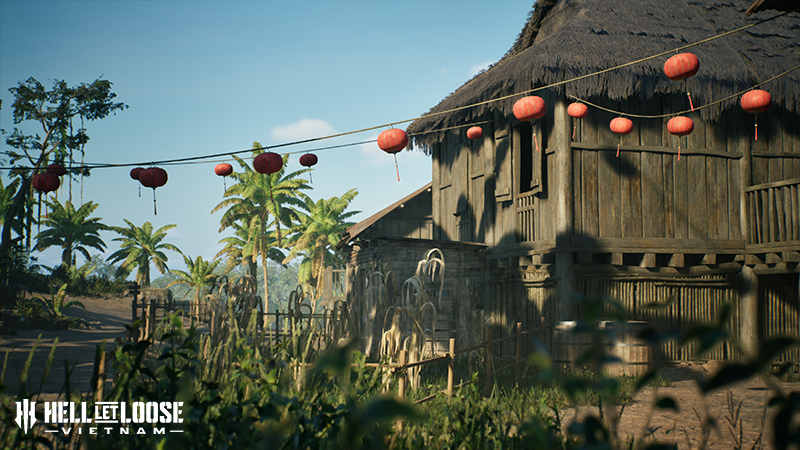
Thank you to everyone who has joined us for the launch of Hell Let Loose: Vietnam today. We’ve already seen almost three times the number of concurrent players compared to Hell Let Loose’s all-time peak, which shows just how many of you have already deployed into Vietnam.
With that in mind, and with just how many players are loading into the game, we’re aware that some players are experiencing issues when trying to get in and play the game, and the team is actively investigating your reports and working to address them.
We wanted to provide a quick update on some of the most commonly reported issues, clarify a few points around tutorials and servers, and share workarounds that may help in the meantime.
(Full info on each point further down)
We’re adding additional official servers across all regions in response to launch-day demand.
The Getting Started tutorial can be skipped by pressing Esc if you want to jump straight into multiplayer.
The Squad Leader and Commander tutorials must be completed before those respective roles can be selected.
If you’re experiencing crashes while using an AMD GPU, we have some temporary workarounds below that may help including adding -dx12 to the Steam launch options.
If you participated in the recent Crossplay Playtest on PC, we recommend resetting your Video settings to default to ensure they are correctly recalibrated for the launch build.
We’re actively investigating other reports, including crashes and audio issues.
If you need assistance, you can contact the Hell Let Loose Support Team directly by clicking the button in the bottom-right corner of the Help Centre, or by sending a DM to the u/HLL Support bot on the official Hell Let Loose Discord server.
The Getting Started tutorial is not mandatory and can be skipped by pressing Esc if you want to jump straight into multiplayer.
However, if you want to play as a Squad Leader or Commander, you’ll first need to complete the tutorial associated with that role.
These tutorials introduce the key mechanics and responsibilities associated with these roles and are intended to ensure players have an understanding of them before taking command on the battlefield.
We’ve seen high demand during launch and are spinning up additional official servers across all regions to increase capacity.
In the meantime, if you’re having difficulty finding an available server, we recommend joining a server with 50 or less players in, as by the time you have joined it will likely have filled up. You also are able to select “Hide Full Servers” in the Server Browser which may help you find a server with available slots more quickly.
Alongside the Official Servers, hosted by us, we also have Community Servers, hosted and managed by members of the community.
Since launch we’ve seen reports from some players who are unable to join Community Servers, with an error message indicating that the remaining spaces are reserved for VIP players.
We’re currently investigating these reports. In some cases, due to the overwhelming number of players currently entering the game, a server may have already reached capacity before the Server Browser has had a chance to update, despite appearing to still have spaces available. The error message shown may also incorrectly suggest that these spaces are reserved for VIP players.
While we investigate, if you’re unable to join a particular Community Server, we recommend trying an Official Server or another Community Server with more available capacity.
We’re aware that some players using AMD GPUs are experiencing stability issues, including crashes, and the team is actively investigating these reports.
While we continue working on this, the following temporary workarounds may help affected players:
Try adding one of the following to your Steam launch options:
-dx12 -USEALLAVAILABLECORES -malloc=system
Alternatively:
-dx11 -USEALLAVAILABLECORES -malloc=system
Some affected players may also see improved stability by:
Setting in-game graphics settings to High.
Disabling the In-Game Overlay within AMD Software: Adrenalin Edition.
These are temporary workarounds while we continue investigating the underlying issues, and results may vary between systems.
We also want to reiterate that FSR 4.1 is coming to Hell Let Loose: Vietnam as part of a future update.
FSR 4.1 has already been implemented in-game and is currently undergoing further testing and validation. We’ll share more information on its availability as soon as we’re able to.
The dedicated NVIDIA Game Ready Driver for Hell Let Loose: Vietnam has been delayed at NVIDIA’s end, and is now expected to become available early next week.
In the meantime, NVIDIA users should ensure they are running the latest currently available driver.
We’ll provide an update once the dedicated Game Ready Driver becomes available.
We’re also actively reviewing reports from players and investigating a number of other issues, including:
Audio cutting out for some players on PlayStation 5.
Players being unable to select certain roles.
Individual crash reports submitted by players.
The team is continuing to review reports and crash data as they come in, and we’ll provide further updates as we learn more.
You can also find our current list of known issues here: Known Issues & More | Hell Let Loose: Vietnam
Thank you to everyone who has taken the time to report an issue or share feedback with us today. We’re actively monitoring your reports across our community and support channels, and the team is working to address the issues players are encountering.
We’ll continue to keep you updated.

你覺得這篇文章如何?