





How to Change Voicecover, UI & Subtitle Languages
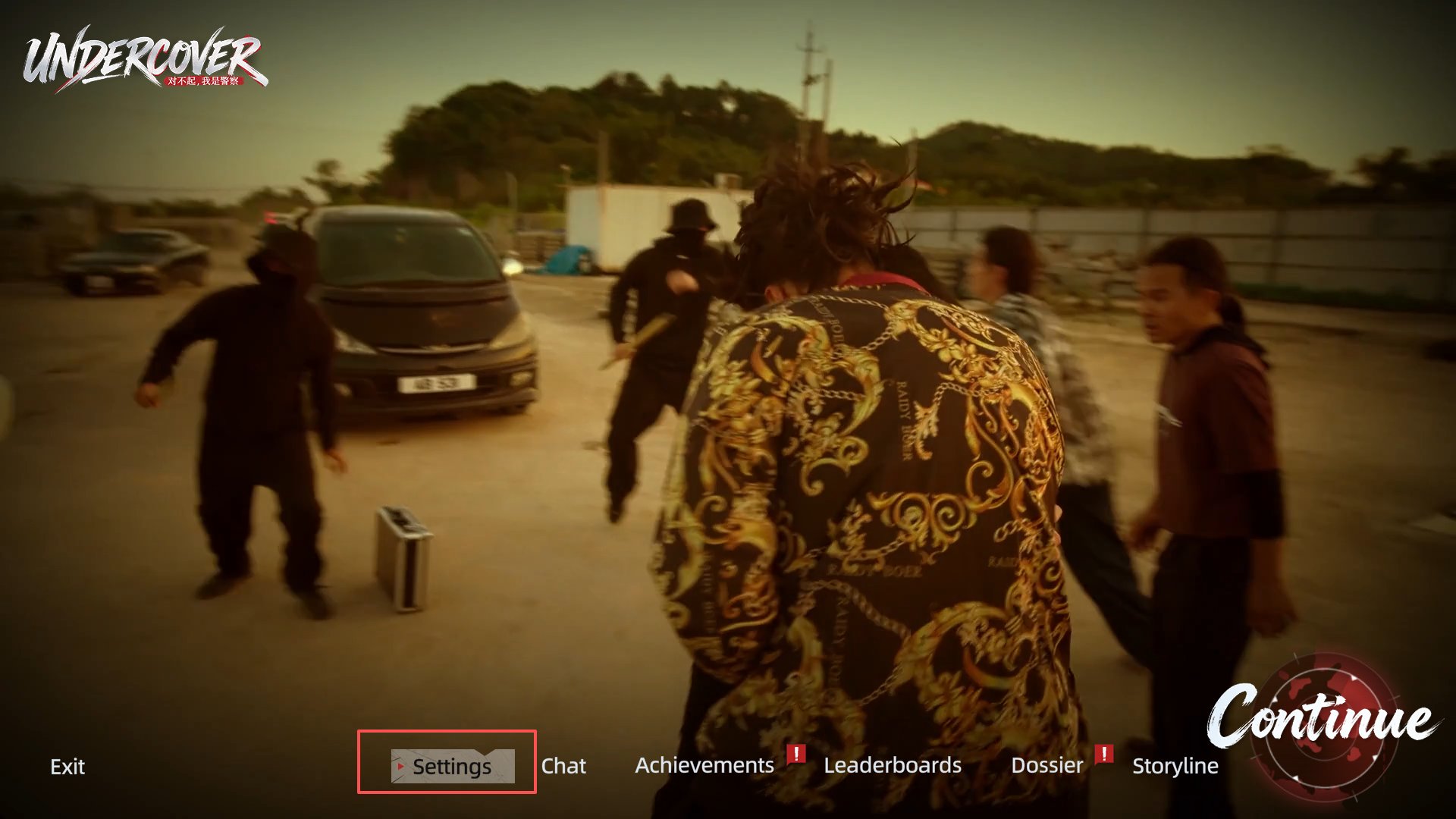
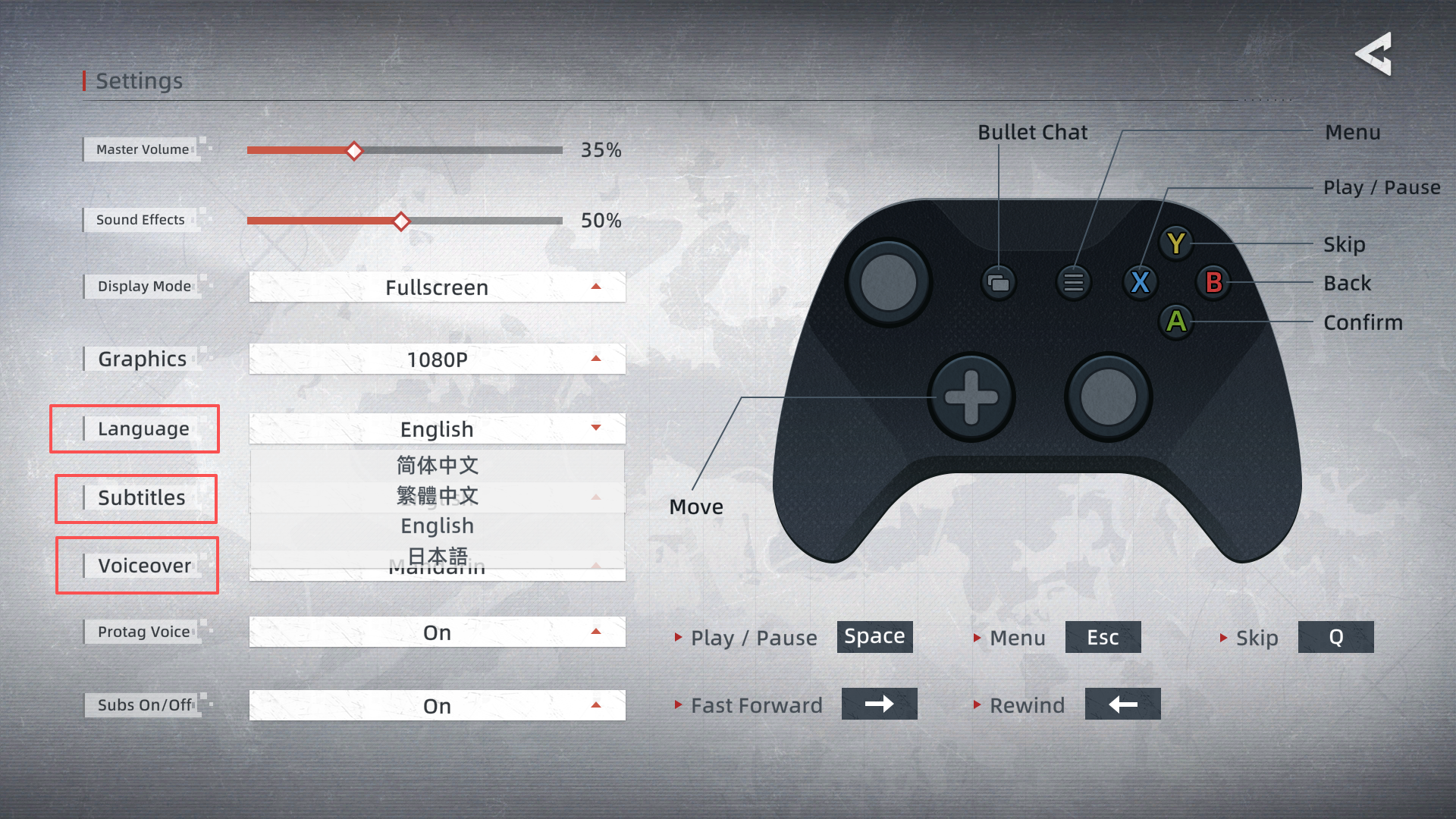
1.When you’re on the main screen, hit \[Settings]2.\[Language] You can pick between Simplified Chinese, Traditional Chinese, English, and Japanese. This changes all UI text across the game.\[Subtitles] You can pick between Simplified Chinese, Traditional Chinese, English, and Japanese. This changes the subtitle text for all the story content.\[Voicecover] You can switch between Cantonese (Original) and Mandarin (Dubbed). This changes the character voice lines for all the story scenes.Wish you enjoy it!
1.When you’re on the main screen, hit \[Settings]
2.\[Language] You can pick between Simplified Chinese, Traditional Chinese, English, and Japanese. This changes all UI text across the game.
\[Subtitles] You can pick between Simplified Chinese, Traditional Chinese, English, and Japanese. This changes the subtitle text for all the story content.
\[Voicecover] You can switch between Cantonese (Original) and Mandarin (Dubbed). This changes the character voice lines for all the story scenes.
Wish you enjoy it!
你覺得這篇文章如何?