




EA SPORTS FC™ 27 | FC 27 PC DEEP DIVE
For EA SPORTS FC™ 27, we’ve focused on specific areas of the PC experience, including reducing launch times, modernising keyboard controls, expanding graphics options, and giving you better tools to tailor performance to your hardware. These changes are designed to help you spend less time getting set up, give you more control over how you play, and make it easier to configure FC 27 for your PC.Before we jump into the PC changes for FC 27, we want to take a moment to thank you for all the feedback you’ve shared with us throughout FC 26. Hearing about your experiences and understanding what matters most to the PC community continues to help inform changes, and we’re committed to continuing to make EA SPORTS FC™ better on PC.Please keep sharing your feedback with us here in the Steam Community Forums and the Official EA SPORTS FC Discord.Launch ImprovementsThroughout FC 26, we saw feedback from the community regarding the time it takes from launching the game to reaching gameplay.For EA SPORTS FC™ 27, we’ve updated the startup flow on Steam, reducing the number of windows and loading steps visibly shown during the startup process. We’ve also made changes aimed at reducing launch times, with our testing showing improvements of around 50% in some configurations (results can vary depending on your hardware setup). Together, these updates are intended to reduce the friction between launching FC 27 and getting into the game.Graphics Presets & PC SpecificationsEA SPORTS FC™ 27 expands the available graphics presets, including new Performance and Balanced graphics modes, alongside new ‘High’ and ‘Ultra’ specification presets that target at least 80fps and 120fps, respectively, on the hardware specified in the PC requirements . These additions make it easier to choose an experience that best matches your hardware and how you want to play, whether you’re looking to prioritise for performance or visual quality. Graphics settings can still be customised individually, giving you further control over your visuals.Steam FriendsWe’ve also heard your feedback regarding having two separate friends lists, both on Steam and within EA SPORTS FC™. Previously, playing with a Steam friend who wasn’t already an EA Friend could mean manually searching for their EA ID and adding them first. With FC 27, Steam Friends are available automatically through EA Connect, making it quicker and easier to find and add them as an EA Friend before jumping into matches together.VRAM IndicatorThe graphics settings menu in FC 27 now includes a new VRAM indicator. As you adjust your graphics settings, the indicator estimates the expected maximum in-game video memory usage, giving you more information when deciding which settings are appropriate for your hardware.Updated Keyboard ControlsEA SPORTS FC™ 27 brings a significant update to keyboard controls, introducing redesigned default keyboard layouts with the aim of making common movement and gameplay actions easier to access on keyboard.Choose between two layouts:WASDArrow KeysThese two layouts have been designed to make movement and gameplay actions feel more natural, while additional keyboard shortcuts make tactical adjustments during matches more accessible without having to move away from your core controls.As always, controls remain customisable, so you can tailor the experience to your preference.Enhanced Ultra VisualsFor those playing FC 27 using high-end PC hardware, we’ve introduced Enhanced Ultra Visuals. These new graphics options push visual quality beyond the existing Ultra preset, offering additional visual enhancements for players who want to prioritise visual fidelity and have the hardware to support it.Enhanced Ultra Visuals are disabled by default, so enabling them is an optional way to push visual quality further. Players who want to prioritise performance can simply leave these options disabled and continue using the existing graphics presets.Responsiveness & PerformanceWe closely monitored feedback around responsiveness and overall PC performance throughout FC 26 and have made a number of improvements for FC 27, including work aimed at reducing situations where high CPU load can negatively impact responsiveness, alongside additional PC performance optimisations.Performance will vary depending on your hardware and configuration, and this remains an area we’ll continue to monitor. These changes specifically target some of the performance and responsiveness scenarios we observed throughout FC 26, rather than representing a single solution for every PC configuration.For FC 27, we’ve specified dual channel memory in the hardware requirements, as having two sticks of RAM (2x4 GB for Minimum, or 2x16 GB for Ultra) can provide better performance than an equivalent amount of memory running in single channel.For the best experience, we highly recommend using an SSD for storage, though an HDD is still supported by the Minimum requirements.We’ll continue to monitor community feedback after la
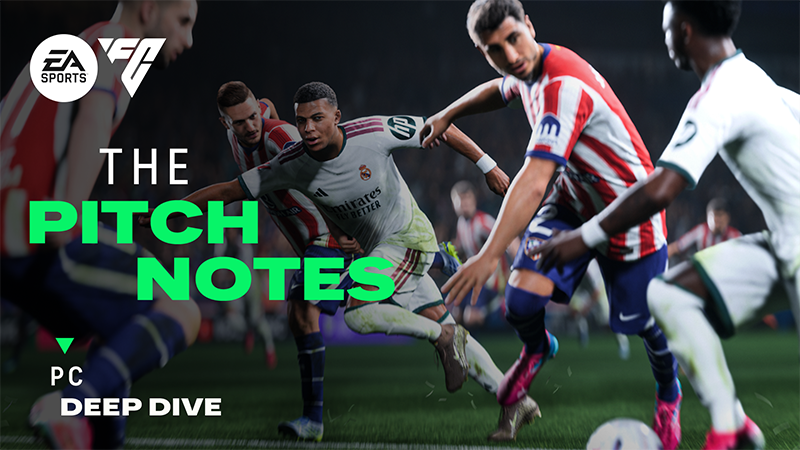
For EA SPORTS FC™ 27, we’ve focused on specific areas of the PC experience, including reducing launch times, modernising keyboard controls, expanding graphics options, and giving you better tools to tailor performance to your hardware. These changes are designed to help you spend less time getting set up, give you more control over how you play, and make it easier to configure FC 27 for your PC.
Before we jump into the PC changes for FC 27, we want to take a moment to thank you for all the feedback you’ve shared with us throughout FC 26. Hearing about your experiences and understanding what matters most to the PC community continues to help inform changes, and we’re committed to continuing to make EA SPORTS FC™ better on PC.
Please keep sharing your feedback with us here in the Steam Community Forums and the Official EA SPORTS FC Discord.
Throughout FC 26, we saw feedback from the community regarding the time it takes from launching the game to reaching gameplay.
For EA SPORTS FC™ 27, we’ve updated the startup flow on Steam, reducing the number of windows and loading steps visibly shown during the startup process. We’ve also made changes aimed at reducing launch times, with our testing showing improvements of around 50% in some configurations (results can vary depending on your hardware setup). Together, these updates are intended to reduce the friction between launching FC 27 and getting into the game.
EA SPORTS FC™ 27 expands the available graphics presets, including new Performance and Balanced graphics modes, alongside new ‘High’ and ‘Ultra’ specification presets that target at least 80fps and 120fps, respectively, on the hardware specified in the PC requirements . These additions make it easier to choose an experience that best matches your hardware and how you want to play, whether you’re looking to prioritise for performance or visual quality. Graphics settings can still be customised individually, giving you further control over your visuals.

We’ve also heard your feedback regarding having two separate friends lists, both on Steam and within EA SPORTS FC™. Previously, playing with a Steam friend who wasn’t already an EA Friend could mean manually searching for their EA ID and adding them first. With FC 27, Steam Friends are available automatically through EA Connect, making it quicker and easier to find and add them as an EA Friend before jumping into matches together.
The graphics settings menu in FC 27 now includes a new VRAM indicator. As you adjust your graphics settings, the indicator estimates the expected maximum in-game video memory usage, giving you more information when deciding which settings are appropriate for your hardware.

EA SPORTS FC™ 27 brings a significant update to keyboard controls, introducing redesigned default keyboard layouts with the aim of making common movement and gameplay actions easier to access on keyboard.
Choose between two layouts:
WASD
Arrow Keys
These two layouts have been designed to make movement and gameplay actions feel more natural, while additional keyboard shortcuts make tactical adjustments during matches more accessible without having to move away from your core controls.
As always, controls remain customisable, so you can tailor the experience to your preference.


For those playing FC 27 using high-end PC hardware, we’ve introduced Enhanced Ultra Visuals. These new graphics options push visual quality beyond the existing Ultra preset, offering additional visual enhancements for players who want to prioritise visual fidelity and have the hardware to support it.
Enhanced Ultra Visuals are disabled by default, so enabling them is an optional way to push visual quality further. Players who want to prioritise performance can simply leave these options disabled and continue using the existing graphics presets.
We closely monitored feedback around responsiveness and overall PC performance throughout FC 26 and have made a number of improvements for FC 27, including work aimed at reducing situations where high CPU load can negatively impact responsiveness, alongside additional PC performance optimisations.
Performance will vary depending on your hardware and configuration, and this remains an area we’ll continue to monitor. These changes specifically target some of the performance and responsiveness scenarios we observed throughout FC 26, rather than representing a single solution for every PC configuration.
For FC 27, we’ve specified dual channel memory in the hardware requirements, as having two sticks of RAM (2x4 GB for Minimum, or 2x16 GB for Ultra) can provide better performance than an equivalent amount of memory running in single channel.
For the best experience, we highly recommend using an SSD for storage, though an HDD is still supported by the Minimum requirements.
We’ll continue to monitor community feedback after launch and make improvements where possible.
We’ll continue to expand our PC support resources to help you get the best experience from your hardware.
Updated support articles will include information on graphics settings, hardware recommendations, performance troubleshooting, and other optimisation tips to help tailor FC 27 to your setup:
https://help.ea.com/en/articles/ea-sports-fc/pc-performance/
Stay tuned for more EA SPORTS FC™ 27 Pitch Notes, and join the conversation to share your feedback with us in the EA SPORTS FC™ Discord
你覺得這篇文章如何?