




Twitch Extension
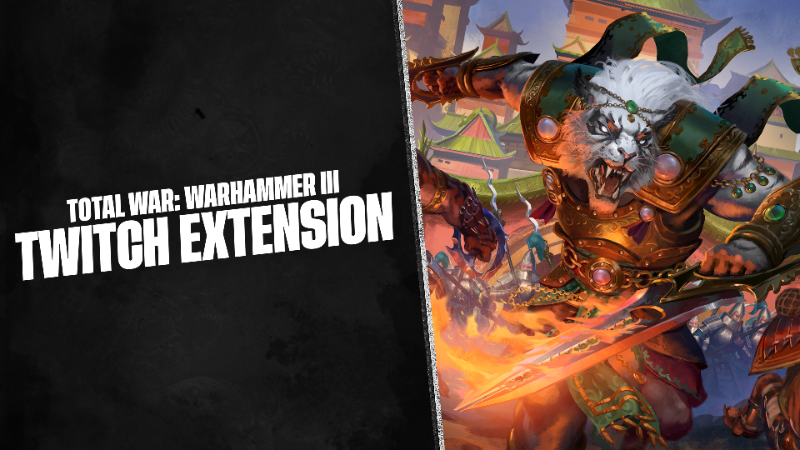
Hi folks and especially content creators!With 8.1 we've launched a Twitch Extension that allows creators to stream Total War on Twitch and let their viewers engage with their stream via polls and raffles!This has been a small passion project that was slowly developed in the background over the last year, and the functionality is focused on allowing viewers to naturally integrate into the experience, rather than dramatically alter it.We've learned a lot from the implementation of this extension, and we'd love to hear what other ideas you have for extensions on future titles.To set up the Total War: Warhammer III Twitch Extension, please follow the steps below: Open the Creator Dashboard on Twitch on your account. Go to Extensions. In the Invite Only tab, you should be able to find the extension: Total War: WARHAMMER III Companion 0.0.1. Click Add to claim it. Go to the My Extensions tab and set the Total War extension as an Overlay 1. Go to the Stream Manager in Creator Dashboard on Twitch and click on Edit Stream Info. Input Category as Total War: WARHAMMER III and click Done. Open Total War: WARHAMMER III and go to Options. Click Log In and connect your game with your Twitch Account. Once connected, Start Streaming in OBS (or other broadcast software).* Please Note: you might need to wait for some time for Twitch to send the information to the game that you have started the stream so be patient. Once the connection is established, you will see the status change in the Twitch Integration tab in the game. When someone wants to join in on a Raffle or a Poll you created, they will need to click on the Total War: WARHAMMER III Extension in Steam and click Accept.Have all of the fun with your Polls and Raffles!— The Total War Team
Hi folks and especially content creators!
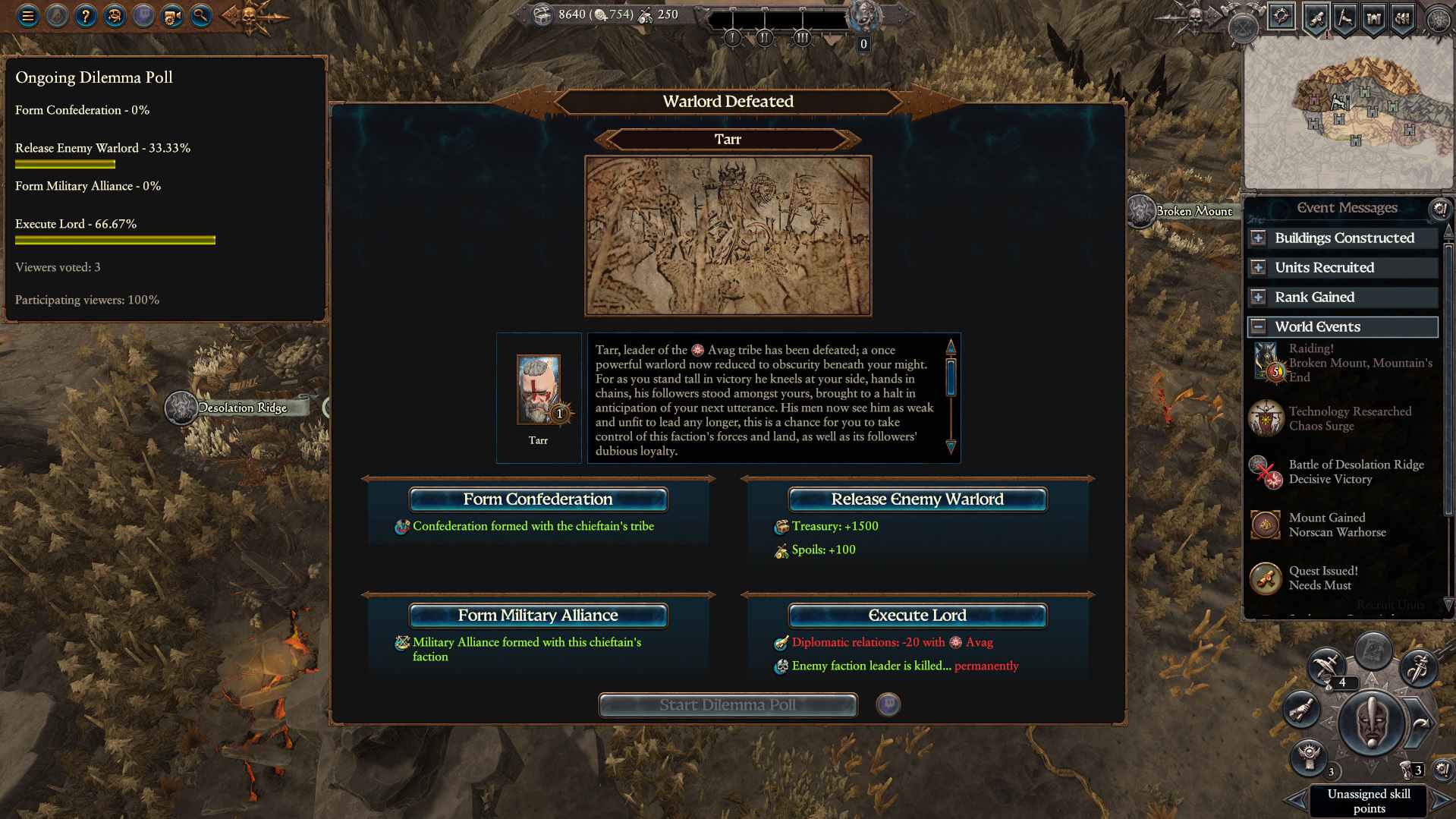
With 8.1 we've launched a Twitch Extension that allows creators to stream Total War on Twitch and let their viewers engage with their stream via polls and raffles!
This has been a small passion project that was slowly developed in the background over the last year, and the functionality is focused on allowing viewers to naturally integrate into the experience, rather than dramatically alter it.
We've learned a lot from the implementation of this extension, and we'd love to hear what other ideas you have for extensions on future titles.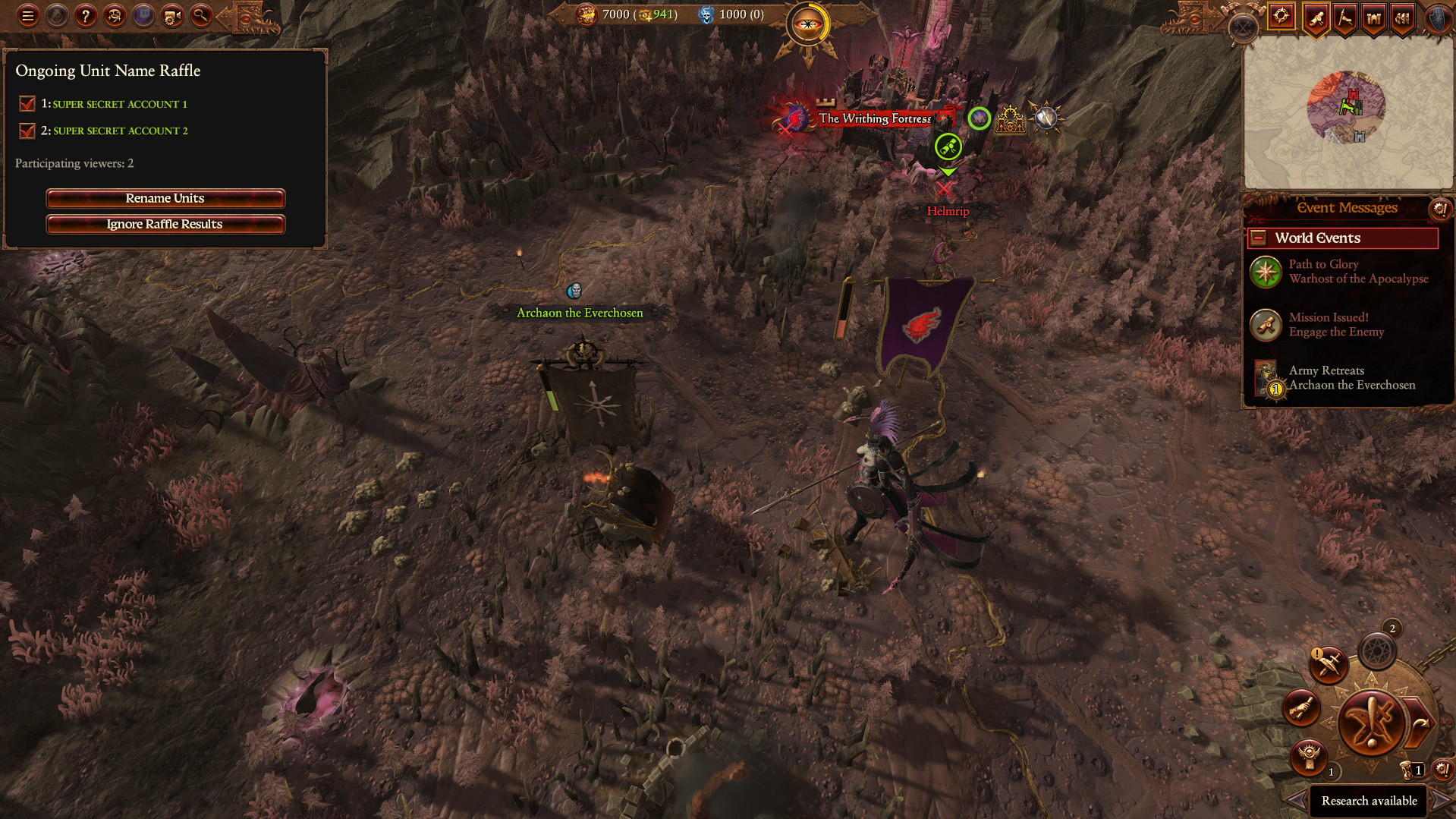
To set up the Total War: Warhammer III Twitch Extension, please follow the steps below:
Open the Creator Dashboard on Twitch on your account.
Go to Extensions.
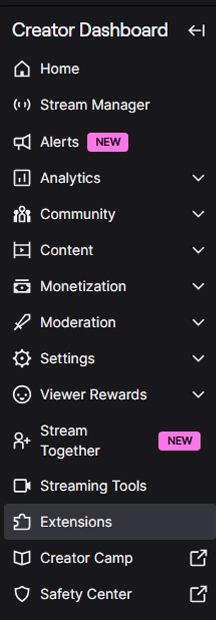
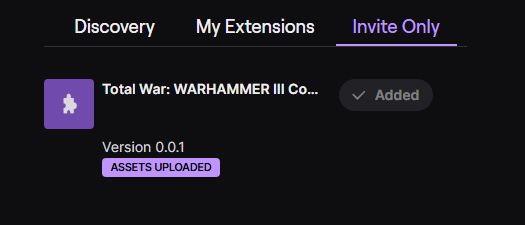
In the Invite Only tab, you should be able to find the extension: Total War: WARHAMMER III Companion 0.0.1. Click Add to claim it.
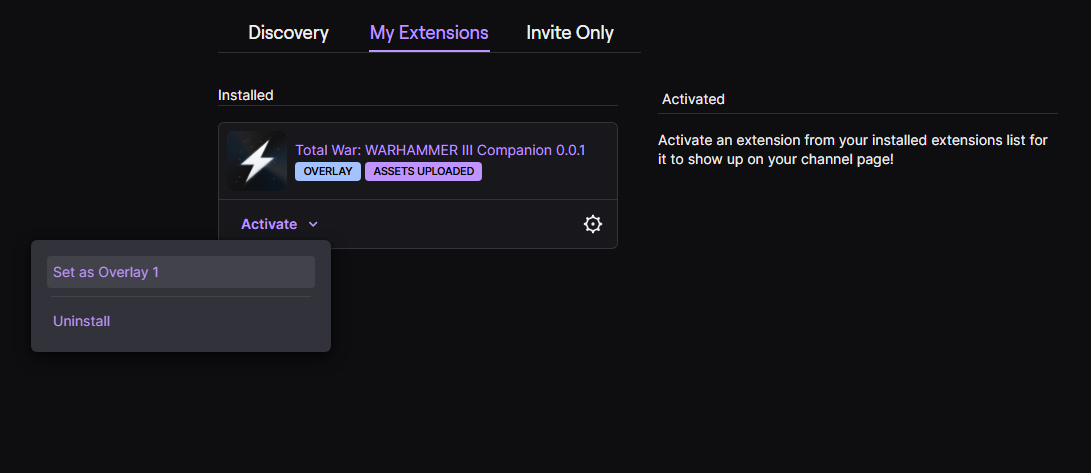
Go to the My Extensions tab and set the Total War extension as an Overlay 1.
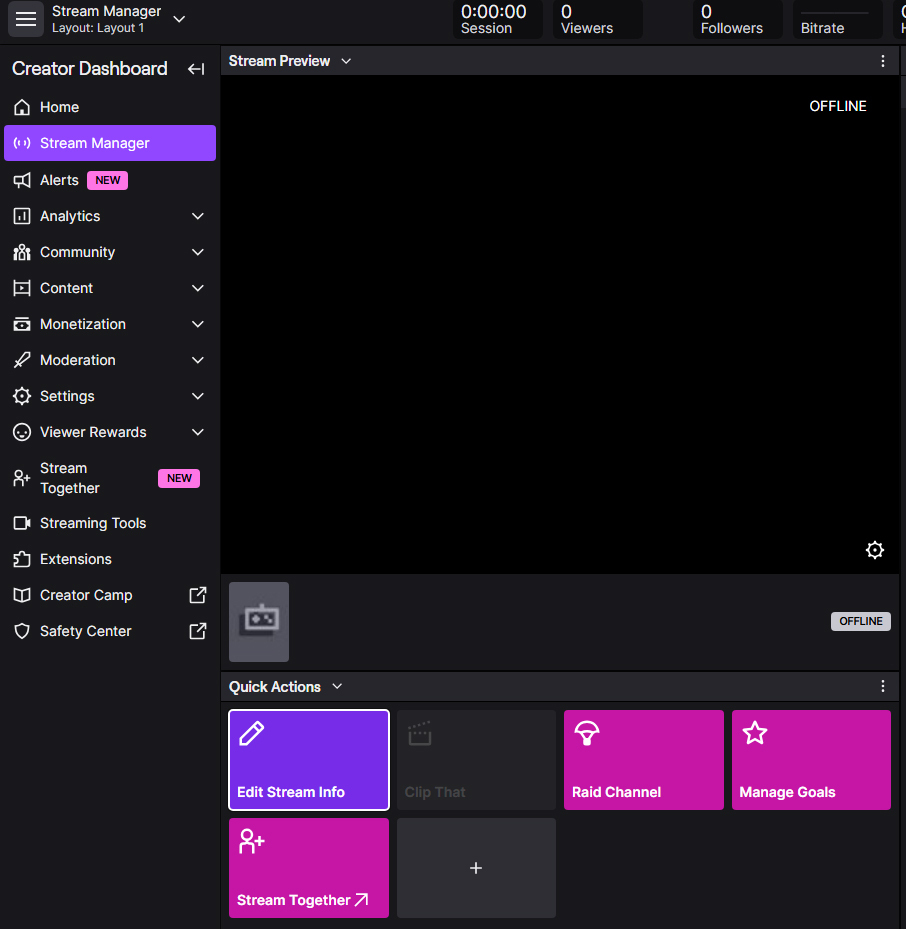
Go to the Stream Manager in Creator Dashboard on Twitch and click on Edit Stream Info.
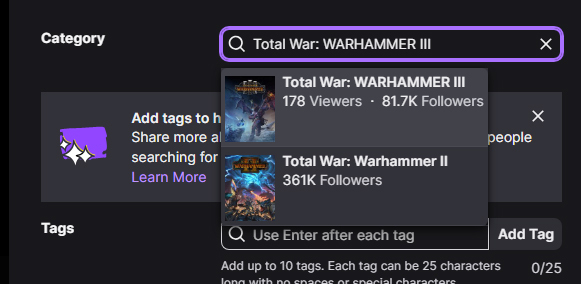
Input Category as Total War: WARHAMMER III and click Done.
Open Total War: WARHAMMER III and go to Options.
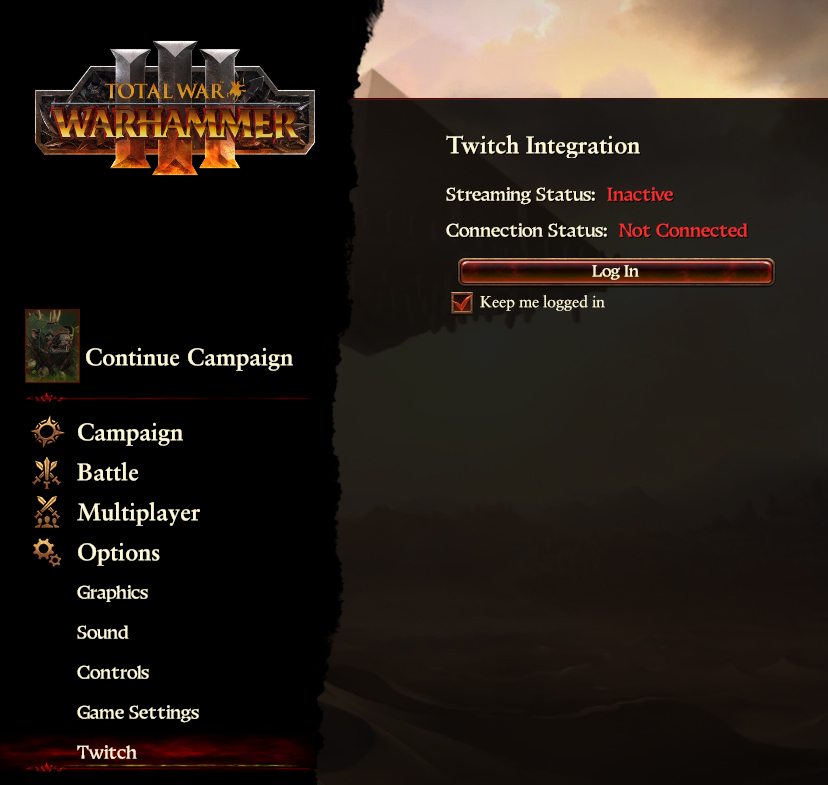
Click Log In and connect your game with your Twitch Account.
Once connected, Start Streaming in OBS (or other broadcast software).
* Please Note: you might need to wait for some time for Twitch to send the information to the game that you have started the stream so be patient. Once the connection is established, you will see the status change in the Twitch Integration tab in the game.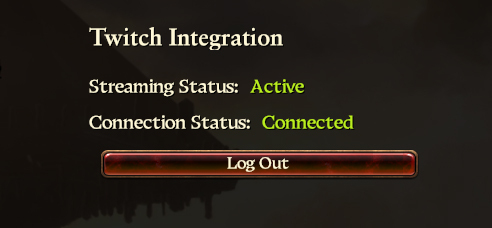
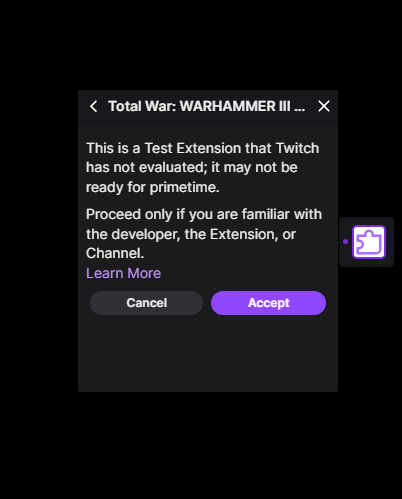
When someone wants to join in on a Raffle or a Poll you created, they will need to click on the Total War: WARHAMMER III Extension in Steam and click Accept.
Have all of the fun with your Polls and Raffles!
— The Total War Team
你覺得這篇文章如何?