





Realm Maintenance 2026 (Part I)
Hi everyone!Back in February, we gave you a sneak peek at what we have in store for our major update. We saw how eager many of you were to learn more, so we wanted to take the time to expand on the update and show off more of the changes coming soon.For this diary, we are joined by a special guest, who will introduce themselves next.A Familiar FaceHello everyone, I'm Agami or @Agamidae here. The mystery modder behind part of this update.I'm a UX designer, I've spent 2000 hours modding CK3, and you already know my work. I made the Fullscreen Barbershop, back when it wasn't fullscreen, and I made that Big Battle View you see in Koifish's videos.Years ago I had a dream. I wanted to finally put an actual functional ledger into the game.One weekend later, I had it :) \[/p]Imperator was the game that hooked me on Paradox modding and UX design. I wouldn't be here without it. So, a couple years later I started on the CK3 ledger:\[I'd actually forgotten what started it. Turns out, it was greed.]Then I got sidetracked a little for a… few years. Spent them making a mod for blind people, so they can play CK3 now, gathered more ideas for the ledger. I Learned a lot in the process.Then, last summer I got a call from the Big Platypus. Alexander Oltner asked: what would you do if we hired you?I pulled up my ledger, which by then had lists of characters, artifacts, wars, provinces, houses… And got hired on the spot (Well, okay, I got hired 6 months later, because Swedish bureaucracy is no joke).They said, we'll give you a programmer, you'll have 2 months, do for us what took you 5 years… And anything else you can think of. The months flew by, and here we are! The ledger is only one part of the update, but it required mountains of code, so I need to shout out my partner in crime, Petter Hansson. The update wouldn't exist without his code, so please everyone, say thank you, Petter.Now, let us begin. With one man's tragedies and statistics.The LedgerYou open the ledger from the hud, next to the date.\[You can also access it through a shortcut!]And yes, you're going to see a lot more new shortcuts.The Ledger has 9 pages in total, you switch with bookmarks on the side, and the first page is all “Ongoing Wars”.\[This list will populate fast.]Wait a few years and you'll see a hundred wars.\[You can even sort them by length or by total soldiers.]Or we can sort them by losses. Yes, we are tracking losses now! That's what the skulls are. You can open any war from the ledger, of course. You can open any of its items, in fact.So, let's take a closer look at wars and return to Ledger in a second.War LossesThe War View now shows how many Soldiers or Characters (!) were lost by each side in the war.\[No more guessing how badly your enemies, or you, are doing.]Going more in depth, the War View now shows battle losses first, including which side suffered the most. The Battle Score tooltip also lists how many soldiers fought and died in each battle, which makes it especially satisfying to spot stackwipes.Next, we show attrition losses. These are approximate, since things can become complicated when multiple wars overlap. And, of course, in a game about characters, we also count any characters lost during the war.The game will try to save any notable characters who died in the conflict, such as rulers and their close family members, and display them in this tooltip. We also make sure to show these losses in the War Results screen, so you will not miss them.\[Now the humiliation feels even more real]I cannot tell you how much I wanted this feature. Petter made my dreams come true with this one. With it, we can better feel the impact of wars, and for us it has simply been fun to see just how many things are happening across the world. We look forward to seeing your highest tallies.We have also added a button to the Ledger that allows you to favorite wars, so you can keep track of any conflicts you find particularly interesting.\[10 years and 27 thousand fallen, for a single duchy]And that’s not just limited to wars, as you can favorite all of the items in the ledger, on every page! So, if you find something valuable, like for example…ArtifactsYou'll be surprised how many of them there are, even without the Royal Court DLC, you'll have hundreds of available artifacts, and with it enabled, thousands!\[Can’t wait for people to report multiple Excaliburs as a bug again]We can sort artifacts by rarity and filter them by type, so if you only want to see crowns, for example, that is easy to do. You can also view the artifacts that exist within your realm. Almost all pages now include filters, which can be opened by clicking the magnifying glass. The top three items in each sorting order are displayed in the podium area at the top of the page. This section can be collapsed by clicking to the right of the filters, giving you more space to scroll through the lists.We can also sort artifacts by the number of kills they have, although those tend to be ve
Hi everyone!
Back in February, we gave you a sneak peek at what we have in store for our major update. We saw how eager many of you were to learn more, so we wanted to take the time to expand on the update and show off more of the changes coming soon.
For this diary, we are joined by a special guest, who will introduce themselves next.
Hello everyone, I'm Agami or @Agamidae here. The mystery modder behind part of this update.
I'm a UX designer, I've spent 2000 hours modding CK3, and you already know my work. I made the Fullscreen Barbershop, back when it wasn't fullscreen, and I made that Big Battle View you see in Koifish's videos.
Years ago I had a dream. I wanted to finally put an actual functional ledger into the game.
One weekend later, I had it :)
\[/p]
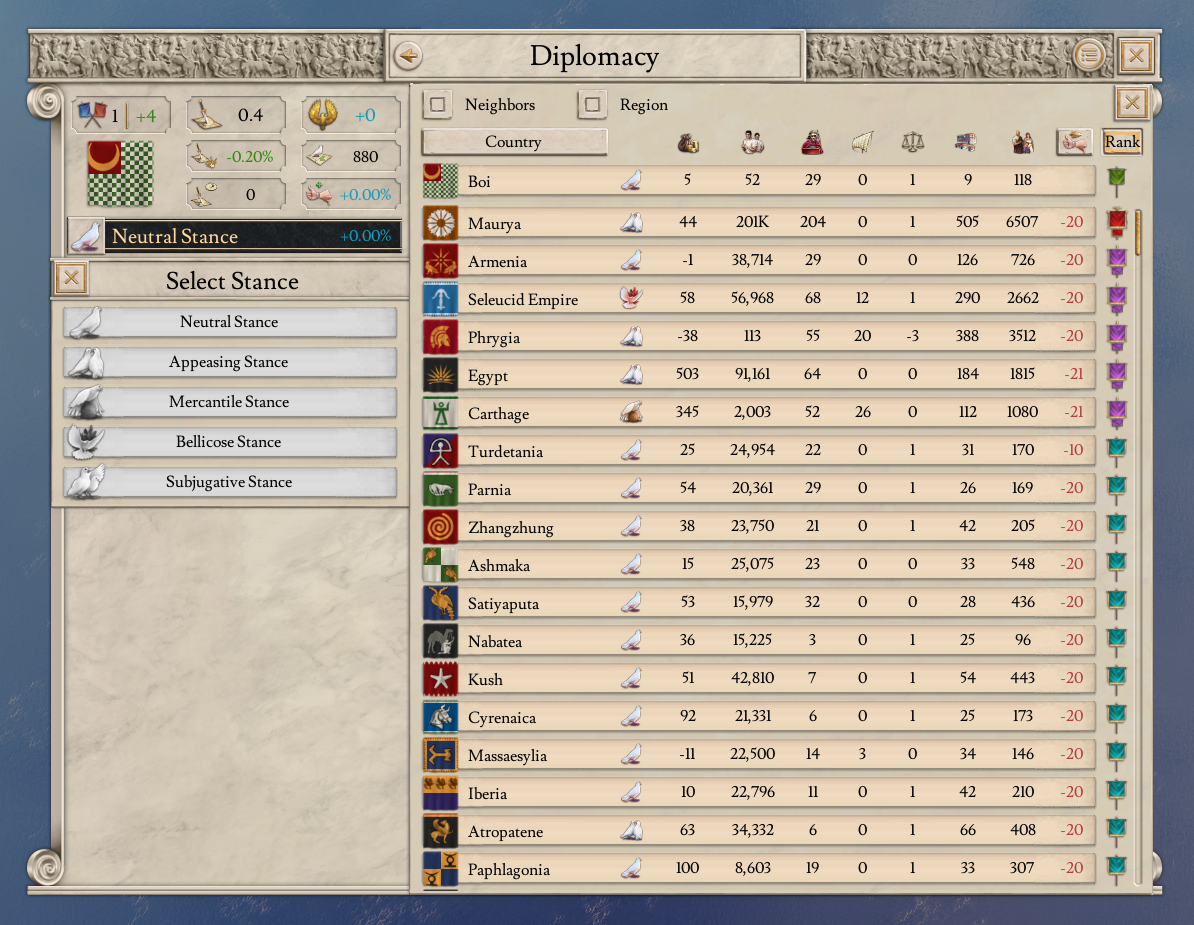
Imperator was the game that hooked me on Paradox modding and UX design. I wouldn't be here without it. So, a couple years later I started on the CK3 ledger:
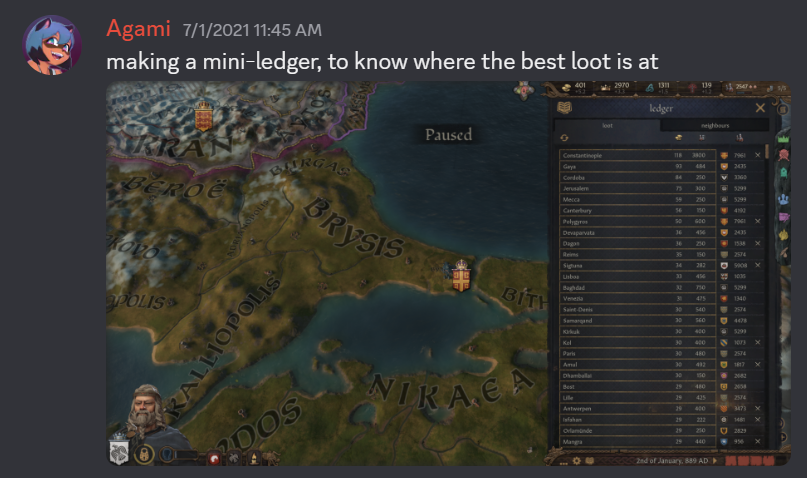
\[I'd actually forgotten what started it. Turns out, it was greed.]
Then I got sidetracked a little for a… few years. Spent them making a mod for blind people, so they can play CK3 now, gathered more ideas for the ledger. I Learned a lot in the process.
Then, last summer I got a call from the Big Platypus. Alexander Oltner asked: what would you do if we hired you?
I pulled up my ledger, which by then had lists of characters, artifacts, wars, provinces, houses… And got hired on the spot (Well, okay, I got hired 6 months later, because Swedish bureaucracy is no joke).
They said, we'll give you a programmer, you'll have 2 months, do for us what took you 5 years… And anything else you can think of. The months flew by, and here we are! The ledger is only one part of the update, but it required mountains of code, so I need to shout out my partner in crime, Petter Hansson. The update wouldn't exist without his code, so please everyone, say thank you, Petter.
Now, let us begin. With one man's tragedies and statistics.
You open the ledger from the hud, next to the date.
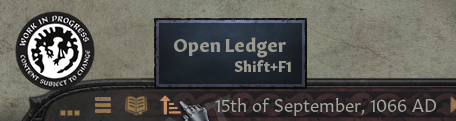
\[You can also access it through a shortcut!]
And yes, you're going to see a lot more new shortcuts.
The Ledger has 9 pages in total, you switch with bookmarks on the side, and the first page is all “Ongoing Wars”.
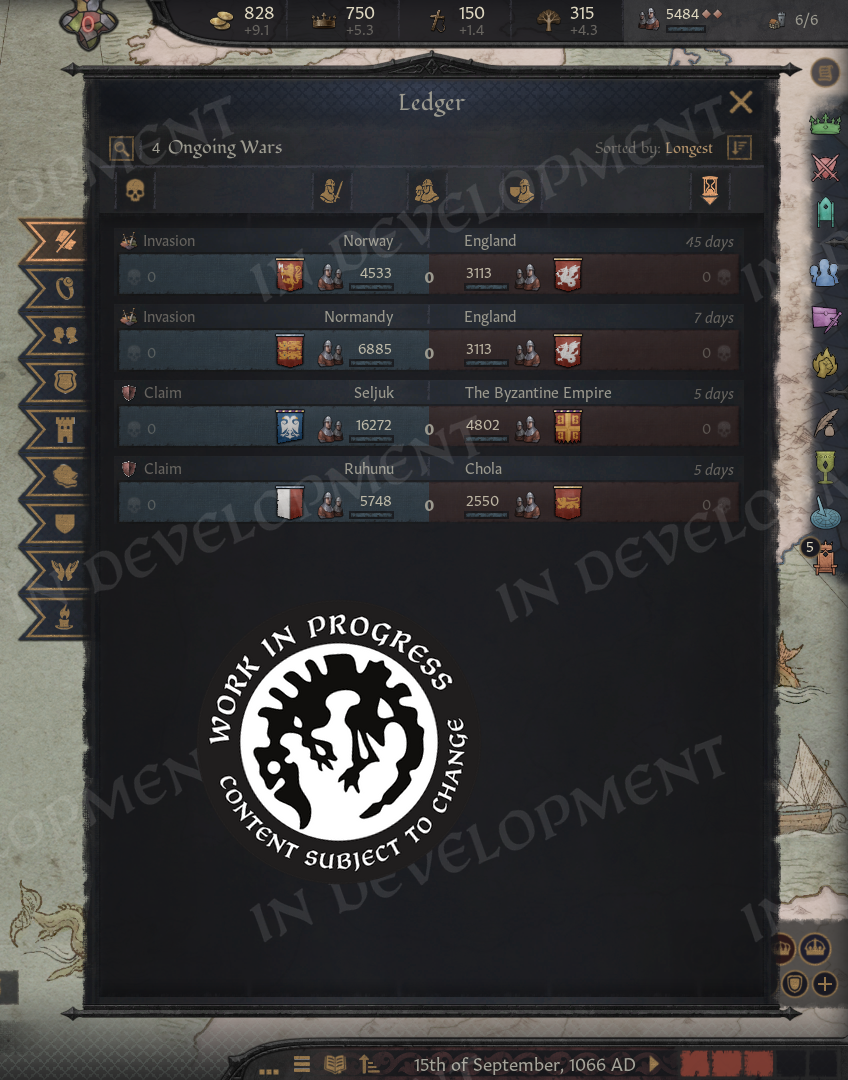
\[This list will populate fast.]
Wait a few years and you'll see a hundred wars.
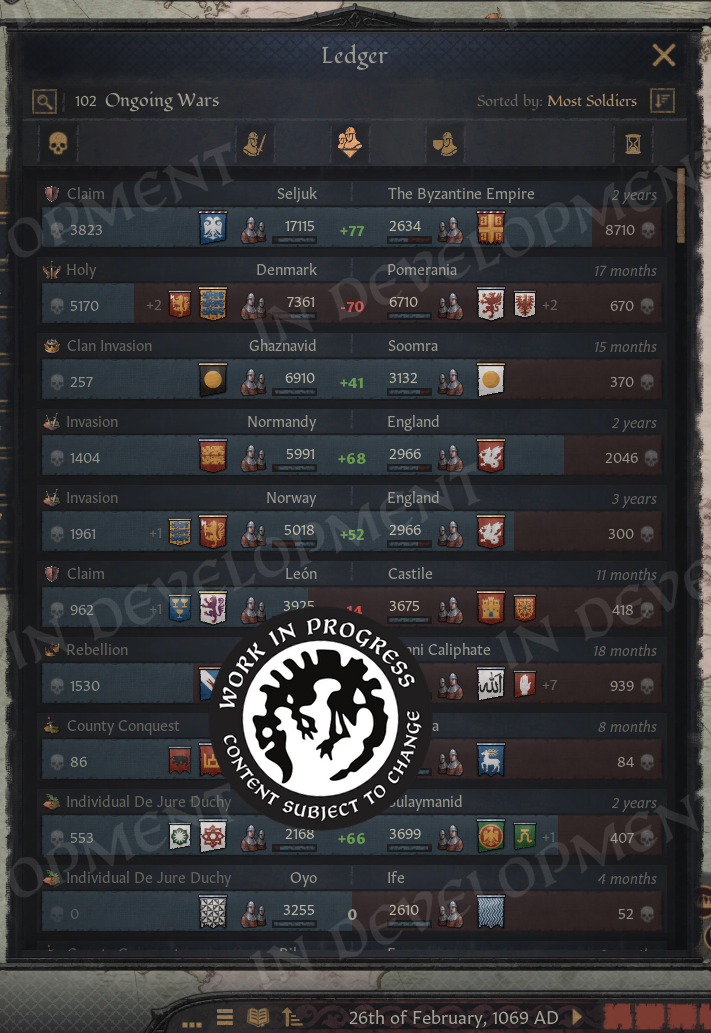
\[You can even sort them by length or by total soldiers.]
Or we can sort them by losses. Yes, we are tracking losses now! That's what the skulls are. You can open any war from the ledger, of course. You can open any of its items, in fact.
So, let's take a closer look at wars and return to Ledger in a second.
The War View now shows how many Soldiers or Characters (!) were lost by each side in the war.
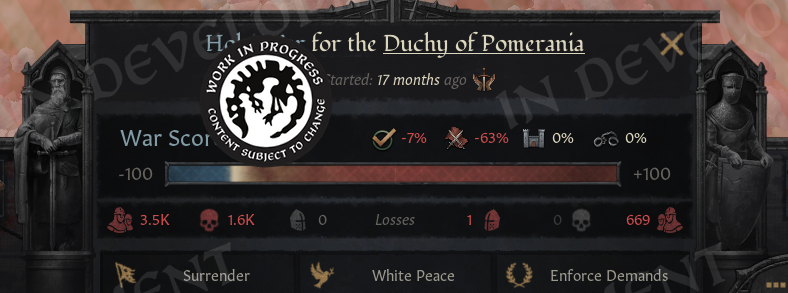
\[No more guessing how badly your enemies, or you, are doing.]
Going more in depth, the War View now shows battle losses first, including which side suffered the most. The Battle Score tooltip also lists how many soldiers fought and died in each battle, which makes it especially satisfying to spot stackwipes.
Next, we show attrition losses. These are approximate, since things can become complicated when multiple wars overlap. And, of course, in a game about characters, we also count any characters lost during the war.
The game will try to save any notable characters who died in the conflict, such as rulers and their close family members, and display them in this tooltip. We also make sure to show these losses in the War Results screen, so you will not miss them.
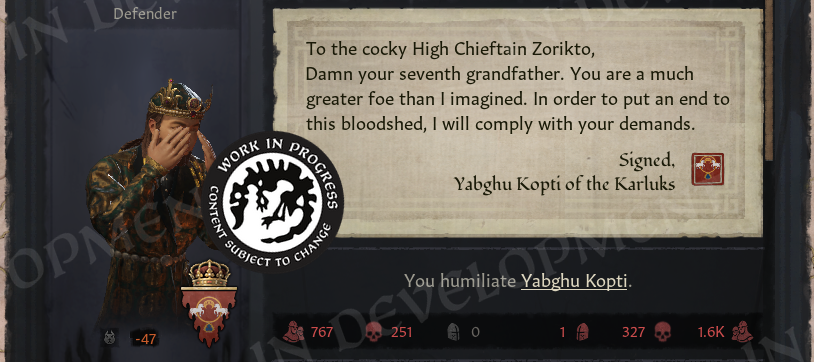
\[Now the humiliation feels even more real]
I cannot tell you how much I wanted this feature. Petter made my dreams come true with this one. With it, we can better feel the impact of wars, and for us it has simply been fun to see just how many things are happening across the world. We look forward to seeing your highest tallies.
We have also added a button to the Ledger that allows you to favorite wars, so you can keep track of any conflicts you find particularly interesting.
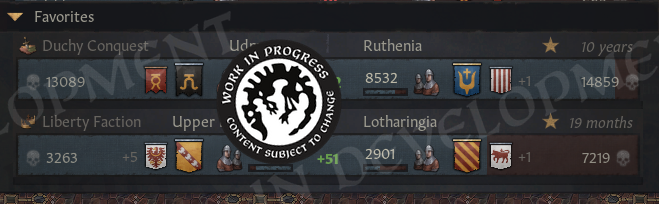
\[10 years and 27 thousand fallen, for a single duchy]
And that’s not just limited to wars, as you can favorite all of the items in the ledger, on every page! So, if you find something valuable, like for example…
You'll be surprised how many of them there are, even without the Royal Court DLC, you'll have hundreds of available artifacts, and with it enabled, thousands!
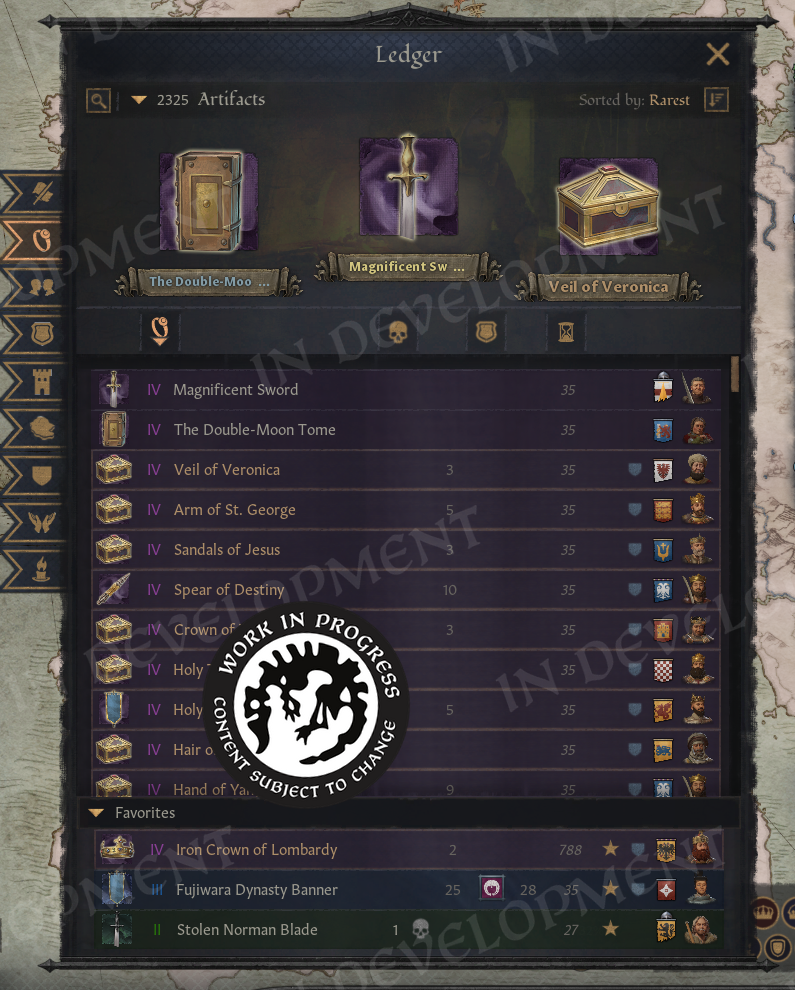
\[Can’t wait for people to report multiple Excaliburs as a bug again]
We can sort artifacts by rarity and filter them by type, so if you only want to see crowns, for example, that is easy to do. You can also view the artifacts that exist within your realm. Almost all pages now include filters, which can be opened by clicking the magnifying glass. The top three items in each sorting order are displayed in the podium area at the top of the page. This section can be collapsed by clicking to the right of the filters, giving you more space to scroll through the lists.
We can also sort artifacts by the number of kills they have, although those tend to be very rare. Claims are shown as well, including both claimants and house claims, and can be sorted by the total number. We have also added the age of an artifact here, when that information exists. Some of them are truly ancient, as this example from a 1125 save demonstrates.
You will also find a few easter eggs among the artifacts, but we will not spoil them here. Have fun discovering them on your own.
This is of course, far more than any ruler would know at the time. But all that information is already in the game, you could manually go through all the rulers and look at their artifacts.
The Ledger doesn't reveal any secrets, only gives you better access to what's already there.
It would be neat to have Terra Incognita, but currently the game is very transparent. Which does, on the plus side, let us discover many interesting things.
Discovery is one big function of the ledger. The other one is measuring contests.
While we already have the Character Finder, this character ledger is intended more as a leaderboard, letting us compare ourselves to others and climb the ranks.
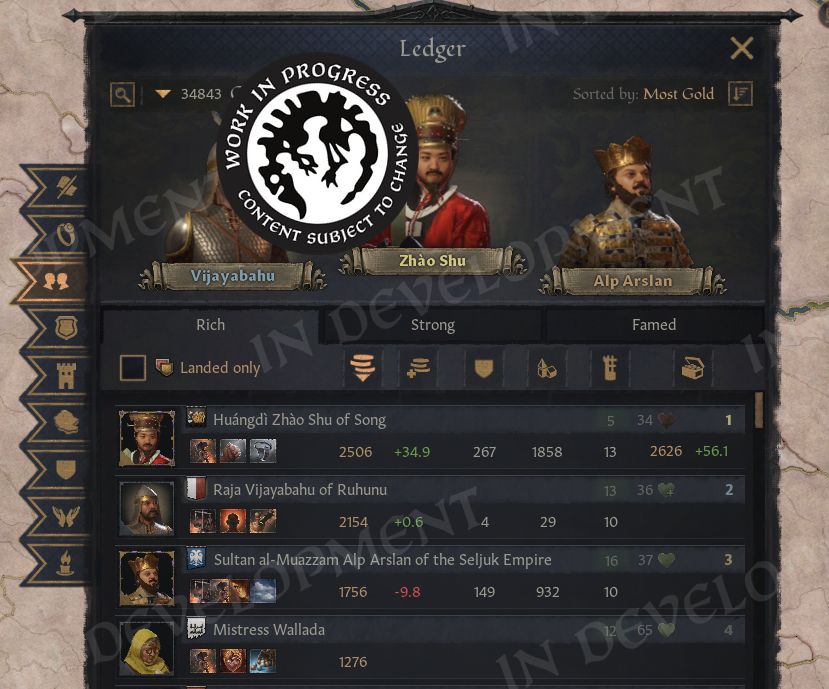
\[Now you can truly know if your strategy was the most cunning]
We can also filter characters by player, which makes the Ledger a useful tool for a bit of unfriendly competition in multiplayer.
We have split the Characters page into three tabs, and the first tab shows all the economic leaders. Here, we can sort by either total gold or income. It is worth noting that the income sorting is based on total income before expenses, so there is a tooltip that provides more detail on the actual balance.
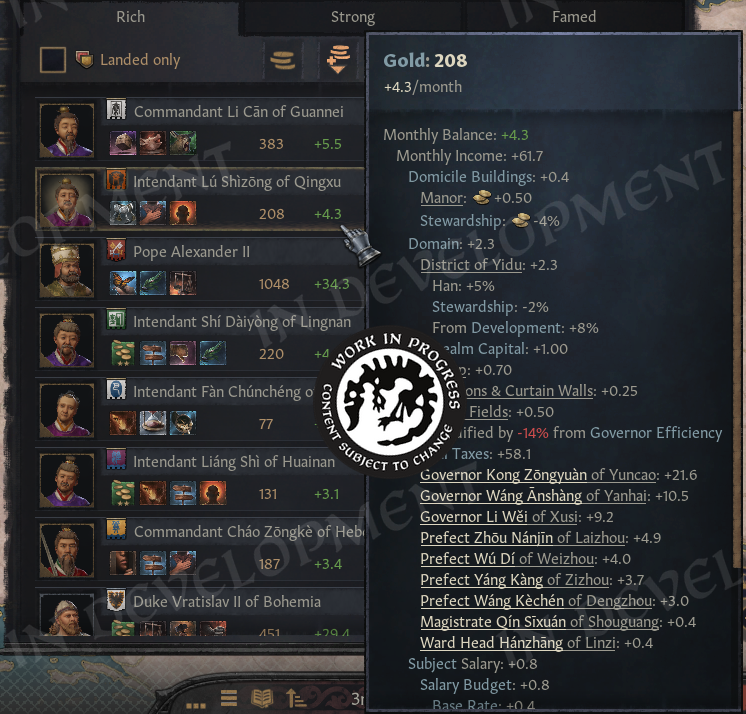
\[Yes, it's so large, and yes, you can scroll it.]
You can check who has the biggest realm, the most buildings, highest average development and most treasury.
The next tab highlights the military giants. Here, we can sort by total soldiers or by men-at-arms alone. We also show the total number of knights, along with a tooltip that lists them individually and displays their knight effectiveness.
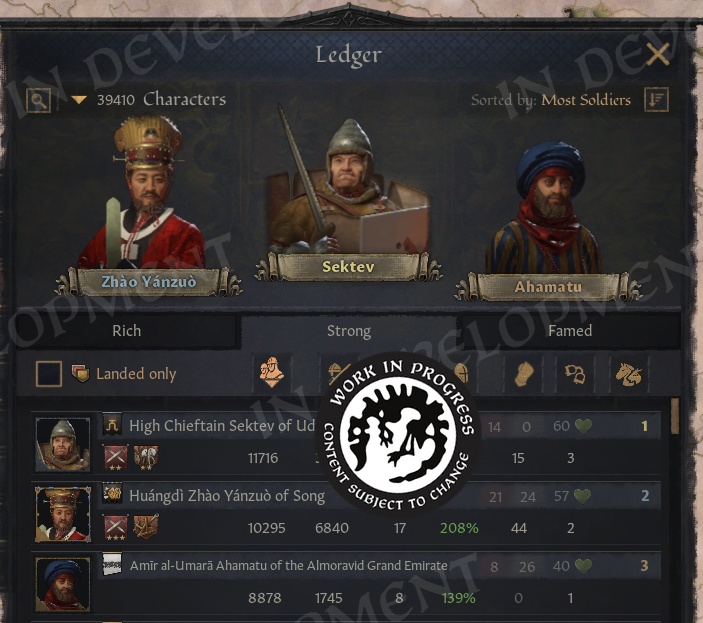
\[That old man is actually stronger than he looks]
This tab also lets us see who the most dreaded ruler is, as well as who is holding the most prisoners. And for our horse boys, we have included herd as a sorting category too, so they also get a chance to stand on the podium.
The third tab is all about reputation. We can sort by fame and devotion, legitimacy, influence, merit, mandala radiance, and even dominance.
It is also worth noting that every page includes a dropdown with even more sorting options. Here, for example, we can sort by the underlying values themselves, and it is impressive to see just how much some characters manage to accumulate.
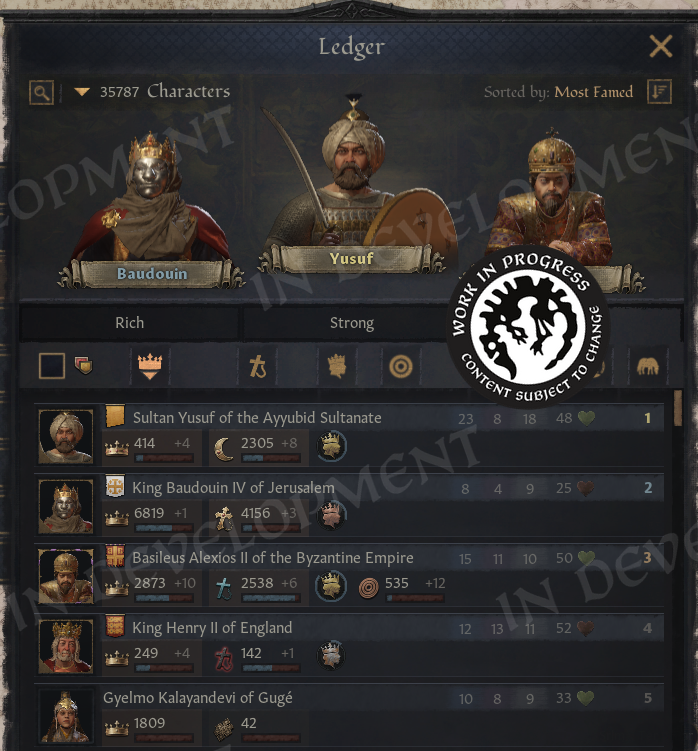
\[There are a whole host of sorting options here!]
There's plenty of interesting characters to discover here. And when you do, feel free to favorite them in the ledger. It's a nice way to keep track of them without filling up your outliner.
Speaking of which…
Let's do another quick detour. You can now pin holdings and titles to the outliner!
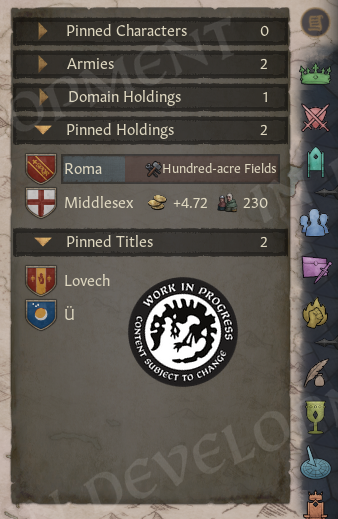
\[Pin as much as you want!]
If you want to quickly navigate around the map or check up on a title you plan to create, it'll be there in your outliner. The outliner is hotkeyed to Q and pin buttons to Alt+Q for easy access. Same for character pins.
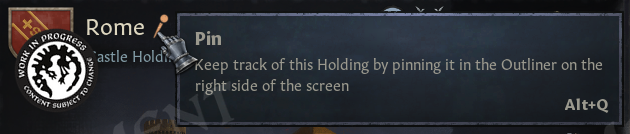
\[You can even pin holdings!]
There are, in fact, quite a few new hotkeys.
You can quickly toggle sections of the outliner and select armies in it with Alt+number.
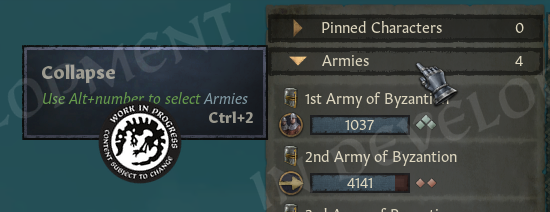
\[The game can almost fully be played with hotkeys now (editors note: this is not verified)]
Each army now has a button that lets us cycle through them with N. Our holdings have one as well.
We have also added a halt button for armies, bound to H, which lets us quickly stop the movement of any selected army instead of zooming in and trying to click exactly where the army is standing.
All tabs in the game are now assigned to Ctrl plus number hotkeys. Some features use Alt plus numbers instead, such as buildings and lifestyle focuses, and setting up activities can now be done more quickly as well.
We have also added a new hotkey, Alt+X, to advance to the next day. This makes it easier to time things precisely without having to unpause and pause again.
You can open your capital with Alt+S, your domicile with Alt+D, a war with Alt+W, and an activity with Alt+A. You can also confirm actions with Alt+C, in addition to Enter rather than as a replacement for it.
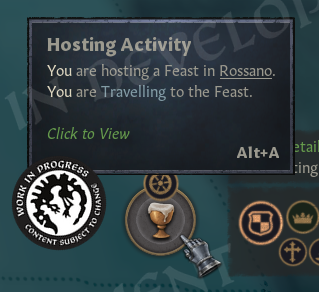
\[You’re going to have to replace the ALT key on your keyboard]
You will notice that activities now appear on the right side of the screen. This was an effort by the team to declutter the left side, which could often become quite busy.
The team has also added an incredible new feature. You can now edit your travel route simply by holding Shift and clicking on the map, and it feels fantastic to use.
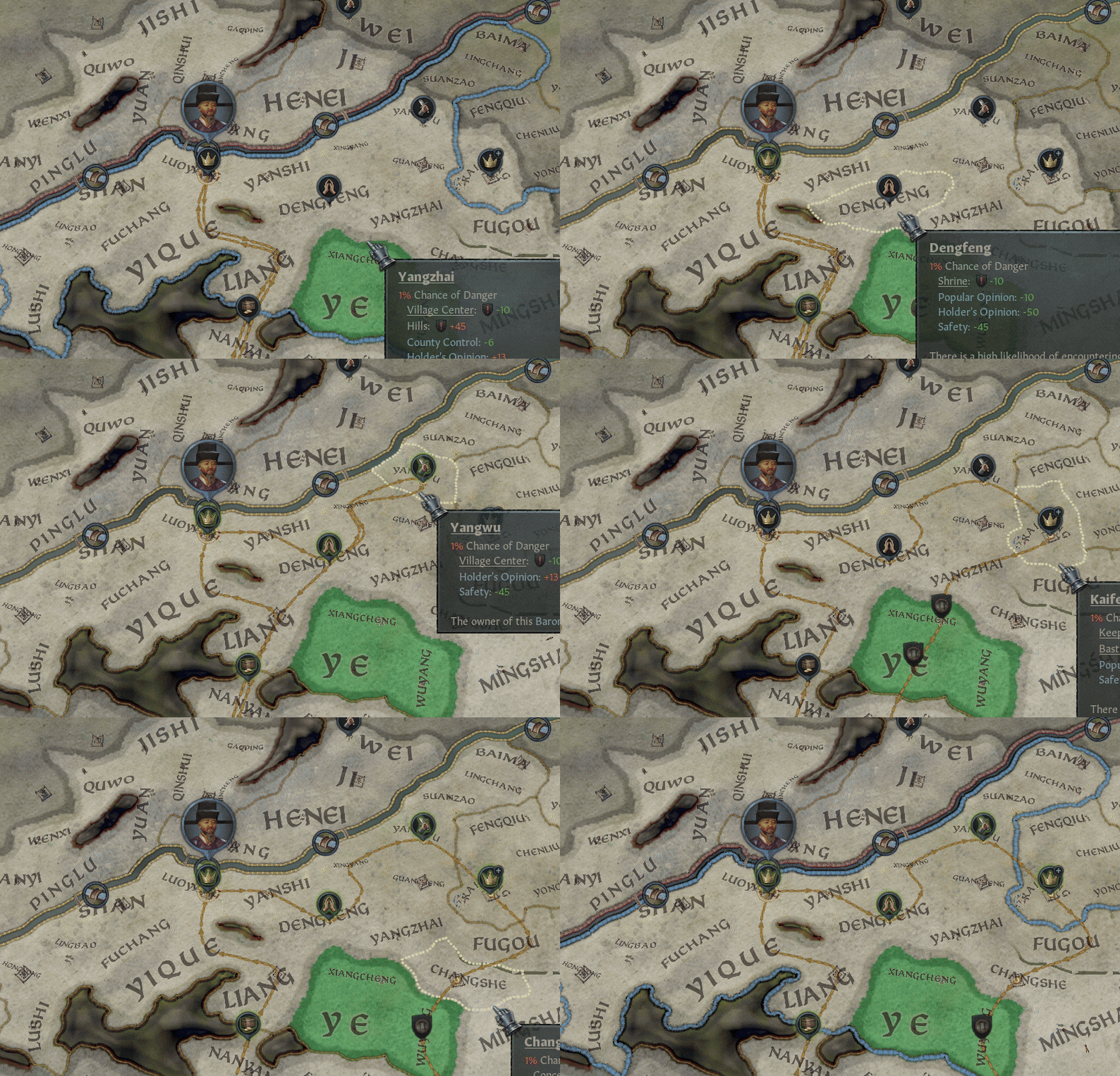
\[Travel-planning has never been faster]
Regarding shortcuts, we also have some good news for modders. While the shortcuts file is not moddable yet, you may not even need to mod it, because it now contains all keys and key combinations, roughly 800 in total.
So if you ever need something truly cursed like Ctrl+Alt+Shift+F12, you can use it. If you want to use WASD for your Tetris mod, by all means, go ahead. Have fun with it.
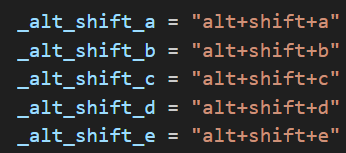
\[If you do end up making a tetris mod please send it to us]
We will return to hotkeys again in a moment, but for now let us move on to the next Ledger page: Houses and Dynasties, which is on Ctrl+4, by the way.
Do you want to know which house is the largest, and which dynasty is the most renowned? Now we can find that out much more easily.
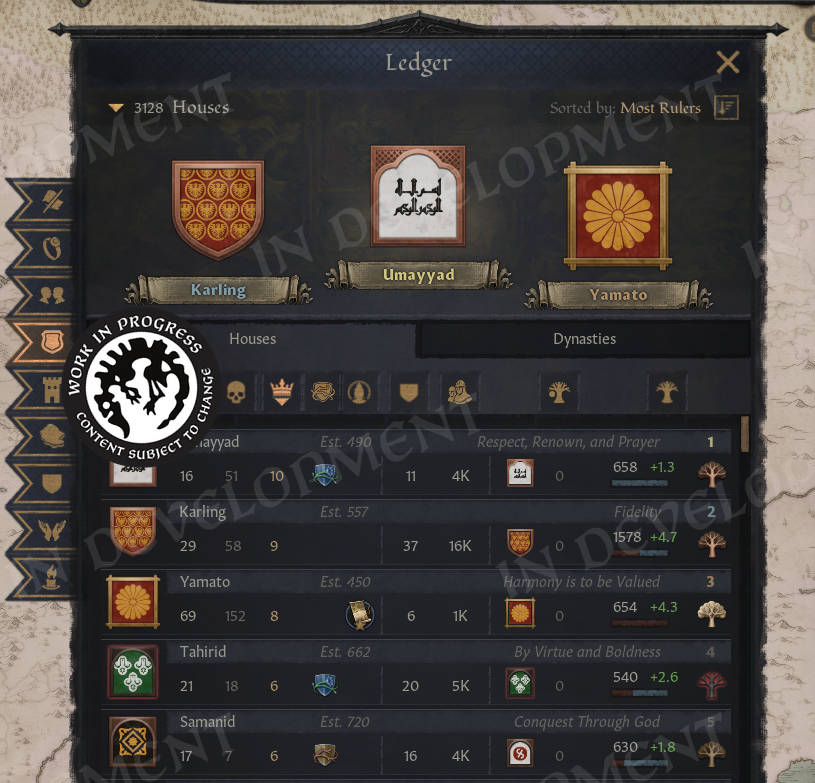
\[We list both alive and dead members and current rulers of the house.]
You can also check house unity and house attributes, and we show the total number of counties controlled by a house along with all of its soldiers.
We also show the dynasty itself, how many legacies it has unlocked, and its current renown. The second tab contains a list of all dynasties, with similar information, along with the number of houses each dynasty contains.
It is also fun to read the mottos here. As a small fun fact, developers have their own houses in the game, often with amusing mottos, so see if you can find them on your own.
Next comes my favorite page.
We have all the holdings in the world, with their buildings!
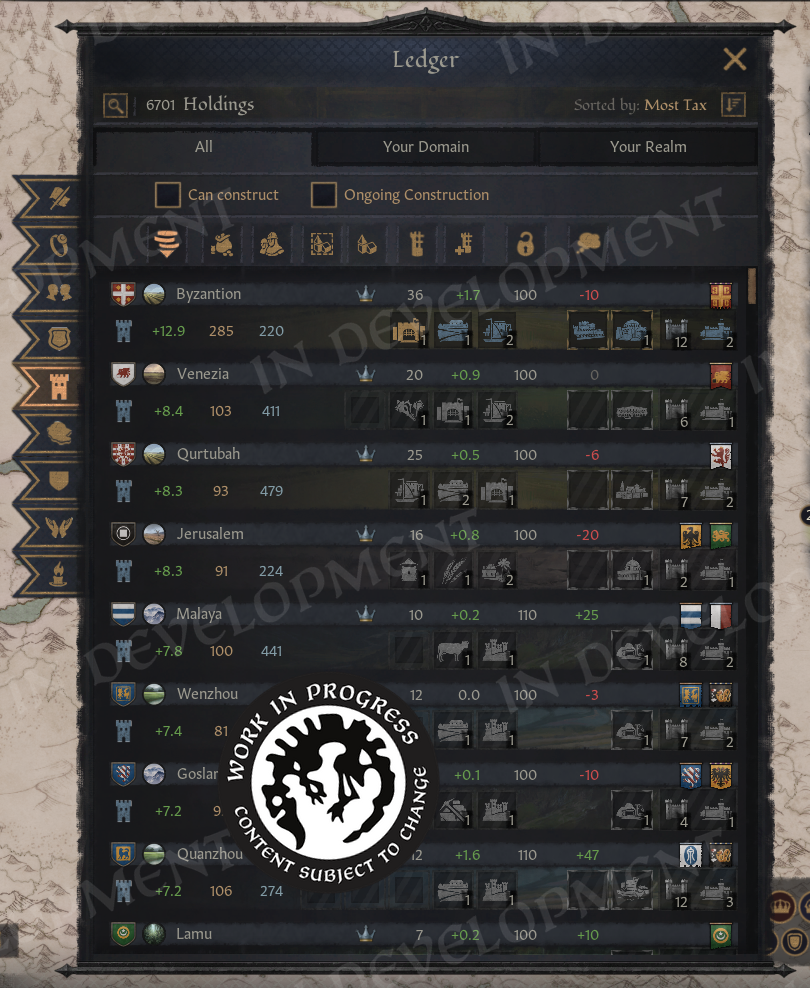
\[So many holdings!]
And yes, we have made it so you can build right from here.
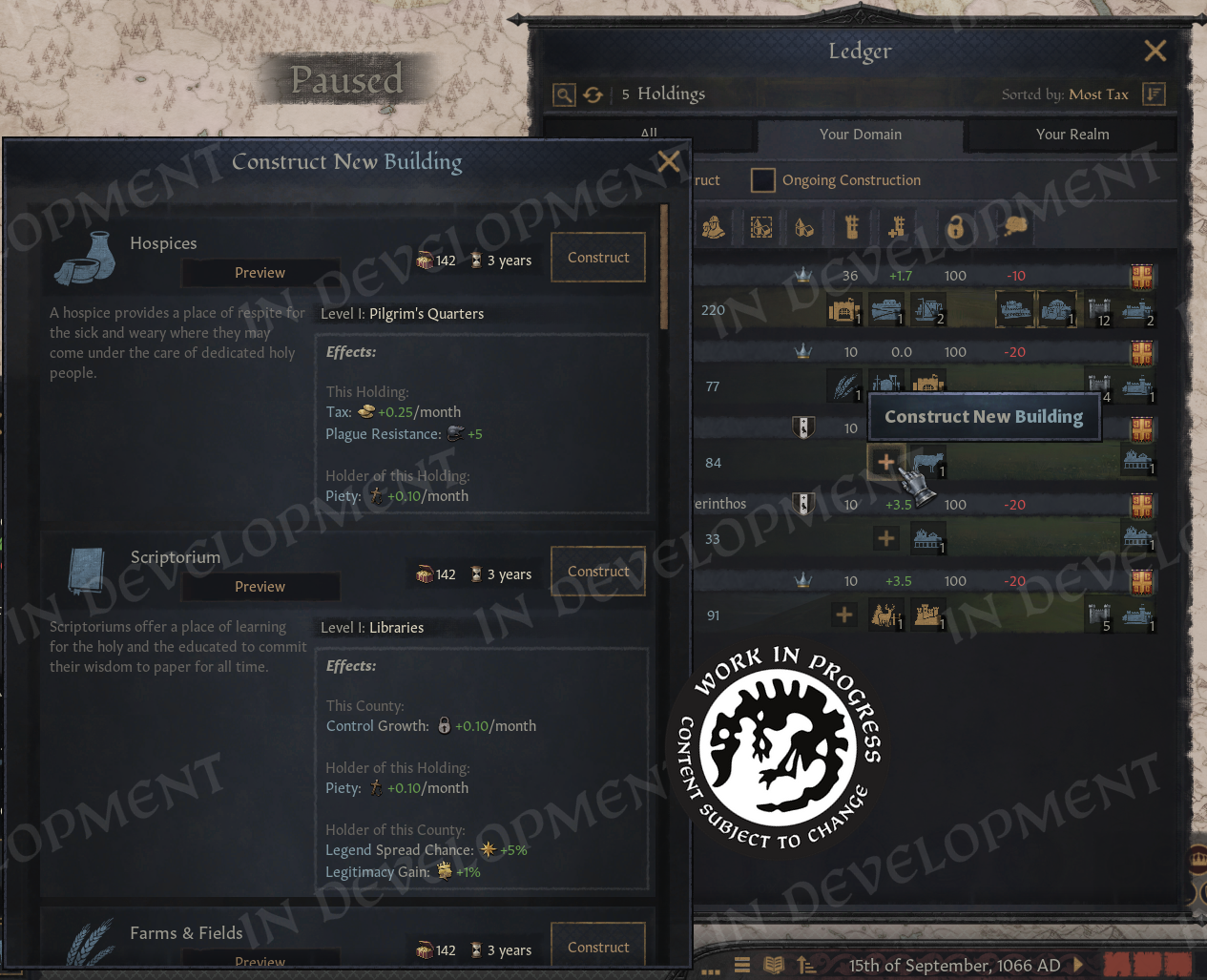
\[There are a lot more cool things like this in the ledger!]
I was over the moon when they got this working! In a mod, it was only possible to show static icons, but now everything is fully interactable. If we want to build in our vassals’ holdings, we can switch to our realm, sort by tax or empty slots, and start clicking.
If we are curious whether our vassals are constructing anything, there is also a filter for ongoing buildings. And if we want to know the best place to raid, we can sort by loot. We can also filter by unlooted locations, or by looted ones if we want to see just how much raiding and pillaging is going on.
In any case, we have plenty of sorting options here, ranging from levies to county development and control, along with filters for special buildings and their slots.
Hopefully, this will help you manage your realm more effectively, or at least help you find the next place to conquer.
Of course, counties and other titles have their own pages too.
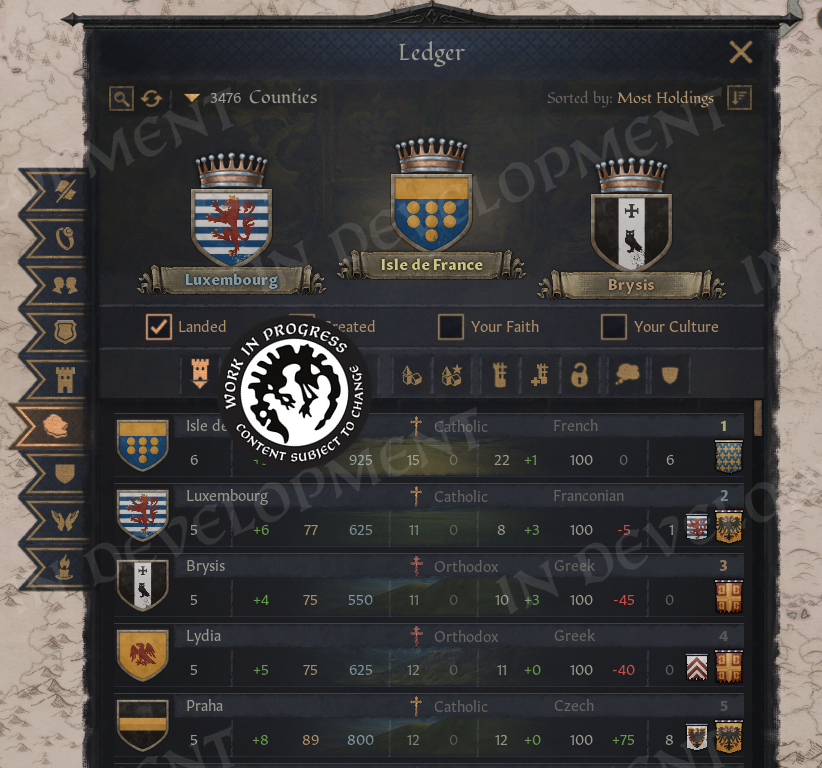
\[A picture of the County page]
Here, we count the total number of holdings, along with the taxes, loot, and levies they provide. We can also sort by the number of baronies, including empty ones, from the dropdown menu. (At the moment, the largest county in the game is Madurai, with seven baronies.)
You can sort them by development and also by its growth. It's interesting to see which parts of the world are developing or declining.
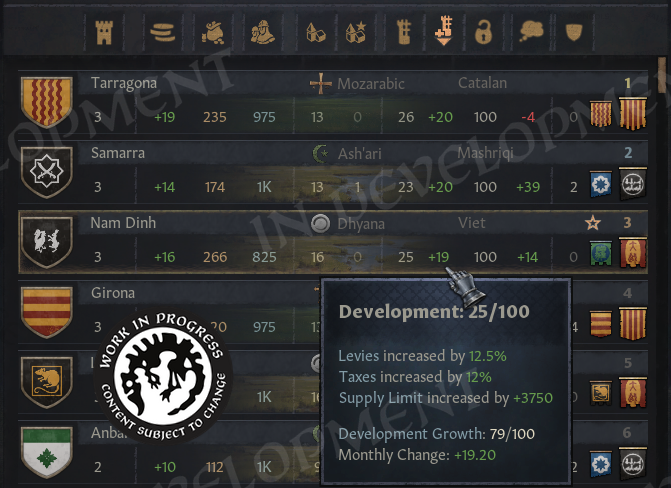
\[It’s been really fun just tracking things here]
The same applies to control and popular opinion, which makes it easy to find the counties that truly love or hate their rulers.
A note on total tax, loot, and levies: These are all taxes and levies produced in each holding. Some of that income and those levies will be kept by mayors or bishops, so we would not receive the full amount ourselves, but it is still a useful way to compare how productive different counties are. We apply the same logic to higher-tier titles as well.
Here are all the titles, grouped by tiers, with total counties and holdings, and total taxes, loot and levies, from all their holdings.
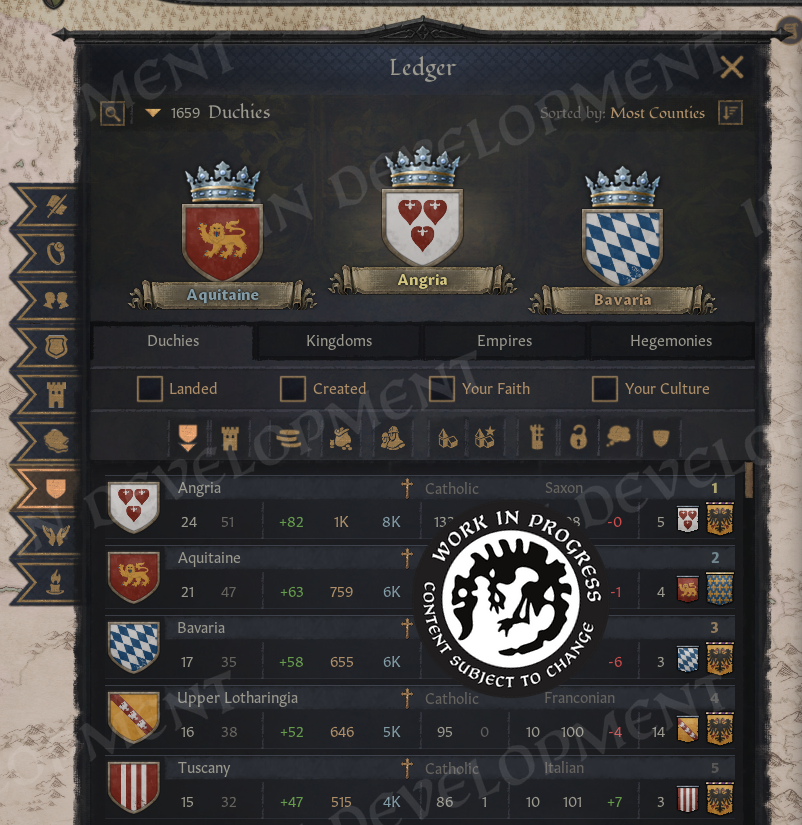
\[Here is the Title Page!]
If you ever wonder where to expand, or which kingdom would be more valuable to take over, this can provide some useful guidance.
For titles in this list that have not yet been created, we show information based on their de jure counties. For titles that do exist, we instead show their de facto counties, meaning the counties they actually control.
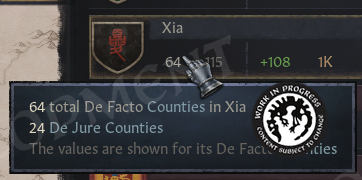
\[Many useful tooltips like this one exists!]
For titles, we show the average values of development, control, and popular opinion across all their counties. And of course, we also list their claimants.
We have also added the dominant culture and faith for each title. The tooltip shows what percentage of counties follow them, which makes it very neat to see at a glance.

\[Number one!]
Speaking of…
You ever wondered what's the most populous faith in the game? Well, we can easily compare them now.
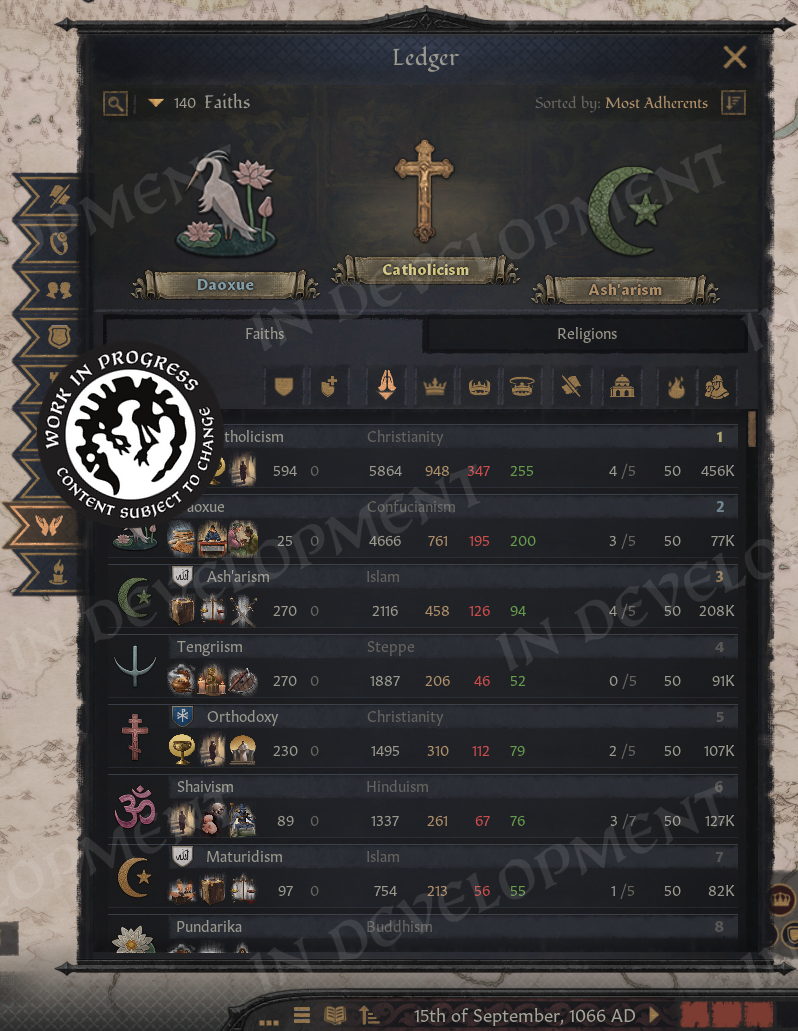
\[And here is the Faith Screen!]
We also show how many rulers each faith has. And, like Saint Nicholas, we keep track of who is naughty and who is nice by displaying the number of sinful and virtuous rulers.
If a ruler has a sin, we count them as a sinner. If they have no sins and at least one virtue, they are considered virtuous, and we welcome them to the club. Also, are these icons not great? A shout-out goes to Celine, who created them, and to Lucas, who added a number of new icons for the Ledger in general.
Do these numbers have any gameplay impact? No, but they are an interesting way to see how pious the members of a faith truly are. Do they actually follow their ideals? And perhaps this might inspire a playthrough where we try to make our faith the purest of them all.
As a reminder, we can search for traits in the Character Finder if we want to track down sinners.
Before moving on, it is worth mentioning the first two values on the page. We show the total number of counties that follow the faith, along with the change caused by recent conversions.
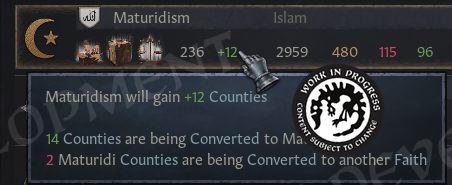
\[Track faith conversion!]
This allows us to see how different faiths are growing or declining, and which ones might be on the brink of disappearing.
The page also shows whether a faith is currently involved in any holy wars and how many of its own holy sites it controls. In addition, we display its fervor and the total number of soldiers belonging to all rulers who follow that faith.
There is also a similar tab for religions, which presents the combined totals for all of their respective faiths.
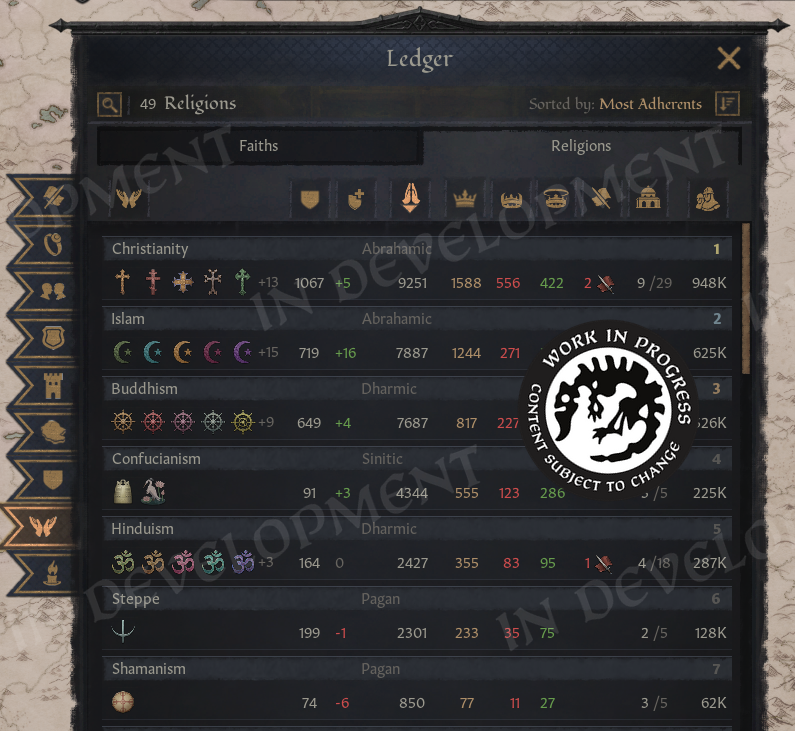
\[Turns out, Buddhism has the most holy sites in the world. The more you know!]
Naturally, we can also compare cultures. And while you can probably guess which culture has the most people, the top ten may still contain a few surprises.
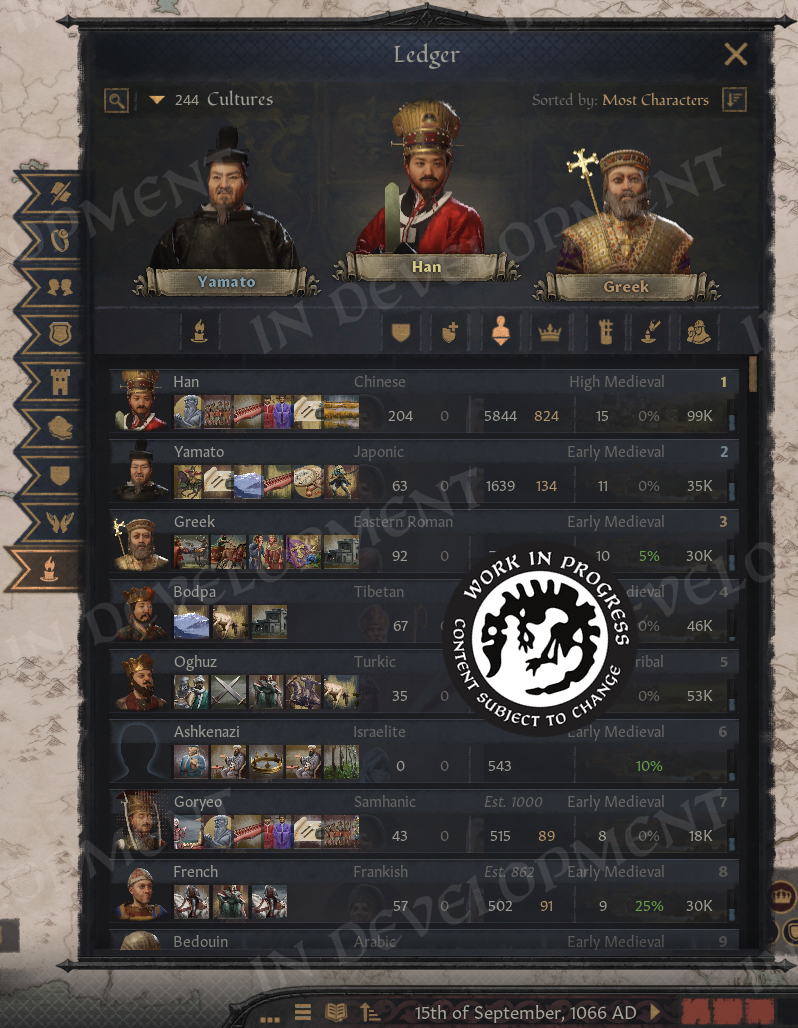
\[Cultures page for the Ledger!]
We also track county changes here, showing culture promotions over time. In this example, the data comes from a save in 1125.
In addition, we display the total number of characters and rulers belonging to each culture, along with the total development across all their counties, which is relevant for innovation progress. A progress bar also shows how many innovations each culture has discovered.
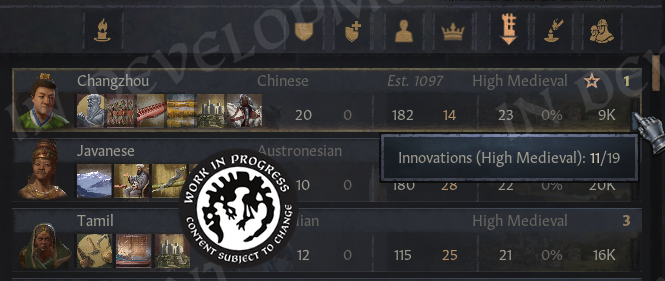
\[Innovations progress]
We can also see how much acceptance other cultures have toward ours, which makes it easy to find out who actually likes us. Finally, if a culture has a creation date, we display it here as well, making it simple to keep track of newly formed cultures.
And that brings us to the end of the Ledger. I hope you will find it useful. The team here and the beta testers have been very happy using it, and with their help it ended up far better than I could have done on my own. In fact, I never even managed to finish it alone, so this was a very welcome push. But we are not quite done yet. The Ledger is one realm management tool, but we have a couple more in store.
You know how large the list of subjects in “Your Realm” becomes? Wouldn't it be nice to have a more compact overview?
Now we have it.
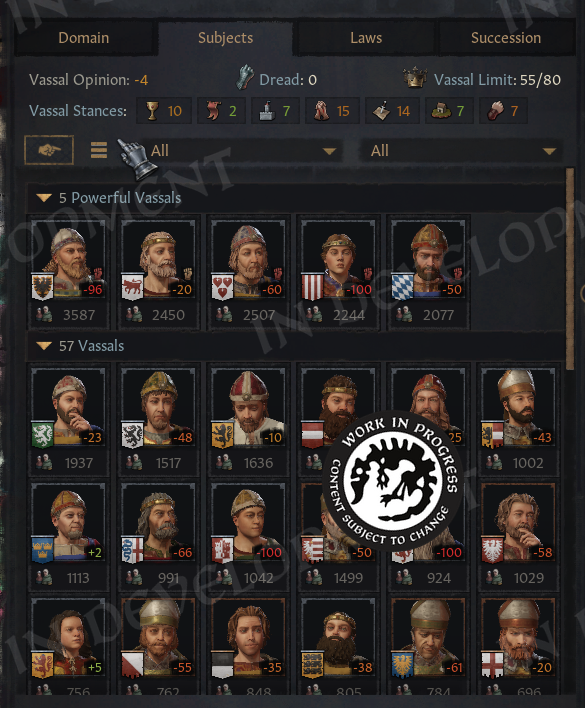
\[You can get this view with the click of a button!]
It would show soldiers of each character and group them by type: powerful vassals, regular ones and tributaries.
You can also toggle the directives button and quickly issue them to your vassals (if they are willing to listen to you).
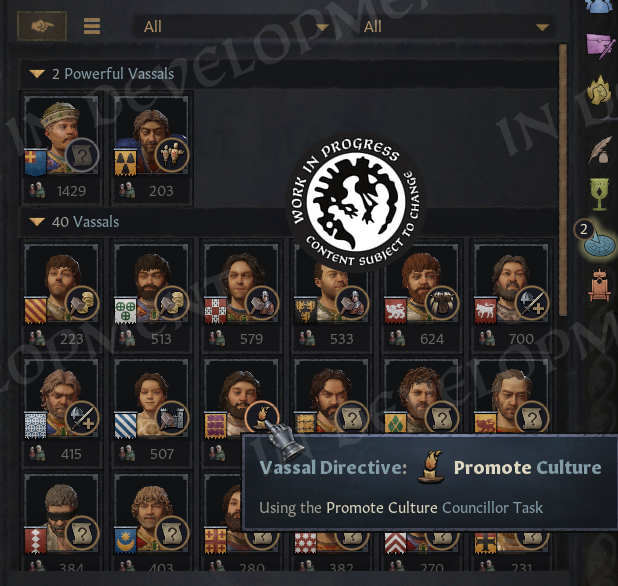
\[And if they don’t listen — you can make them.]
Remember, directives are available for any rulers, not only administrative. So now we’ve made it easier to find who can take them through icons.
The same compact list is now in the character window, which doesn't have a lot of space for subjects.
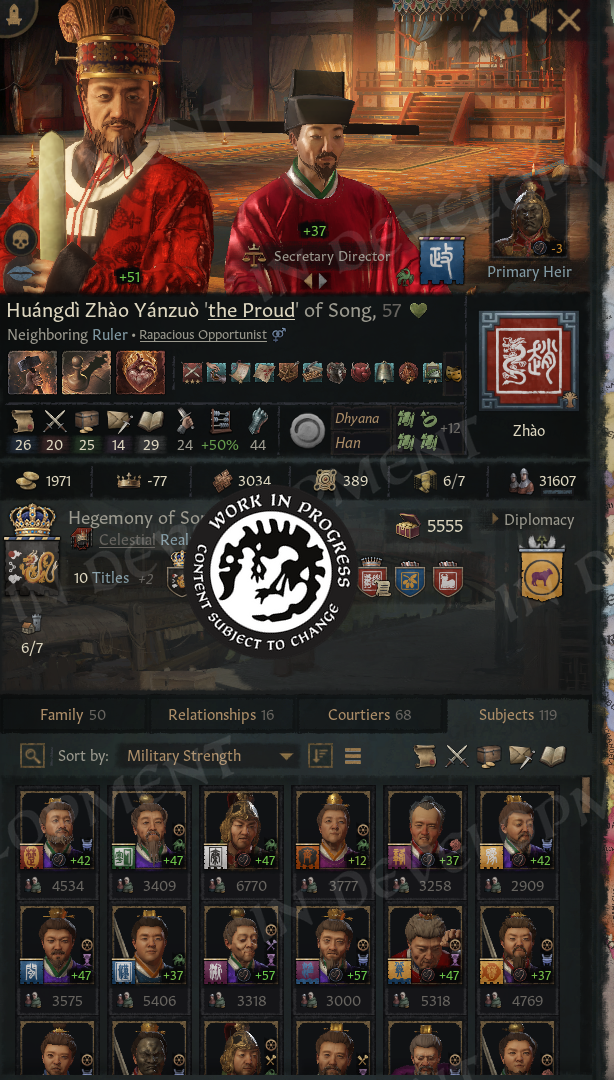 \[[i]All your subjects!][/i]
This version is ungrouped, but we can sort and filter it as needed. The idea for this view actually came from another UX designer I worked with. During the process we had quite a few discoveries like this, and we are very happy with the results.
And if you have spotted a new icon in the character view, rejoice. When a character has many traits, we can press the traits button to expand the list, just like we can with modifiers.
Tada!
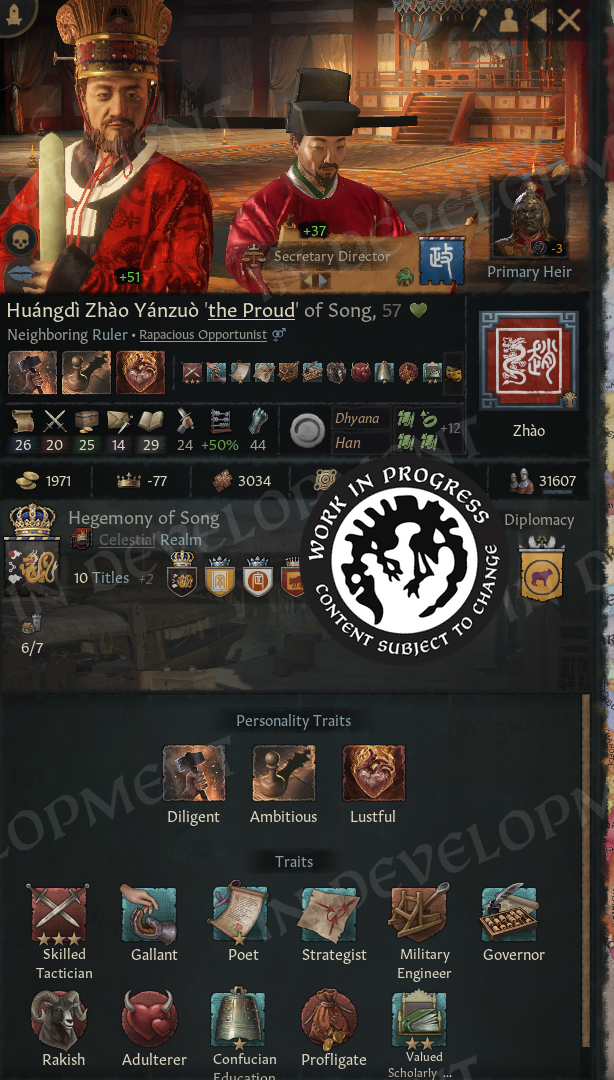
\[See all of your traits at once!]
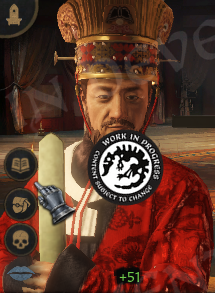
This was implemented by the CK3 team, even before I got started. The portrait is also less crowded with buttons now, since most of them only appear when we hover over the character.

\[Now you can see more of your character's right arm]
We do keep the kills button visible, so we can immediately see whether a character has any.
And with that, we move on to my second tool, which is focused on knights and is based on another popular mod.
Have you ever lost your heir in a random battle because you forgot they were serving as a knight? Now we can prevent that. Simply uncheck a setting in Permissions, and your heir will never serve as a knight again.
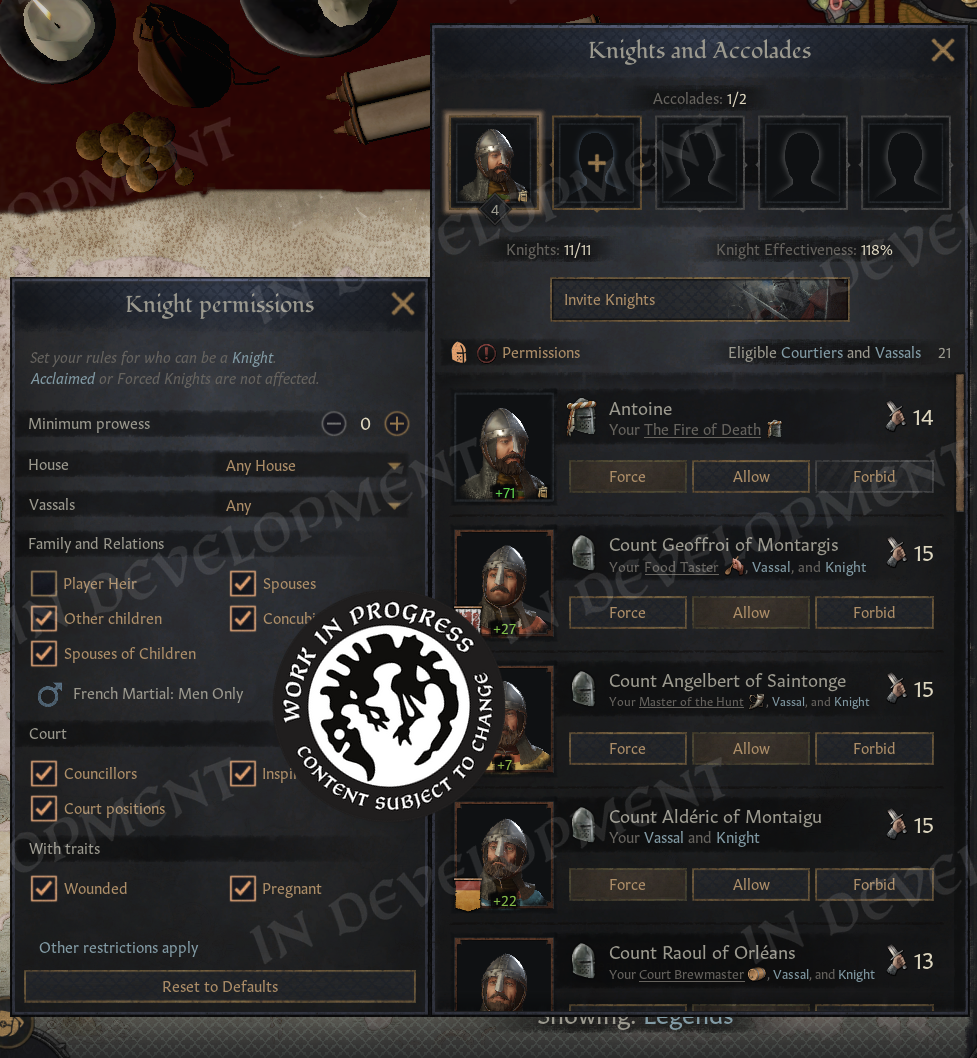
\[There are a ton of settings now for managing your knights! (editor's note: the capitalization of this pane is already fixed internally)]
We can do the same for our councillors, so we never lose our best Marshal in battle again. We can also set a minimum prowess requirement, ensuring that only the best of the best are allowed to serve as our knights.
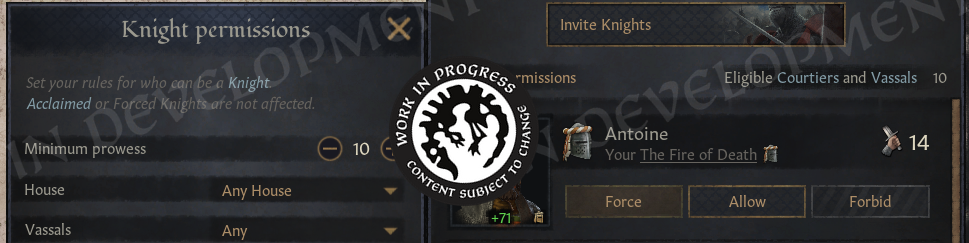
\[Notice the eligible count went from 21 to 10]
Manage it as you wish.
However, your permissions will be ignored by knights you have forced to serve, or by your Acclaimed Knights. If you choose to ignore this window entirely, it will not affect your game in any way. Everything will continue to work exactly as before.
This feature was first created by Lrds, and then the mod was adopted by Serp and later by Lord DGP, and I also contributed a little to it along the way. Kudos to everyone who helped keep it alive, and to Lrds for the original idea.
Now, however, it is part of the game itself. We have also added more information explaining what determines who can serve as a knight in the first place. If we have a relevant cultural tradition, the interface will tell us that it has an effect here.
Now, I promised to return to hotkeys, and I'm happy to say, like in the classic RPGs we now have:
I had already added something similar in a mod before, but this is a far more robust version. Event options now use Shift plus their number, which helps prevent us from selecting them accidentally while changing the game speed.
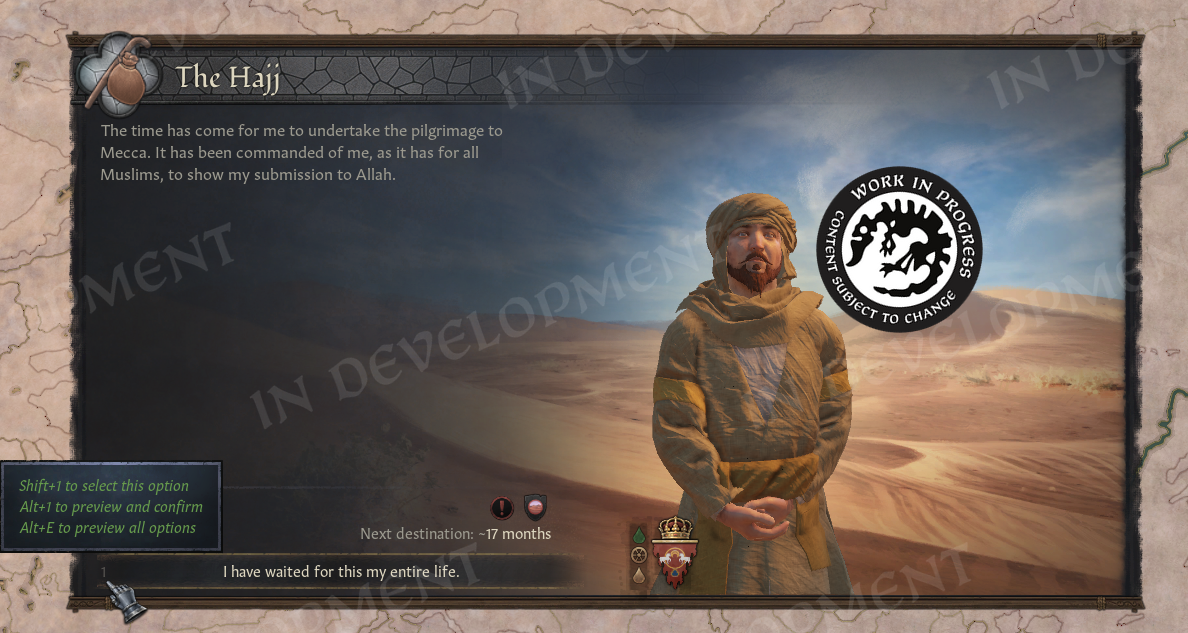 \[One step close to Crusader’s Gate 3]
Of course, this works best for events we are already familiar with. For events we do not yet know, we can press Alt plus the corresponding number to preview the tooltip of an option before selecting it.
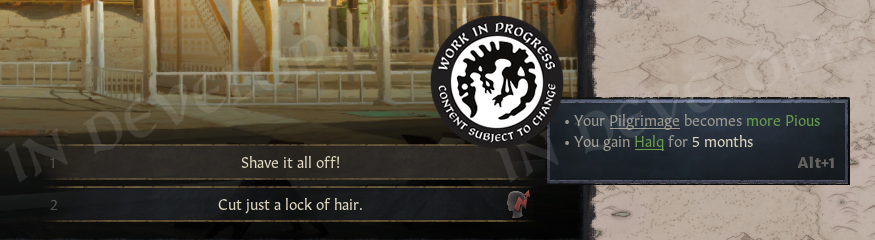
\[No need to use the mouse any longer]
And then press the same hotkey again to select it… Or press Alt+E to show all tooltips at once. So you can easily compare the choices!
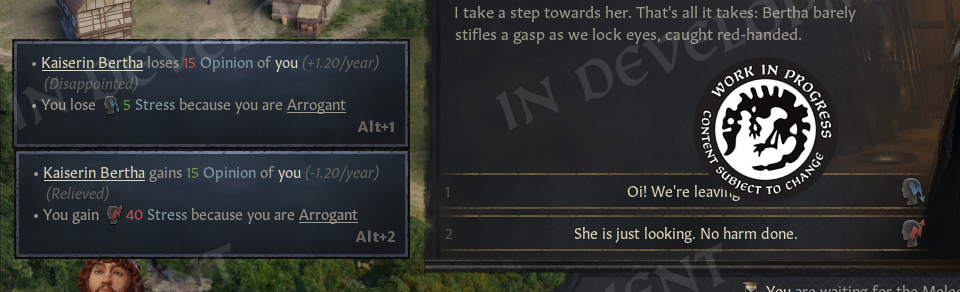
\[Comparing choices is easier than ever!]
It feels great to use. We can quickly navigate through events without needing to move the mouse.
The suggestion to add previews actually came from a game designer, and I am very happy that we managed to make it work. Hotkeys are also available across all event windows, including letter events, which allows us to quickly confirm actions when they appear.
The numbers on event options are hidden by default, you can enable them in settings. You can also hide the shortcuts from tooltips, if you want a cleaner look.
There is another feature for events that's been in high demand.
We can now display the names of characters appearing in events, along with their relationship to us, which makes it much easier to understand who everyone is at a glance. Here we also want to give a big shoutout to another modder, FUN, for the original idea (and a small one to Starving as well for adding opinions). Good design.
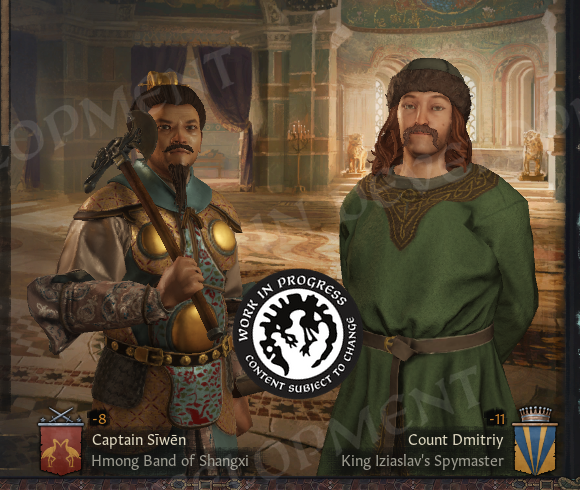
\[No more awkward moments of remembering someone's name]
To be clear, however, none of the mod’s code is included in the game. Everything has been rewritten from scratch, and we have taken a slightly different approach. For landed characters, nameplates are aligned with their Coats of Arms, while for unlanded characters they are centered, similar to how the mod presents them.
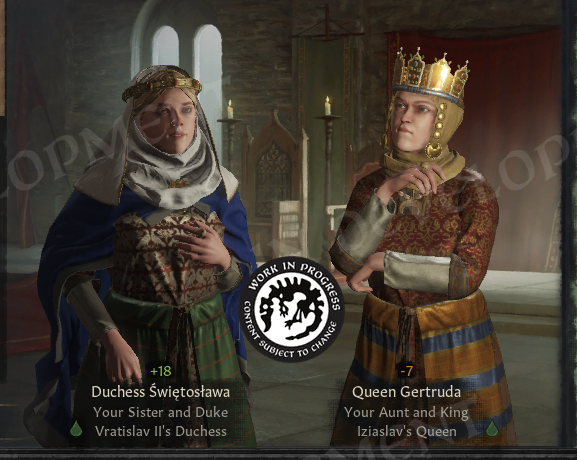
\[Especially if they are related to you]
Character tooltips, much like in the mod, appear directly on the nameplates themselves. This prevents them from covering the portraits if we want to select a character, which is another very good design decision.
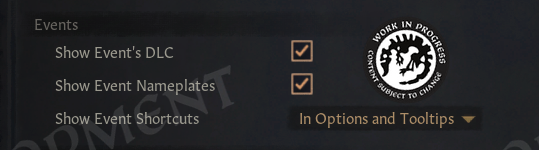
\[We’ve added it under the Events section]
Nameplates are optional and are disabled by default. We can enable them in the settings menu, where we also have the option to display shortcut numbers directly on event options.
The settings window has also received a small facelift. It is now taller, which means we need to scroll less, and its tabs are now accessible through number hotkeys.
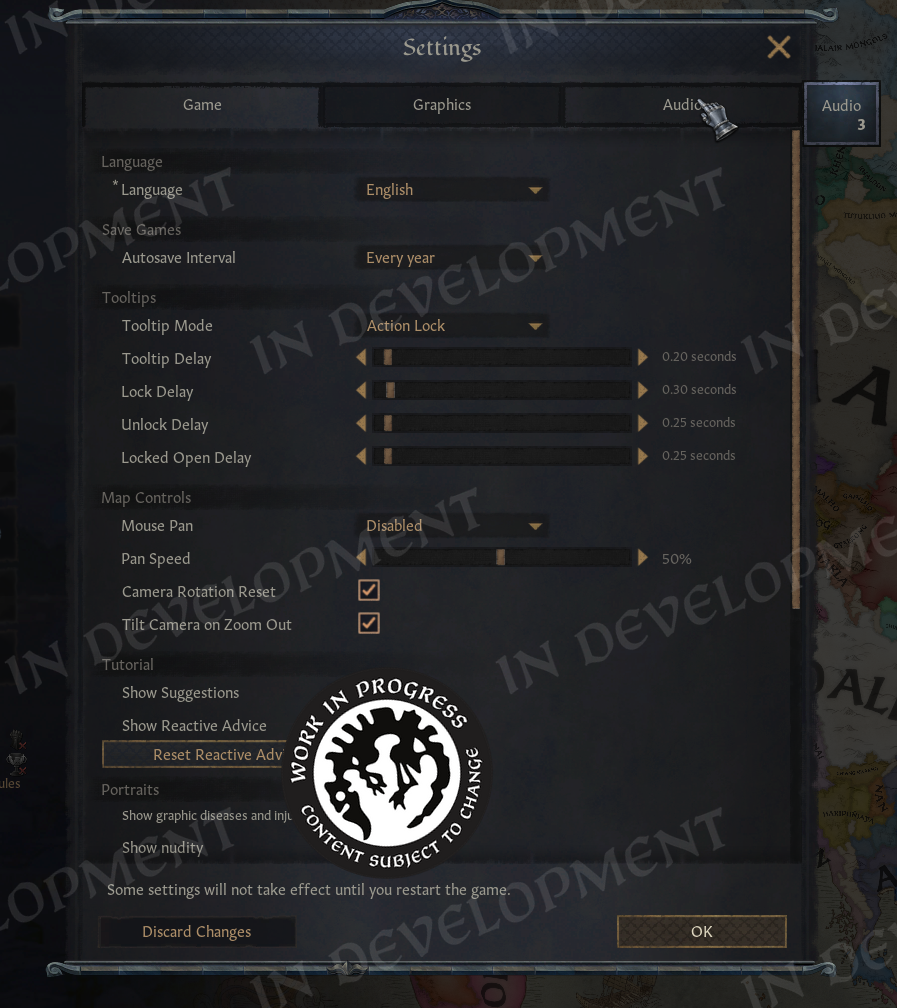 \[So many settings]
The pause menu has also been updated with hotkeys for its most common options. Pressing 1 saves the game, 2 loads, 3 allows us to change characters, and 4 opens the settings.
Similar improvements have been made in the main menu as well. On the bookmark screen, we can now use Ctrl, Alt, and number hotkeys to switch between dates, bookmarks, and rulers.
And once you load into the game and decide to create a custom ruler, we have some good news there as well.
I have made a big update to the Ruler Designer, building on ideas similar to my own mod but with several new additions.
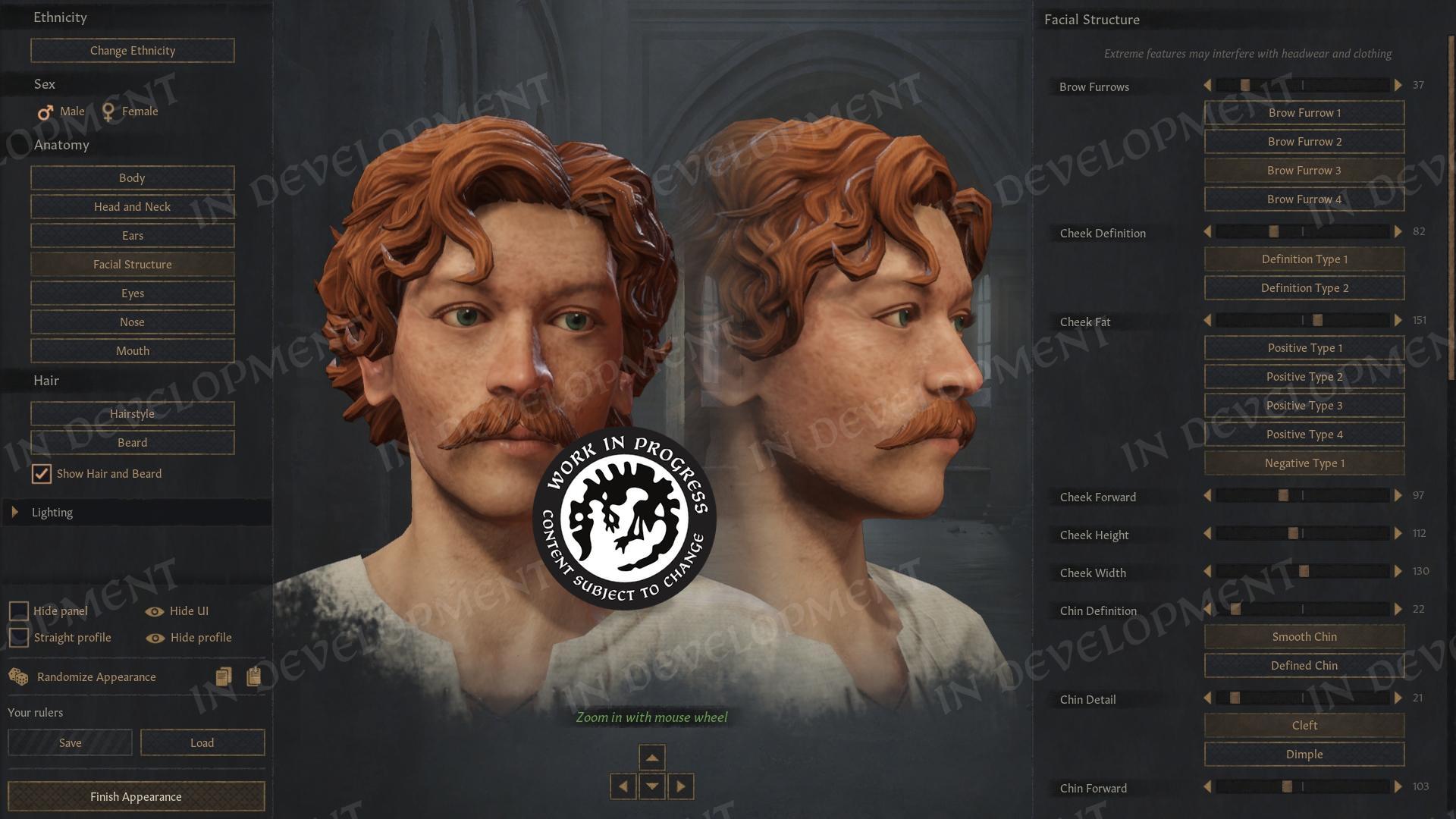 \[Great mustache]
We can now zoom into the portrait using the mouse wheel and drag it around to inspect details more closely. We can also hide the left panel to gain more space, or hide the interface entirely if we want to take a clean screenshot.
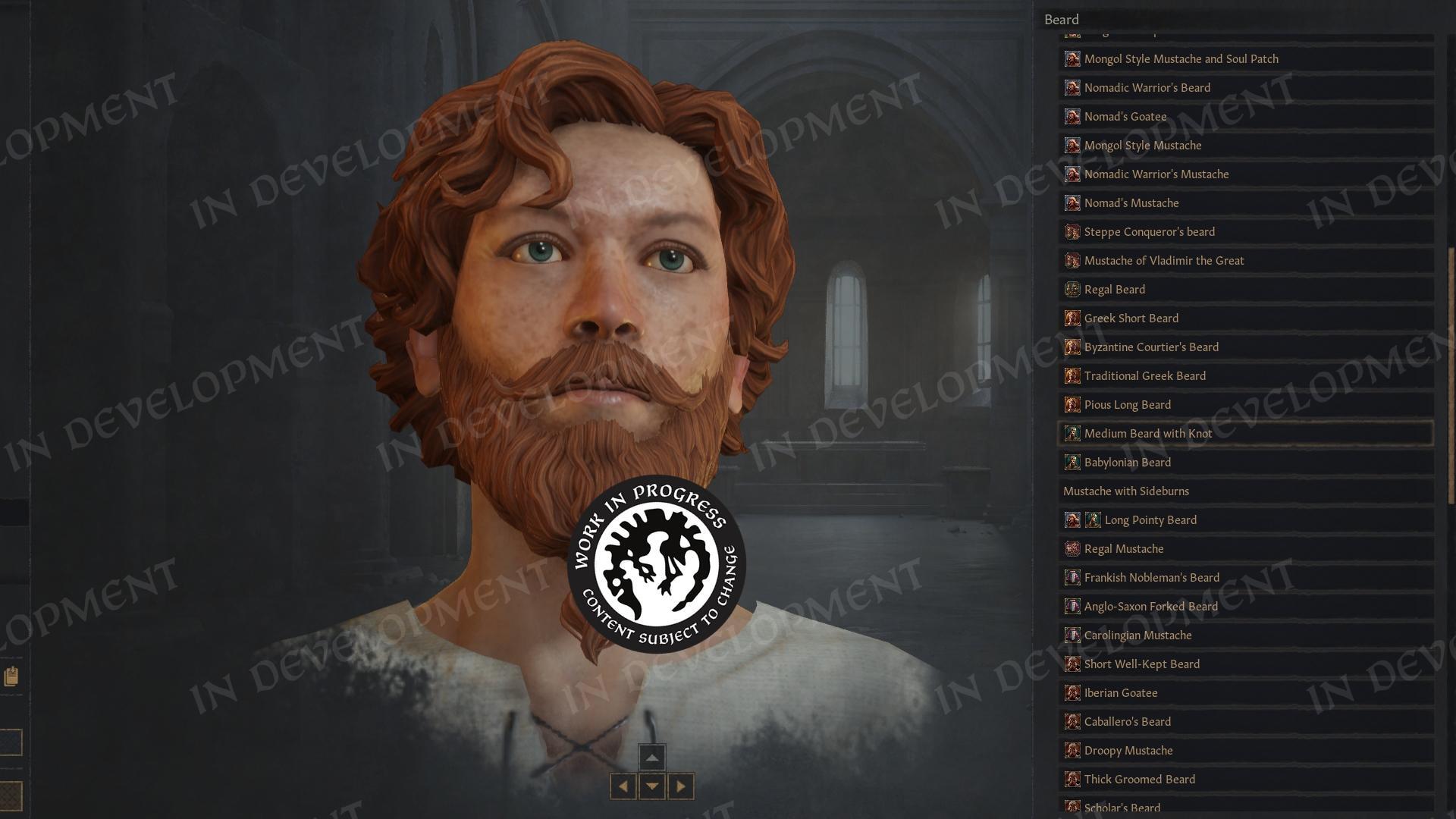
In addition, we can rotate the portrait to a few different angles and adjust the lighting, which makes it easier to see the shape of the face more clearly.
The sliders now behave like proper sliders. We can click anywhere along them and they will immediately jump to that value, and the exact value is displayed so we can see precisely how much it has changed.
A big thanks goes to another UX designer who pointed out that this was possible. I had no idea at the time and had to dig through the Victoria 3 files to figure out how to implement it.
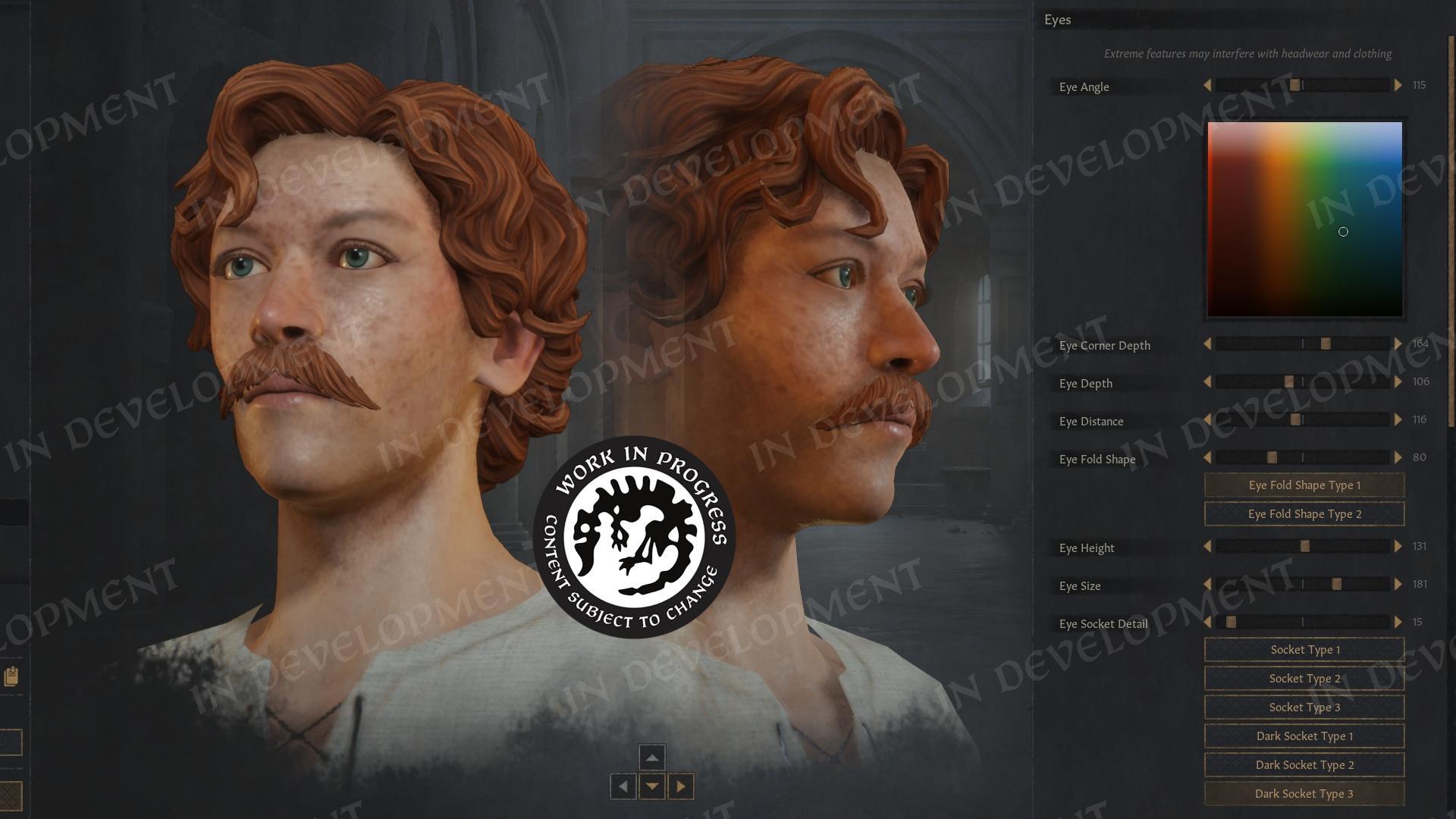 \[No more clicking through several menus]
You will also notice that we can now change ethnicity directly from this screen, rather than having to go through that separate menu every time we enter or exit portrait customization.
Many of the buttons are also larger now, allowing their text to fit more comfortably. We have also brought the weight slider and the sex toggle into this view, so we can quickly make those adjustments without navigating elsewhere.
In addition, Nils is planning to improve the localization for several options. Instead of labels such as “Skin Complexion 4,” you will see clearer descriptions like “Pale” or “Moles.”
And for our German players, we have fixed a bug where trait text could cause the interface to resize too much. We got you.
I also made a small update to the Struggle window so that it opens faster and uses the full height of the screen instead of leaving an empty gap at the bottom.
Along the way, I helped the team fix a few bugs and reported several others (and of course created a couple of my own >.> ).
Petter also added two small gifts for modders: IntToString and PdxGuiWidget.GetName. I am sure modders will quickly discover what they are useful for.
The Barbershop has also been improved so that it no longer asks whether we want to discard changes every time we exit. It will now only ask if we have actually changed something.
Finally, the last change I made was renaming “Current Situation” to simply “Tips.”
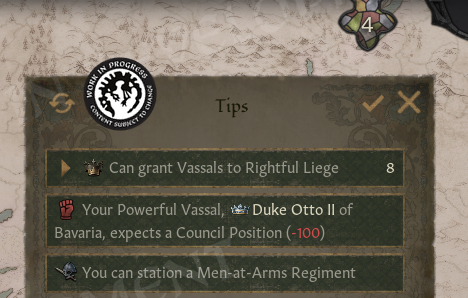
\[No more confusion!]
We now have other Situations in the game, so the name had become a bit confusing. I also wanted something shorter, which is why it is now simply called Tips.
I have also added a button that allows us to mark all of its messages as read.
And with that, you can now mark my part of the Dev Diary as read.
I hope you'll enjoy everything I've worked on. The ledger, all the shortcuts, event improvements, war losses and the updated Ruler Designer. Again, kudos to Petter for making so much of it work.
It was a fun time and we've found much better designs together than If I had worked by myself.
No promises, but if you like the ledger, it's possible it will be expanded in the future. There were a few more pages I wanted to add, but this is what we had time for in this update.
I could always return for another one, if you ask Paradox loud enough ;)
But now it is time to pass the torch to the rest of the team.
Now this is where we would be presenting the rest of the dev diary where we show all of the cool inhouse stuff we’ve been working on. Unfortunately, Agami here wrote too damn much so we ran out of time!
Jokes aside, we decided that we wanted to dedicate this Dev Diary fully to Agami, so that he gets the space to get feedback on the work (he’s done fantastic work!)
We are still hard at work on the update itself. In addition to what we have already shown, we are also preparing for the Open Beta mentioned in one of our previous dev diaries, with more than 1,500 individual bug-fixes, tweaks, and changes made to the game as of this post.
These changes range from smaller tweaks to reworks of entire systems, many of which have had balance implications that required extensive testing. We hope to show off more of them in next week’s Dev Diary!
Lastly, before ending this Dev Diary, we want to share one more small little pet project that Riad has been working on together with our Tech Lead.
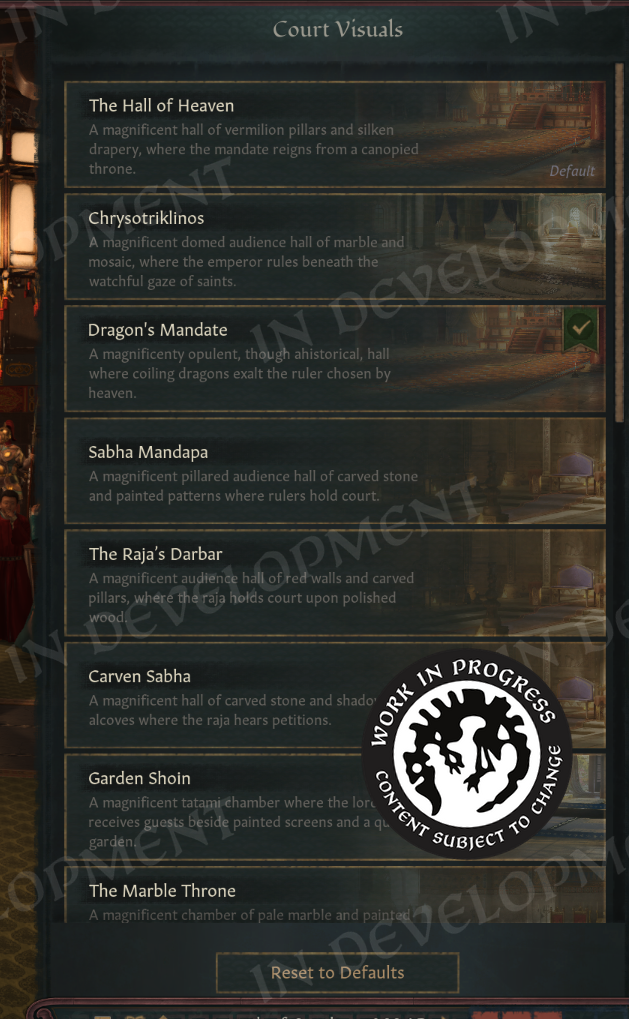 \[[i]Similar to how the barbershop allows you to pick any clothes you want, you will now be able to choose the visuals of your Royal Court.][/i]
We’ve seen increasing requests from people asking to be able to switch to specific court designs in the game. So, we added this small little feature for all of you to enjoy. In addition to this, we’ve also added in one extra court design that was previously unavailable.
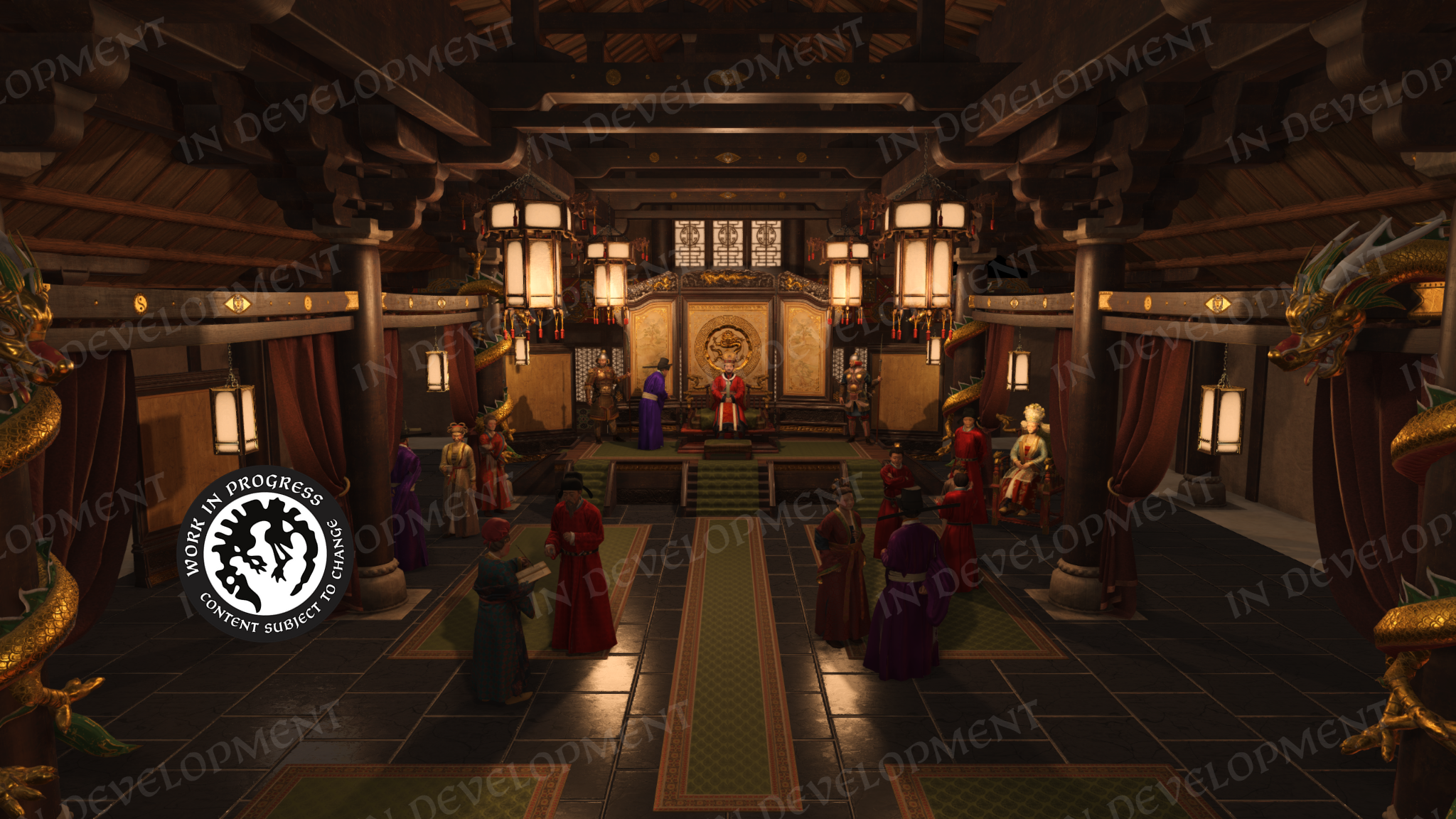
For those of you who read the All Under Heaven Dev Diaries, you might have noticed we showed off an earlier version of the Chinese Royal Court that we ended up scrapping. Well, I am happy to announce that the work of our talented 3D artists will not go to waste as you will be able to pick this as your court if you so wish.
\[/p]
I want to make it clear, this court will not spawn naturally in the game, as we do not believe it is historically accurate enough to be represented as “canon”. You will only see this court if you actively choose to pick it yourself.
All of this will be part of the Free Update coming soon. We hope to share more information with you at a later time. Please look forward to it!
Until then, have a great week!
你覺得這篇文章如何?