



Race Day Patch 1.21.1-f4 - State of Mods and Patch 101
On March 10 at 10 AM CET, the latest patch for Cities: Skylines will go live. Along with the new Expansion, there is also the free patch, given to and released to EVERYONE who owns the game.There are significant changes in the code for this patch, so this update will probably break many mods. If you use mods, this is good information to have for tomorrow.While some modders have been able to update their mods before this update goes live, they might not be able to update their mods as soon as it goes live.We understand that picking up an old project from many years ago isn’t always the easiest, and with all the changes that are included in this patch, we ask that you give your favorite modders time to update their mods. Please don’t bug them to update their mods; they’re probably already working on it. ????With this in mind, we have dusted off the cobwebs of this old Patch 101, updated it, and adjusted the text that needed adjusting. We think that it should help with sharing the basic knowledge of what a Patch can do to your mods, and what you can do to start playing faster. BUT FIRST;! Don't Panic !Do you play without custom community content?If you play without mods, you can enjoy everything the Expansion, Content Creator Packs, and Free Update provide at the time of release.Do you play with custom community content?If you use mods, there may be issues when you try to launch the game at the time of release. This is because some mods you rely on may be broken, and if you try to play without them, the game will be altered/glitched/broken.Table of Contents:Patch Day 101Back up your save filesIn-game warnings about compatibilityDealing with broken mods1. Patch Day 101Everyone receives the new patch. See here to learn more about the content included in the free patch.Because new features and code changes are introduced into the base game, mod creators may have to implement their code in a new or different way.Many mod creators have been given early access and have been able to work on their mods ahead of time, but these might not update immediately.Please be patient. Everyone has a personal life and might be unable to update a game mod immediately at launch. Do not bug creators to update their mod.If you want to play the Vanilla game while you wait for mods to be patched but don't want to unsubscribe from your Workshop items, you can temporarily add --noWorkshop to the game's Steam launch options to disable all mods and custom assets.However, remember that some save files will not load if some critical mods and assets aren't enabled; in this case, you will need to wait.2. Back up your save filesMake a backup of your most recent save file by copying it to your desktop so that you don’t accidentally overwrite it. Once your required mods have been patched, copy this file back to the previous folder, and you should be able to load it safely. Save file locations are listed below: Windows:[c] %LOCALAPPDATA%\\Colossal Order\\Cities_Skylines\\Saves[/c]Mac: [c]/Users/\[username]/Library/Application Support/Colossal Order/Cities_Skylines/Saves[/c]Linux:[c] $XDG_DATA_HOME/Colossal Order/Cities_Skylines/Saves[/c]3. In-game warnings about compatibilityThe November 2022 Free Update introduced a pop-up and an icon to the in-game content manager stating whether or not a mod was made for the current version of the game.The icon is advisory in nature; it just means that the mod you're using has been packaged up using the previous version of the game.Because the game can't do automated testing against mods with unknown code, it just looks for and compares version numbers and adds the icon, just in case.Many mods might work with the update, even though the icon may show it was made for a previous version.4. Dealing with broken modsIf you use a mod that you know to be broken, UNSUBSCRIBE FROM IT.If you use two mods that are similar or different versions of the same mod, PICK ONE, TYPICALLY THE MOST RECENTLY UPDATED ONE. Check the description of the mod on the Steam Workshop for information about compatibility.Disabling mods in Content Manager is not the same as unsubscribing from them. Disabled mods might still run code, and if they're incompatible with other mods, old, or broken, they can still cause issues. Always unsubscribe from mods instead of simply disabling them.
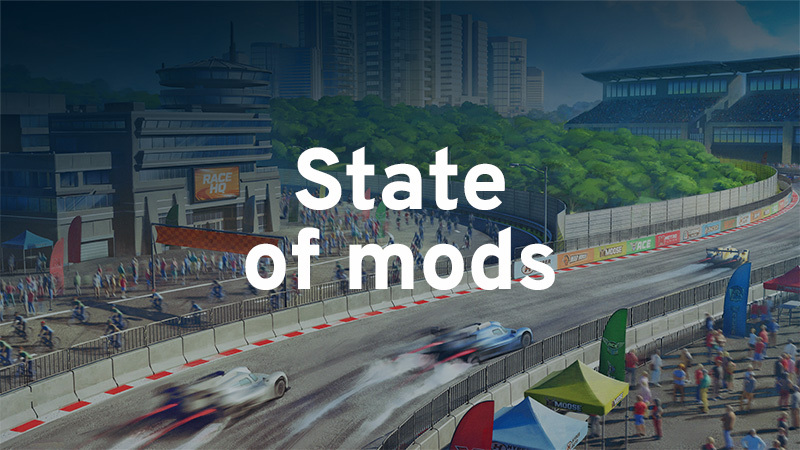

On March 10 at 10 AM CET, the latest patch for Cities: Skylines will go live. Along with the new Expansion, there is also the free patch, given to and released to EVERYONE who owns the game.
There are significant changes in the code for this patch, so this update will probably break many mods. If you use mods, this is good information to have for tomorrow.
While some modders have been able to update their mods before this update goes live, they might not be able to update their mods as soon as it goes live.
We understand that picking up an old project from many years ago isn’t always the easiest, and with all the changes that are included in this patch, we ask that you give your favorite modders time to update their mods. Please don’t bug them to update their mods; they’re probably already working on it. ????
With this in mind, we have dusted off the cobwebs of this old Patch 101, updated it, and adjusted the text that needed adjusting. We think that it should help with sharing the basic knowledge of what a Patch can do to your mods, and what you can do to start playing faster. BUT FIRST;
Do you play without custom community content?
If you play without mods, you can enjoy everything the Expansion, Content Creator Packs, and Free Update provide at the time of release.
Do you play with custom community content?
If you use mods, there may be issues when you try to launch the game at the time of release. This is because some mods you rely on may be broken, and if you try to play without them, the game will be altered/glitched/broken.
Patch Day 101
Back up your save files
In-game warnings about compatibility
Dealing with broken mods
Everyone receives the new patch. See here to learn more about the content included in the free patch.
Because new features and code changes are introduced into the base game, mod creators may have to implement their code in a new or different way.
Many mod creators have been given early access and have been able to work on their mods ahead of time, but these might not update immediately.
Please be patient. Everyone has a personal life and might be unable to update a game mod immediately at launch. Do not bug creators to update their mod.
If you want to play the Vanilla game while you wait for mods to be patched but don't want to unsubscribe from your Workshop items, you can temporarily add --noWorkshop to the game's Steam launch options to disable all mods and custom assets.
However, remember that some save files will not load if some critical mods and assets aren't enabled; in this case, you will need to wait.
Make a backup of your most recent save file by copying it to your desktop so that you don’t accidentally overwrite it. Once your required mods have been patched, copy this file back to the previous folder, and you should be able to load it safely. Save file locations are listed below:
Windows:[c] %LOCALAPPDATA%\\Colossal Order\\Cities_Skylines\\Saves[/c]
Mac: [c]/Users/\[username]/Library/Application Support/Colossal Order/Cities_Skylines/Saves[/c]
Linux:[c] $XDG_DATA_HOME/Colossal Order/Cities_Skylines/Saves[/c]
The November 2022 Free Update introduced a pop-up and an icon to the in-game content manager stating whether or not a mod was made for the current version of the game.
The icon is advisory in nature; it just means that the mod you're using has been packaged up using the previous version of the game.
Because the game can't do automated testing against mods with unknown code, it just looks for and compares version numbers and adds the icon, just in case.
Many mods might work with the update, even though the icon may show it was made for a previous version.
If you use a mod that you know to be broken, UNSUBSCRIBE FROM IT.
If you use two mods that are similar or different versions of the same mod, PICK ONE, TYPICALLY THE MOST RECENTLY UPDATED ONE. Check the description of the mod on the Steam Workshop for information about compatibility.
Disabling mods in Content Manager is not the same as unsubscribing from them. Disabled mods might still run code, and if they're incompatible with other mods, old, or broken, they can still cause issues. Always unsubscribe from mods instead of simply disabling them.
你覺得這篇文章如何?